

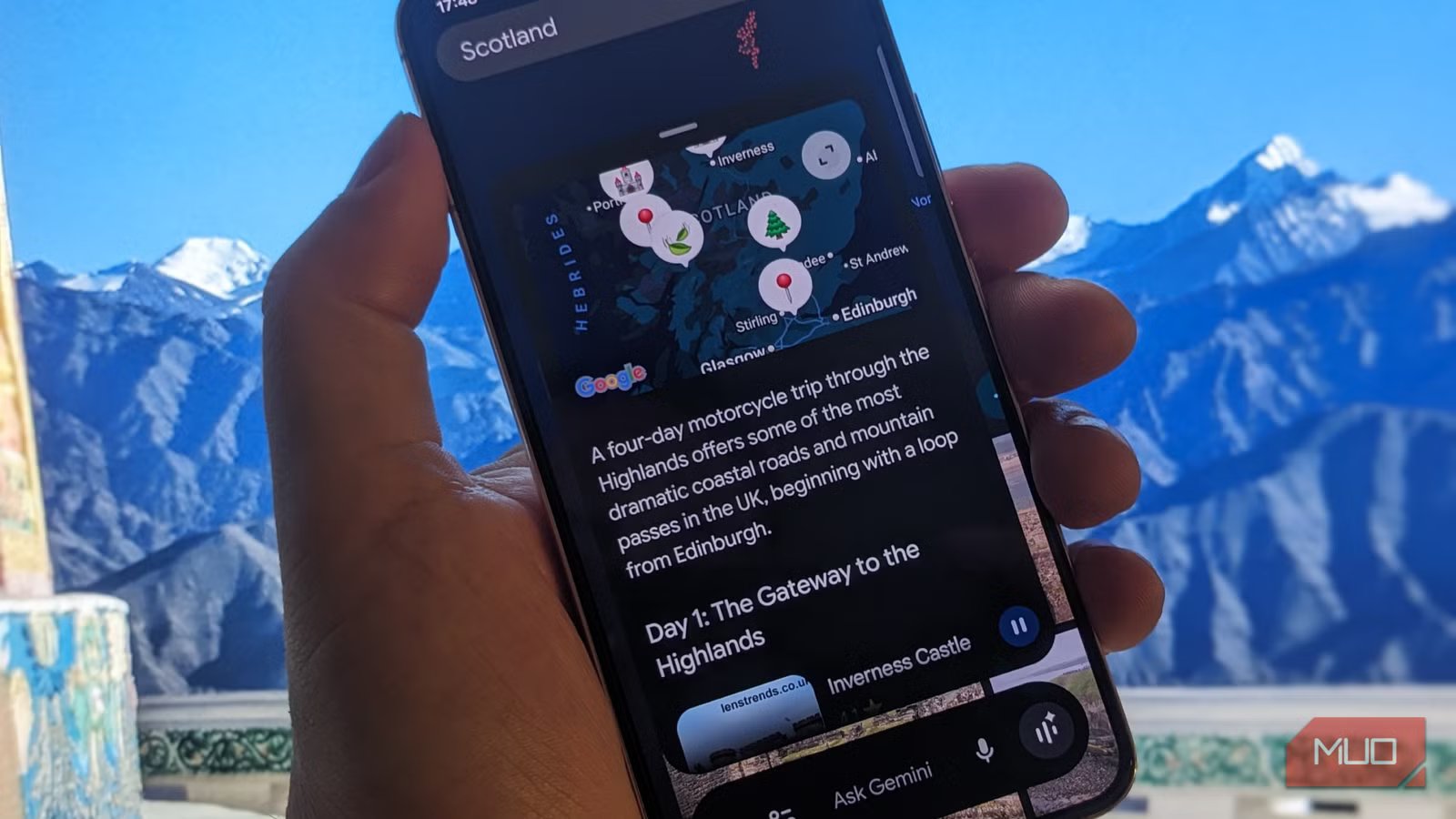
Google Maps is by far my favorite navigation app, with plenty of neat tricks up its sleeve, which I rely on not only to find my way around but also to reroute around heavy traffic, find interesting dining spots and attractions, coordinate with friends, and book accommodation on the fly. Despite all these benefits, it always felt more like a tool than a true travel companion, and that’s where Google’s Gemini AI assistant comes in.
Gemini has become my smart travel companion in the most literal sense. Instead of applying filters and scrolling through endless reviews, I can now simply ask questions, describe what I want, and get thoughtful answers that are relevant to my needs. While the change was subtle at first, having used it for a while, it has changed how I explore places, plan outings, and make decisions.
Related
The 5 Best Google Gemini Features You Must Try
Let Gemini wow you with these awesome functions.
Plan trips using natural language
Let Gemini join the dots for a full plan or a decent starting point
One of the greatest advantages of Gemini’s Google Maps integration is the ability to plan outings conversationally. This is useful whether I’m in familiar surroundings or in the middle of a bustling Kathmandu market. I can now simply type something like, “Plan a lunch at a non-crowded, affordable local eatery, and a relaxing afternoon that includes coffee, a gift store, and dinner and drinks close to Thamel center.”
Gemini will almost immediately present a structured set of suggestions that make great sense together. This not only plans my day quickly and coherently but also removes the hassle of searching, saving places, and mentally mapping distances. Gemini understands proximity and the types of experiences I’m after, so even if I don’t follow its advice word-for-word, I feel like I am at a distinct advantage.
Get personalized recommendations
Gemini’s directions are tailored and allow for follow-up questions
Recommendations in Google Maps were always generic, based on ratings or proximity, rather than my specific requirements. Now, with Gemini, they have become more personal and better-suited to my needs. I can ask for a not-too-busy bar or a café with decent Wi-Fi and a quiet atmosphere, and I get results that feel carefully curated rather than spat out by an algorithm.
What really makes a difference is the ability to ask follow-up questions. For example, once I’ve found some quiet cafés, I can ask, “Which of these is less crowded after 4 pm?” or “Which is closest to the railway station?” This back-and-forth makes discovery more dynamic and feels more like asking a well-informed local, rather than a bot.
Summarize reviews instantly
Get curated answers from a variety of sources
To be honest, I could never be bothered to read more than a few reviews, and I’m sure I’ve missed opportunities as a result. Gemini can turn hundreds of reviews into concise, useful summaries that cut through the noise. Rather than being swayed by one or two positive or negative opinions, I receive balanced reviews based on collective feedback.
For example, I can ask, “What are the negatives about this restaurant?” and receive a concise breakdown, such as: “great food and ambiance, but slow service during peak hours.” If I’m in a hurry, slow service would negatively impact my experience, so Gemini has given me a way to make confident choices, instead of relying on a couple of Joe Public’s suggestions.
Discover hidden or niche spots
Gemini removes the need to play it safe and follow the crowd
Before Gemini, I was always tempted to play it safe and stick to “Top Rated” or high-ranking destinations. While these can be useful, they often result in mass-appeal outcomes or the same suggestions surfacing time and time again.
With Gemini, I can search for specifics like “intimate restaurants with a traditional interior” or “jazz clubs that are off the beaten track.” Gemini will then interpret my request with places that match the vibe, making exploration not only easier but also less predictable. It’s a great way to find niche places that would likely be overlooked. Instead of finding something suitable to my requirements, I can find something different.
Build itineraries on the fly
Gemini helps you plan smarter and save time in the process
As someone who takes a lot of trips both abroad and at home, preparing itineraries is one of the most fun parts of the planning process. With Gemini, I can easily create multi-stop Google Maps itineraries, such as “create a motorcycle route that avoids tolls and motorways, leaving at 8 am, with a local eatery for lunch and attractions in the afternoon.” The results aren’t just a list of options; they are organized logically. This removes much of the hassle of itinerary planning and makes preparation quicker overall.
Itinerary planning with Gemini is especially helpful for spontaneous plans. Unsure of what to do in the afternoon? Rather than spend 20 minutes figuring out my options, I can quickly generate a ready-made plan, tweak it as needed, and hit the road without overthinking.
Gemini is the AI Google Maps assistant that I never knew I needed
By integrating Gemini into Maps, Google has created a fully-fledged navigation system that doesn’t dictate options so much as work with you to achieve better results. It hasn’t changed what the app is, but it has fundamentally altered how it feels to use, for the better.
No matter if you are asking directions, planning a day trip, or taking a scheduled vacation, the process is faster, more intuitive, and surprisingly enjoyable, and the results are far more detailed. It never occurred to me that Google Maps needed an AI assistant, but now I see it as an upgrade that I wouldn’t want to be without.
OS
Android, iOS, macOS, Windows
Developer
Price model
Free, Subscription
Google Gemini is an AI assistant that can understand and generate text, images, code, and more. It’s designed to help people find information, solve problems, and create things more easily.
