

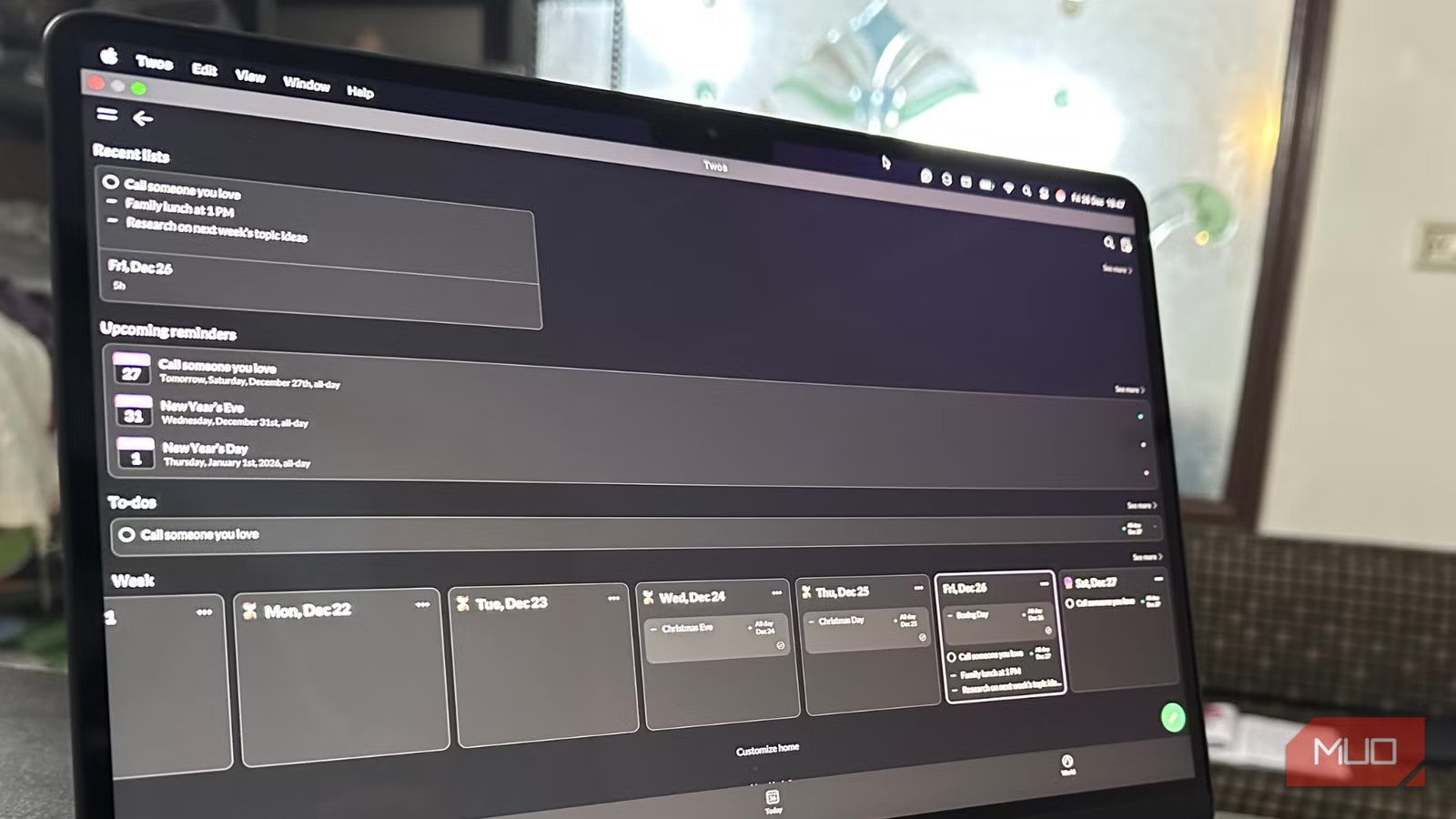
I take a lot of notes every day. Be it work, some personal stuff, or casual reminders, I take notes of almost everything. However, my note-taking system became overly complex over time. It was no longer making my life easier. I had folders inside folders and multiple apps for every kind of thought. For instance, my work notes lived in one app, reminders in another, and random thoughts and ideas were somewhere else. Maintaining a nice note-taking system took more effort than writing notes themselves.
While trying to simplify my system, I discovered Twos, a simple app that doesn’t overwhelm you with complicated formatting or fancy options. Despite being simple, Twos is so effective and useful that it has replaced my chaotic and complex note-taking system with minimal effort.
What makes Twos different from other apps
Its strength lies in simplicity
When I used the Twos app for the first time, I found it too basic to be useful. The installation and setup were pretty straightforward. After I completed the initial setup and opened the app, it greeted me with today’s date and an empty list. After exploring the app, I found that this simplicity is actually its biggest strength. What I like the most about Twos is that it doesn’t bind you to a specific format or flow. You have full freedom to decide what you want to write, without thinking about what it is beforehand.
For instance, most productivity apps ask if you wish to write a note or a reminder, whether it should be tagged, and similar questions. Twos remove this friction entirely. It lets you write tasks, to-do lists, reminders, reviews, memories, random thoughts, and much more. You don’t have to label anything. The app assumes that you’ll figure it out yourself later, and even if you don’t, that’s perfectly fine. That means you can create to-do lists, add calendar events, set reminders, share your memories, and do much more in a single app. Therefore, you don’t need multiple apps for your different note-taking needs.
The app is also very generous on its free plan. You can create daily lists, reminders, memories, bookmarks, reviews, and much more without any restrictions, data caps, or subscriptions. It also offers calendar, WhatsApp, text, and e-mail integrations. The paid version unlocks additional perks, including customization, templates, syncing support, and progress circles.
Daily use cases that make my life easier
How I actually use Twos
The prime reason Twos earned a permanent spot in my daily routine is that it’s fast, simple, and offers effortless organization.
- Simple to-do lists: I primarily use Twos for my everyday lightweight tasks like small personal goals, important reminders, things I need to see later, and more. Checking off everything feels utterly satisfying, and it doesn’t turn simple tasks into a productivity game.
- Quick thoughts and ideas: Several times a day, something or the other pops into my head, like topic ideas for my next articles, my upcoming tasks, or something personal that I want to remember. I just dump everything onto today’s list without complicating anything.
- Casual Journaling and memory keeping: Sometimes, I like to keep a record of my day, life events, small observations, and how I felt. And, Twos really come in handy for this. It’s not a comprehensive journaling app, but it lets me save memories I wish to cherish later. Over time, these little breadcrumbs of my day become quite surprising and powerful.
- Calendar events: Twos also allow me to connect my existing Apple, Google, or Outlook calendar, so I can view my schedules and tasks in one place. Also, I can use AI to create smart recurring reminders like pay rent on the 1st.
- Daily planning: When all my tasks, lists, reminders, calendar events, and unfinished items are together in one place, it makes it easier for me to plan and manage my day.
The best thing is that using Twos feels fun. There’s no pressure to format everything or be consistent. I open the app whenever I feel like, and everything is all right there in one place.
What Twos replaced for me
It just didn’t replace an app
Screenshot by Kanika Gogia
Twos replaced the complex note-taking system that I was stuck with. I used to rely on serious note-taking apps with folders, subfolders, and tags, which I promised to fully use someday. My ideas were in one place, random ideas in another, and important notes were tagged so I could easily find them on purpose (but somehow I couldn’t). Every time I opened my app to write something, I took a moment to decide where it actually belongs. Some days, I would write the same thing twice, once as a note and another time as a task, just because I wasn’t sure. I was using a separate calendar app, a minimalist note-taking app, and an informal journal.
I was fed up with maintaining a chaotic system. Twos easily replaced that for me with its simpler yet powerful approach. Now, all my notes, tasks, reminders, and events lie in one place. If I think of something while working, it goes straight into today’s list. Instead of building a perfect second brain, I’m happy with a small and all-in-one space that gives my thoughts somewhere to land. The app doesn’t expect too much discipline; it just makes things easier for you.
Twos feel like a breath of fresh air
I absolutely loved the Twos app. I was tired of maintaining my productivity tools, rather than actually using them. While I was dealing with a complicated note-taking system, Twos felt like a welcome change. If you fancy advanced organization, deep linking, and elaborate systems, Twos might feel limiting. On the other hand, if you also like minimal and no-fuss apps, Twos is definitely made for you. I was impressed by its ease of use, flexibility, and robust integration.
I didn’t expect such a tiny app with such a casual approach to entirely replace my note-taking system. But by giving me more freedom, Twos lets me work the way I always wanted to.
OS
Windows, macOS, Linux, Android, iOS
Developer
Twos Technologies, Inc
