

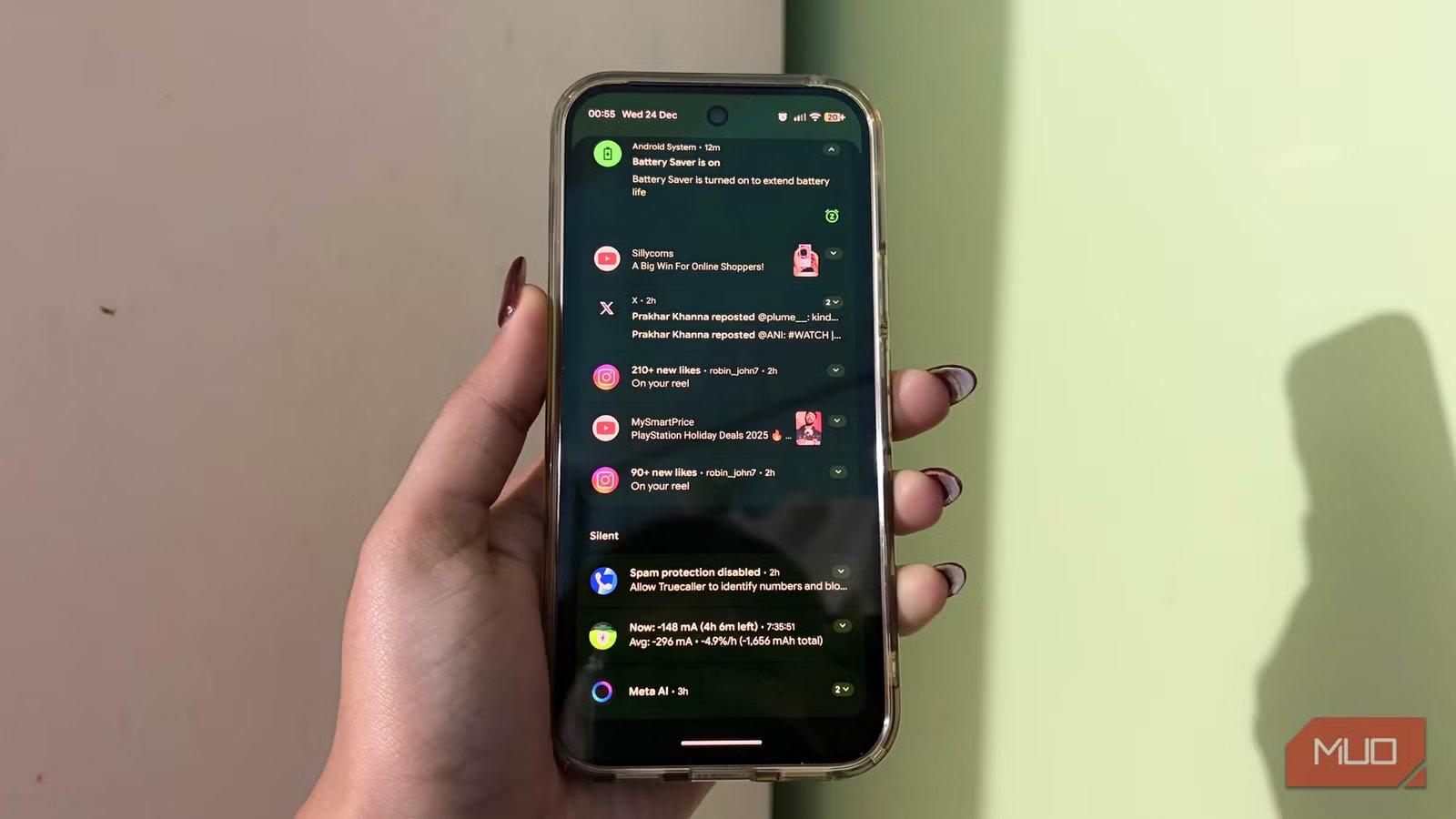
2025 has been all about Artificial Intelligence, and that momentum is clearly carrying into 2026. Smartphone brands are racing to build AI features that promise to turn hard work into smart work. I genuinely enjoy this shift, but only when these features are practical and actually improve day-to-day phone usage, rather than just existing to sound impressive.
That is where Samsung and Google really get it right. Honestly, Google’s quality-of-life AI features, in particular, feel thoughtful and purposeful, quietly working behind the scenes. You might not notice them at first, but over time, they begin to subtly change how you use your phone every day.
One such feature on my Google Pixel 10 Pro completely changed how I handle my notifications. There is nothing flashy the moment you turn it on, and it does not draw attention to itself. But as the days go by, the impact becomes clear. It feels more manageable, notifications don’t distract you anymore, and once you get used to it, going back to the way it was will no longer linger. It is a small setting, but one that makes a surprisingly big difference.
What does this feature do?
Letting the important stuff cut through the clutter
Credit: Shimul Sood / MakeUseOf
On Google Pixel phones, this feature is called Enhanced Notifications, and it replaced Adaptive Notifications in Android 12. At its core, it is designed to make notifications less chaotic and more helpful, instead of constantly asking you to check your phone.
In everyday use, this means your phone starts showing smarter, context-aware suggestions right inside notifications. For instance, if your boss messages you asking, “Are you on your way?” you might see quick reply options like “On My Way” or “Running late” without even opening the app. If a delivery app updates your order status, the notification will surface useful actions like tracking the package or contacting support, right when you need it.
Related
How to unlock every AI feature on your new Pixel
Circle to search, AI image tools and more
Enhanced Notifications also works behind the scenes to organize alerts, so the important ones stand out while the less important fade into the background. Over time, this also reduces the habit of unlocking your phone every time you receive a notification. And once you actually receive an important one, enabling this setting will also help you with a smart reply.
To do all this, the feature needs access to notification content, which can also include your personal information, such as contact names, message text, or call details.
Using this context, it can take simple actions on your behalf, like dismissing irrelevant notifications, suggesting replies, answering or declining phone calls, and even managing interruptions by adjusting Do Not Disturb when appropriate.
How to enable this feature
A one-minute tweak that pays off every day
To enable these features, just follow these simple steps. It’ll only take a minute:
- Open the Settings app on your smartphone.
- Head to Notifications.
- Scroll all the way down to the bottom of the page.
- Under the General section, turn on Enhanced Notifications.
- A pop-up will appear explaining what this feature can do. Take a moment to read through it, then tap OK to confirm.
And that’s it. Enhanced Notifications is now enabled on your phone. It will make your notification alerts feel much less overwhelming and much more useful.
Where does this feature come into play?
The quiet moment where it starts to help
Credit: Shimul Sood / MakeUseOf
Now that you’ve enabled Enhanced Notifications, it’s completely normal to wonder where you’ll actually see it in action and which apps support it. Here’s how it shows up in everyday use:
- Quick replies that just make sense: It suggests quick replies so you don’t have to open the app every time. For instance, if your mum messages asking, “Where are you?” Right below it, your phone will suggest answering, “On my way!” These replies are what we naturally use, and they save time, especially when you’re busy. You’ll notice this in most apps like Google Messages and WhatsApp.
- A cleaner, more organized notification center: Your notifications are automatically grouped into sections based on importance. Urgent and personal messages stay at the top, while less important alerts, such as Silent, Promotional, or Social notifications, are pushed lower. This makes it easier to spot what actually needs your attention at a glance.
- Health and security alerts get top priority: Notifications related to your health, safety, or security are always surfaced at the top of the stack. Whether it’s an emergency alert, a security warning, or something that needs your instant attention, Enhanced Notifications ensures these aren’t buried under less important updates.
It’s a very modest system, but once it kicks in, your notification shade feels calmer and far less overwhelming.
A quieter phone is a better phone
Pixel phones come packed with a wide range of AI features, many of which rely on cloud connectivity to function at their best. Enhanced Notifications is one such feature that often goes unnoticed, even among Pixel users. Part of the reason is that it is not designed to impress instantly. It is a small tweak, and its real value reveals itself gradually, through everyday use rather than an immediate, obvious change.
Once enabled, it quietly steps in to reduce the noise, allowing important notifications to reach you without constantly pulling you out of the moment. Over time, you find yourself responding more deliberately and feeling greater control over what needs your attention.
In a world where every brand is trying its best to show off its AI features, this is a rare example of doing the opposite. It stays out of the way, helps when needed, and fades into the background when it’s not. And honestly, that is exactly how well AI on a smartphone should work.
