

I’ve had a particular HP laptop for over 17 years. It now runs like a snail and has been gathering dust on my shelf for the last seven years. I had the bright idea of installing Linux on it and converting it into my self-hosted cloud server. However, after installing a few Linux distros — Linux Mint, Zorin OS, and openSUSE — it still didn’t feel as snappy as I’d hoped.
So I tried a distro I’d never used before: Bodhi Linux. This distro epitomizes lightweight and is quite unlike any of the popular ones I’d tried in the past; it’s the perfect distro for a certain set of people.
Moksha: a desktop that’s different, efficient, and elegant
Why it feels unlike anything you’ve used before
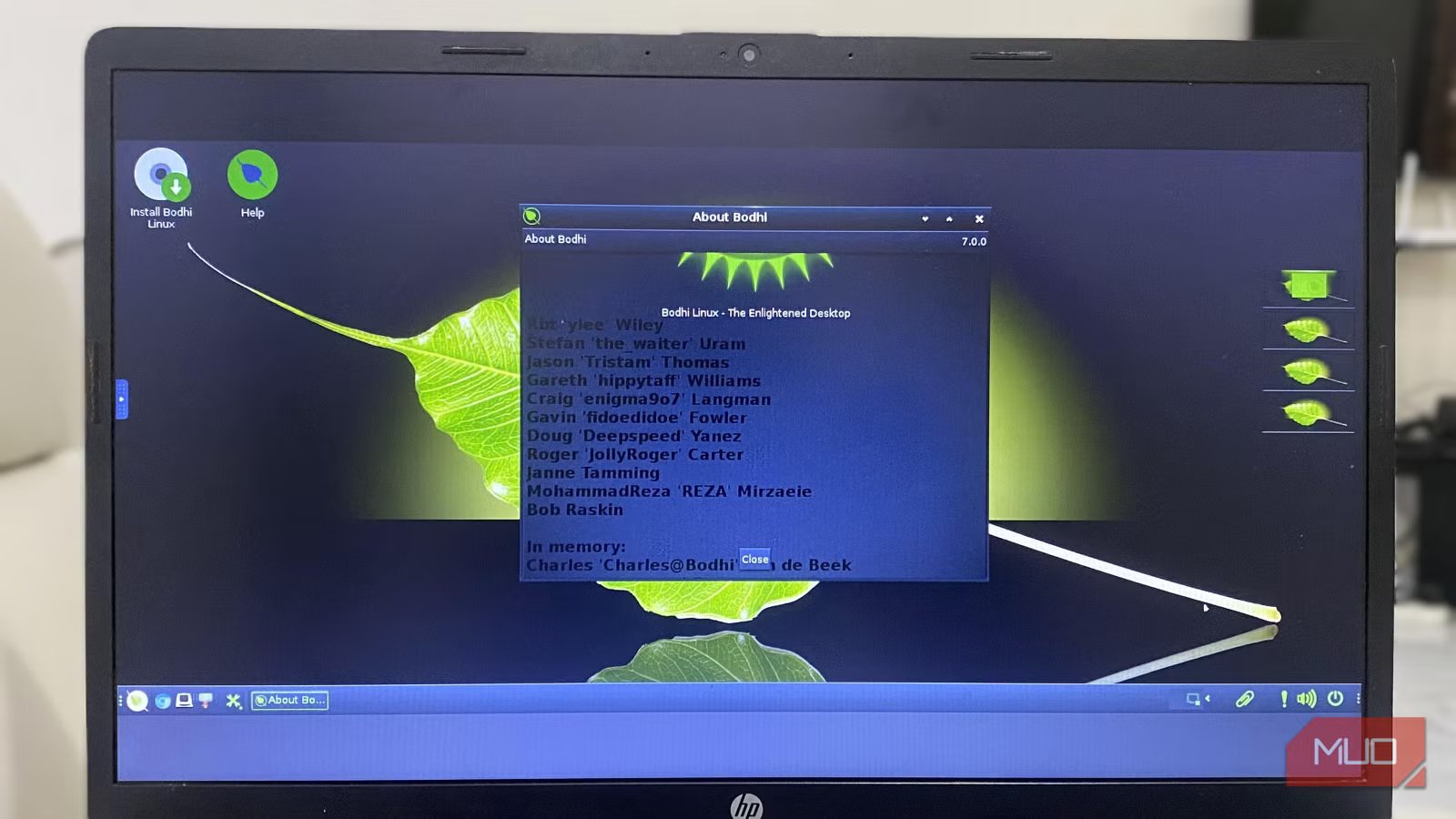
Most distros I’ve used follow a similar design that makes them end up looking a bit like Windows or macOS. They typically include a shelf and a menu button in a corner. Bodhi Linux uses the Moksha desktop. Moksha is based on Enlightenment 17, a lightweight desktop environment that’s clean, dark, and uncluttered.
This desktop environment is devoid of the pop-ups you’re accustomed to on modern computers. It also strips out side panels and relies on light visual effects. The Moksha desktop has had a big effect on my old HP computer. Stripping away many desktop effects made it lighter and easier for the old laptop to run.
Although Moksha lacks some elements of modern desktops, it remains practical. You get a shelf at the bottom that includes open apps and basic system info. The power button is on the bottom-right of the desktop, not hidden in any menus. You can left-click any part of the desktop, and the full menu appears right under your cursor. It’s the fastest way to access menu options on any distro I’ve used.
Minimalism by design: 200MB and everything you need
How Bodhi makes old hardware feel usable again
Afam Onyimadu/ MUO
Memory usage was the most significant factor that made Bodhi Linux run fast on my 17-year-old laptop. On modern systems like Windows and several Linux distros, before opening any apps, you can see over 1GB of RAM usage. My Bodhi Linux installation idled at between 180 and 200MB, making it the least memory-hungry and one of the most lightweight distros I’ve ever tried.
However, this low memory footprint isn’t a coincidence. Bodhi Linux limits the number of installed background services and preloaded apps. This is a sharp contrast to many mainstream OSes that include apps and background services just in case you need them. Bodhi comes with a small set of tools, including a web browser, a basic text editor, a file manager, and a terminal. This minimal approach guarantees short startup times.
Bodhi Legacy Edition is built for 32-bit processors, which are common in early-2000s laptops — a sign of its intentional support for older hardware. This is rare among most mainstream Linux distros. It’s the best fit for a laptop that feels too old to run anything else, but not old enough to discard.
Features you didn’t know you needed
Small ideas that quietly change how you work
Afam Onyimadu / MUO
Bodhi has certain features that initially feel strange, but they grow on you. Window shading, for instance, lets you scroll your mouse wheel on the window’s title bar instead of minimizing it to the shelf. This feature neatly rolls up the window, leaving only the title visible. It’s a great way to conserve space without actually moving your work.
Bodhi also has an interesting approach to workspaces. The right side of the desktop shows four boxes, which are previews of your open workspaces. By right-clicking any of them, you can access their settings. This preview ensures you know what each workspace contains, even before clicking it. It’s a sleek way of staying organized on older or slower computers.
Bodhi Linux adds several of these small touches for practicality. It’s a responsive distro. You don’t get delays or sluggish behavior because it doesn’t include heavy animations that can introduce lag. The right-click menu is plain and removes all unnecessary steps.
From passive user to desktop master
Why the learning curve is part of the value
Afam Onyimadu / MUO
After installing Bodhi Linux, I noticed a few bits were missing. For instance, the clock wasn’t obvious. I also couldn’t find the battery indicator. While it felt strange, it gave my desktop a minimalist look. But more significantly, Bodhi gave me the freedom to decide which elements to include on my desktop.
The distro started to feel more flexible as I continued exploring the settings. I was adding, removing, and resizing shelves. I had control over app launchers and was creating personal launchers for my most-used apps, binding them to specific keys. On a slow computer, these shortcuts remove extra clicks and reduce the chance of lag while opening menus.
I learned a few lessons along the way. For instance, whenever I unplugged the laptop from its docking station, my display settings would break. To fix this, I had to click Save to Moksha Startup. But this opened my eyes to the Bodhi philosophy. It doesn’t assume anything; you must explicitly configure a behavior if you want it to stick. This also makes Bodhi predictable, because it does exactly what you demand.
Related
Sorry, Linux fans: This OS is actually the better Windows replacement
Not Linux, not Windows. Something better.
Who Bodhi Linux is perfect for
If you want a distro that behaves and feels like Windows or macOS, Bodhi may not be for you. It doesn’t hold your hand, and you won’t get setup wizards and pop-ups. But if you’re trying to escape bloated tools and are using old hardware, it should be your best fit.
It encourages you to explore settings because many features aren’t enabled by default; they’re waiting for you to turn them on. It’s the perfect distro for someone who enjoys tinkering but still wants an easy learning curve.
