

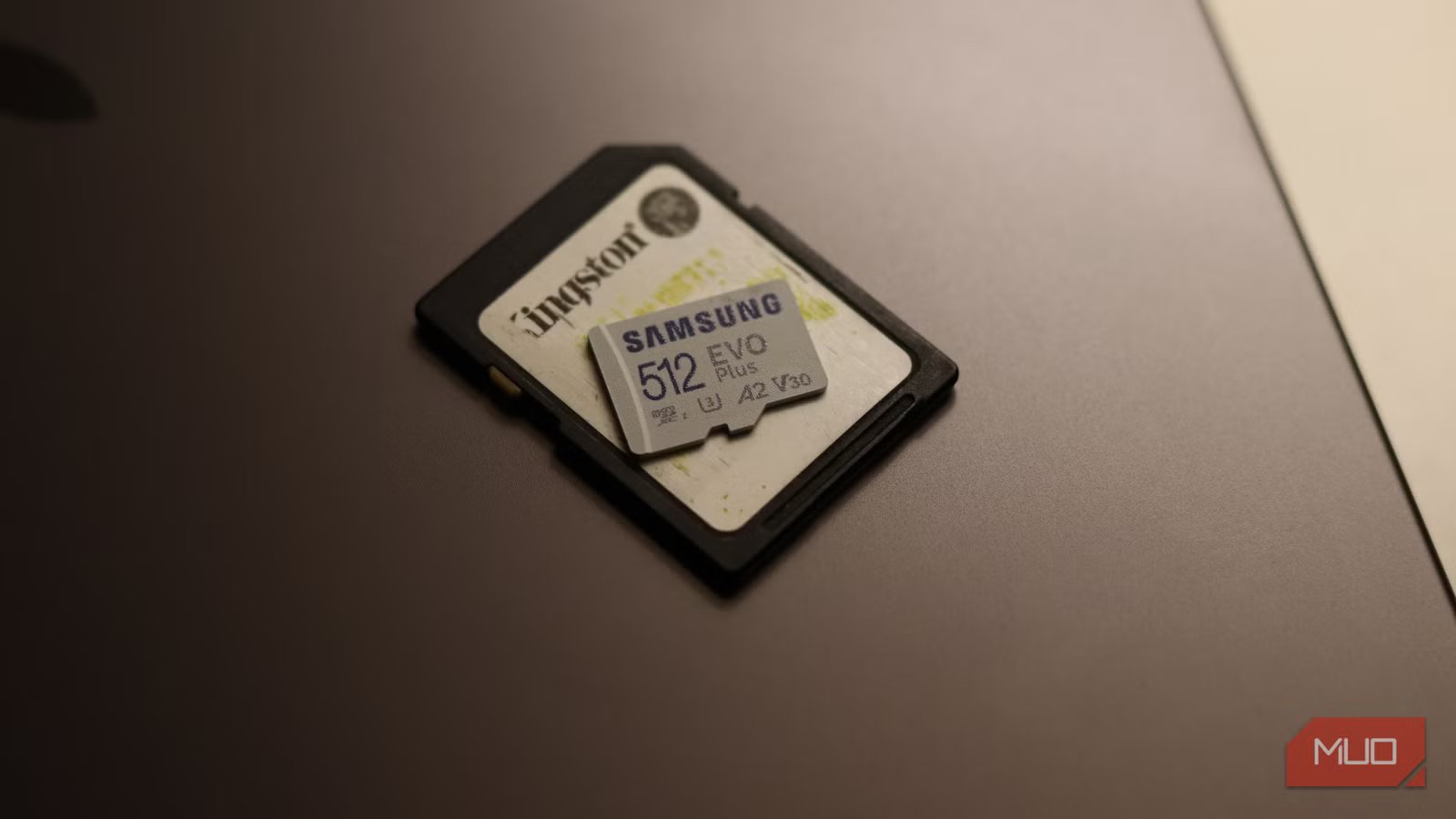
You’re staring at two SD cards. They look identical—same form factor, same capacity, same price range at first glance. But there’s one tiny marking printed on the front of the card that’s about to make all the difference in your footage.
That marking—V30, V60, or V90—represents the difference between silky-smooth 4K video and a choppy, frame-dropping disaster that corrupts your footage. It’s one of the mistakes you must avoid when buying a microSD card, or any other card for that matter, as it determines how well the device you intend to use that card in functions.
The difference between peak speed and speed that actually matters
Sustained write performance is what your camera really cares about
Yadullah Abidi / MakeUseOfCredit: Yadullah Abidi / MakeUseOf
That “V” followed by a number isn’t marketing fluff. It’s a Video Speed Class certification that tells you the minimum sustained write speed the card can guarantee, measured in megabytes per second (MB/s).
V30 means 30 MB/s, V60 means 60 MB/s, and V90 means 90 MB/s. These aren’t the maximum write speed your card can achieve by a long shot. These are just the minimum write speeds your card can handle, no matter how long the write session is.
When you’re recording video, your camera sends data to the card in an uninterrupted stream. It doesn’t burst, stop, and burst again. It’s constant. For the entire recording session, that data just keeps flowing.
Older speed ratings, which measured peak performance, didn’t actually guarantee reliable video recording. You could have a card with blazing-fast burst speed that absolutely tanked when asked to maintain consistent performance over several minutes.
Related
This $10 memory-card gadget fixed my storage workflow
The simplest gadget I own also solves my biggest storage headache.
The V-rating system was introduced specifically for video. Unlike peak speeds, which are important for burst photography, the V-rating is about what the card can sustain indefinitely. A card with a V30 certification means that it has been tested and certified to write at least 30 MB/s continuously, no matter what. Not for a second, not for a burst, but for the entire recording.
The actual performance might often be better than the minimum. A V60-rated card might sustain 130MB/s in real-world use. A V90 might hit 250 MB/s. Regardless, you’re guaranteed that minimum speed regardless of conditions or recording length, and that’s why the rating is so important.
Dropped frames, corrupted files, and unexplained recording failures
Southern Wind/ShutterstockCredit: Southern Wind/Shutterstock
Picking the right rating can be confusing because your camera speaks in megabits per second (Mbps) while your SD card speaks in megabytes per second (MB/s). There are 8 bits in a byte, so you need to divide the bitrate by 8 to figure out what write speed you actually need.
Let’s say you have a 4K video camera recording at 200 Mbps bitrate. That’s actually only about 25 MB/s of write speed needed, as 200 divided by 8 equals 25. In this case, a V30 card should suffice.
However, if you crank the settings up to 4k 60fps with high-bitrate codecs, let’s say 400 Mbps, you’ll now need 50 MB/s. A V30 card can work here, but you’d want to pick a V60 to be safe. Similarly, if you record in a higher resolution like 8k or more frames for slow motion, you’d want V90 so you can keep up with the video bitrate.
This is exactly why choosing the wrong V-rating kills your footage. Your camera doesn’t know the card can’t keep up. It just keeps sending data. The card, meanwhile, starts struggling to keep up with the incoming video stream, the buffer fills up, and eventually frames start dropping.
In the worst case, you get corrupted clips that won’t even import into your editing software. I don’t trust memory cards with anything important anymore, but making sure your card is compatible with the camera you’re using is one way you can ensure reliable recording.
V30, V60, or V90: which one should you actually buy?
Matching card ratings to cameras, drones, and real-world use
A V30-rated card should handle most standard 4K video use cases. Consumer cameras shooting 4k at 24fps, 30 fps, or even 60fps sit comfortably in the 100-200 Mbps range. Entry-level drones, action cameras, and compact video cameras also work well with V30-rated cards. The issue is that new hardware keeps pushing bitrates higher, so V30 is becoming less of a future-proof choice.
V60 is where serious videography starts. If you’re shooting 4K at 60FPS, working with higher-end cinema cameras, or recording in compressed 10-bit formats, V60 ensures you’ve got the headroom required for smooth shooting. Professional video often operates between 200 and 400 Mbps, and V60 comfortably handles that sustained load. You also get faster buffer clearing, which matters if you’re shooting bursts of RAW still photos or demanding video sequences.
Finally, V90 is for the high end. 8K video, extremely high frame rates, professional RAW recording, and any scenario where you’re dealing with higher bitrates of around 600 Mbps or above demand a V90-rated card.
That doesn’t inherently make V90 better than the other standards. If your camera can only output 200 Mbps, V90 is overkill and a waste of money. But if your gear demands it, a V90-rated card is the only choice that guarantees reliable performance.
These tiny ratings matter more than storage size
Why speed classes quietly decide whether your gear works or not
That tiny V30, V60, or V90 marking isn’t a suggestion. It’s a certified promise that your card can handle a specific level of continuous data throughput. Choose too low, and you’re gambling with your footage. Choose too high, and you’re just wasting money.
Related
These Lesser-Known Memory Cards Are Blazing Fast, and Only Set to Get Faster
If you want faster storage, you need to start using these memory cards.
The trick is understanding what your camera actually outputs, doing that quick division by 8, and matching it to the right V-rating.
There are essential memory card features you should check before buying, but the next time you’re buying SD cards for a shoot, stop staring at the storage capacity and maximum speed claims. Look for that V-rating instead. That tiny marking is likely doing more work than everything else on the card spec sheet combined.
