

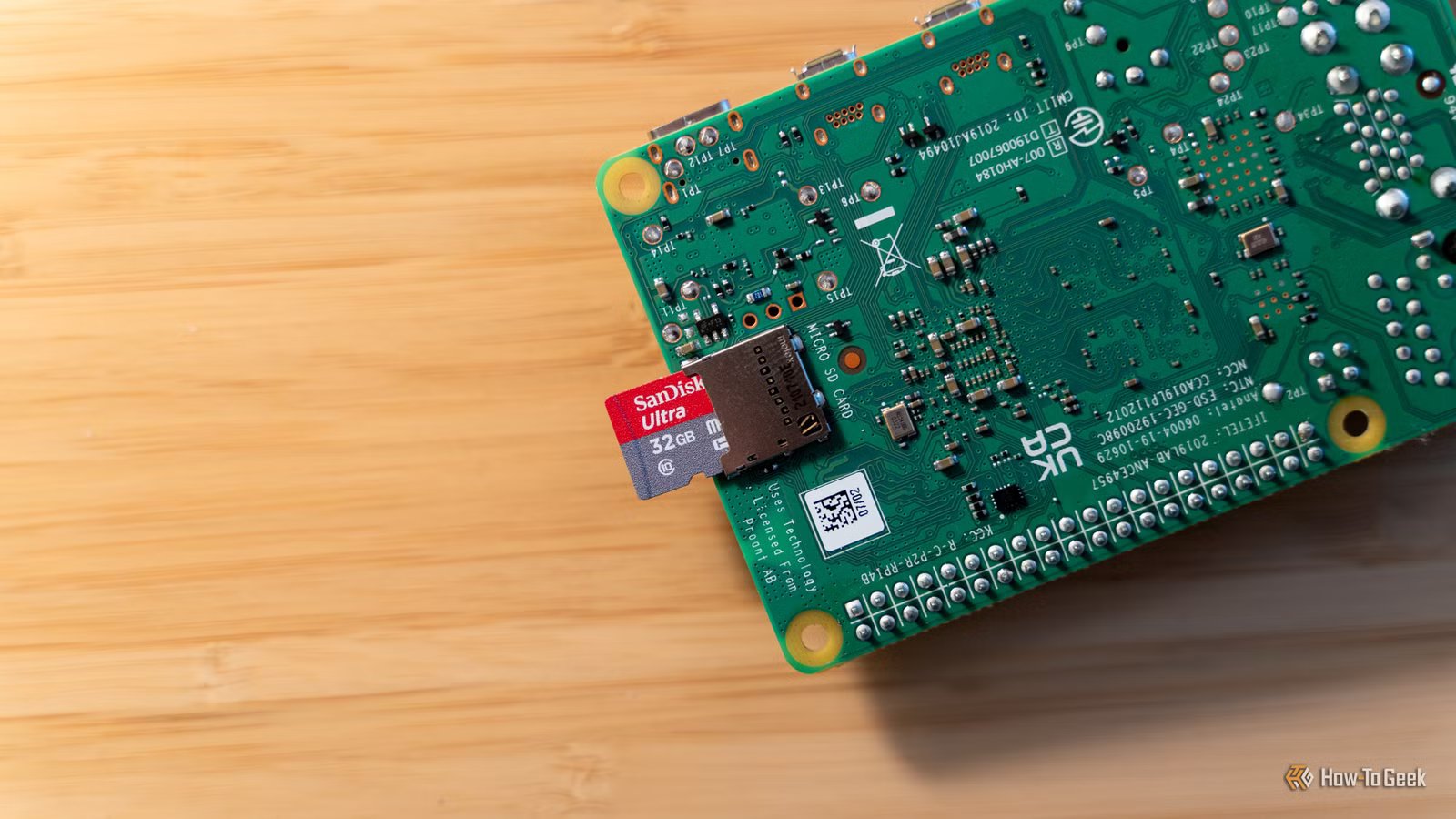
The Raspberry Pi is awesome machines for so many reasons—it’s low-power, extremely capable, and has a small footprint. I love all those things about my single-board computers, but my favorite feature is one that I don’t hear talked about nearly often enough.
The Raspberry Pi doesn’t have a normal boot drive
microSD to the rescue?
Credit: Jason Fitzpatrick / How-To Geek
Traditional hard drives or SSDs have become synonymous with a computer’s boot drive—Raspberry Pi bucks that trend. For better or worse, the Raspberry Pi uses microSD cards or USB drives as its boot device (outside of the Pi 5, which can also boot from NVMe with a special HAT).
There are definitely some downsides to using a microSD card as a boot drive. Wear endurance is one of the biggest drawback, but high-endurance drives can help remedy that.
One of the biggest benefits of the Raspberry Pi using a microSD boot drive is just how easy it is to change it out. Why would you want to swap the microSD out? To change the operating system, of course!
Brand
SanDisk
Capacity
32GB
The SanDisk MAX Endurance microSD card is designed for high-intensity read/write operations. Perfect for NVRs or Raspberry Pi’s, this microSD card comes with a 3-year manufacturers warranty for extra peace of mind.
Want to change operating system? Just swap the microSD card
I wish I could change my desktop’s operating system this easy.
Credit: Corbin Davenport / How-To Geek
Raspberry Pi computers are often used for very specific use cases: a retro gaming system, a light web server, a HTPC, a Home Assistant server, and much more. What if I told you that you didn’t have to reinstall the operating system every time you wanted to change what the Pi was doing at that moment?
You can pick up microSD cards pretty cheaply on Amazon, from Best Buy, or anywhere else that sells them. Amazon sells a 5-pack of 32GB microSD cards that are UHS-1, U3, and Class 10-rated, making them ideal for boot drives—all for just $35. That’s just $7 per card.
A 32GB microSD card is perfect for your Raspberry Pi’s boot drive, as it gives plenty of room for the operating system as well as other software that you might need to install.
One Raspberry Pi can do many tasks with a few microSD cards
It takes more time to boot my MacBook than swap a Raspberry Pi’s OS.
Credit: Raspberry Pi | tete_escape / Shutterstock
Let’s say you only have one Raspberry Pi, but need it to do many things. Sure, you could have one boot drive that has all the capabilities you need installed on it, and that would work—but it wouldn’t be optimal.
The downside to running your Pi like that is that all the dependencies for the various pieces of software you install would all be running in the background unless you aggressively killed each task all the time.
Instead, just pick up the 5-pack of microSD cards and keep a different operating system on each one. Put Home Assistant on one microSD card, Retro Pie on another, and Kodi on a third. You could keep one microSD card specifically with a desktop environment to use the Pi as a laptop replacement when traveling.
That fifth microSD card? That can be one that you use for messing around! The great part about a Pi is you can pull out a perfectly good microSD card that’s working well, slide in another one, install an operating system, break all kinds of things, and then just put the good microSD card back in its place as if nothing happened.
This has to be one of my favorite Raspberry Pi functions, and I feel like people don’t talk about it nearly enough. A Home Assistant server at the house and a media center operating system when traveling to play your favorite movies or TV shows from a 2TB flash drive, all without having to buy two separate computers, is fantastic.
Sure, regular mini PCs work in this way too, but they require more expensive SATA or NVMe drives to boot from, and often require a decent amount of disassembly to swap the drive. The Pi just requires you to eject the existing microSD card and slot a new one in without having to take apart a ton of stuff.
Brand
Raspberry Pi
CPU
Cortex-A72 (ARM v8)
Memory
2 GB
With the Raspberry Pi 4 Model B, you can create all kinds of fun projects, and upgrade gadgets around your home. Alternatively, install a full desktop OS and use it like a regular computer.
Taking full advantage of the ability to swap out microSD cards has been on my to-do list for a while. Having a proper HTPC that I can travel with for streaming my Plex server when I’m away from home, without having to bring my Apple TV, is very alluring and something I plan to do before my next big road trip.
