

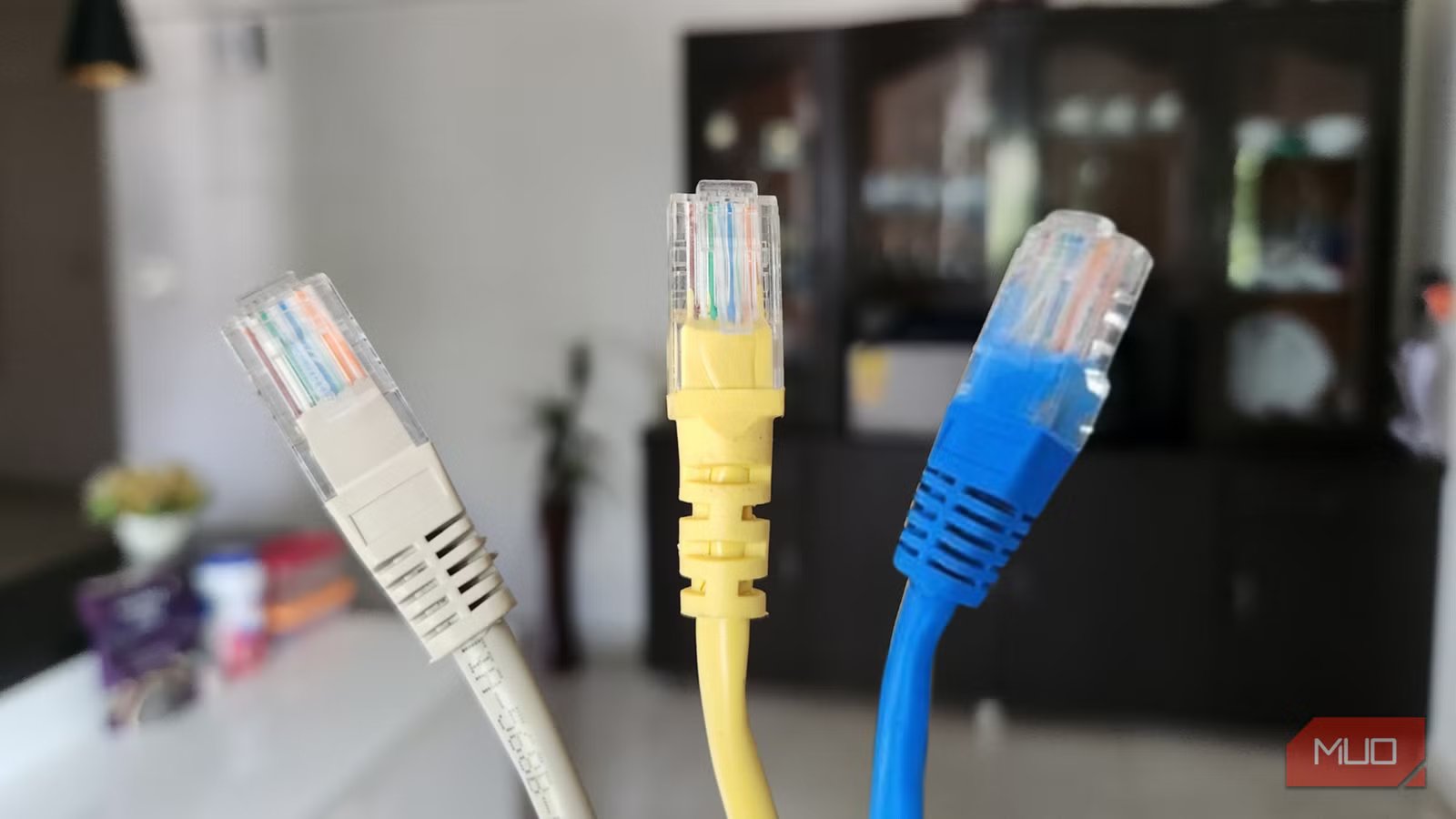
When network speeds tank, we blame the router first. Then the ISP. Maybe we even swap out a perfectly good streaming device, thinking it’s the culprit. Rarely does anyone bother checking the Ethernet cables — because cables just work, don’t they? We plug them in, see a green light, and move on. Here’s the thing, though: every Ethernet cable has a speed ceiling built into it, and if you’re using an older category, that ceiling might be way lower than you’d expect. Cat5 and Cat5e cables are still everywhere in 2025, quietly choking networks that should be running circles around them.
Those category ratings actually matter
Speed limits are baked into the wire itself
Look closely at any Ethernet cable, and you’ll find a category designation stamped on the sheathing — Cat5, Cat5e, Cat6, and so on. These aren’t marketing terms invented to charge you more money. Each category reflects actual construction differences — different wire gauges, twist rates, and shielding materials.
Cat5 maxes out at 100Mbps, which felt like a miracle back when we were all excited about ditching dial-up. Today, that’s barely enough for a single 4K stream. Cat5e handles gigabit. Cat6 goes all the way to 10Gbps on shorter runs, though most people use it for its bulletproof gigabit performance over longer distances. What trips people up is that networks default to the slowest component in the chain.
I’ve read about people tearing their hair out at slow speeds, swapping routers, and calling their ISP repeatedly, when the real problem was a single outdated cable hiding in the wall. One bad link in the chain drags down everything passing through it. You might be paying for 1,200Mbps and wondering why your living room TV barely cracks 95 — all because a contractor grabbed the wrong spool five years ago.
Many manufacturers these days use identical or near-identical components in Cat5, Cat5e, and Cat6 cables. You could save money by buying a lower-grade cable. Read reviews to see the actual max speeds customers are achieving.
Why Cat5e isn’t the answer either
Gigabit on paper doesn’t mean gigabit in practice
Credit: Hannah Stryker / MakeUseOf
Cat5e gets a pass from a lot of people because it technically supports gigabit. And technically, it does. On paper, Cat5e handles gigabit just fine. In a lab with short runs and zero interference, it probably would. Your house isn’t a lab, though. Maybe the cable takes an 80-foot trip from the basement to an upstairs bedroom. Maybe it got kinked during installation, and nobody noticed. Maybe there’s Romex running alongside it for twenty feet through the same wall cavity. Any of these can eat into your speeds without triggering an obvious failure. The frustrating part is that nothing outright breaks. Instead, you get stuttery video calls, streams that randomly drop to lower quality, and speed tests that never quite match what you’re paying for.
Here’s something worth knowing: the price gap between Cat5e and Cat6 has nearly vanished. Manufacturers increasingly use similar internal components across both categories, so a 1,000-foot spool of Cat6 might run you only $10–$20 more than Cat5e. When you’re wiring multiple rooms or crimping your own cables to save money, that difference becomes negligible. Spending a few extra dollars now buys genuine headroom instead of just scraping by.
Cat6 hits the sweet spot for home networks
Better performance without added complexity
Cat6 lands in a comfortable middle ground for home use. It’s not exotic enterprise-grade cabling, but it’s meaningfully better than Cat5e where it counts. Inside a Cat6 cable, the wire pairs have tighter twists — this sounds like a minor detail, but it makes a real difference in how well signals stay separated.
The shielding is upgraded, too, which keeps your microwave oven and dimmer switches from messing with your connection. And despite the upgraded internals, installation is no different than working with lower categories. You’re using the same RJ45 connectors, the same crimping tools, the same techniques. Anyone who’s terminated Cat5e can handle Cat6 without breaking a sweat — it’s just better cable.
Now, Cat6a and Cat7 do exist if you need 10Gbps across an entire house, but that’s overkill for most residential scenarios right now. Cat6 gives you room to grow as multi-gig internet plans become more common, it’ll last a decade or longer without degrading, and the cost difference is small enough that going cheaper doesn’t really make sense anymore.
Check what’s already in your walls
A ten-minute audit can uncover hidden bottlenecks
If your home was built or renovated in the last fifteen years, Ethernet was likely ran during construction. The question is whether whoever did the work used appropriate cabling throughout — or grabbed whatever was left in the truck to finish the job. Finding out takes about ten minutes. Head to wherever your cables terminate, whether that’s a basement utility area, a closet with networking equipment, or wall plates scattered around the house. Look at the outer jacket of each cable. The category rating is stamped at regular intervals down the cable’s entire run. The real red flag is seeing just “CAT5” with nothing following it — no “e,” no “6,” just the base designation. Even Cat5e runs might be worth flagging for future replacement.
Deadline pressure leads to corner-cutting
Photo by Arjun Vishnu – No attribution required
Builders rush to meet deadlines, and when the Cat6 runs out, sometimes they finish a job with whatever’s sitting in the truck. That happened in my brand-new construction, we had one Cat5 run mixed in — it was good enough to pass inspection, but silently limited speed to our main TV and PS5.
Related
I didn’t realize Ethernet cables have speed limits until one slowed my entire network
One cable limited my network speeds to multiple devices, and I fixed it in 10 minutes.
That one cheaped-out cable can haunt a room for years before anyone figures out why it’s always the slow spot in the house. The good news is you don’t need to tear open walls to fix this. When the original run follows an accessible path, attaching your replacement cable to the old one before extraction lets you thread the new line through in a single motion.
Worst case, a long Cat6 patch cable routed along baseboards solves the problem for $15–$20 until you’re ready for a more permanent fix. And once you’ve sorted the cables, proper management keeps everything tidy going forward.
Your cables deserve the same attention as your router
Networking conversations obsess over routers and mesh systems while cables sit ignored in walls, doing their job invisibly — but invisible doesn’t mean unimportant. Before blaming slow wired speeds on your ISP or hardware, spend five minutes reading cable jackets: Cat5 means you’ve found your problem, Cat5e means you’ve found your next upgrade project, and any new runs should skip straight to Cat6 without hesitation.
