

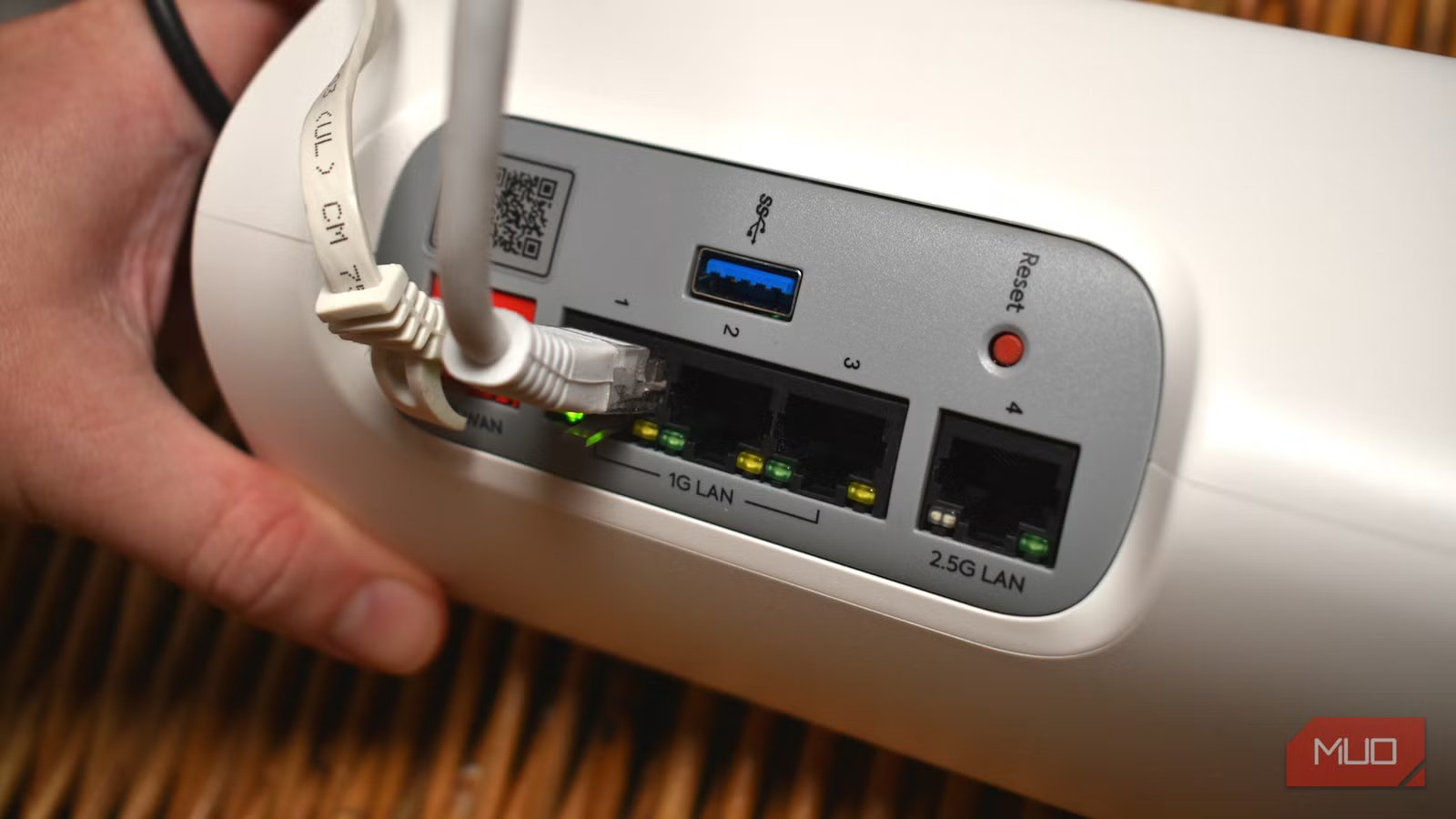
Around the back of your router are several ports, one of which is the ever-so familiar USB port. But while many modern routers like to advertise that you can turn it into a “personal cloud” or “basic NAS,” the reality is that your router’s USB port isn’t always the safest option for your data.
The problem is that while your router’s USB port is absolutely designed for convenience, it doesn’t always have the same security, redundancy, or overall capabilities as a dedicated NAS or other specific backup device.
So while there are many ways to use your router’s USB port, you shouldn’t be using it as your only data backup option.
You have to think about security
Shoving a 1TB drive into a USB port doesn’t scream “safe”
One of the main reasons to back up data is to keep it safe and secure, yet security is one of the first risks overlooked when people talk about using a router in this manner.
Your router has a very specific job: it acts as the “front door” to your digital home. It stands between your private devices and the chaotic, threat-filled public internet, routing your traffic to where it needs to go. But when you plug a drive full of your private data into the device responsible for your network security, you’re effectively storing your valuables in the guard booth rather than in a safe inside the house.
Typically, routers need to turn on some extra tech to make it worthwhile as a backup tool. The problem with this is that some of these services and protocols may be out of date, running old versions, and are unable to be upgraded to safe, modern versions.
For example, while most modern routers now use Server Message Block v3 (SMBv3) for secure network communication, older routers may use SMBv2, which lacks end-to-end encryption (though it is generally secure), or worse, SMBv1, which was first released 30 years ago and is riddled with vulnerabilities. While Microsoft removed official support for SMBv1 in 2022, there are still ways to enable it, potentially exposing your data.
Simply put, most routers (especially older ones) don’t receive enough specific security updates to keep your data safe. If a router is compromised—and consumer routers are common targets—it’s not just your internet connection at risk. An attacker potentially gains access to whatever is stored on that attached drive: personal documents, family photos, ID scans, financial records, work files, and more.
Your router probably isn’t built for performance
You’re looking at painfully slow transfers
Credit: Christine Persaud / MUO
Most consumer routers are built around low-power system-on-chip (SoC) processors designed for routing traffic efficiently—not handling storage. Even when the router proudly advertises a USB 3.0 port, the real-world performance is usually disappointing, as the USB controller, internal bus, CPU, and firmware all become bottlenecks long before the drive itself reaches its potential.
This speed trade-off is a key reason why your router isn’t the best option for data backups. Budget routers often struggle to reach double-digit megabytes per second, mid-range models might hover between 10–30 MB/s, and even premium consumer routers rarely deliver speeds that feel genuinely fast. That’s a fraction of what even a cheap external SSD can achieve when plugged directly into your computer, and nowhere near the experience of a dedicated NAS.
Your router will slow down even more under high-load, because that’s not its primary role—routing data is. So, if your network is busy with heaps of connected devices, your router CPU ends up juggling wireless traffic and storage tasks simultaneously, slowing everything down to accommodate.
Backups need reliability
And your router’s USB port isn’t that
Credit: Amir Bohlooli / MUO
The ultimate purpose of a backup is insurance. You want to know, with 100% certainty, that if your computer dies, your data is safe. In short, most consumer routers weren’t built for sustained read/write workloads like a NAS or even a proper external storage drive.
It’s another case of hardware that’s not built for the job you want it to do, which means you could experience any number of issues that could corrupt your data. Some of it relates to the router hardware issues detailed in the previous section; if your router is overwhelmed with connection requests and working at capacity, you may find file transfers don’t work, drives randomly disconnect mid-transfer, file systems become corrupted, and your network shares can disappear.
Another consideration is that some routers won’t even have enough power to work with your external hard drive. The amount of power provided to the USB port on a router is manufacturer-specific, which can cause further problems if you try to use it as a backup option.
One of the primary reasons to use dedicated backup hardware like a NAS is that you have redundancy built into the system to protect your data. With a USB drive plugged into a router, it’s highly unlikely you’ll have any versioning or snapshots to fall back on. If you drive dies or becomes corrupted while connected to the router, you’re cooked.
Related
I Thought My Wi-Fi Was Secure—Until I Checked My Router’s Settings
Your router settings can make or break its security.
Going to use the USB port anyway?
Take some data backup precautions
If you’re going to use your router’s USB port anyway, treat it as convenience storage rather than anything resembling a serious backup system. It’s fine for sharing media files around the house or dumping content you wouldn’t be devastated to lose. But critical documents, irreplaceable photos, and work files deserve something more dependable.
At the very least, disable any remote access features so the drive is only reachable from inside your network. Use strong passwords on your router admin panel, and make sure you maintain a completely separate backup elsewhere—ideally one that’s offline or offsite.
The key is simple: never let a router-attached drive become your only copy of anything important.
