

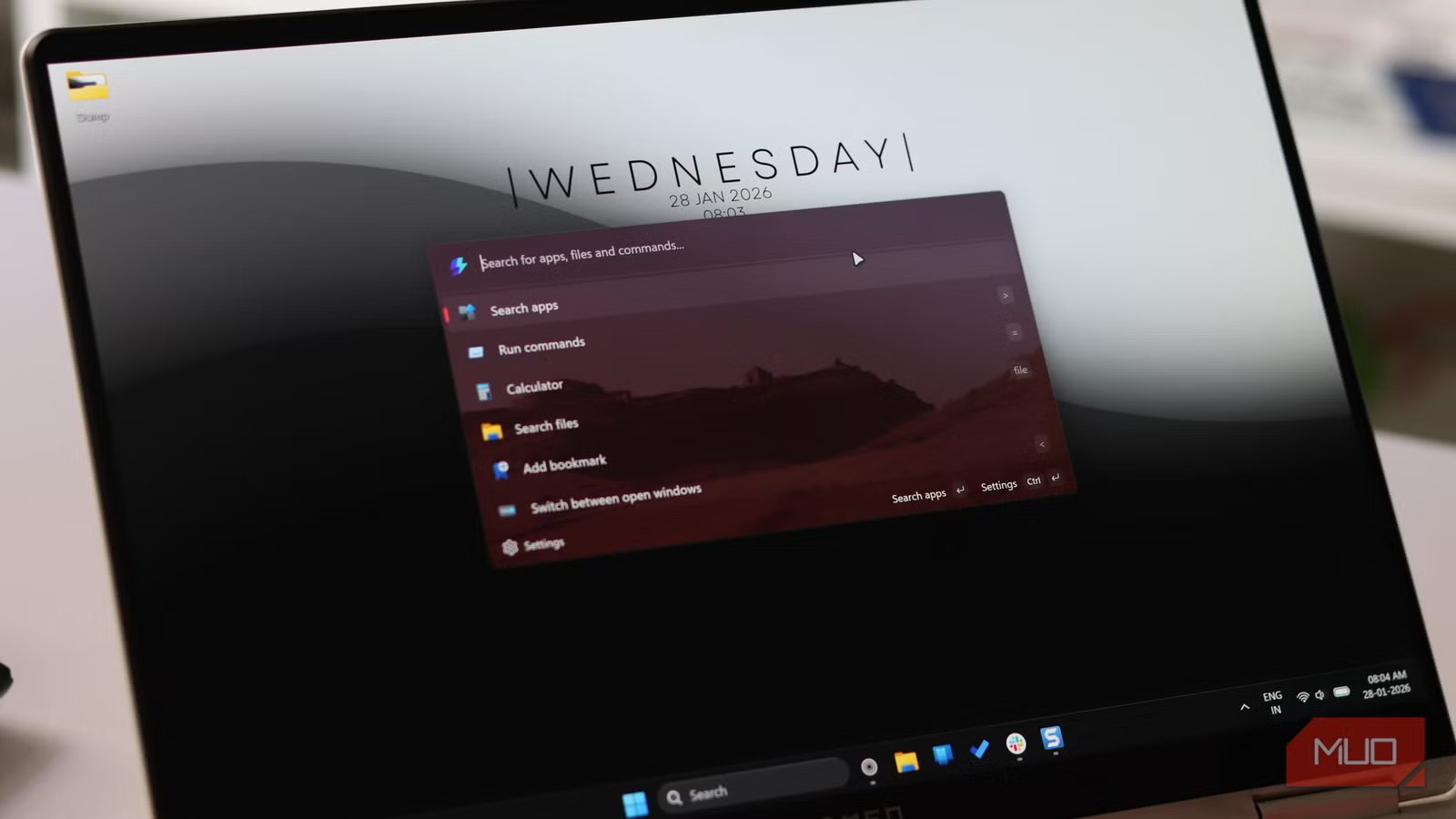
You know that feeling when you press the Windows key and type something into the search bar, only to watch it spin endlessly before showing you Bing results instead of the app sitting on your desktop? Windows search has been a running joke for years, to the point that I now use three search apps on Windows 11 to avoid these problems.
However, you might not have to deal with Windows Search’s quirks anymore. Microsoft has made some massive improvements to its already excellent Command Palette feature that might just solve all your search issues on Windows.
PowerToys just fixed Windows Search—without making noise
Command Palette feels like the search upgrade Windows never shipped
The Command Palette is a fully extensible quick launcher that’s much faster than Windows Search, has a lot more capability, and doesn’t sacrifice performance. It’s part of the Microsoft PowerToys suite of utilities and is the spiritual successor to PowerToys Run—a tool that gives you absolute control of your Windows PC. I replaced my Start menu with PowerToys Run the day I discovered it and haven’t gone back since.
Command Palette builds on PowerToys Run by adding a more modern user interface and more features. It easily lets you access your most frequently used commands, apps, development tools, and more from a single interface. You can use the Windows Key + Alt + Spacebar keyboard shortcut to bring up the search bar and immediately start searching for whatever you want.
Related
This PowerToys feature is so good it should be built into Windows
Windows search has competition—and it’s from Microsoft’s own PowerToys.
PowerToys version 0.97 brings the Command Palette’s most significant overhaul since its launch in 2025. This isn’t just bug fixes either. It’s a complete rethinking of how you interact with your PC.
The headline feature is that you can now control PowerToys utilities directly from the Command Palette without ever opening settings. Toggle FancyZones layouts, activate the color picker, switch LightSwitch themes—all from the same interface you use to search files, apps, and the web. It sounds minor until you realize you’re no longer context-switching between different tools. Everything lives in one place.
Yadullah Abidi / MakeUseOfCredit: Yadullah Abidi / MakeUseOf
They also added Peek integration, so you can preview files and folders without leaving the Command Palette search bar. No more opening random documents to check if they’re the right ones. Press the shortcut, find your file, preview it, and move on.
Personalization that finally feels intentional
Command Palette searches better, faster, and looks good while doing it
Apart from feature additions, the Command Palette also gets a new personalization page. You can customize the Command Palette’s appearance with background images and color tinting. It might sound cosmetic, but when you’re looking at that search bar dozens of times a day, having it not look like every other search box matters.
More importantly, you can now control search result rankings with the new fallback order feature. If certain commands keep showing up when you don’t want them, just drag them lower in priority. Your most-used tools surface first, and the rest stay out of the way.
Extensions that actually earn their place
The plugins that turn Command Palette into a power tool
Yadullah Abidi / MakeUseOfCredit: Yadullah Abidi / MakeUseOf
Command Palette now ships with 18 built-in extensions, and Microsoft has added some genuinely useful ones in this release.
The Remote Desktop extension lets you jump straight to your remote connections without hunting through settings. If you manage multiple machines, especially in IT or development work, this alone saves a ton of time every day.
They also added custom search engine support in the Web Search extension. Don’t want Microsoft shoving Edge and Bing down your throat? Pick your own default. It’s a small nod to user choice that the main Windows search would never allow.
Another small but significant addition is Pinyin support for Chinese users. You can type romanized characters, and the Command Palette will match Chinese content.
Drag-and-drop turns search into an action hub
Moving files, launching apps, and acting instantly
You also get drag-and-drop support. File Indexer and Clipboard History results can now be dragged directly into other apps. Find a file, drag it into your email, and done. No right-click menus and no copy-paste gymnastics required. This also works with the search bar’s sizing. Want your search bar slightly taller or wider? Just drag it to the size you want, relaunch the interface, and it’s ready to go.
Extension developers can also add this to their own tools, which means we’ll probably see third-party extensions embrace it. The extensibility model has always been Command Palette’s secret weapon, and the community has already come up with quite a few useful extensions for you to try.
Performance Windows Search could never touch
Faster results, fewer misses, zero hesitation
Back in August 2025, Microsoft enabled Ahead-of-Time (AOT) compilation for Command Palette with PowerToys version 0.95. The company claimed 40% faster load times, 15% less memory consumption at startup, 70% faster extension loading, and 55% smaller installation size. These improvements also came with a new fuzzy matching algorithm.
Version 0.96 added file search filters and better clipboard metadata. And while Microsoft hasn’t officially claimed any search performance improvements in version 0.97, the update does make Command Palette feel a bit snappier than before.
Perhaps it’s the new UI polish, or just new update placebo. Regardless, for all intents and purposes, the Command Palette makes Windows Search irrelevant.
Should you ditch Windows Search for Command Palette?
Yes you should. It’s about time
The short answer is yes. Even if you download PowerToys just to use the Command Palette, the improvement in your user experience is well worth it. If you’re still using Windows Search out of habit, it’s time to break the cycle.
Related
8 PowerToys Features Microsoft Should Ship as Default in Windows 11
PowerToys is so good that it doesn’t deserve to be a separate download.
Install PowerToys, enable Command Palette, and spend five minutes learning the shortcuts. Within a week, you’ll wonder how you ever tolerated the default experience. Type what you need, hit Enter, and done. No waiting for indexing to catch up, no wondering if it’ll actually find your files, no fighting with the settings page.
Microsoft quietly built the search upgrade Windows has needed for nearly a decade now. The only catch? You have to go get it yourself.
