

If you’ve spent any time trying to customize Windows 11, you’ve likely felt frustrated. Microsoft has locked down nearly everything—the taskbar can’t move, the Start menu is rigid, and basic features we took for granted in Windows 10 are just gone.
Sure, you can remove Bing from the Windows Start menu, but that’s not enough customization for a mature OS like Windows to offer. Enter Windhawk, the open-source modding platform that’s quietly become one of the best solutions for anyone who wants their Windows installation to actually feel like theirs.
Why Windhawk isn’t just another Windows tweaker
A modding engine, not a pile of registry hacks
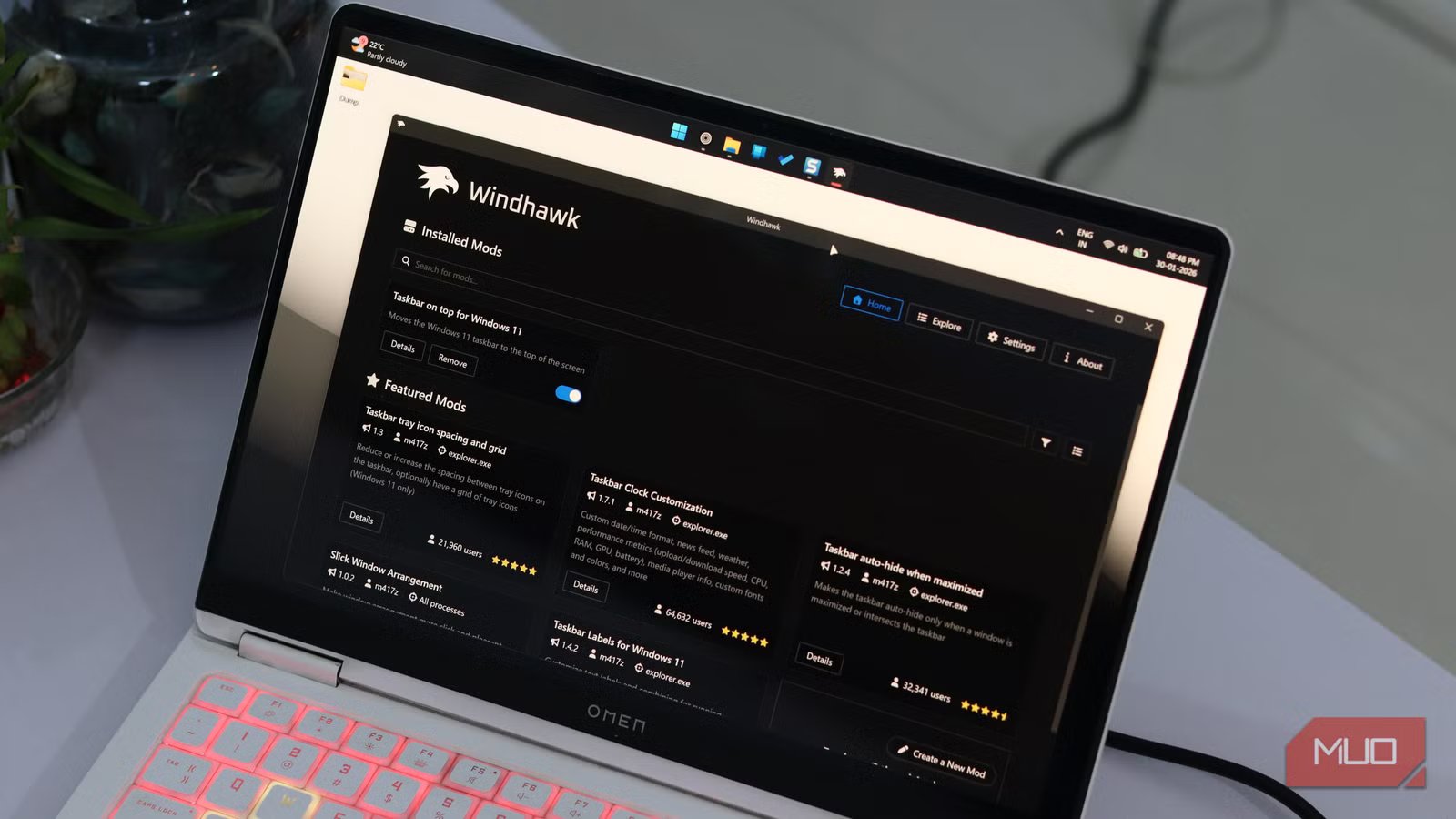
Unlike bloated commercial alternatives like Start11 or the increasingly unreliable ExplorerPatcher, Windhawk takes a completely different approach. It’s not a single monolithic app that forces changes on your system. Instead, it’s a marketplace—a lightweight platform where you can pick and choose individual modes that do exactly what you need.
Each mod is a small C++ code snippet that Windhawk injects into Windows processes. Sounds technical, but you don’t need to deal with any technicalities yourself. It’s just like installing a mod and letting Windhawk take care of the rest. Installing a mod is as simple as finding the mod you want and clicking install. The interface is clean, modern, and borrowed from VS Code, making it surprisingly intuitive.
What really sets Windhawk apart is the transparency. Every single mod comes with full source code that you can review. No black boxes, no mystery executables. You can see exactly what each mod does before it even touches your system. For someone who values privacy and wants to know what’s running on their machine, that’s huge.
Yadullah Abidi / MakeUseOfCredit: Yadullah Abidi / MakeUseOf
The tool is developed by Ramen Software, the same team behind the 7+ Taskbar Tweaker. The lead developer, m417z, is active in the community and can be found regularly engaging with users on Reddit and Discord. The project is open-source on GitHub and receives frequent updates.
Speaking of which, the developers have also added ARM64 support, meaning Windhawk now works natively on Snapdragon PCs and other ARM-based Windows devices. Microsoft is pushing ARM hard, and Windhawk is already there.
OS
Windows
Developer
Ramen Software
Price model
Free, Open-source
Windhawk is a Windows customization tool that lets you tweak system behavior with lightweight, install-and-forget mods.
Performance that doesn’t tank your system
Mods that load fast—and get out of the way
Yadullah Abidi / MakeUseOfCredit: Yadullah Abidi / MakeUseOf
Now, if injecting code into Windows processes sounds like a recipe for lag and battery drain, I wouldn’t blame you. But Windhawk manages to handle performance quite elegantly.
The app uses only a few megabytes of RAM when running in the background. CPU usage also hovers around one or two percent. Unless you have really old or weak hardware (in which case you shouldn’t be running Windows 11 in the first place), you’re not going to see any impact on overall system performance.
For battery life, some modes like Timer Resolution Control can actually improve existing stats. This mod prevents certain processes from needlessly requesting high CPU timer resolution. It’s a modding tool that adds to your device instead of draining performance and battery.
The mod ecosystem is borderline ridiculous
From tiny quality-of-life fixes to deep UI surgery
Yadullah Abidi / MakeUseOfCredit: Yadullah Abidi / MakeUseOf
Windows modding tools generally tend to focus on specific areas of the OS. Start11 focuses almost exclusively on the Start menu and taskbar. ExplorerPatcher is great for restoring Windows 10 features, but offers limited flexibility beyond that. Windhawk, on the other hand, has over 100 mods covering everything you can imagine.
You can change taskbar styles with the Windows 11 Taskbar Styler. There’s a taskbar clock customization mod that lets you display weather, news feeds, system performance metrics, and custom date/time formats. Another mod lets you close programs by middle-clicking them on the taskbar itself, saving countless clicks. Another one lets you switch browser tabs by hovering and scrolling your mouse wheel. You can even get a mod that displays human-readable folder sizes, something that should’ve been built into Windows decades ago.
You’ve got mods that improve performance, usability, add customization options, improve battery life, and make sure you dial down your Windows 11 experience to exactly how you like it. There are tons of options, and the rabbit hole goes deeper than it seems.
The catches you should know about
Powerful tools still come with sharp edges
As with all things tech, Windhawk isn’t perfect. Since it modifies Windows processes, some antivirus software flag it as suspicious, though these are false positives. Anti-cheat software in competitive games like Valorant might also have issues with it. And while mods are generally stable, Windows updates can occasionally break them until the mod authors push fixes.
You also need to be cautious about which mods you install. While the vast majority are created by m417z and other trusted developers, it’s never a bad idea to check ratings, reviews, and user counts before installing anything. Just like every VS Code user needs to watch out for malicious extensions, you need to look out for malicious mods.
This is how Windows should feel
Once you start modding, there’s no going back
For anyone serious about customizing Windows 11, Windhawk is in a league of its own. It’s free, open-source, lightweight, powerful, and backed by an active community. PowerToys is great, but some Windows apps are greater, and Windhawk is the perfect example of that.
Related
I installed a Windows mod tool and it fixes almost everything wrong with Windows 11
Windhawk has made me love Windows 11 again.
Other Windows modding apps have their niches, but none come close to the flexibility and scope of Windhawk’s mod ecosystem. Download it, play with a few popular mods, and prepare to wonder why Microsoft didn’t just build these features into Windows in the first place.
