

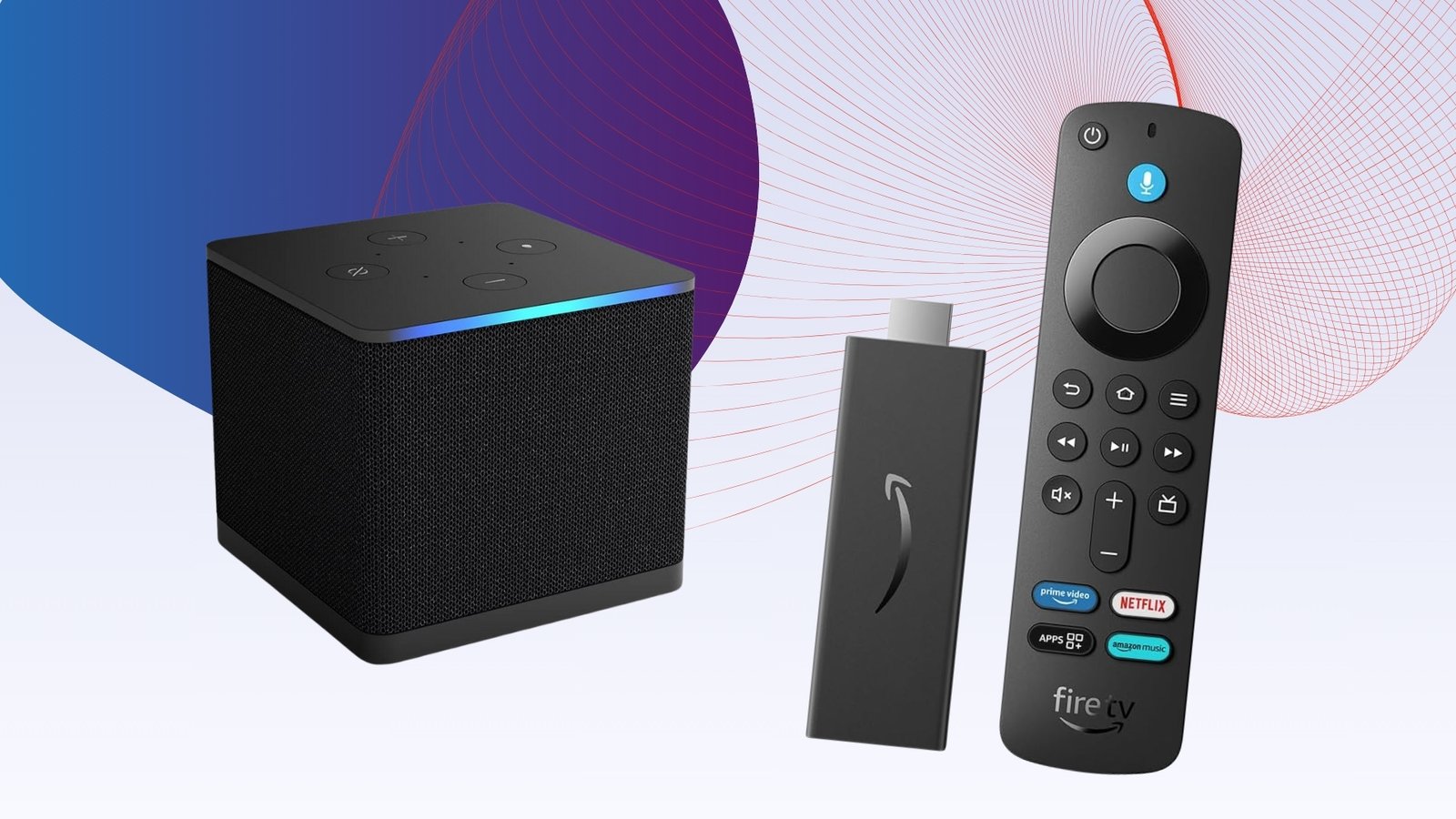
Amazon’s Fire TV devices are some of the most popular streaming devices available, especially if you’re after a quick bargain.
Even though there are more than a few options, Amazon’s Fire TV devices have become synonymous with streaming in the home.
They’ve evolved so you can access all of your favourite streaming services in one place, as well tap into your smart home devices around the rest of the house, request info through Alexa voice control and more. There are more than just a device to watch the latest series of The Traitors on.
But if you want to use it purely as an entertainment device, then Fire TV devices have a huge amount of entertainment options to get stuck into. Amazon focuses more on shows and films you can stream via Prime Video, but you still get easy access to the likes of Netflix, Apple TV, BBC iPlayer and others.
Fire TV devices also come with the added benefit of Alexa compatibility. You can ask the digital assistant to search for movies and TV shows; or ask her about the weather or recommendations for places to eat in your area.
Fire TV devices tend to receive massive discounts in time for Prime Day and Black Friday, so if you are looking to pick one up, make sure to check our deals coverage first.
Advertisement
We’ve not added any new products in our 2026 update, and as you can see the main focus is on Amazon-branded devices. We will be expanding our reach include non-Amazon branded devices. Watch this space…
As with any streamer, the quality of what’s being watched can only match the prowess of your home entertainment set-up, so it’s also worth checking out the best TVs and the best soundbars.
Best Fire TV at a glance
SQUIRREL_ANCHOR_LIST
Learn more about how we test Fire TV streamers
We use every Fire TV we review for at least a week. During that period we check to find how easy it is to set up, how intuitive its UI is and what its app selection is like.
During the test period we will see how well it performs running a variety of different content types. Where applicable this will include content mastered in various HDR standards and resolutions.
We will also monitor how stable the device’s Wi-Fi connection is and reliable its voice command functionality are where applicable.
Pros
- Swift and powerful performance
- Hands-free Alexa
- Excellent AV performance
- Addition of HDMI input
- Looks better than previous models
Cons
- More expensive
- Optional Alexa Pro Remote
- Fire TV interface is too dense in current incarnation
- Super Resolution has minimal effect
Pros
- Speedy performance
- Excellent streaming
- Huge app selection
- All HDR formats supported
Cons
- Expensive for a streaming stick
- Fastes performance is with Wi-Fi 6E router
- No High-Res audio support
- Favours Prime content at the expense of others
Pros
- Easy to assemble
- Full HDR support
- Lots of entertainment apps
- Rich colours
Cons
- Fire TV’s emphasis on all-things Amazon
- Not the most subtle image
- Odd brightness fluctuations with Dolby Vision
Advertisement
Swift and powerful performance
Hands-free Alexa
Excellent AV performance
Addition of HDMI input
Looks better than previous models
More expensive
Optional Alexa Pro Remote
Fire TV interface is too dense in current incarnation
Super Resolution has minimal effect
The third-generation Fire TV Cube is the flagship streamer within Amazon’s line-up. Not only does it boast a faster performance than the older model, but its wide-range of connectivity inputs and hands-free Alexa compatibility makes it perfect for home cinema enthusiasts.
The third-gen Fire TV Cube has had a design upgrade and features a wraparound fabric cover to avoid fingerprint marks. There are four easy to use control buttons on the top surface, and while it’s nice to have them, there’s the option of a remote control (Including the Alexa Remote Pro version) or Amazon’s voice assistant Alexa for hands-free control.
Turn the Cube around and you’ll find six ports including an Ethernet port, IR extender port and USB-A port for adding an external hard drive. There’s both HDMI output and HDMI inputs, with the latter allowing you to plug in another source such as a games console.
Setting up the Fire TV Cube is quick and easy if you have an Amazon account. Once you’re set up, thanks to the octa-core processor you’ll find scrolling through menus and opening apps is impressively speedy.
The Fire TV platform boasts a huge number of apps but it’s undeniably focused on Amazon content, with the home screen packed with ads for Prime and Freevee content throughout. We would have liked just as much focus on other apps and services.
Otherwise, the Fire TV Cube boasts support for HDR10, HDR10+ and Dolby Vision, with the latter two enabling your compatible TV to produce an optimal HDR performance with certain supported apps.
If you’re a home cinema enthusiast then we’d recommend the Fire TV Cube. However, if you’re just looking for a less expensive streamer then we’d suggest the Fire TV Stick 4K Max.
Speedy performance
Excellent streaming
Huge app selection
All HDR formats supported
Expensive for a streaming stick
Fastes performance is with Wi-Fi 6E router
No High-Res audio support
Favours Prime content at the expense of others
The Amazon Fire TV Stick 4K Max (2024) is the best streaming stick for Prime customers, delivering fast performance, support for all HDR formats and a massive app selection.
The streaming stick benefits from an improvement in processing speed compared to the original Fire TV Stick 4K Max, making scrolling through the homepage and different titles feel more fluid and faster. Alexa’s responses also come quicker and the search engine relays results without delay.
Despite the upgraded processor, the picture quality is practically identical to that of the previous generation, offering high levels of detail all the same. Audio also sounds similar in terms of clarity and tone, though the Fire TV Stick 4K Max is still only capable of playing Amazon Music streams at 16-bit/44.1kHz.
Setting up the Fire TV Stick 4K Max is incredibly straightforward with an HDMI extender included in the box and the aforementioned interface is easy to use, though still very Amazon-centric. That said, you can download a wide variety of apps, including Netflix, Disney+ and Apple TV+.
It’s also worth noting the smart home integration, which allows you to control everything from your Hive thermostat to your Ring doorbell, with live picture-in-picture making it possible to check smart cameras without completely interrupting your movie or show.
Easy to assemble
Full HDR support
Lots of entertainment apps
Rich colours
Fire TV’s emphasis on all-things Amazon
Not the most subtle image
Odd brightness fluctuations with Dolby Vision
The Amazon Fire TV Omni Mini LED offers the best performance of Amazon’s current crop of TVs.
It’s an ambitious performer for its price and puts in a generally enjoyable performance across the board.
The design is smart with its thin, sliver bezel trim, and like the rest of Amazon’s fleet of TVs, it comes with feet placed at the edge of the screen instead of a central stand.
We reviewed the 55-inch model so it wasn’t a big issue, but for the bigger sizes it means you’ll need wide AV furniture to plant this TV on. Not everyone will have the space.
The Fire TV interface has its good and weak areas. The amount of choice and options it provides in terms of apps is excellent, but content is weighted too much towards Prime Video.
If you subscribe to other streaming services, Amazon doesn’t make it easy enough to find what else is available.
Alexa voice control is reliable as we’ve to expect, supported with the Voice Remote and hands-free interaction if you choose to interact in that manner. The Fire TV Ambient Experience makes this more a lifestyle TV, and if you’re ensconced within the Amazon ecosystem, it’s a handy way to keep track of things through the customisable widgets.
In terms of its picture performance, the Fire TV Omni Mini LED features support for Dolby Vision IQ and HDR10+ Adaptive. The image quality is better than the Omni QLED TV, with a higher level of brightness, richer colours and better black levels but its not the most subtle picture performance compared to models from other brands.
Upscaling and motion is solid enough, with solid levels of detail and clarity with 4K content that’s less than 4K, although we did feel that the colours looked slightly inaccurate.
The sound system is not the sharpest or clearest, but it packs a decent punch with bass. It’s worth considering the Fire TV Soundbar Plus to go with this TV to improve the sound even more.
Full Specs
Amazon Fire TV Cube (2022) Review
Amazon Fire TV Stick 4K Max (2024) Review
Amazon Fire TV Omni Mini LED Review
UK RRP
£139.99
£69.99
£849
USA RRP
$129.99
$59.99
$819
EU RRP
€159.99
–
–
CA RRP
CA$189.99
–
–
AUD RRP
Unavailable
–
–
Manufacturer
Amazon
Amazon
Amazon
Screen Size
–
–
54.6 inches
Storage Capacity
16GB
16GB
–
Size (Dimensions)
86 x 86 x 77 MM
x x INCHES
1230 x 300 x 800 MM
Size (Dimensions without stand)
–
–
x x INCHES
Weight
513 G
–
16 KG
ASIN
B09BZVGR73
B0BTFSYWWB
B0C7SJFB2W
Operating System
Fire TV
FireOS 8
Fire TV
Release Date
2022
2023
2024
Model Number
Fire TV Cube (3rd Gen)
–
ML55F700
Resolution
3840 x 2160
3840 x 2160
3840 x 2160
HDR
Yes
Yes
Yes
Types of HDR
–
–
HDR10, HLG, HDR10+ Adaptive, Dolby Vision IQ
Refresh Rate TVs
–
–
48 – 144 Hz
Ports
HDMI 2.1 input, HDMI 2.1 output,
–
Four HDMI, USB 3.0, a digital optical port, RF antennae, Ethernet and a 3.5mm input
HDMI (2.1)
–
–
eARC, ALLM, VRR, HFR
Connectivity
Wi-Fi 6E, Bluetooth 5.0 (for remote)
Wi-Fi 6E
Wi-Fi 6E, Bluetooth
Colours
Black
Black
–
Display Technology
–
–
Mini LED
Audio Formats
Dolby Atmos, 7.1 surround sound, 2-channel stereo and HDMI audio pass-through up to 5.1.
AAC-LC, AC3, eAC3 (Dolby Digital Plus), FLAC, MP3, PCM/Wave, Vorbis, Dolby Atmos
–
Remote Control
Yes
Yes
–
Smart assistants
Yes
Yes
–
