

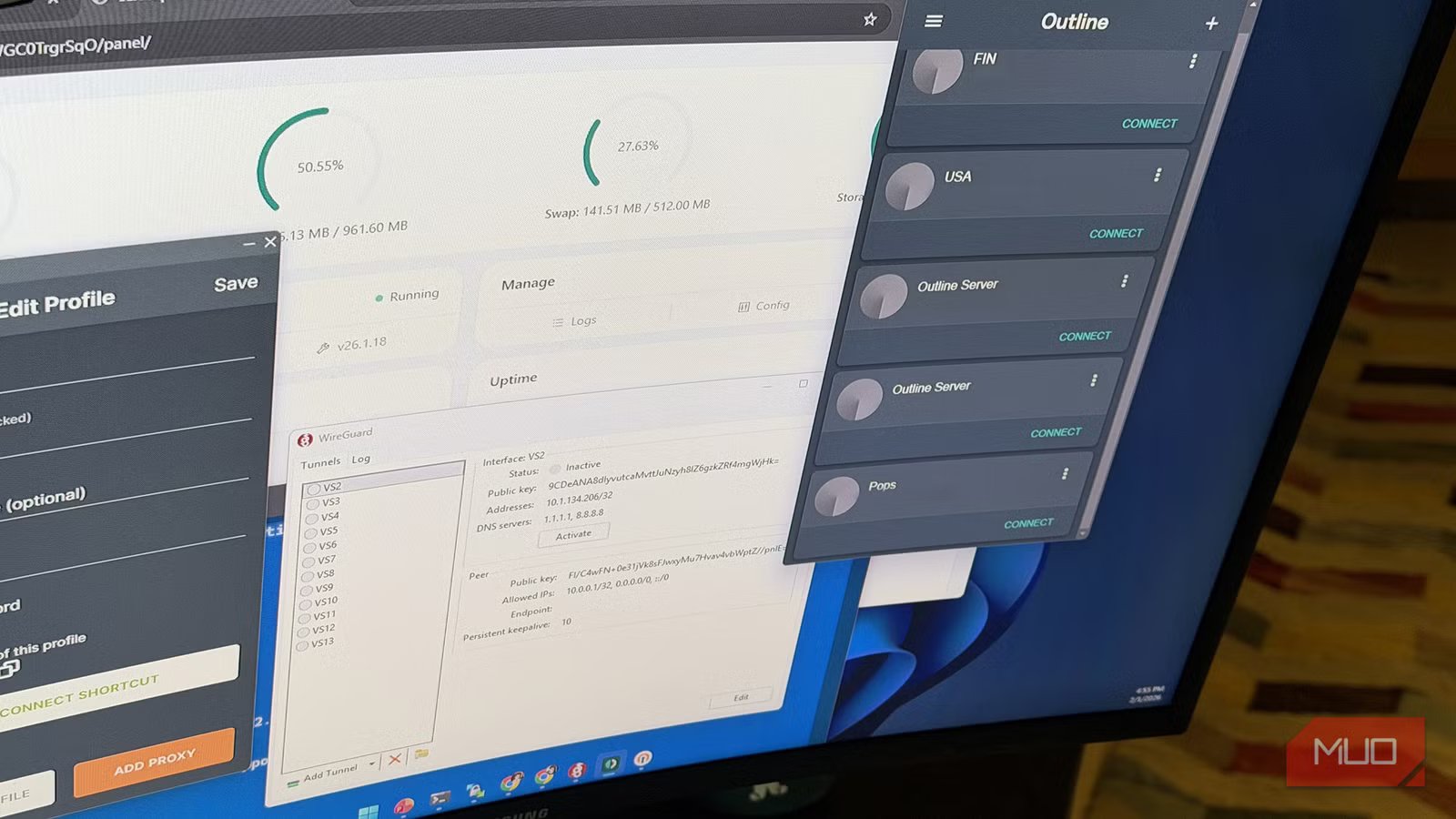
Who doesn’t use a VPN at this point? There are plenty of reasons to use one, be it geo-restricted content or privacy, and there are a plethora of VPN services to choose from. Free, paid, a package including cloud and a password manager, you name it. They all come with different features, but then, there’s one VPN feature that matters the most: privacy.
What’s the best way to take back your privacy? I’ll tell you that it’s not outsourcing it to a corporate VPN. It’s making your own. Setting up your own VPN is ridicuoulsly easy now, and there are plenty of protocols that are at the frontiers.
Related
After 10 years of owning a smart TV, I finally installed a VPN—and it changed everything
Installing a free VPN on a smart TV is a game-changer for Netflix and YouTube power users. But be warned: not everything will work as expected.
OpenVPN
The modular veteran
OpenVPN came into being in 2001. It was created by James Yonan, and as the name implies, it’s an open-source protocol (much like the other items on this list). OpenVPN was revolutionary at the time because it provided a secure tunnel using the standard SSL/TLS library (OpenSSL). By now, it’s a battle-tested grandfather of the industry. It’s designed to work on virtually any hardware or network configuration imaginable. You’ll see the OpenVPN protocol built into many, many devices these days.
OpenVPN is a Layer 3 VPN that runs in user-space. Its most powerful technical feature is the ability to run over either UDP or TCP, and on any port.
I like OpenVPN because it’s been around for over two decades now — meaning it provides unmatched stability, a massive ecosystem of support, and the theoretical ability to bypass almost any basic firewall. But, because it runs in user-space and has a complex codebase, it’s the slowest protocol on this list. Regardless, it’s still a great choice for its universality. If you’re trying to run a VPN on your router, it’s likely that OpenVPN is the only protocol on this list that your router supports.
WireGuard
The fastest you’ll come across
Created by security researcher Jason Donenfeld in 2016, WireGuard was born out of a desire to strip away the cruft of legacy VPNs like OpenVPN. WireGuard uses a tiny code-base (less than 1% lines of code compared to OpenVPN), and this makes it easily auditable, extremely fast, and inherently more secure by reducing the attack surface.
WireGuard uses cryptokey routing, which pairs a peer’s public key with a list of allowed IP addresses inside the tunnel. The interesting bit about it, though, is that it’s a silent protocol — it does not respond to unauthenticated packets at all. This means that a port scanner will see the port as closed even if the server is running.
You can already guess the pros of WireGuard: very high speeds, near-instant connection times, and excellent power efficiency on mobile. It also handles roaming perfectly. When you switch from Wi-Fi to mobile data, the tunnel persists, and your connection stays smooth. As WireGuard was designed with privacy and performance in mind, it’s not good at handling advanced firewalls. It only supports UDP (which is often blocked in restrictive regions), and it’s easily identified as a VPN due to a lack of obfuscation.
Setting up WireGuard raw can be a bit of a hassle, so I suggest you use a script like wg-easy to set it up. You can install it with Docker, and it also gives you a nice web dashboard to manage your connections.
Related
I stopped fumbling with Docker containers after learning these commands
You can manage Docker easily and effortlessly.
Outline
Obfuscation, obfuscation
Shadowsocks was created in 2012 by a developer known as “clowwindy.” It was made specifically to bypass China’s Great Firewall, so you can imagine it works well at overcoming censorship. Jigsaw (a company owned by Google) took Shadowsocks and polished it to create Outline. Its philosophy is inconspicuousness — rather than appearing as a secure tunnel, it aims to make encrypted traffic look like random, meaningless noise that doesn’t trigger any alarms.
Outline doesn’t create a virtual network interface like OpenVPN or WireGuard. Instead, it uses the SOCKS5 protocol to redirect traffic. The main advantage is that Outline is stateless — it doesn’t involve a traditional handshake between the origin and destination. This alone makes Outline much harder to detect.
Outline works a bit differently than the rest. There’s an Outline Client, an Outline Manager, and a server. You set it up on the server, then grab access keys from the manager, and finally connect to the client. The client is available for all platforms.
VLESS + REALITY
The invisibility tier of VPNs
VLESS is the cutting edge of VPNs, and when you combine it with REALITY, you’ve got the cutting edge of the cutting edge. Instead of looking like random noise (which can be blocked for being suspicious), VLESS with REALITY aims to look like a perfectly legitimate, high-trust website like Microsoft or Apple.
VLESS is a stateless transport protocol. The REALITY part is a security layer that redirects the TLS handshake. When you connect, the server borrows the TLS certificate of a real unblocked domain. If a censor tries to inspect the connection, your server simply proxies the real website’s response back to them. It’s pretty brilliant!
A little terminology: Xray is the modern, high-performance software core (forked from the original V2Ray) that functions as the engine on your server. VLESS is the specific transmission protocol (the “language”) running inside that engine, while REALITY is an advanced security extension for VLESS that disguises the connection as a legitimate HTTPS visit to a trusted website. All of these tools fall under the broader Project V ecosystem.
This pair provides unparalleled stealth. If an entity is monitoring your network, when you connect to a VPN, they will at the very least know that you’re using a VPN. But with VLESS and Reality combined, they don’t get to know even that. VLESS is a bit more difficult to set up, both for the server and the client. Manually configuring reality requires a bit of technical how-to. However, you could use a neat tool like 3X-UI, which sets everything up and gives you a very convenient web panel to manage it. Once you’ve got that set, I recommend Streisand (iOS) and v2rayNG (Android) as the clients. There’s also a plethora of desktop clients available.
You should build your own VPN
I stand by the title. You can deploy any of these VPN protocols in less than a minute and enjoy true privacy. You won’t need to worry about congestion, as the entire bandwidth of that server belongs to you. You can find servers from $3 a month, and even one with as little as 512MB RAM is sufficient to run multiple VPN protocols at the same time.
$3 is much cheaper than most VPN providers charge, but the lost benefit is the location variety. Whatever location you get your server in, that’ll be it. But you can use that server for much more. If you already have a VPS to host your website or hobby projects, it’s basically free to install a VPN on it. It’s yours, and that’s what matters the most!
