

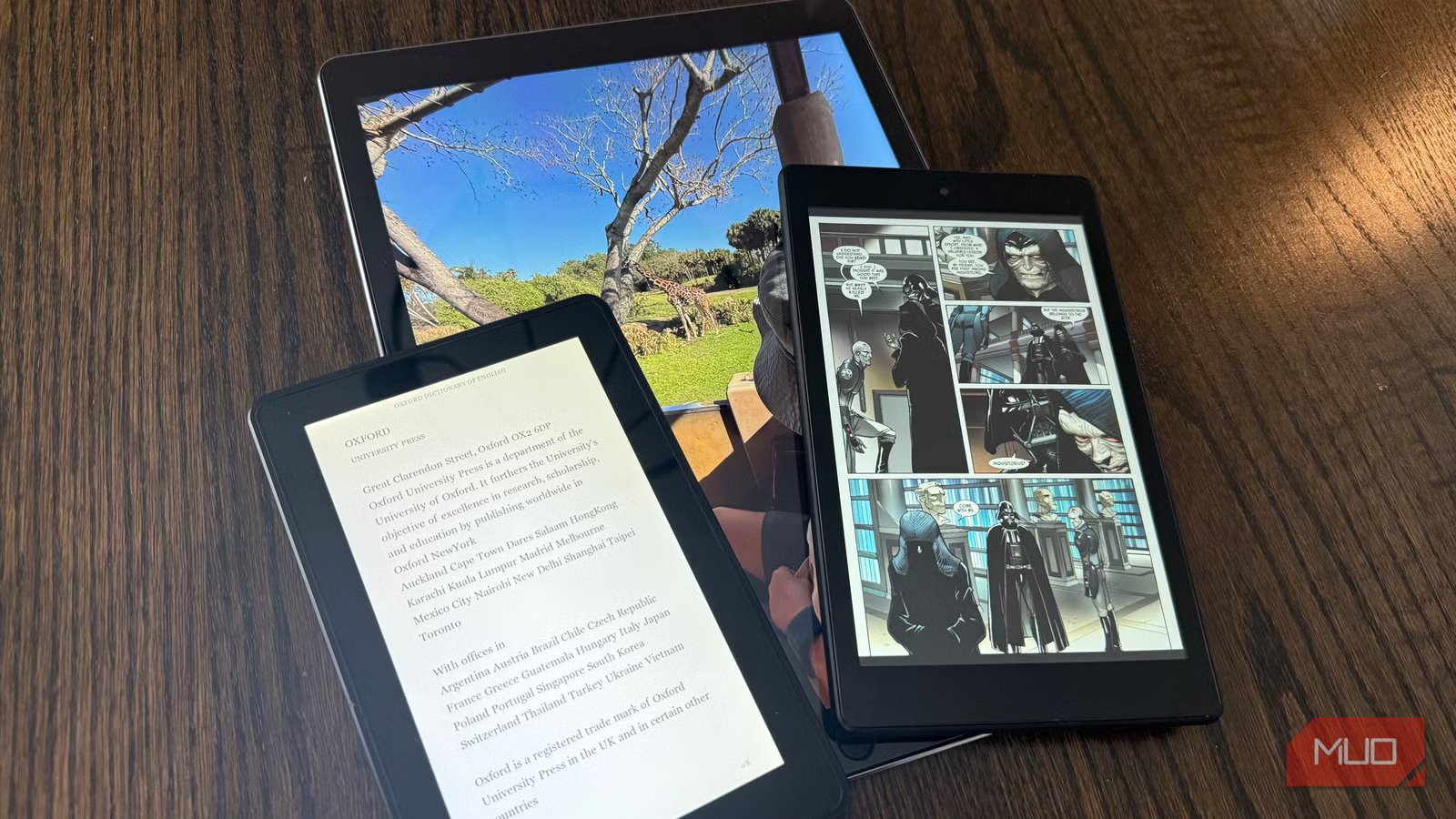
Apple released my iPad Pro in 2015. The thing has 32GB of storage—which seemed like a lot back then. Somehow, it still gets used almost daily around my house. The same goes for the old Kindle Fire tablets floating around my house—they’re slow by modern standards, sure, but slow doesn’t mean useless. That aging tablet in your drawer has more practical life left than you’d think, and tossing it only adds to the growing pile of e-waste nobody wants to deal with. I’ve found several everyday jobs that my outdated hardware handles perfectly, saving me from buying dedicated devices while keeping functional tech out of landfills.
A dedicated e-reader or comic book reader
Why old tablets excel at reading
Comics and graphic novels need screen real estate. A standard Kindle works fine for prose, but panel layouts suffer on that smaller display—you end up zooming constantly just to read dialogue bubbles. Full comic pages look the way artists actually drew them on my old tablet, with vivid colors rather than washed-out grayscale. Kindle, Libby, Perfect Viewer—none of these reading apps push the hardware very hard, so my nearly decade-old tablet handles them without breaking a sweat. Got an old Kindle Fire? Even better, since it’s already hooked into Amazon’s ecosystem. The screen size advantage over phones becomes obvious when you’re working through PDFs or technical documents.
A centralized smart home dashboard
Control everything from one spot
My house has accumulated a ridiculous number of smart devices over the years. Ring sensors on every door, Echo speakers in multiple rooms, myQ on both garage doors, zoned thermostats throughout. Keeping track of everything through phone apps got old fast. Rather than buying a dedicated display, I turned my aging iPad Pro into a smart home dashboard that performs better than I expected. The 12.9-inch display shows multiple camera feeds simultaneously and makes thermostat adjustments far easier than squinting at an Echo Show or Nest Hub Max. Unlike those $200–$300 devices that trap you in one ecosystem, a tablet lets you switch between apps whenever something needs troubleshooting. A cheap stand ran me about $15.
Related
12 ways you can still use your old iPad
An old iPad can’t handle the latest games, but it can be your remote control, digital photo frame, dedicated ebook reader, and more.
An always-ready kitchen recipe display
The perfect cooking companion
The old iPad has also become a piece of “kitchen equipment”. I prop it against the backsplash, pull up a recipe, and cook without worrying about what might splatter on it. Sauce on my newer $1,000 iPad Pro would ruin my afternoon—sauce on the old one just wipes off. My kitchen gets messy. Really messy. Flour ends up on surfaces I didn’t know existed, and olive oil has a talent for escaping containment. None of that stresses me out when the device already lived a full life before becoming a cooking companion. Complex recipes stay manageable when the full ingredient list and current step share the same screen.
A digital photo frame that actually updates
Credit: Jonathon Jachura / MUO
Tablet screens are typically higher quality than dedicated digital photo frames, which makes this repurposing option borderline obvious. Cloud connectivity means you can add new photos without ever touching the tablet again. Fotoo on Android and Digital Photo Frame Slideshow on iPad both keep running as long as the tablet stays plugged in. Set one up for grandparents or relatives who live far away—do the setup yourself, link it to a shared album, and walk away. Every photo you upload after that just appears on their end. Dedicated frames run $100–$200, while your old tablet offers a better screen for free.
A road trip entertainment device for kids
Screen time without the stress
Credit: Jonathon Jachura / MUO
Screen time limits exist in our house for good reason. But six hours in a car with a two-year-old and a four-year-old? Those limits get flexible fast. My kids have dropped these things on the floorboard countless times and grabbed at the screen with fingers covered in who-knows-what. It doesn’t bother me one bit. Before we leave, I download shows from Netflix, Disney+, or YouTube Kids so we’re not depending on cell coverage through rural Indiana. Old Kindle Fires handle this job particularly well—they’re cheap, sturdy, and Amazon’s Kids+ subscription actually has decent content.
A retro gaming console
Revisit classics without spending a dime
Credit: Ben Stegner/MakeUseOf
I grew up on Nintendo and Sega. Those games hold up surprisingly well, and emulator apps like RetroArch make revisiting them easy. The app supports basically every classic console—NES, SNES, Genesis, Game Boy, and plenty of obscure ones. Here’s the thing: 8-bit and 16-bit games were designed for hardware with a tiny fraction of what even an old tablet offers, so your sluggish device suddenly becomes more than capable. Hook up a Bluetooth controller if you have one, because touchscreen controls will drive you nuts on anything requiring precision.
A dedicated second monitor
Apple’s Sidecar feature turns any compatible iPad into a secondary display—wired connections work more reliably and charge the tablet simultaneously. Android tablets work with apps like Spacedesk to accomplish something similar. Either way, you get extra screen real estate for reference documents, Slack, or video calls. Portable monitors seem like the obvious solution until you actually use one. A friend’s highly-rated Amazon purchase looked washed out next to my ancient iPad, and the thing died within months.
Old tablets still have plenty to offer
These devices won’t win any speed contests, but they don’t need to for the jobs listed here. Each use case matches hardware limitations to tasks where those limitations simply don’t interfere with getting things done. You’ll squeeze real value from devices that would fetch maybe $100–$150 on eBay while extending their useful life instead of contributing to growing e-waste piles. Sometimes the best tech isn’t the newest—it’s whatever reliably handles the job you actually need done.
