

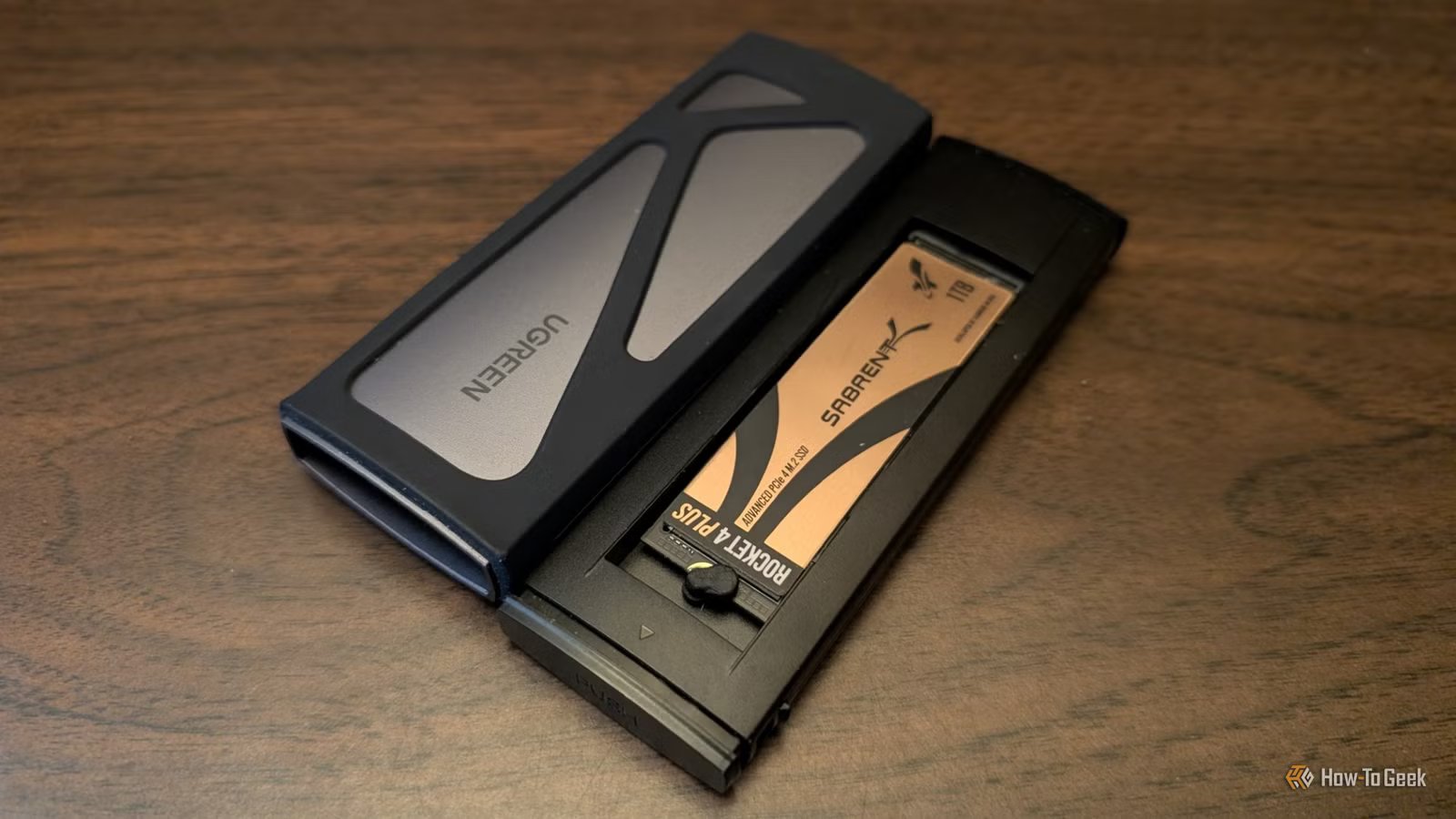
SSD speeds are far from the only thing that matters. In fact, many will say that they’re almost irrelevant, and buying an expensive SSD is a waste of money.
But if you already have one such SSD—one with high read/write speeds—please don’t put it in an enclosure. It’ll work, but really, what even is the point?
SSD enclosures are great, but they’re not for everything
They don’t need to be the go-to for an older SSD.
Credit: Patrick Campanale / How-To Geek
Whenever the time comes for me to replace an SSD, putting it in an enclosure and turning it into a portable drive seems like an obvious choice. But I know that this option, while convenient, comes with downsides, some of them pretty major.
Enclosures are great for turning a spare drive into a backup drive. While using SSDs for cold storage can be risky, using them as portable storage is a good way to keep fast access to your files. They’re not a set-it-and-forget-it type of backup, but they’re a backup nonetheless, and a much better one than HDDs can ever hope to be.
But the moment you put an SSD behind a USB port and connector (which is what happens in an enclosure), you’re no longer playing by the same rules. Your SSD is faced with a massive bottleneck: the USB standard.
So, what’s the problem with that? For starters, USB ports are super confusing, and that can make it hard to determine their true capabilities. Ports can be 5Gbps, 10Gbps, 20Gbps, or 40Gbps, depending on the device. USB 2.0, 3.0, 3.1, 3.2, 4, USB-C, Thunderbolt, and so on: all of these ports have different maximum speeds, and it’s not always possible to tell at a glance which one you’re connecting to. That, on its own, makes it difficult to make the most of an SSD through an enclosure.
It’s not just confusing, either. Having multiple ports usually means that they look identical, but one might be full-featured while another is meant for basic charging or a slower mode. Using front panel ports, hubs, or cheap adapters throws another wrench into the mix.
Then there’s the reliability and convenience factor. Enclosures add another point of failure, and you’re likelier to run into weird issues like random disconnects during big transfers than if you just use your SSD inside the PC.
I had that exact problem not too long ago: an SSD that behaved perfectly inside the PC kept disconnecting while in an enclosure. That doesn’t feel like a steady place to back up your files.
Faster drives have no business going into enclosures
You’re leaving money on the table.
Credit: Patrick Campanale / How-To Geek
The problem with putting SSDs inside enclosures starts when the SSDs in question are fast, high-end NVMe drives.
Those drives are built for a PCIe slot, not a USB port. You paid a lot of extra money for the capabilities of that slot, and these days, you’re probably paying a whole lot more, what with the ongoing SSD market disaster. PCIe Gen 5.0 SSDs can reach up to 14,900MB/s in read speeds, and while previous generations cap out at much less, all three of the newest consumer PCIe gens can max out an SSD enclosure—yes, even a pricey, high-end one.
Enclosures themselves have data transfer rate limits, and there’s a big gap between what an enclosure can offer and what an expensive NVMe drive can provide. At best, expensive 40Gbps enclosures can reach maximum speeds of around 3,600MB/s, which is around what Gen 3 NVMe SSDs max out at. Newer generations can blow those speeds right out of the water, but when placed in an enclosure, that doesn’t matter. They’re limited by the enclosure itself before anything else even comes into play.
And, as mentioned, other factors do play a part. Plenty of devices still don’t offer fast USB ports, and Thunderbolt support is not universal either. Even a fast enclosure with an even faster SSD won’t be satisfactory unless all the stars are perfectly aligned.
What to do if you need a fast portable drive
There are options, but also things to keep in mind.
Credit: Patrick Campanale / How-To Geek
“Fast” and “portable” may not perfectly go hand in hand, but it also depends on your needs. What’s fast for one person may feel sluggish for another.
Since we’re talking about portable SSDs, you’re unlikely to be worried about things like loading screens and boot times. That’s both good news and bad, as pretty much any NVMe SSD can do well with those; they’re a massive upgrade over HDDs in that regard. But sequential read speeds can truly be felt, so if you’re looking to transfer a lot of large files on a regular basis, it’s worth keeping some things in mind before you pop that NVMe SSD into an enclosure.
Start by making an inventory list of your ports, and just knowing their standard isn’t enough. Check spec sheets and manuals for actual information as to how much your port, cable, and connector can provide. Then, do the same for the enclosure, and see whether it all adds up into one cohesive whole.
To avoid that element of randomness I talked about above, make sure you’re using the cable that came with the enclosure. Skip hubs and plug your SSD into the back panel, not the front, to cut back on latency.
If you’re doing long transfers, picking an enclosure with a focus on thermals can be a good option.
Ultimately, putting a fast NVMe drive in an enclosure will always turn out to offer around the same speed as a portable SSD without the enclosure. Top models hit around 3,800MB/s, like the SanDisk Extreme Pro, but they’re also very expensive. Still, enclosure or not, those are the maximum speeds you can hope for, but to actually achieve them, you’ll need to make sure everything else works together, too.
Don’t need portability? Do this instead
Your SSD can come in handy in other ways.
Credit: Patrick Campanale / How-To Geek
If you somehow have an SSD you don’t know what to do with, but you don’t need it to be portable, there are a few other ways to use it.
The best option is to simply use two SSDs inside your PC. Whichever drive is slower or older can be the one used for less consequential tasks, while the boot drive will handle the OS and important apps. Older drives do well as game libraries. They can also be used as a scratch/cache drive for creative apps.
Beyond that, you can always throw it inside a NAS and create a much more robust backup solution where the SSD can actually stretch its legs. All-SSD NAS solutions are expensive, but every NAS benefits from having one SSD to use as cache.
Nothing bad will happen to your SSD just due to the fact that it lives in an enclosure, but I hate to see expensive Gen 4 and Gen 5 drives reduced to such low speeds. Before you do that with yours, check to make sure it won’t be bottlenecked by another piece of hardware.
