

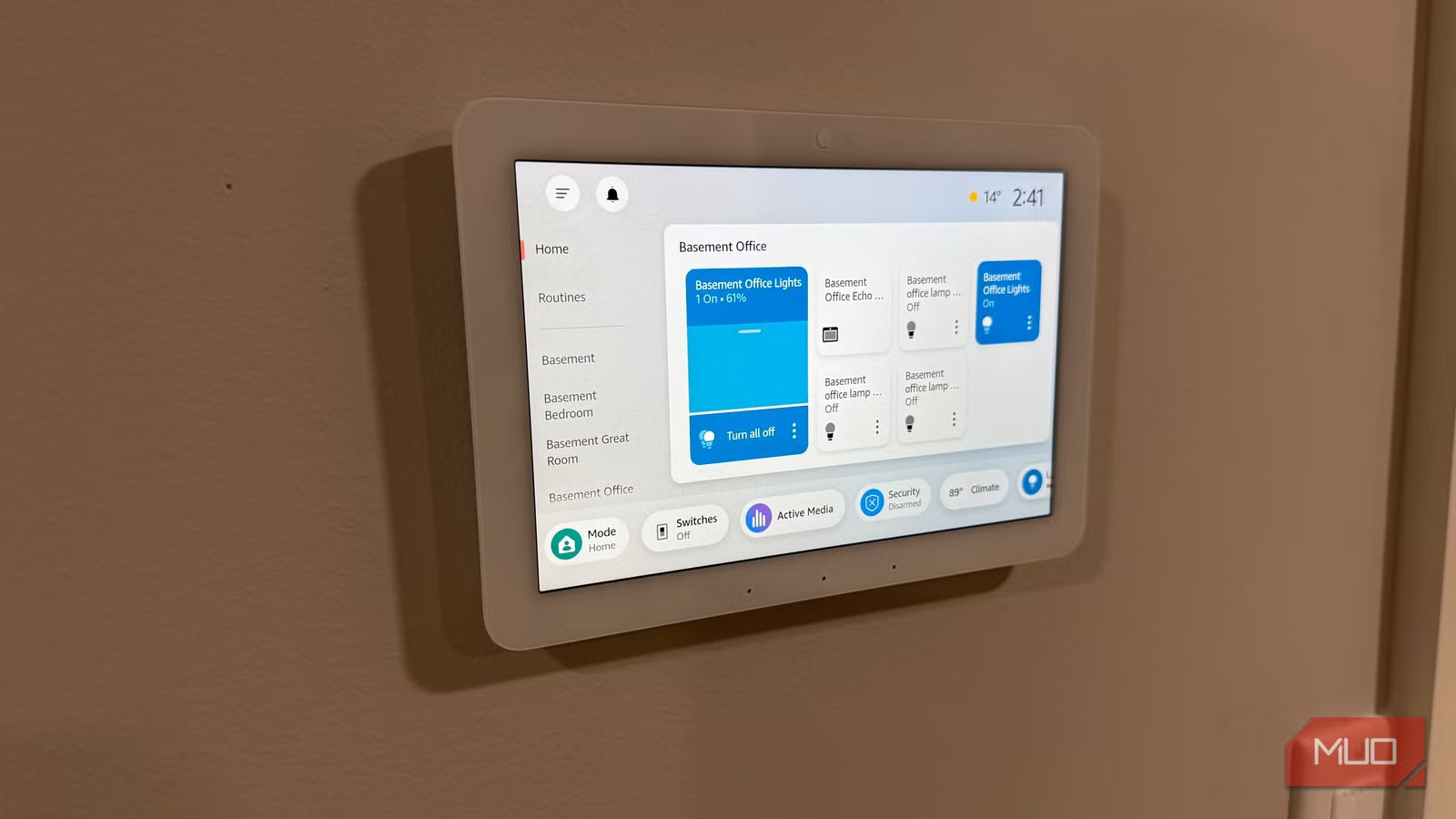
In my old house, I had Philips Hue lights in every room, Ring cameras outside, and Echo devices for voice control. There were smart plugs on the lamps, the space heater, the Christmas tree—basically anything with a cord. The setup took years to get right, and for most of that time it didn’t work well at all. Lights would vanish from the app. Routines fired one day, ignored me the next. Alexa would say “okay,” and then nothing would happen. Nearly every problem traced back to a fixable mistake in how I’d set things up, which I fixed in my new house. Here are seven mistakes that wrecked my reliability—and are probably wrecking yours.
Relying on Wi-Fi and Bluetooth for everything
Hub-based protocols exist for a reason
Cheap smart home devices connect through Wi-Fi or Bluetooth. Both have real problems. Bluetooth says 30 feet on the box, but walls and furniture chop the usable range roughly in half. Wi-Fi reaches farther, sure, but most smart gadgets only operate on the 2.4GHz band. That’s the same crowded band your router uses, your neighbors use, your microwave blasts through, and every baby monitor on the street hogs.
I ran into this with Feit Electric lights. I installed them with a Ubiquiti access point nearby, and they still dropped offline every few days. I swapped them for Philips Hue on a Zigbee bridge, and the disconnects stopped completely. Zigbee, Z-Wave, and Thread don’t share frequency space with your Wi-Fi at all, and each device you add extends the mesh.
Overloading your network with too many devices
Your router has limits most people never think about
Every Wi-Fi smart device you add takes up bandwidth and airtime on your router. Most consumer routers top out around 20–30 devices before things get shaky, and between phones, tablets, laptops, etc., most households are near that already.
Add a dozen Wi-Fi bulbs and a few cameras, and things fall apart fast. Commands lag. Cameras drop their feed. A mesh system spreads the load better, but the real solution is getting smart devices off your Wi-Fi. Hue lights talk to their bridge over Zigbee. Ring alarm sensors use Z-Wave. Neither protocol touches your Wi-Fi.
Letting people flip your wall switches
Smart bulbs need constant power to stay connected
Credit: Jonathon Jachura / MUO
I fought this problem for three years before moving and solving it. I’d set up lighting scenes and Alexa routines, and within a day, somebody would walk into the room and flip the wall switch. Voice commands, app controls, automations—none of it works when the bulb has no electricity.
I tried telling my family to leave the switches alone. But you can’t override decades of muscle memory with a Post-it note on the wall. Reconnection was a coin flip—sometimes the bulbs came back on their own, other times I’d burn five minutes per bulb re-pairing them through the Hue app. The fix that finally worked was a surface switch that covers the toggle entirely, locking it in the “on” position while giving everyone physical buttons too. Best of all—the Abra Switch works with Alexa.
Ignoring firmware and app updates
Outdated software breaks things quietly
Your smart devices get firmware updates for a reason. They fix connectivity bugs, patch security holes, and keep devices communicating as platforms change. Ignore them, and things fail. One of my Hue bulbs started flickering at random last year after I updated the Hue app. It took me two weeks to figure out that the bulb itself was running old firmware that didn’t work well with the newer app.
That mismatch problem applies across the board. Alexa, Hue, Ring—they all tweak how their integrations work over time, and if you’re running an outdated app, automations that worked fine three months ago can suddenly break. I go through my whole setup once a month and check for updates. Tedious? A little. But it’s cheaper than replacing devices I thought were broken.
Depending entirely on cloud connections
When the internet goes down, so does your house
Credit: Chris Hachey / MakeUseOf
Cloud-dependent devices have a single point of failure: your internet connection. Lose it, and your smart home goes dark. During an AWS outage in 2025, Ring and Blink cameras dropped across the country. But Eight Sleep smart beds had it worse—those lost their cloud connection and started cranking out heat with no way to stop. People literally woke up soaked in sweat because their mattress couldn’t reach a server.
Prioritize devices with local control whenever possible. Zigbee and Z-Wave devices communicating through a local hub still work when your internet drops—my Hue lights respond to the bridge whether or not the Wi-Fi is connected. It won’t cover every scenario, but a foundation of locally controlled devices keeps your house running when you lose internet.
Related
This $15 smart home gadget gives me more peace of mind than a security camera
I use it for a lot of reasons.
Juggling too many manufacturer apps
Multiple apps create daily friction you stop noticing
I used to have four apps on my phone just for lighting. Govee for TV backlighting, Hue for the can lights, and Abra for the wall switches. Bedtime meant cycling through each one, shutting things off dashboard by dashboard, and I’d bail halfway through most nights. The lights stayed on in rooms I didn’t feel like dealing with.
Sure, you still need manufacturer apps for firmware updates and deep settings. But daily control through four separate interfaces is a grind. I consolidated everything into the Alexa app, and the nightly routine went from five minutes of app-hopping to a single voice command. One dashboard for everything. One place to check when something acts up. Building automations across Govee, Hue, and Abra gear takes minutes now instead of an entire afternoon.
Buying devices without checking protocol compatibility
Not everything plays nice together
A great deal on a smart plug doesn’t help much if it only works with Google Home and your entire setup runs on Alexa. The same goes for protocol mismatches—a Zigbee sensor won’t pair with anything if you don’t have a compatible hub, and a Thread device needs a border router to function properly. I’ve seen friends grab the cheapest option on Amazon and blow an entire evening trying to force it into a system it was never designed for.
Check protocol specs and “works with” labels before you buy anything. SmartThings hubs and newer Echo devices with built-in Zigbee handle a good spread of brands, though nothing is truly universal. Thirty seconds of reading the box beats an hour of troubleshooting at your kitchen table.
Fix the foundation, and the rest takes care of itself
Looking back, every frustrating stretch with my smart home came down to one of these seven mistakes. Not bad hardware. Not bad luck. Just bad setup decisions that compounded over time. Pick whichever one on this list is giving you the most grief and start there. Once the foundation is right—reliable protocols, a network that isn’t overloaded, constant power to your bulbs, and one platform tying it all together—your automations actually work the way they should. That’s when a smart home stops being temperamental and starts being worth the investment.
