

Premium, trail-ready hardware—with software often lagging behind
The Amazfit T-Rex 3 Pro is a hardware triumph that offers an almost unbelievable spec sheet for half the price of a Garmin Fenix 8. With its 3,000-nit sapphire display, rugged titanium build, and an LED flashlight that genuinely rivals the best in the business, it feels every bit the premium adventurer. However, it’s held back somewhat by Amazfit’s habit of releasing unfinished software; headline features like auto-rerouting remain a work in progress, and the Zepp app is still too clunky for elite training. If you can be patient with the updates, it’s the best value outdoor watch on the market—but it certainly isn’t for everyone.
Quality build with brighter screen
LED flashlight
Free offline maps
Auto re-route remains a work in progress
Incredibly chunky
Not all voice controls can be turned off
In case it’s not obvious from the name, Amazfit aims for its T-Rex series to be the most powerful outdoor watch on the market. The T-Rex 3 Pro is the latest attempt at achieving that goal.
Released less than a year after the standard T-Rex 3, which we found to be a great outdoor companion at a better price than its competitors (the Garmin Fenix 8 and Apple Watch Ultra 3), Amazfit calls the Pro a watch for those who train without compromise.
In essence, that means premium materials that can withstand the elements—from the deepest dives to the windiest summits. It offers every tracking profile imaginable, innovative navigation features, long-lasting battery life, and smartwatch capabilities to keep you connected on the trail.
It offers everything an elite adventurer needs at a price that makes competitors look eye-wateringly expensive. Yet, in true Amazfit fashion, the hardware here seems to have outpaced the software. As we took the Pro into the Scottish Highlands to test its mettle, we found a watch that is undoubtedly a powerhouse but one that relies on updates and refinements to reach its full potential.
Price and competition
Advertisement
The Amazfit T-Rex 3 Pro landed at $399.99 / £399.90, making it Amazfit’s priciest watch to date and a fair jump on the T-Rex 3, which hit the market at $279.99 / £249.99.
Compare that to other watches with similar materials and an LED flashlight, and it starts to look cheap. Pricing for the spec-similar Fenix 8 starts at $999 / £949, while Garmin’s other premium watch, the Enduro 3, is priced at $899.99 / £769.99. It’s $300 cheaper than the impressive Suunto Vertical 2.
The only adventure watch with an AMOLED screen and full maps that’s a little cheaper is the Coros Nomad, but it almost doesn’t make sense to compare Amazfit with Coros watches since they’re practically a different species, and with the price drop, you won’t get an LED flashlight, premium materials, or AMOLED display.
In short, when you look at the T-Rex 3 Pro purely from a pricing standpoint, it starts to look like an unbelievable deal.
Amazfit T-Rex 3 Pro key features
(Image credit: Wareable)
- Brighter 3,000 nit AMOLED display
- Sapphire screen / titanium aluminum alloy bezel
- 85-hour battery life in long life GPS mode, 38 hours in accurate GPS, 25 days in regular use
- Touchscreen and button controls
- Size: 48mm x 14mm / 44mm x 14mm
- Weight: 52g / 46.8 (without strap)
- Waterproof up to 100m
- Microphone and speaker
- 180 workout modes
- Offline global topo maps including base maps, ski resort, turn-by-turn, POI sear, route planning, back to start (auto rerouting pending)
- Bluetooth calling and texting
- Bluetooth music control
Advertisement
Design and display
(Image credit: Wareable)
If you’re wondering about the price differential between the T-Rex 3 and 3 Pro, look no further than the build, which has seen a substantial upgrade in quality.
The original’s Corning Gorilla Glass display has been replaced with a sapphire lens, which is considerably more scratch-resistant. This came as a relief to me, as I’ve previously scratched the screens of other Amazfit watches pretty quickly.
In place of the stainless steel bezel, you’ll find a lighter titanium alloy, which is potentially kinder on sensitive skin and generally tougher and more corrosion-resistant—a boon for watches built to withstand the elements.
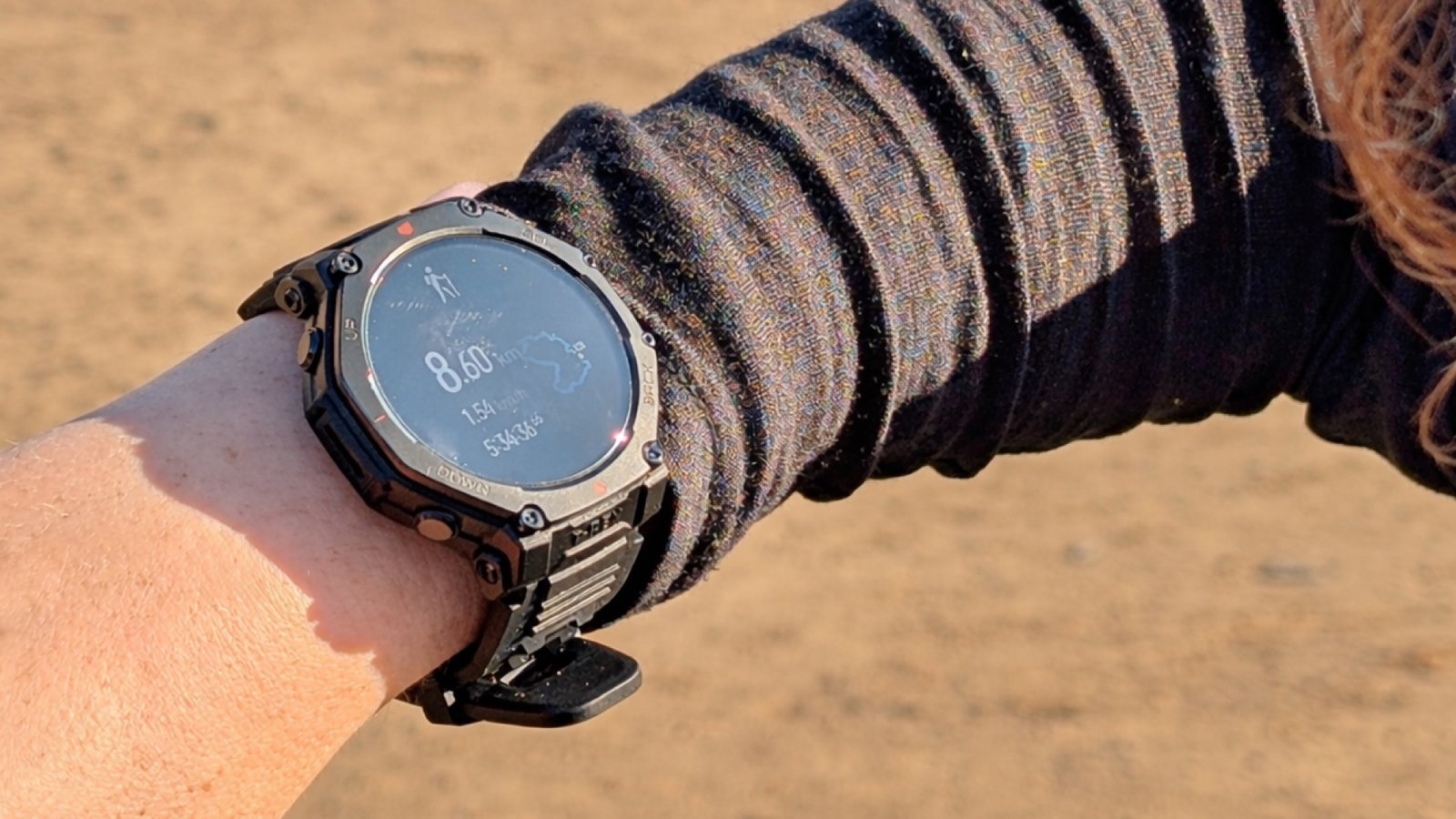
Surprisingly, these changes don’t add up to a heavier watch, yet the overall build feels extremely chunky. The dimensions are the same as the Fenix 8, but it’s somehow a beefier watch that doesn’t sit well on my wrist. Anyone on the small side should probably opt for the smaller watch, even if it means more frequent charging.
The chunkiness also makes it a bit of a challenge to affix the strap to the watch out of the box, and, as the weather gets colder and I wear more layers, it’s harder to access without accidentally pressing buttons I don’t want to press.
Advertisement
Display and navigation
The screen on the T-Rex 3 Pro isn’t only big, it’s brighter than ever, now going up to 3,000 nits. In real-world terms, that means I haven’t had any issues viewing it in any weather, and I don’t even need to turn the brightness down in low-light conditions.
(Image credit: Wareable)
Though I do find that I have to do much more online searching to figure out the features on this watch than with any other brand, the general operation is straightforward, thanks to four buttons that are helpfully labelled.
The top-right button takes you to workouts from the home screen and serves as a select button. Below that is the back button, and it also opens apps such as Maps and Biocharge, which assess your energy levels and workout readiness.
On the left side, there’s an up/down button to navigate menus. If you press the bottom-left, you get shortcuts and an overview of the day, where you can check your training readiness, view the weather forecast, see details of your most recent workout, set a morning alarm, and more. If you press the top left from the home screen, you’ll find yourself in settings where you can turn on Flight Mode, adjust screen brightness, check battery level, and so on.
All of these screens can also be accessed by swiping in various directions, and, while the touchscreen is pretty flawless, I have found the Up/Down buttons to get a little sticky on hikes. I’m not sure if that’s something that will wear off with more use, but it’s been mildly annoying when I’m trying to scroll through the data screens to get back to my map.
Advertisement
Battery life and charging
(Image credit: Wareable)
Typically, the more features a smartwatch offers and the brighter the screen, the more often it needs to be charged. But while that’s true for the Fenix 8, which I found lasts only five or six days with regular use in GPS mode, the T-Rex 3 Pro somehow manages to boast robust battery life, even if, like most watches, it doesn’t quite match advertised battery claims.
The claimed battery life is up to 85 hours in long-life GPS mode, 38 hours in accurate GPS, and 25 days in regular use, though this drops slightly with the smaller 44mm size. On paper, that beats out the Fenix 8 and the Coros Nomad, the latter of which doesn’t even have an AMOLED screen.
That alone makes this watch a contender for anyone who likes to get out on the trail on multi-day adventures and spend time off the grid.
Amazfit has yet to release a watch with solar charging capabilities, which seems like the next project for the brand’s Research and Development team, as it would add significant value to the brand’s adventure-focused T-Rex line.
The watch also charges via Amazfit’s cradle, which isn’t quite as secure as on previous watches but works well enough.
Advertisement
Real-world testing
The battery on the T-Rex 3 Pro might not quite meet the advertised standards, but I’m still impressed by it. I managed to get 18 days of use from a single charge, and, during that time, I used it in Accurate GPS mode for around 14 hours.
To be more precise, during a five-hour hike up Scotland’s Ben Lomond while testing the maps, it lost 17% of its battery life, or roughly 3.5% per hour. A 30-minute, 5k run uses about 2%, and it seems to lose 1% overnight.
(Image credit: Wareable)
I think, by these standards, you should be able to comfortably expect to use it for four eight-hour days on the trail without needing to recharge. When I wore the Fenix 8 on the trek to Everest Base Camp, I found I needed to charge it every third day. Of course, you can also switch to a battery-saving GPS mode if you’re not too dependent on navigation accuracy.
One thing that probably drained the battery more than necessary was that I had to download at least two updates while I was wearing it. All watches will require updates, but I think Amazfit’s approach of releasing watches that aren’t perfect—then addressing issues through frequent fixes—means you can probably expect to download and install more updates than usual.
All of that said, if you plan to use this watch only in GPS mode for a handful of hours per week, you can expect to charge it only two or three times a month.
Advertisement
Navigation features
(Image credit: Wareable)
You can use offline color maps with the T-Rex 3 Pro by building your own route in the app or sending a GPX file to your watch, but they don’t come pre-installed like they do on a Garmin watch.
Downloading them is reasonably painless, but it involves two steps. First, select the area you want in the Zepp app, then download it. Then you need to open your watch settings and confirm the download to ensure everything works. I struggled with this the first time I went through it with the T-Rex 3, but the second time was a charm.
They’re not as bright or detailed as Garmin or Suunto’s, but they’re still good—especially in urban areas. There are a few weird things with settings, such as the fact that the automatic setting always orients with north at the top of the watch.
This probably makes sense to a technical developer, but, in practice, it means that when you’re using your watch to navigate, it can show your route crossing the screen from right to left, left to right, or even moving downward, which is all a bit disorienting when you’re trying to figure out whether you need to turn right or left in the backcountry. It’s a setting you can change, but I’m not sure why I should have to.
Automatic re-routing in progress
The main issue I have with this watch is that, during testing late last year, it failed to deliver the big navigation update advertised: auto-rerouting.
Advertisement
This would be a great feature when you find yourself following a trail that’s flooded or has downed trees, and other paths are available (so long as you’re also paying attention to your surroundings and carrying backup navigation tools, of course), or for anyone who likes to go off-piste.
(Image credit: Wareable)
I went on a few hikes where I knew there were multiple routes to the top, so I could test this. I pre-downloaded a GPX file and then deliberately took another route, expecting the watch to find me a new path to the top or get me back on track, but, instead, I only received Route Deviation alerts.
After some internet searching to no avail, I sent a message to Amazfit (again, during our initial testing a few months ago) and received the following response:
“At the moment, the watch notifies you if you’re not on your route but does not yet show you where to turn to get back on the trail. It should work in urban environments already, but will be improved in upcoming upgrades.”
An update (version 4.1.6.7) that refines the feature eventually arrived in December, with the brand noting that it enhanced the experience after route deviation, but it’s not yet something we’ve been able to test, given the harsh winter weather.
Advertisement
Fixer-upper
Releasing a not-quite-finished product and then addressing issues through fixes is something Amazfit seems quite comfortable with—as evidenced by this watch and plenty of others over the past year or so. And whether it’s this feature or another, it’s a compromise you’ll have to accept.
Even still, I was a little surprised by this one, since re-routing is one of the features touted as a reason for the increased price. You can usually find your way back to your route with a GPX file anyway, but I think that’s more of an enhanced deviation alert than an actual re-route.
We’ll be testing this out on future T-Rex releases, in any case, as it does occur to us that true re-routing in the wild would only really work if I’ve set, say, a mountain summit as my endpoint, since it’s hard to know my destination on a circular route.
Training insights
(Image credit: Wareable)
The T-Rex 3 Pro has every sensor you can think of, with health trackers rolled into Amazfit’s BioTracker 6.0 (the same one as in the watch’s predecessor) and various environmental trackers to detect ambient light, temperature, altitude, and more.
These will give you a snapshot of your training status and readiness in the Zepp app, which, despite updates, remains a little clunky and unintuitive.
Advertisement
However, that’s not the main snag with accessing data.
The 24/7 problem with watches this big
Like any watch brand, Amazfit reserves some data for those who don’t sleep with the watch on. While most brands only deny you your overnight HRV status, you can’t see your BioCharge status at all without wearing the watch 24 hours a day, including your recovery status.
I have a couple of issues with this. Practically speaking, the 48mm watch I tested is far too big for me to sleep comfortably with. So, despite my best efforts, I kept having to take it off after a few hours. I’m a solid sleeper, so I’m not actually too mystified about my sleep quality when I wake up in the morning, but it does mean that I can’t get everything out of the watch if I decide to start training for a marathon, for example.
I’m also not totally sold on the idea that you need continuous tracking, and I think the entity that stands to gain the most from it is the one collecting all your biometrics and data. In this case, Amazfit.
(Image credit: Wareable)
I think there should be an option to just turn off HRV tracking (like Suunto offers) and base your BioCharge on the metrics that you’re willing to share with Amazfit with the understanding that it may not be perfect, rather than withholding everything from those not willing to sign it all over.
Advertisement
GPS and heart rate accuracy
I’ve kept this watch on my right wrist and tested it against the Coros Nomad, Coros Pace 3, and Garmin Fenix 8—and the heart rate sensor is pretty good.
It was only ever a couple of beats different from any other watch, which doesn’t seem like a big enough margin for me to accidentally train in the wrong heart zone.
Likewise, the GPS, which uses six satellites for positioning, is great and lightning fast to locate me when I start a hike or run, and quick to notice when I’ve veered off route and give me a buzz
Smartwatch features
(Image credit: Wareable)
Amazfit goes all in on smartwatch features, and the T-Rex 3 Pro has everything you can think of, including a Jet Lag Assistant (that I can’t wait to use).
Not content with just letting you make and receive phone calls and messages (as long as you’re within Bluetooth range of your phone), the Zepp Flow AI assistant can actually answer basic questions like “How many steps have I taken?” or “What’s the height of Mount Everest?”
Advertisement
Unfortunately, however, Zepp Pay doesn’t work in the US, which does seem like a bit of a hitch for anyone who wants full smartwatch functionality.
Personally, I’m not that interested in a watch that can do it all—and I’ve found the smartwatch functions to be a bit annoying, such as my wrist constantly vibrating with Google Maps alerts when I’m driving, so I’ve ended up turning a lot of these functions off.
(Image credit: Wareable)
The watch also has Bluetooth music control, so you can control playback on your phone or transfer MP3 files from your computer if you still have one, but don’t expect to be able to use this with streaming services.
Push to talk
The Pro has a built-in microphone and speaker, and I was able to respond to a few work-related messages from the trail using the voice-to-text function. It all worked really well.
Though it’s not something I’d use outside of testing, I can see how it would help someone get through a big training block without falling behind on work, or just instruct a delivery person where to leave your package that arrives while you’re on a long run.
Advertisement
The watch is also set up to communicate with you throughout your workout, with voice notifications announcing that your workout has started, frequent updates, and a summary at the end.
This is a feature I abhor, and I was surprised to find that while I can turn off all voice announcements on the T-Rex 3, I can’t turn off the announcements that say I’ve started and ended each workout. The last thing I want when I’m on the trail with company is a voice coming out of my wrist, so I implore the engineers at Amazfit to rethink this.
LED flashlight FTW
The main attraction for me is the addition of the LED flashlight, which has come in handy in winter when the sun isn’t rising until late (and it’s already dark again by 4 p.m. here in Scotland).
It’s not as accessible as on the Fenix 8, which can be turned on with a simple double-press, but it’s easily found on the settings screen.
There’s a dimmable bright-white light that provides enough illumination to navigate a dark trail, and a red light function for preparing for a run without disturbing my partner.
