

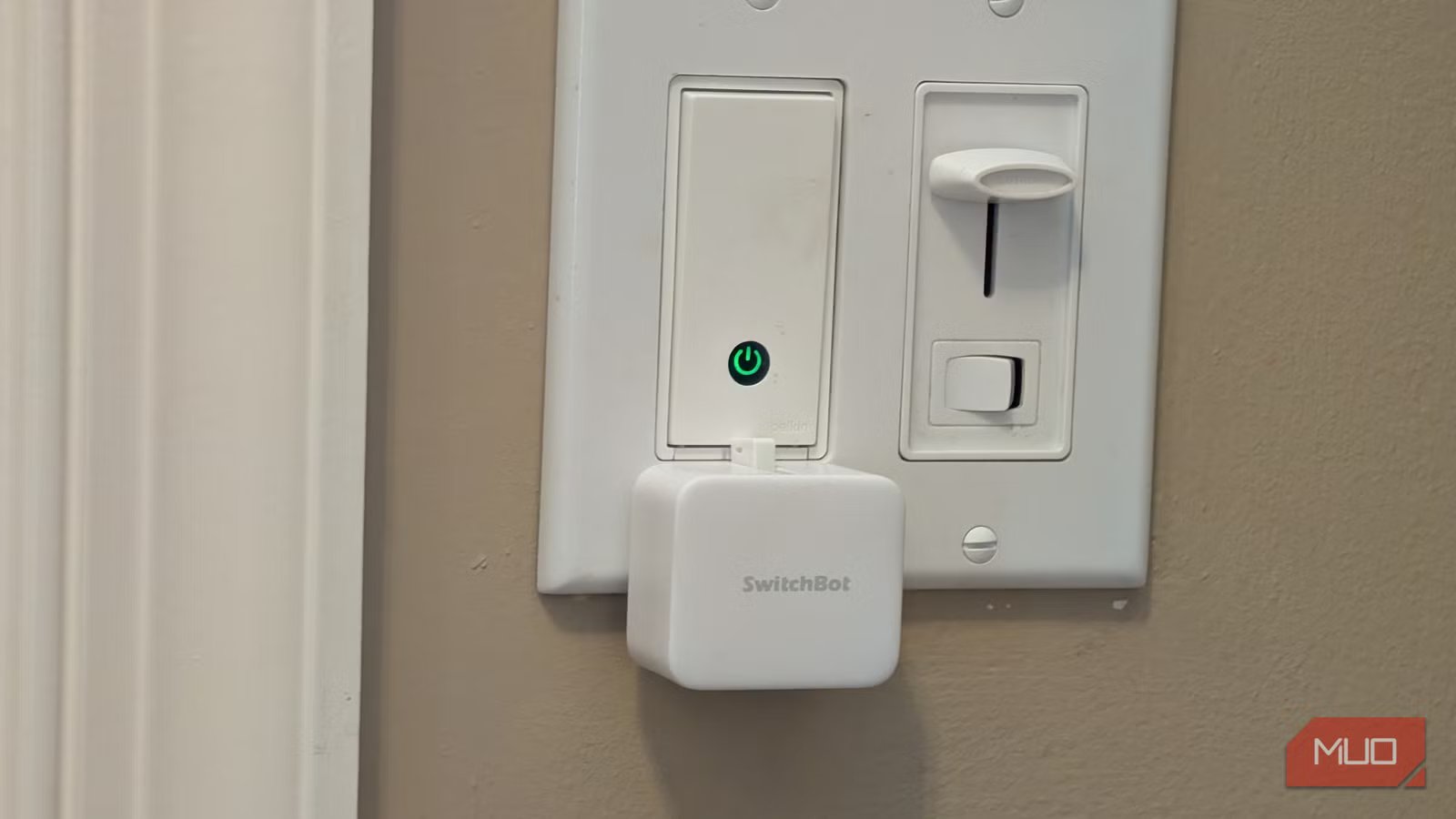
A smart home is great (and you don’t have to rely on the cloud), but there are some devices and switches that are dumb unless you replace them or find a way to remotely toggle them. Like the button on your coffee maker, or the power button on your PC, or perhaps the on/off switch on your older printer. What if you could get a robotic “finger” that can push any button in your house, and even toggle any switch, and integrate it with your smart home?
That’s exactly what the SwitchBot Bot does. I used one of these robots to control the light switch at my front door without having to replace the switch. Now, my front door lights turn on at sunset automatically, and turn off at sunrise. It’s also linked to my home’s Alexa (plus my phone and watch) for remote control. Installation took minutes, and now I’m starting to think about other devices in my house that are dumb that I can make smart with this amazing little robot, even though you don’t have to buy new tech to automate your home.
The SwitchBot is a robotic “finger” that can turn any button into a smart button
It integrates with your smart home
The SwitchBot itself attaches to any surface with 3M tape. Yes, it’s a little bit unsightly, but you can get the SwitchBot in black or white to match your decor. Frankly, I like the look of the little bot, which has dimensions of 43x37x24mm.
The app is simple but powerful
Set up automations and customize the button behavior
The Android and iOS apps make it easy to set up and configure your SwitchBot. You can set up automations like I did to have the switch activate at sunset and sunrise, which is awesome since sunrise and sunset times are constantly changing based on time of year, and the SwitchBot can automate this for you depending on your location. To do this, go to Automations -> Add Conditions -> Schedules -> Sunrise/Sunset.
Also within the app, you can customize the behavior of the switch. Perhaps you have an appliance like a coffee maker or a reset button on a router that requires a press-and-hold action. Within the SwitchBot app, you can customize this by clicking on the switch -> go to Mode -> specify press mode, switch mode, or custom mode. The most common is Press mode, while Switch mode is for lights that have to be “pushed in” to turn on then “pulled out” to turn it off — which requires a sticky pad so that the robotic finger can “pull out” the switch to turn it off. If you want to customize the action of the robotic finger more, you can pick Custom mode, which lets you specify how and when the finger comes out, how and when it pauses and how it retracts. For most people, the default press mode is fine.
Related
I automated my smart home based on my phone’s battery level and it’s actually genius
Our phones run everything anyway, right?
Works with smartwatches or the app
Plus full IFTTT support
Credit: Brandon Miniman / MakeUseOf
It’s great to be able to control any SwitchBot with your smartwatch or phone, but you can take things a step further by integrating IFTTT, which gives you endless possibilities. Imagine setting up IFTTT with a motion sensor so that if a sensor detects your presence in your home office, it triggers the SwitchBot to turn on your PC, start your space heater and turn on a certain lighting automation.
You’ll also need a SwitchBot hub
For full integration with smart home systems
Credit: Brandon Miniman / MakeUseOf
The SwitchBot will only work locally via Bluetooth from your watch or phone unless you buy a hub (for around $39) which will then let you use your SwitchBot over Wi-Fi with Matter (which, along with Thread, is a big deal for your smart home), Alexa, HomeKit, Google Assistant, and IFTTT. Each hub connects to up to 120 devices as long as they are within Bluetooth range.
The SwitchBot solves an important problem
But it comes at a cost
Credit: Brandon Miniman / MakeUseOf
The SwitchBot runs on one CR2 battery that can last up to 600 days. You can access the battery by popping off the little cover on the SwitchBot itself.
The truth is that if you have an existing smart home, adding a simple smart switch and doing the installation yourself will cost you about $30. To turn a dumb switch smart with the SwitchBot which requires you to buy a hub, you’re looking at $30 for the bot and $40 for the hub. While the hub lets you add up to 120 other SwitchBot devices (and SwitchBot now offers a full range of smart home devices from security systems to locks to vacuums), that’s still a starting price of $70 to turn a dumb switch smart.
It’s possible there’s a pesky button in your house that you badly want to make smart, and SwitchBot will achieve that goal for you. But if you’re at all handy and need to make a dumb light switch smart like me, you’re better off just replacing the switch with a smart switch for half the money. But this is a very cool and effective option to give smarts to any button or toggle in your house.
