

I may be slightly biased on this, but I think that Smart Home technology is one of the greatest advancements in technology that we’ve seen in quite some time. Whether it’s ways to make life easier and more accessible for those who suffer from mobility issues or ways that we can simplify our daily routines, there is bound to be some sort of smart home tech that can make life easier for everyone. But the hardest part of it all? Finding which “assistant” may be right for you.
I was an early adopter of Alexa and a later adopter of Google Assistant. But for the past few years, they’ve been working side-by-side, hand-in-hand in my home, and I wouldn’t have it any other way. I use both Gemini and Alexa in my home daily, and there are a few reasons why they both have a spot in my digital heart.
Alexa works better with my smart home devices
From vibration sensors to doorbells, Alexa just works when I need it to
Credit: Shaun Cichacki/MUO
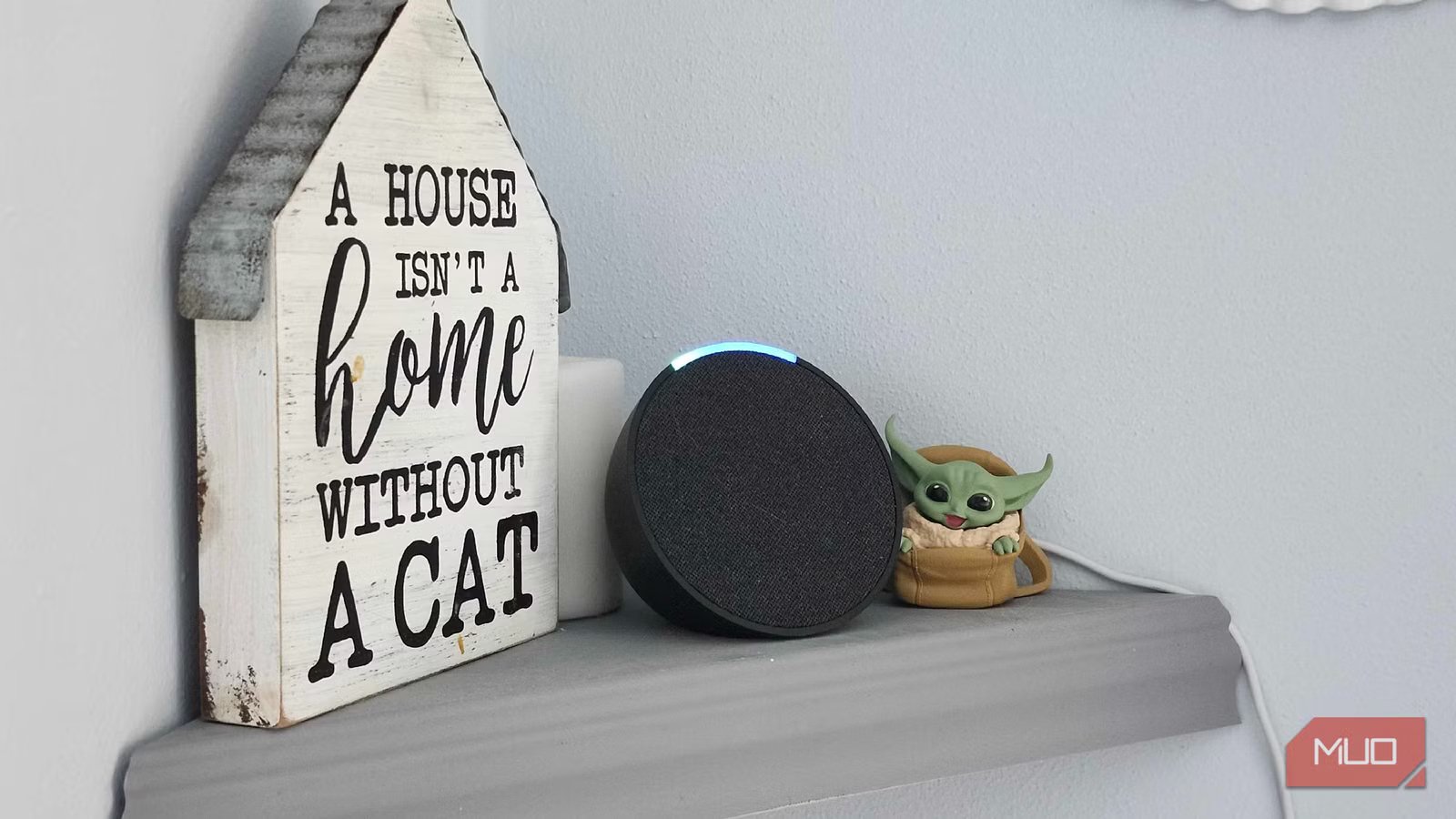
My main reason for sticking with Alexa isn’t because of its brains or smarts. I prefer to ask my Nest Hub questions, as I feel like it does a better job answering them overall. But where Alexa reigns supreme is in its integration with many, if not all, of my smart home equipment. From vibration sensors that tell me when my laundry is done to my doorbell that shows me who is at my home, this tiny little Echo Dot works like a dream.
I have a lot of Blink-branded tech items in my home, including my doorbell, cameras, and more. These will typically only work with Alexa, and that was one of the main reasons for me to invest in the small Echo Dot that rests on the shelf in the corner. But after seeing how well it plays with all of my other smart-home items, I’ve slowly begun migrating the majority of my routines and items over to the ecosystem. Plus, I know I can stick with Blink, as they’re affordable and work well.
Related
4 AI features in Alexa+ that actually feel smart
Alexa+ can now act on your behalf, get to know everyone in your family, and more
My Nest Hub is in the kitchen for many reasons
Having a screen on a smart assistant is such a nice feature
Credit: Shaun Cichacki/MUO
On the other side of the field, or in my case, the other side of the house, I’ve got a Nest Hub running Google Gemini. While my first experience with the world of Assistants was actually with Alexa, I’ve spent far more time using Google Assistant in the past, and now Gemini is also putting in the work. When it comes to asking generalized questions, or even something as simple as getting a recipe, I much prefer using my Nest Hub over my Alexa.
Seeing as Google is built into every corner of the Nest Hub, it works well for my general searches, as well as tying into my Onn Streaming box to share media and videos from one room to another. Plus, I’ve always been a sucker for shiny white plastic since the days of the iPod, so this one immediately spoke to me when I was in the store, eager to add an assistant with a screen to my home.
Brand
Nest
Display
7″ Touchscreen
SMART ASSISTANTS
Gemini
Why not just stick with one assistant in my home?
Variety is the spice of life, and both of these work great together
Now, it may seem overkill to have one of each assistant in my home. For most cases, it absolutely is. Both of these assistants are extremely capable, but I’ve grown comfortable knowing I have a dedicated assistant for anything I might need. Alexa is extremely capable of handling the heavy lifting with my smart home accessories, whereas my Nest Hub is more media-centric and does much of the work when it’s time to prepare dinner. Could I potentially condense it down to just one? Absolutely, but why do that when they both have plenty to offer?
I like to keep things interesting and my options open and available. Why settle for one when both have unique features that the other can’t do? By having both Gemini and Alexa in my home, I can take advantage of both of their offerings. Gemini has plenty of unique features that Alexa + can’t do, and the same can be said for the competition. Instead, like ebony and ivory, they live together in harmony. That’s what I like the most about having dual assistants in my home.
Keeping track of both assistants can be cumbersome
Just a reminder that you can’t say “Hey Google” to your Alexa, something I oftentimes forget
Credit: Hannah Stryker / MakeUseOf
This is going to sound like the most “first-world” problem out there, because it kind of is. But having multiple assistants in the home can make a stressful situation turn into a complete brainteaser. Recently, I was helping my wife make cookies, and I wanted to use our Nest Hub to set a timer. Should be simple, right? But when I start bellowing “Hey Alexa” because my brain is focused on something else, I quickly realize how cumbersome things like this can be at times.
It’s pretty silly and gives us a reason to laugh about things, but it can be annoying when you forget which assistant you actually want to talk to. Sitting there yelling “stop, stop, stop” so they deactivate before asking the right one is one of the few issues that I have when bouncing between the two. Other than my brain, apparently, failing to remember which speaking box is the right one to talk to, though? It’s utterly fantastic to have them around here.
Smart home assistants are great for accessibility and daily use
I just hope that someone can figure out a way to put an Alexa inside of a Nest Hub someday
At the end of the day, I genuinely enjoy using both of these a ton. Both Alexa and Gemini have plenty of amazing features that I’m potentially underutilizing because I’m using both of them, but they work together so well that I can’t give up this particular setup.
Maybe in the future, someone will find a way to combine the two of them into a Frankenstein’s monster of an assistant, but for now? I’ll happily keep these two plugged in together.
