

It’s easy to fall into the trap of assuming that the default security settings for your smart home are the best way to keep your smart home protected. The problem is that these settings are often weak or publicly known. In many cases, you can make your smart home much more secure by changing the default settings.
Secure your home network
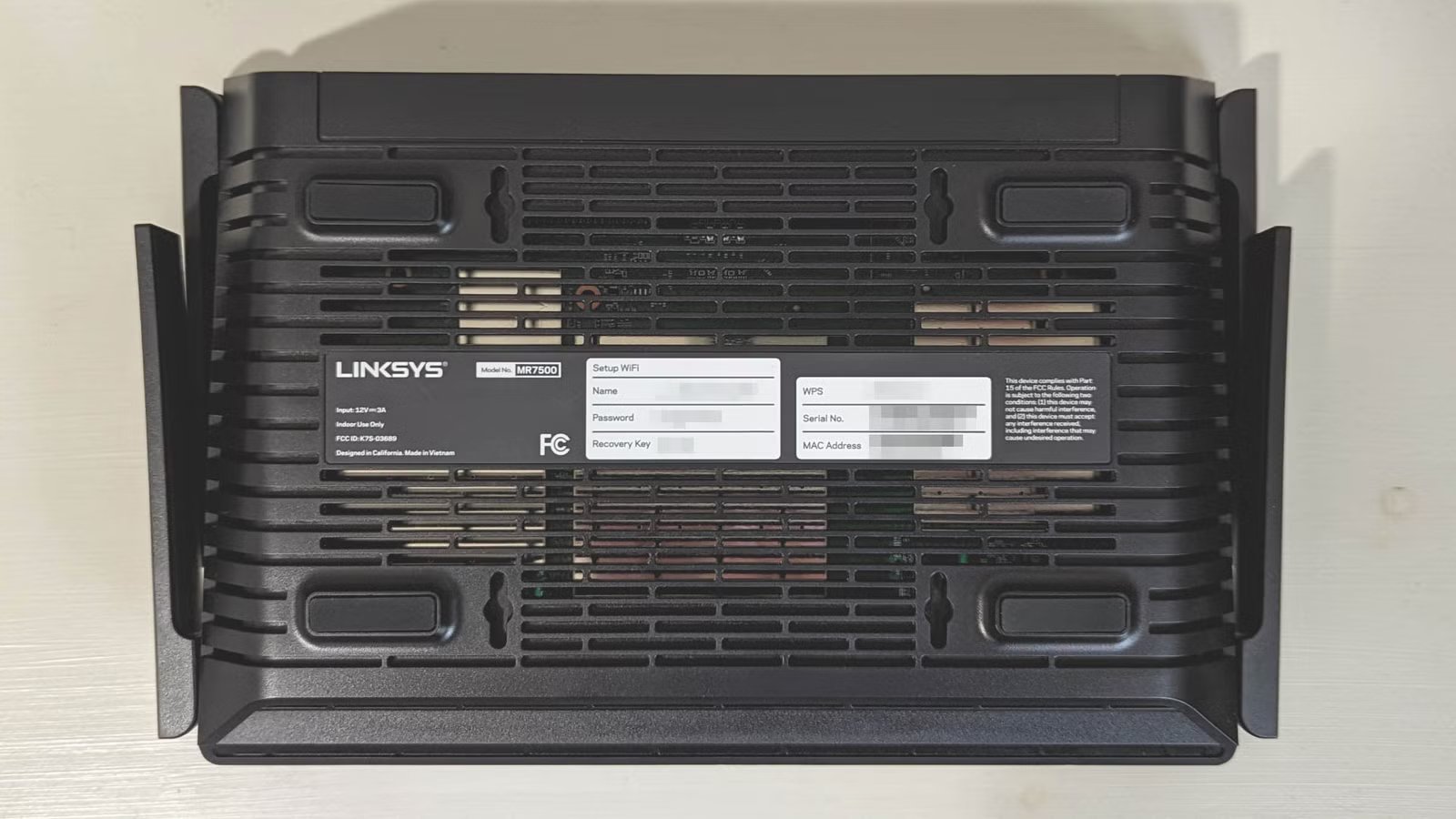
Your router is the heart of your smart home
Credit: Corbin Davenport / How-To Geek
You may not consider your router a smart home device, but it’s a vital part of most smart home systems. It’s also effectively the gateway to your smart home, and if you leave that gate open, your whole smart home is at risk.
The first thing to change is the default Wi-Fi and admin passwords. Often, these may be printed somewhere on your router where someone could find them or use the same easy-to-guess values. You should change these as soon as you get a new router, securing them with strong passwords that aren’t used anywhere else.
Ensure that your router is using the highest level of encryption that your router and devices can support; ideally, you should be using the most secure WPA3 encryption. It’s also a good idea to disable Wi-Fi Protected Setup (WPS) and Universal Plug and Play (UPnP), which are features that can simplify connections to Wi-Fi devices and create port-forwarding rules. These settings can also put your security at risk as they make it easier to gain access to your network.
Another effective trick is to set up a guest Wi-Fi network and connect your smart home devices to that network. This limits what they can reach on your main network, so your other devices should be less exposed.
Related
Is Your Wi-Fi Putting Your Data at Risk? Here’s How to Stay Safe
Boost your Wi-Fi security with easy tweaks.
Lock down your accounts
Change passwords and turn on MFA
Credit: Lucas Gouveia / How-To Geek | Natee Meepian / Shutterstock
Most smart home ecosystems require that you sign in with an account. For example, you need to sign in with an Amazon account in order to use Alexa. If this account isn’t secure, your entire smart home is at risk.
The first thing to do is ensure that you’re using a secure password that isn’t used for any other account. If you use the same password that you use elsewhere, if there’s a data breach for any of your other accounts, your smart home password could be exposed.
You should also enable Multi-Factor Authentication (MFA) wherever possible. This adds an additional layer of protection that’s required to access your account, such as a code sent to your phone or generated in an authenticator app, or your fingerprint or other biometric identification. It reduces the risk of someone gaining access to your account if they do get hold of your password.
The same applies to any other accounts you use in your smart home. You might have accounts for different vendors, such as your brand of smart lights. Each account should use a unique, strong password and have MFA enabled wherever possible.
Fix individual devices
Default settings are rarely the most secure
Credit: Tim Brookes / How-To Geek
Almost every smart home device you own will come with its own set of default security settings. To keep your smart home secure, you should check the settings for each device and change anything that puts you at risk.
If your device has a default password, you should change this immediately to a strong, unique password and turn on MFA for any associated apps or accounts if available. If your device requires an email address, using a dedicated email for your smart home devices can help to keep things separated.
Usually, you’ll disable UPnP on the router. There are some smart home devices, such as security cameras and smart home hubs that may give you the option to disable UPnP on the device. If they do, you should disable this feature as it could open ports on your firewall, exposing your smart home.
You should also disable any remote access features if you’re only intending to control the device from your home. If possible, you should also disable any port forwarding features that you’re not actively using.
If there are any features that you’re not using, the safest course of action is to disable them. For example, if your device has a camera or microphone that you’re not using, you may be able to disable these in the device settings or manually disable them using a mute or shutter.
The same is true of any cloud features; if you’re only using the device locally, turning off cloud settings reduces your smart home’s exposure to the outside world. Turning off any unused third-party integrations is also a good idea.
Ensure everything is updated
Outdated firmware could put you at risk
Credit: Jason Montoya / How-To Geek
The unfortunate truth is that sometimes exploits are found in smart home devices that could allow hackers to gain access to your smart home. When these exploits are discovered, they are usually fixed by firmware updates that remove the exploit. If your smart home devices aren’t updated, however, then you remain at risk.
For individual devices, the safest course of action is to enable automatic updates where possible. This ensures that your smart home devices remain up to date without you having to remember to manually update each individual device.
In most cases, enabling automatic updates for your smart home ecosystem is a good idea, too. If you’re using self-hosted smart home software such as Home Assistant, however, updates can introduce breaking changes that can stop your smart home from working correctly. You may prefer to stick to regular manual updates to keep your smart home secure without breaking everything.
If you’ve never changed the security settings for your smart home devices, you may not be aware of how insecure some of them may be. It’s important to review all the security settings for your smart home to ensure that there aren’t any default settings that put your home at risk.
