

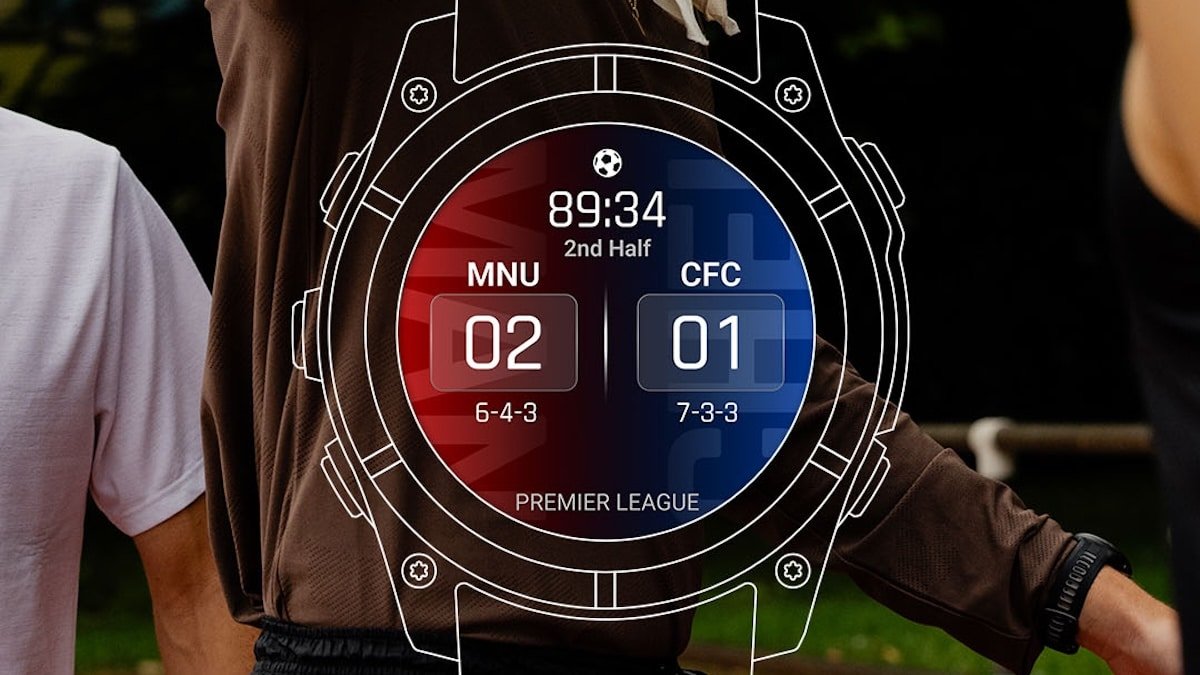
Garmin has started rolling out a Sports Scores glance to a selection of its smartwatches, giving you live scores, schedules and standings for 15 sports leagues directly on your wrist. The update is arriving via firmware but is limited to newer models, leaving a large chunk of the existing user base without the feature.
The idea itself is straightforward. Rather than picking up your phone every time you want to check a score, you swipe up on your watch and it is right there alongside your other glances. It sits in the same menu as your heart rate, step count and weather, so checking a score becomes part of the same routine as checking anything else on the watch.
It’s worth noting, the feature works through the Garmin Connect app on your smartphone. So you need to have this connection. Your watch pulls live data, which means you need to stay paired to keep scores and schedules current.
What leagues are covered
The lineup covers 15 sports leagues, which is a reasonable spread. Soccer fans get the Premier League, Bundesliga, La Liga, Serie A, Ligue 1 and MLS. American football gets the NFL and NCAAF. Basketball is covered by the NBA, NCAAM, NCAAW and WNBA. The NHL covers ice hockey and MLB takes care of baseball.
It covers the major US leagues and the biggest soccer competitions in Europe reasonably well. Whether it includes your sport will depend on where you are and what you follow, but for a large portion of Garmin’s user base at least a few of these will be relevant.
Setting it up
Getting the Sports Scores glance onto your watch takes only a couple of minutes. You swipe up from the watch face to open the glances menu, tap Edit, then Add and select Sports Scores from the list. Once it is added, you open the glance and start picking your leagues and teams.
You can follow multiple teams across different leagues at the same time. If you have a team you want to prioritise, you can set it as a favourite, which pins it to the top of the glance so it is the first thing you see when you open it. Removing teams is equally simple. You scroll down within the glance, select My Teams, tap the team you want to remove and select Remove Team.
Once the setup is done, the glance sits in your regular swipe-up menu and checking a score is as quick as checking anything else on the watch.
Which watches are getting it
The rollout covers the Venu X1, Venu 4, vivoactive 6, Forerunner 570, Forerunner 970, fenix 8, fenix 8 Pro, fenix E, Enduro 3, tactix 8, quatix 8, quatix 8 Pro and D2 Mach 2. If your watch is on that list and the feature has not appeared yet, check for a pending software update in the Garmin Connect app.
What is worth noting is what is not on that list. A large number of Garmin watches that are still perfectly capable devices are not getting the feature, and it is difficult to make a convincing technical argument for that.
A sports scores glance is not a demanding piece of software. It is essentially a data display that pulls information from your paired smartphone. Older Garmin watches have been running glances like this for years and the hardware is more than capable of handling it.
Garmin has a long and consistent track record of using software feature exclusivity to nudge its existing user base toward newer hardware. It is a pattern that repeats with almost every significant update the company releases. New features land on current models first, and older devices either get them much later or not at all. This looks like another instance of that approach.
Subscribe to our monthly newsletter! Check out our YouTube channel.
And of course, you can follow Gadgets & Wearables on Google News and add us as a preferred source to get our expert news, reviews, and opinion in your feeds.
