

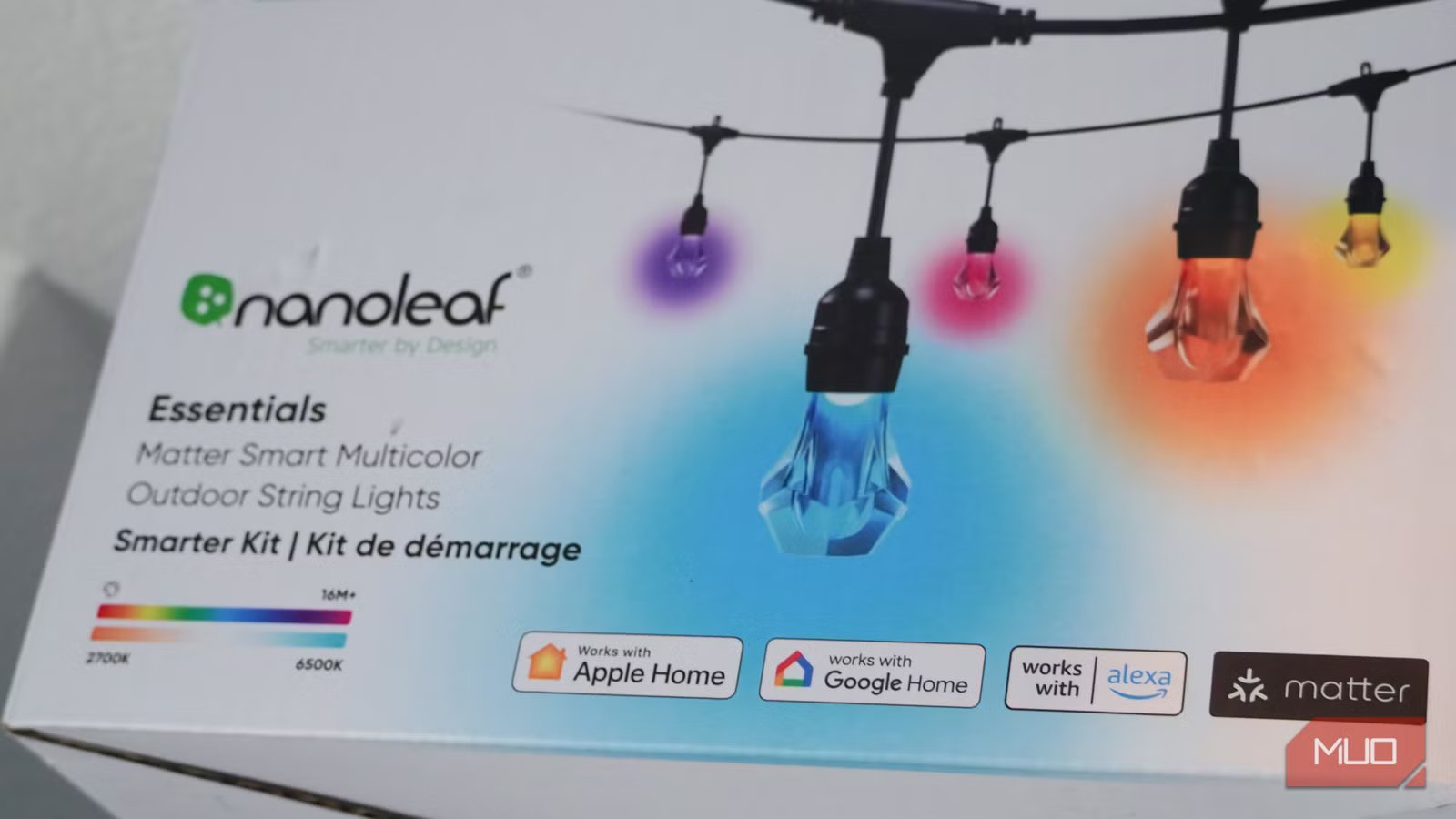
For anyone in the process of setting up their smart home ecosystem, you have probably noticed the word “Matter” on some of your devices’ packaging. Usually, you can tell a lot from a smart home gadget’s box, as it will give you a quick rundown of all that it can do. Matter is a particular smart home standard that aims to make all users’ lives easier by simplifying the process of setting up your ecosystem.
The key is that you don’t have to select one specific ecosystem with Matter. It’s an open-source standard that is used by Amazon Alexa, Samsung SmartThings, Google Home, Apple HomeKit to allow for compatibility across all their devices. The Connectivity Standards Alliance works with those major tech manufacturers to create a standard protocol that all the devices can use. But, as with anything in tech, it’s not so simple. Matter still has some ways to go to become a perfect addition to any smart home. Here’s what you need to know about that little Matter symbol on your smart home device’s box.
Related
This $15 smart home gadget gives me more peace of mind than a security camera
I use it for a lot of reasons.
Not all devices are Matter devices
There is a limited number, but it is growing
Credit: Brady Snyder / MakeUseOf
Setting up a smart home can be easy if you know what you’re looking for. Before the idea of choosing smart home devices across different ecosystems was ever a thing, you juggled apps from different manufacturers and hoped that many of them worked with Google Home or Amazon Alexa, if that was your preferred smart home assistant.
Eventually, people realized they couldn’t get all the smart home devices they wanted because they weren’t compatible with the smart home system they had set up. That’s why Matter is so helpful, because you are open to buying more gadgets and devices, regardless of the manufacturer.
However, not every device out there is a Matter device. Many of them still require you to set them up using the manufacturer’s app and they may not integrate with your smart assistant or ecosystem. If you have a sophisticated setup, you should probably not even bother with anything that doesn’t work within it.
But, until there’s a universal standard that works with all devices, you’re out of luck if you want to buy any smart home device and have it work in your home. Of course, most people aren’t naive and they don’t think they’ll be able to make everything work in their home. Understanding your smart home better is grasping what you can and can’t do yet.
Don’t throw your box away!
That Matter pairing code is crucial
You may want to unpack your device a little more carefully. Many times, we unpack boxes and then are so excited to see the device that we don’t pay attention to the packaging. It is essential to keep track of the box that a Matter device comes in.
That’s because, on many Matter devices, there is a code for pairing your Matter device with your smart home either on or in the box. It’s usually a QR code or a pairing code that you have to type in. But you won’t be able to set up your Matter device without it.
The only caveat is if you are pairing an already paired device and want to share it with someone else. You can use Multi-Admin mode to share it with either another person or another platform. You can add it to another app without needing to find the box. Once you’ve set it up, you can discard the box if you want.
The Matter symbol is instantly recognizable, so if you see it, you should think about keeping everything that comes with it. The instructions will also tell you the best ways to start up your device, including what version of Matter it runs.
Your box can give you the right version of Matter the device supports
Backward compatibility is important
No attribution required; taken by author James Bruce
Credit: James Bruce / MakeUseOf
Another important part of unpackaging your first Matter device is paying attention to the version of Matter the device supports. Matter 1.0 was released back in 2022 and it was focused mainly on thermostats, TVs, blinds, and more. These were made openly compatible through the Matter protocol upon their release.
Since then, the CSA has released a new spec each year, with the most recent one, Matter 5.0, debuting in November 2025. The list of devices has expanded over the years, making you more likely to find something that works within your home ecosystem.
That being said, you should pay attention to which version is indicated on your box. If your device is older and was meant to be part of Matter 1.0 or 2.0, it should work with what you have. However, some of the new features that some of the newer hubs have may not work with the older devices.
You may need to use a hub to use the device and get the most out of the feature. Most Matter hubs are backward compatible with older devices and many older controllers have received software updates to make them more accessible.
Target Matter devices from the most recent few years, just to be safe, if you are buying new ones to add to your home.
Matter and Thread are not the same thing
But they can work with each other
Brent Dirks / MakeUseOfCredit: Brent Dirks / MakeUseOf
A word that you might see associated with your Matter devices is Thread. Thread is a smart home standard that lets devices communicate with one another. It creates a mesh network to connect all of your Thread devices.
The network via Thread is not affected by Wi-Fi. So if you happen to lose power, your devices connected via Thread will still be accessible via a Thread Border Router, a device that serves as a controller for Thread devices.
The universal way to dumb down how they are related is that Matter is the language that the devices speak to one another, so you can control them and Thread is what connects those devices.
Credit: Thread Group
Matter can work over Thread if you have a Matter hub and a Thread Border Router. You can find devices that are both. An Apple TV 4K, the above-pictured Amazon Echo Show 8, or a Nest Hub are both Matter hubs and Thread Border Routers. It is vital to understand that not all Matter hubs are considered Thread Border Routers.
What you have in your home already might not work with Matter
You may have to do some research
Credit: Shaun Cichacki/MUO
It isn’t a guarantee that the devices you already have in your home will work with your new Matter device. Older devices that use Zigbee, Z-Wave, or Thread as their low-power mesh networks may not work well with Matter devices.
If they are Zigbee- or Z-Wave-only devices, they won’t be compatible with your new Matter ones. You may need to use a manufacturer’s hub to bring them into the ecosystem. I’ve had to use an Aqara Hub M2 to connect motion sensors and smart curtains within my home ecosystem.
If you aren’t sure whether your devices are Matter ones or will be compatible, like Thread ones can be, look up more about your device to learn. Rather than banking on it being compatible and then getting it home and realizing it doesn’t work with the devices you already have, you should look ahead of time.
To bring those devices together, you may need another piece of equipment. That also takes researching, as you might want to find the ones that fit best within your ecosystem and can do more for you going forward. While I was using the Aqara Hub M2 for a while, just using that for one or two devices didn’t make sense. It caused me to drop those devices and the hub from my smart home.
Matter can be great and will likely improve
More and more devices are becoming Matter-compatible devices each year. The standard reaches further and works with more devices. If you’re buying a new Matter device, it’s important to understand what kind of smart home ecosystem you’re bringing it into, as your devices might not be compatible with it. Chances are, if they are not Zigbee- or Z-Wave-only devices, you’ll have luck. With the right equipment, your entire smart home can be communicating.
