

Changing your Android wallpaper should be a simple process, but finding one that makes the experience pleasant is surprisingly hard, even when you look in unlikely places.
Over the past few months, I’ve downloaded, used, and eventually deleted several wallpaper apps on my Pixel 9 Pro XL before landing on one I’ve actually kept. Some were bloated. Some were boring. There was one that offered a genuinely great idea wrapped in a frustrating experience. None of them felt built for someone who just wants a clean, well-designed app with great wallpapers and zero junk.
Then I found Backdrops, an app I can confidently recommend to anyone looking for a smooth, focused wallpaper experience. Here’s what worked for me.
Related
9 Useful Android Apps That’ll Make Your Phone Smarter
Want a smarter phone? Replace your default camera, SMS, gallery, and other apps with these smarter alternatives.
Zedge: A popular Android wallpaper app that tries to do too much
Why Zedge’s massive library works against it
Zedge is probably the best-known wallpaper app for Android, and for a while, I thought that reputation made it worth using. Unfortunately, it isn’t, at least not if wallpapers are all you’re after.
The problem with Zedge isn’t its library. With millions of wallpapers, customized ringtones, and notification sounds, the selection here is enormous. That’s actually the problem. Zedge is a platform trying to be everything at once. As a result, wallpapers feel like an afterthought buried inside a cluttered interface. Ads constantly interrupt the browsing experience, and the free tier pushes premium upsells at every turn.
I didn’t come to Zedge for ringtones; I came for a wallpaper. The app made that a harder task than it needed to be, so it went.
Google Wallpapers: Clean and simple, but too limited for regular use
Why the lack of new content is a dealbreaker
Google’s own wallpaper app has the opposite problem. It’s clean and simple, but maybe it’s too simple.
The app ships (or comes pre-installed on Pixel devices) with a curated selection of photos and illustrations organized by category, and it integrates directly with Android’s wallpaper picker. For casual users who just want something better than the default, it’s fine. But the library is limited, updates are infrequent, and there’s no real discovery experience. You scroll through a static grid, pick something, and that’s it.
Google Wallpapers work exactly as advertised. But it gave me no reason to open it again once I’d set a wallpaper, which isn’t exactly a ringing endorsement.
Walli: Impressive wallpaper art let down by a frustrating app experience
Why navigation makes it hard to enjoy
Walli takes a different approach, positioning itself as a platform for independent artists. The quality of the artwork is genuinely impressive; there’s a level of craftsmanship in the best Walli wallpapers that you won’t find in a bulky library.
Unfortunately, none of this quite translates into a great app experience. Navigation feels inconsistent, and it’s harder than it should be to browse by style or mood. I found myself spending more time trying to find something I liked than actually enjoying the app.
I wanted to love Walli. The art deserved a better home than the app version I used. Maybe it has improved since I tried it, but I moved on before finding out. Note: This is not the open-source Waller app.
Muzei: A creative auto-rotating wallpaper app that removes too much control
Why it doesn’t suit users who like to choose their own wallpaper
Muzei is the most creative of the wallpaper apps I tried. Rather than giving you a library to browse, it automatically rotates artwork on your home screen from sources like the Art Institute of Chicago or your own photo library. You barely interact with it, as it quietly changes your wallpaper in the background.
In theory, that should give you an elegant experience. In practice, I found myself wanting more control. I like choosing my wallpaper. I like opening an app, browsing its content for something good, and setting it up intentionally. Muzei removed that part of the process, and what I got in return was random artwork swapped out on a timer, an experience I wasn’t after.
Muzei is a smart app, but again, it’s just not the wallpaper app for me.
Backdrops: The best Android wallpaper app I’ve found after months of testing
A clean, ad-light interface built around Material Design
After these failed attempts, my expectations were low when I downloaded Backdrops. They didn’t stay low for long.
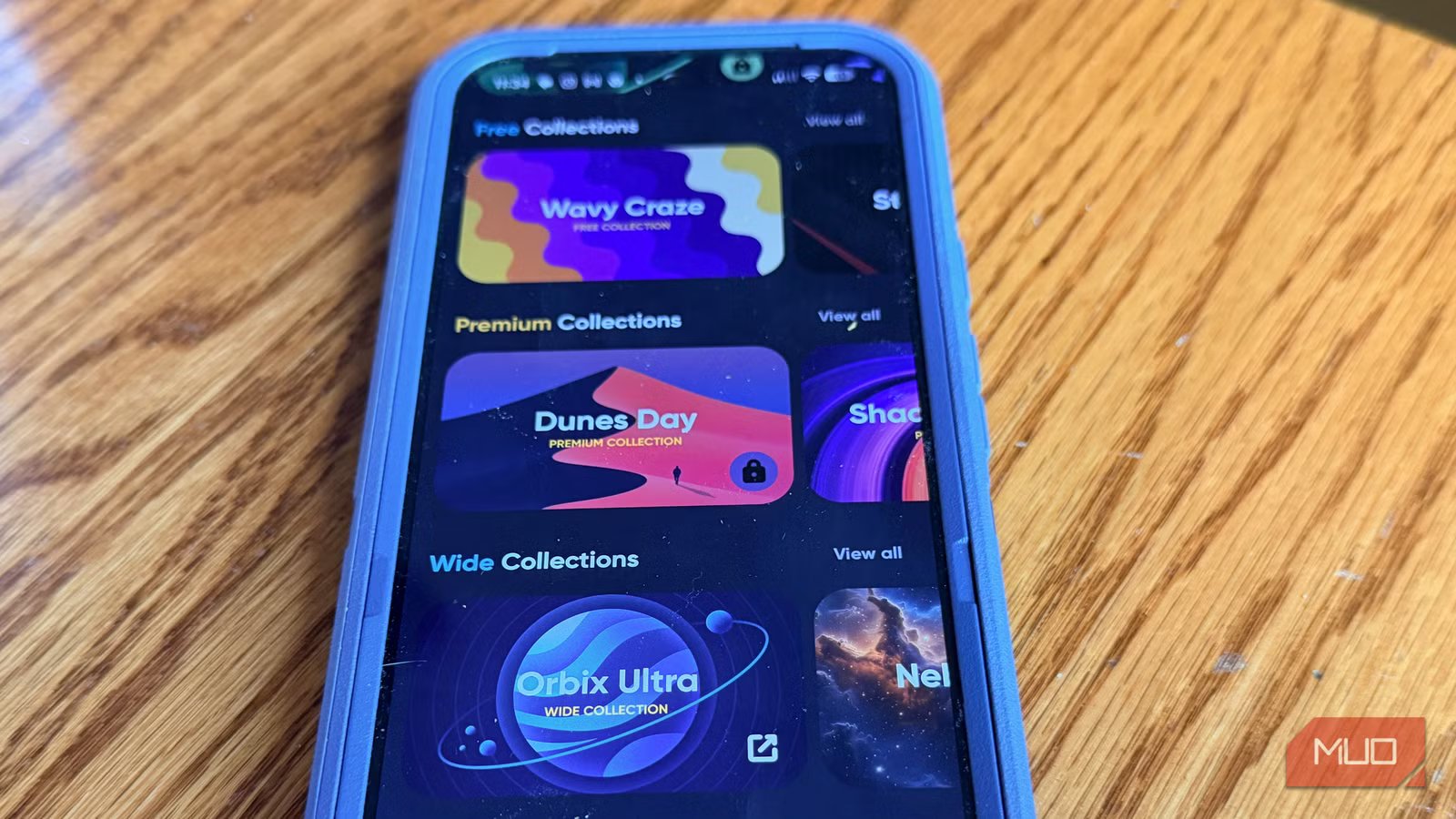
The first thing you notice is the UI. Backdrops is built around Material Design principles, and it shows; the app is clean, fast, and easy to navigate, with not a single element out of place. There are no ringtone upsells, no pop-up prompts to rate the app, and no mystery tabs cluttering the bottom of the screen. It’s just wallpapers, simply and easily organized for browsing.
The library itself is curated rather than crowded. Backdrops covers a range of styles, including materials, minimal, patterns, scenery, outer space, abstract, photograph, geometric, and AMOLED-friendly dark wallpapers. That last category is especially useful if you use a phone with an OLED display, which makes true blacks look great while saving battery life.
Most of the wallpapers are handcrafted in-house by the Backdrops team, meaning you won’t find them anywhere else. There’s also a community section where users can submit original work, with submissions going through an approval process to maintain high quality. Finally, the team updates the library daily, so there’s always a reason to come back.
Backdrops offers a free tier and a premium tier; I’ve stuck with the free tier because it covers most of what you need. Going Pro, offered as a one-time purchase rather than a subscription, removes ads and unlocks additional premium collections.
This app doesn’t try to be a ringtone app, a social platform, or an AI design tool. It’s a wallpaper app that’s very good at what it does. After everything I had tried before, it turned out to be exactly what I wanted.
The wallpaper for me
If you’re tired of wading through bloated apps just to find a decent wallpaper, save yourself the trouble and start with Backdrops. It won’t try to sell you a ringtone or overwhelm you with a million mediocre options. It’s a focused, well-designed app that does one thing and does it well. After months of searching, that turned out to be exactly enough.
