

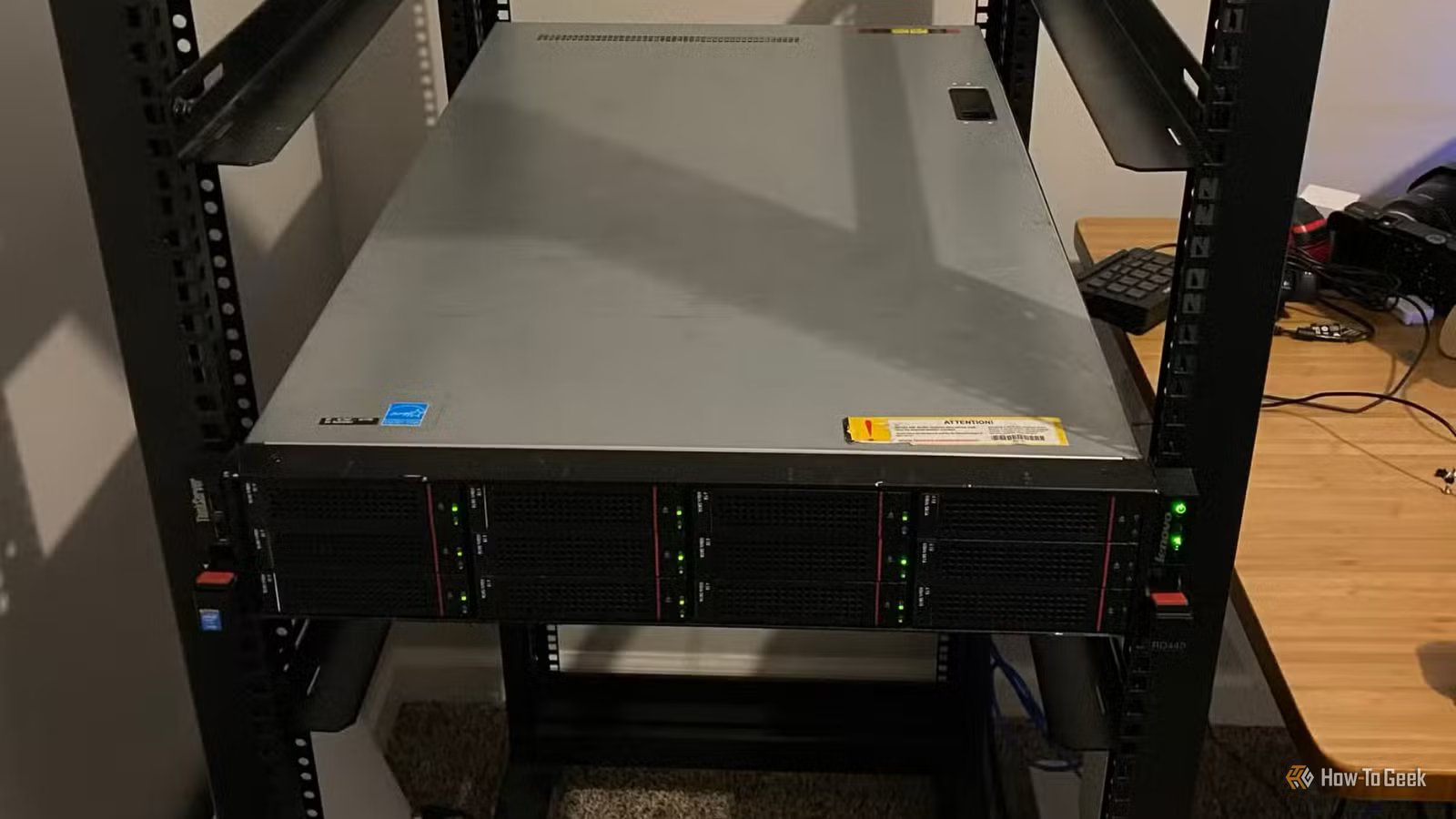
Homelabs might not be as intricate as actual server racks, but for your personal projects or setups, it’s probably good enough. Yet, with a homelab doing all the stuff it does, you’re probably missing an important detail—a UPS holding everything together.
Here’s why you might need one, too.
I needed a UPS
Logical for some, a complete afterthought for others
For a long time, my setup was largely plugged directly into standard surge protectors—or worse, sometimes just straight on the wall. This is not ideal. As you might guess from reading my author profile, I currently live in Venezuela. And while surge protectors offer a baseline defense against voltage spikes, they do absolutely nothing to mitigate brownouts, micro-outages, or sustained power failures. The turning point arrived during a seemingly benign summer storm. A momentary power flicker—lasting no more than a second—was enough to instantly power down my entire virtualization cluster. When the systems rebooted, I was putting myself at risk of degraded RAID arrays, corrupted database volumes, and several virtual machines stuck in recovery loops.
Quiz
8 Questions · Test Your Knowledge
Home Networking & Wi-Fi
Think you know your routers from your repeaters — put your home networking know-how to the ultimate test.
Wi-FiRoutersSecurityHardwareProtocols
Begin
What does the ‘5 GHz’ band in Wi-Fi offer compared to the ‘2.4 GHz’ band?
ALonger range but slower speedsBFaster speeds but shorter rangeCBetter wall penetration and faster speedsDLower interference but identical speeds
That’s right! The 5 GHz band delivers faster data rates but loses signal strength more quickly over distance and through walls. It’s ideal for devices close to the router that need maximum throughput, like streaming 4K video.
Not quite — the 5 GHz band actually offers faster speeds at the cost of range. The 2.4 GHz band travels farther and penetrates obstacles better, which is why smart home devices and older gadgets often prefer it.
Continue
Which Wi-Fi standard, introduced in 2021, is also known as Wi-Fi 6E and extends into a new frequency band?
A802.11acB802.11axC802.11beD802.11n
Correct! 802.11ax is the technical name for Wi-Fi 6 and Wi-Fi 6E. The ‘E’ variant extends the standard into the 6 GHz band, offering a massive swath of new, less-congested spectrum for faster and more reliable connections.
The answer is 802.11ax — that’s Wi-Fi 6 and Wi-Fi 6E. Wi-Fi 6E adds support for the 6 GHz band, giving it far less congestion than the crowded 2.4 GHz and 5 GHz bands. 802.11be is actually the upcoming Wi-Fi 7 standard.
Continue
What is the default IP address most commonly used to access a home router’s admin interface?
A192.168.0.1 or 192.168.1.1B10.0.0.1 or 172.16.0.1C255.255.255.0 or 255.0.0.0D127.0.0.1 or localhost
Spot on! The vast majority of consumer routers use either 192.168.0.1 or 192.168.1.1 as the default gateway address. Typing either into your browser’s address bar will bring up the router’s login page — just make sure you’ve changed the default password!
The correct answer is 192.168.0.1 or 192.168.1.1. These are the most common default gateway addresses for home routers. The 255.x.x.x addresses are subnet masks, and 127.0.0.1 is your own machine’s loopback address, not a router.
Continue
Which Wi-Fi security protocol is considered most secure for home networks as of 2024?
AWEP (Wired Equivalent Privacy)BWPA (Wi-Fi Protected Access)CWPA2 with TKIPDWPA3 (Wi-Fi Protected Access 3)
Excellent! WPA3 is the latest and most robust Wi-Fi security protocol, introduced in 2018. It uses Simultaneous Authentication of Equals (SAE) to replace the older Pre-Shared Key handshake, making it far more resistant to brute-force attacks.
The answer is WPA3. WEP is completely broken and should never be used, WPA is outdated, and WPA2 with TKIP has known vulnerabilities. WPA3 offers the strongest protection, and if your router supports it, you should enable it right away.
Continue
What is the primary difference between a mesh Wi-Fi system and a traditional Wi-Fi range extender?
AMesh systems only work with fiber internet connectionsBRange extenders create a seamless single network while mesh systems create separate SSIDsCMesh nodes communicate with each other to form one seamless network, while extenders create a separate networkDMesh systems are always wired, while extenders are always wireless
Exactly right! Mesh systems use multiple nodes that talk to each other intelligently, handing off your device seamlessly as you move around your home under one SSID. Traditional range extenders typically broadcast a separate network and can cut bandwidth in half as they relay the signal.
The correct answer is that mesh nodes form one intelligent, seamless network. Range extenders are actually the ones that often create separate SSIDs (like ‘MyNetwork_EXT’) and can significantly reduce speeds. Mesh systems are far superior for large homes with many devices.
Continue
What does DHCP stand for, and what is its main function on a home network?
ADynamic Host Configuration Protocol — it automatically assigns IP addresses to devicesBDirect Hardware Control Protocol — it manages router firmware updatesCDistributed Hosting and Caching Protocol — it speeds up web browsingDDynamic Hypertext Communication Protocol — it secures data transmissions
Perfect! DHCP (Dynamic Host Configuration Protocol) is the unsung hero of home networking. Every time a device joins your network, your router’s DHCP server automatically hands it a unique IP address, subnet mask, and gateway info so it can communicate without manual configuration.
DHCP stands for Dynamic Host Configuration Protocol, and its job is to automatically assign IP addresses to devices on your network. Without it, you’d have to manually configure a unique IP address on every single phone, laptop, and smart device — a tedious nightmare!
Continue
What is ‘QoS’ (Quality of Service) used for in a home router?
AEncrypting all traffic leaving the routerBPrioritizing certain types of network traffic over othersCAutomatically switching between 2.4 GHz and 5 GHz bandsDBlocking malicious websites using a DNS filter
That’s correct! QoS lets you tell your router which traffic gets priority. For example, you can prioritize video calls or gaming over a family member’s file download, ensuring your Zoom meeting doesn’t freeze just because someone is downloading a large update.
QoS — Quality of Service — is actually about traffic prioritization. By tagging certain data types (like VoIP calls or gaming packets) as high priority, your router ensures latency-sensitive applications get bandwidth first, even when the network is congested.
Continue
What does the ‘WAN’ port on a home router connect to?
AOther computers in your home network via EthernetBA wireless access point for extending Wi-Fi coverageCYour modem or ISP-provided gateway to the internetDA network-attached storage (NAS) device
Correct! WAN stands for Wide Area Network, and the WAN port is where your router connects to the outside world — typically to your cable modem, DSL modem, or ISP gateway. The LAN ports on the other side connect to devices inside your home network.
The WAN (Wide Area Network) port connects your router to your ISP’s modem or gateway — essentially your entry point to the internet. The LAN (Local Area Network) ports are for connecting devices inside your home. Mixing them up can cause your network to not function at all!
See My Score
Challenge Complete
Your Score
/ 8
Thanks for playing!
Try Again
The thing is, spending thousands of dollars on enterprise-grade hardware is entirely pointless if the underlying power delivery is fragile. I needed an Uninterruptible Power Supply. A UPS provides a battery backup bridge, ensuring that when utility power drops, the connected equipment continues to run seamlessly. More importantly, a network-connected UPS can communicate with the servers, issuing a graceful shutdown command before the battery fully depletes. This prevents the abrupt halting of hard drives and the catastrophic data corruption associated with sudden power loss. Furthermore, modern UPS units perform active line conditioning, smoothing out minor voltage fluctuations that can prematurely age sensitive electronic components over time.
Why aren’t UPS devices more prevalent?
It’s not flashy, so it’s not worth spending money on
Credit: Shutterstock/SlayStorm
Given the critical protection they offer, it is puzzling why UPSes are not standard fixtures in every home office and homelab. If I had to guess, it’s probably most people’s cost-to-benefit perception. Unlike upgrading a processor or adding more RAM, which yields immediate and measurable performance improvements, a UPS is a defensive investment. It sits quietly in the corner, consuming a small amount of electricity, providing zero tangible benefit until the exact moment the power fails. For many hobbyists and even seasoned IT professionals building home environments, it is difficult to justify spending hundreds of dollars on a battery when that same budget could purchase a larger solid-state drive or a faster network switch.
Furthermore, true sine wave UPS models—which are highly recommended for modern computer power supplies with active power factor correction—carry a significant price premium over basic simulated sine wave models.
Another major deterrent is the physical footprint and maintenance involved. High-capacity UPS units contain heavy sealed lead-acid batteries, making them incredibly cumbersome to move and install, especially in densely packed server racks. These batteries also have a finite lifespan, typically degrading over three to five years depending on ambient temperature and usage cycles. Replacing the battery cartridges represents a recurring maintenance cost and a disposal hassle that many users would rather avoid.
CPU
Intel x86 Quad-Core CPU
Memory
4GB
Finally, there is a general underestimation of power grid instability. Maybe you don’t have a power grid as unstable as mine, but just because your lights rarely go out doesn’t mean your power is clean. Microscopic sags and surges occur constantly, stressing power supplies and motherboard components over time. Because the damage from dirty power is cumulative rather than instantaneous, the lack of immediate failure lulls users into a false sense of security, further suppressing the perceived necessity of investing in dedicated power protection infrastructure.
Other stuff you can get
Don’t stop there
Credit: Patrick Campanale / How-To Geek
If you want to go a step further than a UPS, one of the most logical subsequent additions is a switched Power Distribution Unit, or PDU. While a UPS provides the battery backup, a managed PDU allows for granular, outlet-level control of the power delivery. This means an administrator can remotely power cycle a frozen server or sequentially delay the power-on sequence of various devices to prevent tripping a circuit breaker upon startup.
For those running dual-power-supply enterprise servers but only possessing a single UPS, an Automatic Transfer Switch serves as an excellent bridging device. The ATS plugs into both the UPS and a standard wall outlet; if the UPS requires maintenance or fails, the ATS seamlessly transfers the load to the secondary power source in milliseconds, keeping the single-corded devices online.
Beyond power management, servers generate substantial heat, and a failed ventilation fan in a confined closet can quickly lead to thermal throttling or hardware death. Dedicated environmental sensors track ambient temperature, humidity levels, and even the presence of water on the floor, integrating directly into monitoring dashboards like Grafana to trigger email or SMS alerts before a physical meltdown occurs.
Finally, out-of-band management solutions, such as independent KVM over IP devices, provide hardware-level remote access. If a machine loses its network connection or experiences a kernel panic, a remote KVM allows the user to access the BIOS and troubleshoot exactly as if they were standing in front of the rack with a physical keyboard and monitor. These components collectively transform a hobbyist collection of computers into a robust, manageable data center.
The most important part is the one you neglect most
If the thought of getting a UPS has never crossed your mind, now might be the right time to do so. It’s a great addition to any setup, not just a homelab, and your homelab will thank you for the investment.
