

Adobe Firefly is genuinely good. I want to be honest about that before I tell you I stopped paying for it. It’s polished, it’s fast, and it lives right inside the Creative Cloud ecosystem most of us already know. But somewhere between monthly subscription renewals, I started asking myself a question I probably should have asked sooner: Am I paying for capability, or for convenience?
Mostly, it was convenience. When I found the open-source Firefly alternative, Krita’s free AI Diffusion plugin, offered similar features, I decided to see how much convenience I truly needed.
Related
This open-source Photoshop rival is better than it has any right to be
I didn’t expect much from a free Photoshop alternative—but Krita seriously overdelivers.
Why I swapped Adobe Firefly for Krita
Defining my workflow needs as a writer
I’m a writer, not a designer. I used Firefly for simple tasks, not for everything it can do: making images for articles, sometimes using generative fill to clean up photos, and producing quick concept visuals as placeholders or handoffs. I didn’t need a full professional design workflow.
That’s important context, because if you’re a Creative Cloud power user with Firefly baked into Photoshop and Illustrator, your needs will be very different from mine. But for standalone AI image generation, where you type a prompt, get an image, and then use it, Firefly was beginning to feel like a lot of subscription for what I was actually doing.
What is the Krita AI Diffusion Plugin?
Understanding the engine behind the canvas
Credit: Bryan M. Wolfe / MakeUseOf
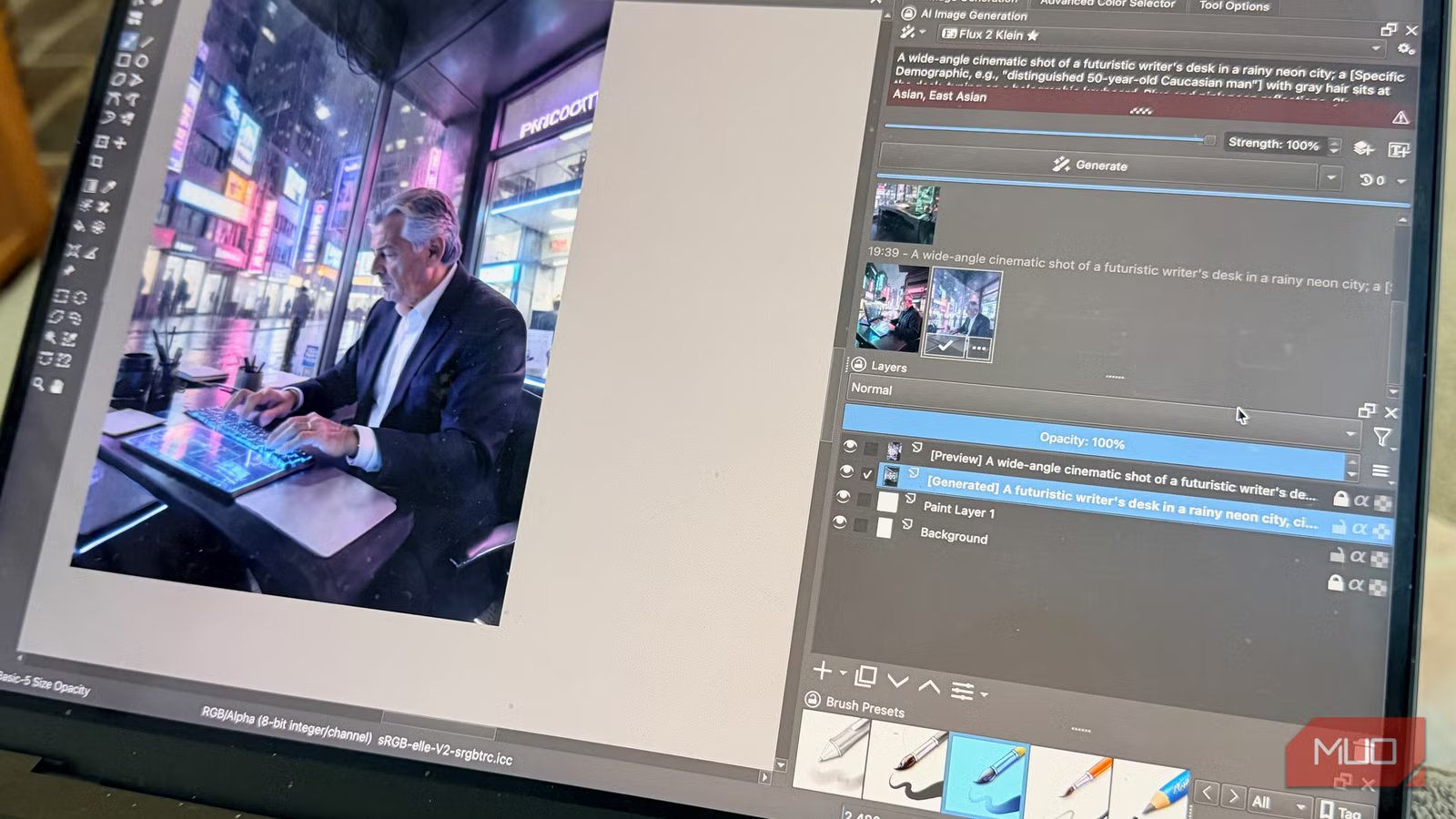
Allow me to clear something up right away, because I was confused about this at first: the AI capability isn’t built into Krita itself. It comes from a third-party plugin called Krita AI Diffusion, developed by an independent creator and available for free on GitHub. Krita is the canvas; the plugin is the AI engine.
The plugin uses the sometimes overwhelming Stable Diffusion models, including newer options like Flux, and connects either to a local backend running on your machine or to a cloud service called Interstice Cloud. That cloud option is what made this practical for me, because running AI models locally requires serious GPU muscle that most people don’t have sitting on their desk.
Setup isn’t as easy as downloading an app. It’s somewhat tedious. If you’re used to “one-click” installs, this feels like one step back. On my MacBook Pro, I placed the plugin files in the system library, enabled them in Krita, created an Interstice Cloud account, and connected to it in the app. Setup took about 20 minutes and required close attention to the directions. If that sounds like too much friction, that’s understandable and worth noting before you commit.
But once it was running, it ran.
Adobe Firefly vs. Krita AI Diffusion
Comparing polished output with open-source control
Credit: Bryan M. Wolfe / MakeUseOf
My test was simple: I gave both tools the same prompt and compared the results. Nothing exotic, just descriptive scene prompts, the kind of thing I’d actually use for article imagery.
Firefly produces clean, commercially vetted images, which often feel polished but soulless. Krita’s plugin surprised me. Adobe deliberately trains Firefly on licensed content, which is important for commercial use. The output looks good, but can be overly sanitized and lack character.
Using the General Editing preset with Interstice Cloud, Krita produces images that have more character, sometimes rougher, but typically more interesting. With specific prompts, I got results that appeared genuinely usable, not just passable.
The gap I noticed most was in interface integration. Firefly’s generative fill, where you select a part of an image and let the AI complete it, is seamless in Photoshop. Krita has inpainting capabilities that do the same thing, but they require more intentionality. You’re working with a selection tool, then prompting, then reviewing. It’s a workflow, not a one-click experience.
For occasional users, that extra step isn’t a dealbreaker. For daily Creative Cloud users, it likely is.
While Adobe Firefly is a “black box” that gives you what it thinks you want, the Krita AI Diffusion plugin is a gateway to the wider Stable Diffusion ecosystem. For me, the key factor wasn’t just the price; it was ControlNet.
In Firefly, you mainly rely on prompts. Krita lets me use “Canny” or “Depth” control layers to turn stick-figure sketches into specific compositions. With newer Flux variants, prompt adherence frequently surpasses that of Firefly, especially for rendering text or complex anatomy. For a writer, directing the image is a major workflow upgrade.
The cost of free AI image generation
Navigating Interstice Cloud credits and commercial licensing
Credit: Bryan M. Wolfe / MakeUseOf
Interstice Cloud offers a limited free tier. You get a set number of credits before you need to upgrade to a paid plan. For light, occasional use, the free tier is enough. Frequent use will eventually hit the cap.
Even then, paid Interstice Cloud plans are far cheaper than Adobe Creative Cloud if image generation is your main use. That’s the real comparison: what you pay Adobe versus what you pay here.
Then there’s the elephant in the room: commercial use. Krita AI Diffusion uses open-source modes, and the licensing situation for AI-generated images remains legally murky, where Adobe Firefly, with its licensed training data and explicit commercial usage conditions, has specifically addressed this. If your images are going into published commercial work, that distinction matters and is worth researching before you make the switch.
Is Krita a viable Firefly alternative?
I kept my Adobe subscription. But I’m honest enough to admit that’s partly inertia; I use other Creative Cloud tools, so the cost is harder to isolate. If Firefly were a standalone subscription I had to pay for separately, I’d have canceled it.
For article imagery and personal projects, I’ve shifted almost entirely to Krita AI Diffusion. The results are good enough; the workflow is learnable, and the cost at my usage level is effectively zero.
The setup friction is real, and I wouldn’t recommend this to someone who just wants a fast, no-fuss image generator. Firefly is still the best answer for that use case. But if you’re willing to spend 20 minutes on installation and are comfortable working in a slightly more hands-on environment, the Krita plugin delivers genuine AI image generation capability that would have cost you a monthly subscription fee a couple of years ago.
Adobe leads in convenience, but for my needs, Krita has become a highly effective alternative that costs much less and delivers comparable results. The main takeaway: you don’t always have to pay a subscription fee for capable AI image generation if you’re willing to manage a slightly less streamlined workflow.
