

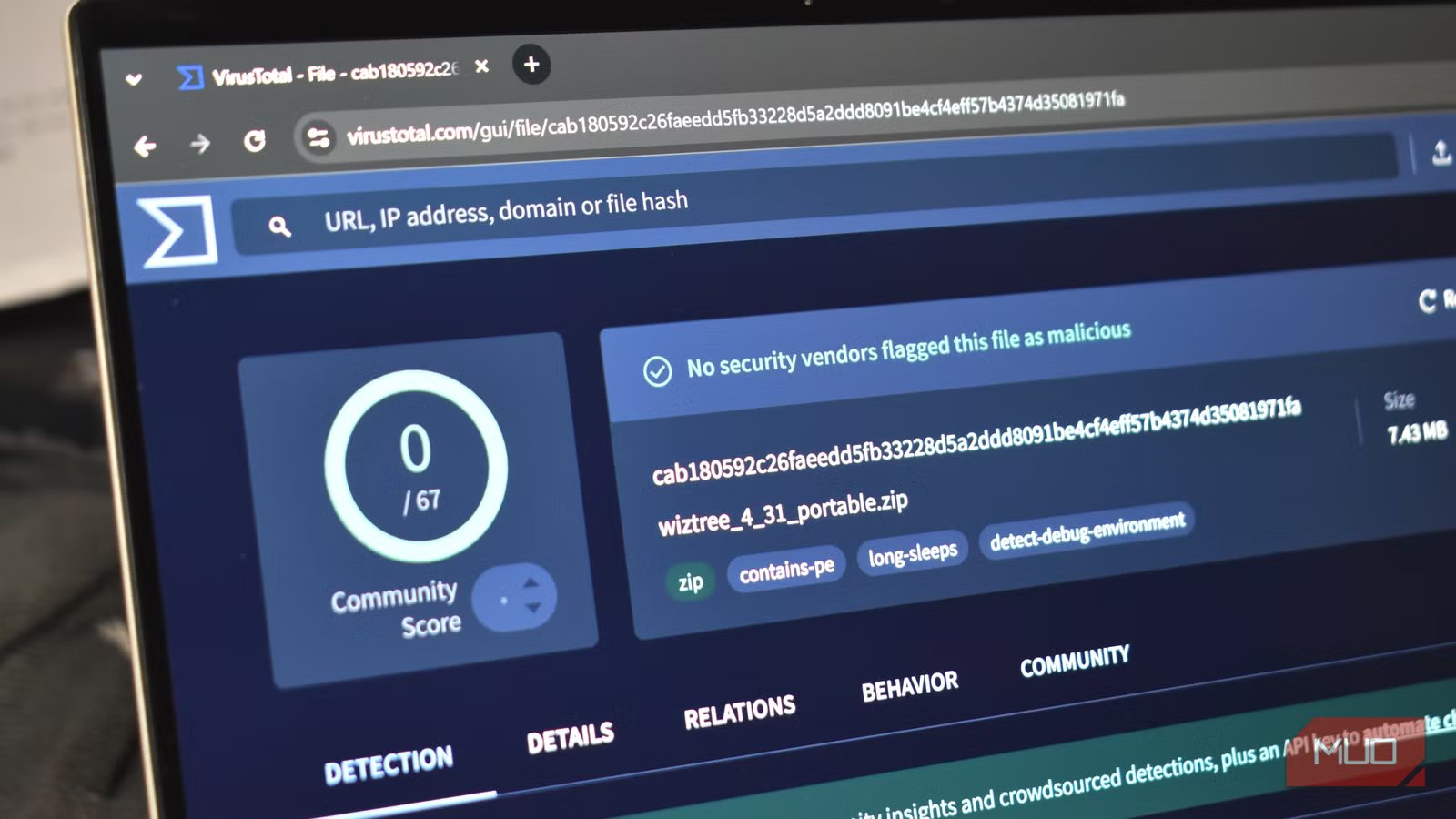
Regardless of whether it’s for an article or for my own use, I’m a sucker for free software. I’m also rather fond of keeping my PC running smoothly and checking to ensure that the files I’ve just downloaded are safe. Any time I download something from a new source, or even if it’s from somewhere I’ve trusted in the past, I like to check the integrity and validity of a file before I install it.
For quite some time, I’ve been using VirusTotal to ensure that I’m not infecting my PC with anything malicious. It’s saved me more than I’d like to admit, and it’s become an incredibly valuable piece of equipment whenever I plan to put something new on any computer.
VirusTotal checks against 70 different antivirus engines
This way, I can make 100% sure that my file is as safe as possible
One of the biggest reasons I like VirusTotal is how in-depth it is when checking the validity of a file. Seeing as new programs are being released daily, especially by vibe-coding independent creators, knowing that something is safe is important. Even websites can give you malware now, and that’s not okay.
VirusTotal pulls from a database of 70 different antivirus and malware engines to ensure that the file I just downloaded is as safe as possible. While these are more akin to command-line versions or somewhat simplified versions of the desktop applications, they still offer more protection than nothing at all.
Sometimes, a file from a trusted source will set off red flags and trigger a false positive for viruses and malware. Check what top-tier engines like Bitdefender, ESET, Microsoft, or Kaspersky have to say. If they say that the file is good, but something like BkavPro says it may not be safe, you’ll be better off believing one of the bigger engines. Be sure to check the security signature too. If a package has been signed, especially by a trusted source, it’s more than likely safe.
When testing ModRetro Updater, a tool designed to work with retro game files, Bkav Pro, Ikarus, and SecureAge falsely flagged the program as malicious. After checking the Details menu and verifying the signature, and confirming that Kaspersky, Microsoft, BitDefender, and others deemed itsafe, this program would be considered safe to use. Always exercise caution when downloading links and files from unknown sources.
Credit: Shaun Cichacki/MUO
Every file that can be uploaded to VirusTotal has a Community section, where users can upvote, downvote, and comment on a piece of software. Since the program also prioritizes more seasoned users, new accounts can’t game the system and make a malicious piece of software seem legitimate. By dropping a file in, pasting a URL, or searching the site itself, you can verify anything before you access it. Better safe than sorry, you know? With malware attacks even disguising themselves as CAPTCHAs now, you’re better safe than sorry.
As with any good community-driven effort, there is also a dedicated team of folks who check comments and offer helpful advice. Users can help you disinfect your device if you’ve downloaded something malicious, flag a false positive, and even talk about what the code does by reverse engineering the nasty apps. It’s surprisingly neat, and a great way to spend an afternoon if you want to see some brilliant minds at work.
OS
Windows, macOS, Linux
Developer
Chronicle
Individual Pricing
Free
Mobile App
Yes (Android)
Detailed scanning information for apps
Everything you could want to know is here
Credit: Shaun Cichacki/MUO
If you want to get into the more technical side of things, VirusTotal lets you do exactly that. While I’m most worried about something getting flagged as malicious, interested folks can dig into status codes, meta tags, headers, Body SHA-256, trackers, and more for a website. Even checking MUO on VirusTotal, you can see a 0/95 rating for malicious links, so we’re safe to be here, enjoying all of our free content.
You can verify the details of any .exe file, website, or search for a page of your own to see what may pop up. It’s incredibly interesting, even if much of it is technical jargon that is outside my realm of knowledge. For those who are curious, however, it’s a treasure trove of helpful information to keep yourself or those you care about safe and away from bad websites and files.
Warning: anything you upload becomes publicly visible
Credit: Shaun Cichacki/MUO
Here’s where you need to be safe more than anything. Any file, any .exe, any site, anything that you upload to VirusTotal is available to be viewed by the public. If you accidentally upload your latest banking statement to the web page instead of an .exe that is next to it in your download folder? It’s going to be available to view by the community and premium partners almost immediately. You can create a SHA-256 hash locally to avoid uploading a file to remove the fear of this step entirely.
To get a SHA-256 hash on Windows, you can use either the Command Prompt or PowerShell. You’ll find the following commands below:
Get-FileHash “C:\path\to\file” -Algorithm SHA256
certutil -hashfile “C:\path\to\file” SHA256
Just be sure to replace the “C:\path\to\file” with the actual path to the file you want to check.
You can request to have the file removed, but you’ll just need to exercise caution when uploading files. It’s not a one-click removal, and will oftentimes require you to contact their support team to help remove the file from their database. Just clearly explain to them what happened, and they’ll be happy to work with you.
Better to be safe than sorry
It may be overkill, but my PC is still running strong because of it
Checking something like VirusTotal after downloading a trusted application may seem overkill, but I’m always happy to double-check my work and ensure that I’m not putting something gnarly on my PC. For most users, I would suggest running this after downloading something from an unknown source or a web page that you’re not used to. I just might be a little overzealous with how often I’m checking.
As someone who put far too many viruses on the family computer when I was younger by downloading a ton of garbage off of LimeWire, I’ve learned my lesson. Seeing as PC part prices are higher now than ever, the last thing I’d want to do is cause a mini-meltdown when I download a new freemium offering from a site that seems too good to be true. If malware or viruses aren’t the cause of your issues, there may be something else deeper within your PC that is causing issues.
