

The holidays are headed our way, and I’ll admit, it’s one of my favorite times of the year. From the seasonal sparkling lights and annual customs to the increased visits with family and friends, it’s a special time. These are the moments I look forward to all year—the ones that make the stress of December feel worth it.
And yet, every year without fail, something threatens to derail that peaceful picture: the tidal wave of holiday emails that the season quickly brings, due to holiday shopping. After years of facing this frustration, I decided to take action. That’s when I found an app called Orderly. It changed everything about how I handle holiday shopping for the better, and it’s now one of my best iPhone apps.
Making the holidays manageable again
Watch your stress levels drop
The problem starts innocently enough. It begins small when I receive a confirmation email for my first online gift order. Then, I eventually get another notification showing the shipping update for that order. It’s not long before my inbox becomes a maze of shipping alerts and receipts with some marketing blast thrown in for good measure. It’s not long before I’ve missed return deadlines and misplaced receipts due to the overwhelming number of other emails I receive. What should be a season of joy ends up cluttered with digital noise.
The free Orderly addresses a problem that most of us have: disorganized purchase information, and solves it in a way that feels refreshingly simple. It keeps track of your orders, receipts, and shipping details all in one place. I tested it on my iPhone, and it works just as smoothly on Android; it also has a web option.
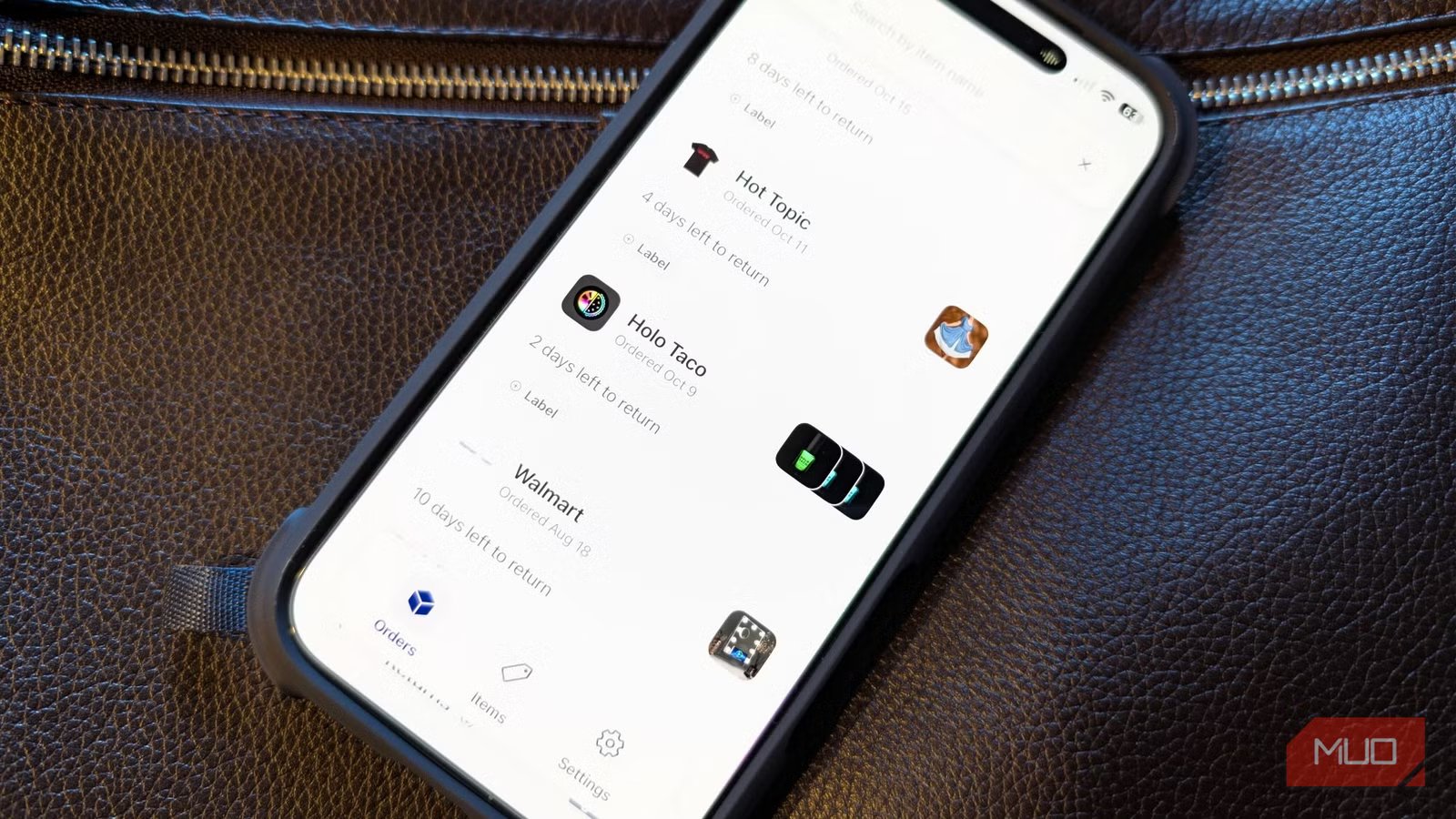
Within minutes of linking my email account, I watched Orderly pull in every recent order I had. It sorted them into a clean, photo-based layout so I could see exactly what was on the way, which items had arrived, and which ones still needed attention. Instead of scrolling through endless messages, everything I needed was conveniently listed in one place.
If you’ve ever spent too much time searching for a lost confirmation email, you’ll understand the value of having it. And it’s not just the convenience of seeing everything together, it’s the way Orderly quietly keeps track of return dates and shipping updates. When a delivery changes or a package gets delayed, I get a notification before I even have to think about checking.
The effect is subtle but powerful: less time micromanaging, more time enjoying the season. I’ve noticed that I check my email less often because I trust that Orderly already has the details covered.
Cleaning up the chaos
What it does
The app only connects to Gmail and Microsoft-based email systems, which may be a downside for users of iCloud or Yahoo. I fall into that category for some of my accounts, so I had to start with Gmail. Still, the ease of setup makes up for the limitation. Adding an account takes only a minute or two, and once it’s connected, the app begins sorting through your inbox automatically.
Behind the scenes, Orderly identifies order numbers, delivery dates, and carriers. You can open the app at any time and view everything sorted by date, store, or shipping status. I especially appreciate the option to see upcoming deliveries at a glance; it’s been a small but satisfying way to keep my week organized.
Even with its current email limitations, I see Orderly as a strong foundation. It does what it promises, without unnecessary clutter or ads. I’m hopeful that future versions will expand beyond Gmail and Microsoft. For now, though, it covers the majority of what I need, and it does it exceptionally well.
If you have receipts going to emails not currently supported by Orderly, there is a workaround. You can manually add details about a new order in the app, including its shipping information. This way, it’s trackable just like everything else you’ve purchased. You can also change shipping statuses on orders, as needed. For example, perhaps you bought something online but never received a shipping confirmation email. You can add it.
You must also be interested in the overlooked Gmail tools that can rescue your cluttered inbox.
Finding calm in the holiday rush
The holidays always bring a long list of people to shop for: parents, siblings, neighbors, and friends. When multiple family members are ordering gifts for the same people, it’s easy for wires to cross. My brother and I once both bought our mom the same sweater, a classic mistake born of poor coordination.
Orderly helps with that, too. I can see what I’ve ordered, what’s on its way, and what’s already arrived. It’s much easier now to check with family before making duplicate purchases. It even helps me manage gifts going to different addresses. Shipping to a friend across the country or sending something directly to a sibling now feels organized, rather than overwhelming.
Another way Orderly surprised me is with how it helps track charitable donations. Every year, I try to participate in a few toy drives and community efforts, and I used to lose receipts in the chaos of seasonal shopping. Now, those purchases get stored right alongside everything else. When tax time comes, or I want to review my contributions, everything is much easier to access.
It’s free to use
This year, as soon as the first wave of promotional emails rolled in, I felt more relaxed than usual. Instead of letting my inbox spiral out of control, I knew all the critical details were safe inside Orderly. It’s a subtle shift, but it makes a significant difference in how I plan to experience the season this year.
If holiday email overload is something you struggle with each year, this is the moment to give Orderly a try. It does precisely what its name suggests—makes things more orderly—and that, in itself, feels like a gift.
Now it’s time to download some more holiday shopping apps.
