

Everything you need to know about SpO2 on Apple’s smartwatch
Measuring blood oxygen levels on the Apple Watch has been a staple of its health monitoring experience since it arrived. Yet, an ongoing patent dispute in the US has complicated matters over the last couple of years.
While the feature was temporarily disabled on new models sold in the US, a software workaround has now restored it—albeit in a slightly different form on some models.
In this guide, we’ll explain exactly how the ban affects the feature and how Apple’s re-released version of the app works.
Is the Apple Watch Blood Oxygen app banned?
(Image credit: Wareable)
In short, it’s a long and complicated story. However, the most pertinent bit of news for you, the reader, is that the feature was officially re-enabled in the US in August 2025.
Advertisement
While Apple remains in a patent dispute with medical tech company Masimo, the feature was officially re-enabled in the US in August 2025 after US Customs approved a technical workaround.
As of the time of writing, the watchOS 11.6.1 and iOS 18.6.1 update that began rolling out on August 14, 2025, still bypasses the specific patents in dispute.
How is the workaround version different?
With it, the Apple Watch’s built-in sensors still capture the raw data. However, all subsequent calculations and processing are now handled by the paired iPhone.
The downside here means the results are no longer viewable on the watch itself and are instead available in the ‘Respiratory’ section of the Health app.
Still, the workaround allows Apple once again to sell new Apple Watch models in the US with the Blood Oxygen app enabled from the start.
Who isn’t affected by the Blood Oxygen patent dispute?
- Anyone with a compatible Apple Watch outside the United States
- Anyone in the US who owns an Apple Watch (Series 6-10, Ultra 1-2) purchased before the ban was implemented—your Blood Oxygen will continue to work as it did pre-ban
- Anyone with an Apple Watch SE model, since none of these watches have ever included the Blood Oxygen app
Advertisement
Which Apple Watch models have the Blood Oxygen app?
Apple debuted the Blood Oxygen app on the Series 6 in 2020, and it has since been featured on most subsequent models.
These are the current Apple Watch devices with the Blood Oxygen app:
- Apple Watch Series 11*
- Apple Watch Series 10*
- Apple Watch Series 9*
- Apple Watch Series 8
- Apple Watch Series 7
- Apple Watch Series 6
- Apple Watch Ultra 3*
- Apple Watch Ultra 2*
- Apple Watch Ultra
(* Versions of these devices that were sold in the US after the ITC’s import ban took full effect on January 17, 2024, currently feature the workaround version of the Blood Oxygen app)
What does the Apple Watch Blood Oxygen app do?
(Image credit: Wareable)
If you’re new to measuring blood oxygen levels (also known as SpO2), you’re probably wondering exactly what the data from the Apple Watch’s Blood Oxygen app tells you.
Advertisement
Though Apple emphasizes that this feature isn’t intended for medical use, detecting your blood oxygen levels can be extremely useful. Rather than diagnosing conditions, the aim is to provide you with more information and encourage you to consult a health professional if necessary.
SQUIRREL_PLAYLIST_10207703
We’ve explored the benefits of pulse oximetry and of measuring blood oxygen levels separately in detail. However, in brief, this data can inform the diagnosis of conditions such as sleep apnea, asthma, pneumonia, and other serious respiratory illnesses.
It can also be used in less severe scenarios. For example, athletes often use SpO2 to gauge performance and adaptation in high-altitude conditions.
How to set up the Apple Watch Blood Oxygen app
(Image credit: Wareable)
Aside from ensuring your Apple Watch and iPhone are running the latest software (we’ve covered how to update your Apple Watch here), getting set up is straightforward.
Advertisement
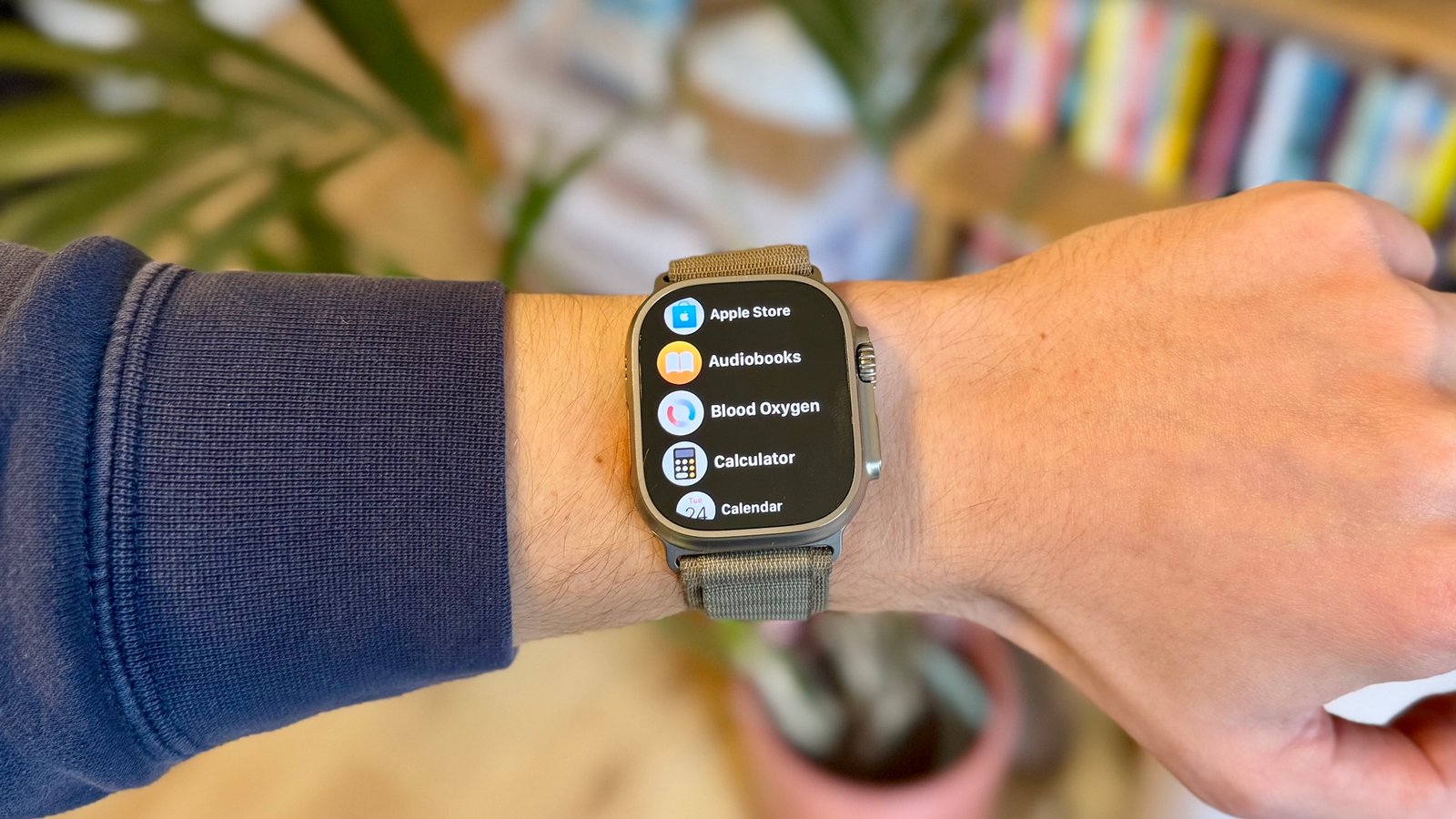
- Open the Health app and look for the prompt to set up the Blood Oxygen app. Or, scroll through the app list on the Apple Watch and find ‘Blood Oxygen’.
- Follow the prompts to complete the setup.
Taking a SpO2 reading on Apple Watch
- Open up the app screen on your Apple Watch and look for the Blood Oxygen app.
- Press ‘Start’. A reading will take 15 seconds to complete. You’ll then be given your results.
- Tap ‘Done’ to view the reading in the Apple Health app on your iPhone.
Struggling to get an accurate SpO2 reading?
Our experience with Apple Watch blood-oxygen measurements is reliable and comparable to rivals and pulse oximeters.
However, try the steps below to ensure you receive an accurate reading. If they don’t do the trick, you can always try a soft or hard reset of the Apple Watch.
- Ensure the Apple Watch is snug and comfortable (but not too tight)
- Place your arm with the Apple Watch on a flat surface like a table with your palm down and flat
- Try to stay still – any big movement will impact the reliability of getting a reading
- Don’t try to take readings after exercise or if your heart rate is elevated
Advertisement
How to view SpO2 data in Apple Health (and Apple Watch)
To view all your readings in one place, open the Apple Health app on your iPhone. However, you can also check your overnight data and trends in the Apple Watch Vitals app (shown above).
Here’s how to find your blood oxygen data in Apple Health:
- Open the Health app and go to the ‘Browse’ tab.
- Look for ‘Vitals’ and tap to see your most recent readings.
- Tap on the Blood Oxygen card to view data across the day, week, month, and year.
- Scroll down to the bottom of the page and tap ‘Show All Data’ to see every reading you’ve taken.
- Tip: Pin the Blood Oxygen card to your Health app summary for easier access in the future
