

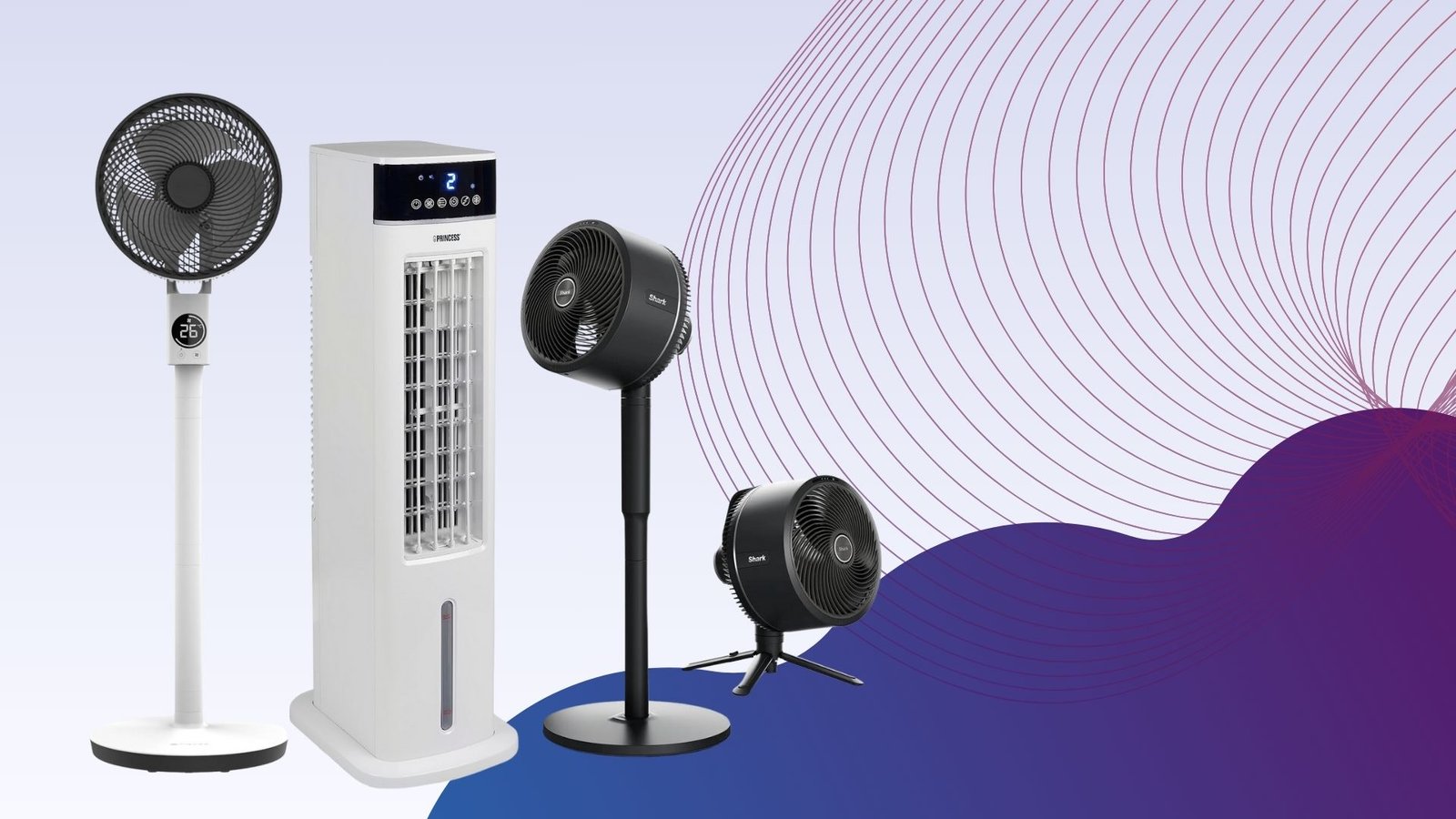
There are few things worse than finding yourself in the middle of a heatwave, cursing the fact that you didn’t buy a competent fan ahead of time, but the fact that you’re reading this list at all means that you’re looking to avoid this situation at all costs, and we’re more than happy to help. After all, there’s so much choice out there that it can be all too easy to buy a fan that doesn’t really get the job done, but our testers have whittled down the very best fans to buy.
Before deciding on which fan to buy, the best bit of advice we can give is that there isn’t really an all-in-one fan that works for every scenario. There are plenty of options that each excel in one or two specific areas, which is why it’s worth having a think about where you’ll most need a fan to be placed.
For example, when talking about the best fan for a bedroom, you’ll want a tall standing fan or tower fan that packs enough power to throw a sizeable gust around the room, ensuring that you stay cool no matter which side of the bed you’re on. Offices tend to get on a lot better with bladeless fans as they’re quieter and safer to have out in the open, whilst anyone working from home will need a small desk fan that doesn’t take up much space.
There’s quite a lot to consider, but the best part is that thanks to the hard work of our tech experts, you don’t have to take a punt on a cheap fan that ends up being a waste of money. With every fan sent to our testing facility, we measure the decibels emitted from them as well as the strength of the airflow at various distances, so you can know right away if a fan fits your intended room.
At this point, we’ve reviewed more fans than we can count but only a handful have made their way into this list, ensuring that no matter which one you go for, you’ll be getting an excellent device in return. For when things get a bit too hot, you can also check out our round-up of the best electric heaters, while the best power stations can keep your fans ticking on even when you’re away from a power outlet.
Best fans at a glance
-
Best fan:
Shark TurboBlade TF200SUK – check price -
Quietest fan:
Duux Whisper Flex 2 – check price -
Best fan for circulation:
MeacoFan Sefte 10 Pedestal Air Circulator – check price -
Best smart desktop fan:
Dyson Cool CF1 – check price -
Best indoor/outdoor fan:
Shark FlexBreeze Portable Fan FA220UK – check price -
Best budget tower fan:
Dr. Prepare 13-inch Dual Oscillating Tower Fan – check price -
Best fan and heater:
Princess Smart Heating and Cooling Tower – check price -
Best fan for flexibility:
MeacoFan 260C Cordless Air Circulator – check price -
Best fan for power:
VonHaus 35" Tower Fan – check price -
Best budget tower fan with natural air flow:
Netta 32-inch Tower Fan – check price -
Best personal evaporative cooler:
Evapolar evaSMART – check price -
Best evaporative cooler:
Princess Smart Air Cooler – check price -
Best desktop fan for power:
Duux Globe – check price -
Best fan and air purifier:
Acerpure Cool AC551-50W – check price -
Best fan for home working:
Duux Rize – check price -
Best portable desk fan:
MeacoFan Sefte 8" Portable Battery Air Circulator – check price -
Best year-round fan:
Shark TurboBlade Cool + Heat TH200UK – check price
Advertisement
SQUIRREL_ANCHOR_LIST
Learn more about how we test fans
All fans are put through their paces in the same way, so that we can accurately compare the performance of each one. We start by measuring air flow in metres per second (m/s). We measure at 15cm and 1m, to see how performance drops off, and at minimum and maximum fan speeds, to see what the range is. Ideally, a fan should offer a good range of speeds, ranging from a gentle breeze to a full on blast of air.
We also measure how loud fans are, at minimum and maximum speeds. You can find out more in our detailed guide to how we test fans.
Best fan
Shark TurboBlade TF200SUK
Pros
- Highly adjustable
- Very powerful
- Quiet
Cons
- Basic LED read-out
- Relies on remote control
Quietest fan
Duux Whisper Flex 2
Pros
- Supremely powerful airflow
- Plenty of oscillation options
- Very quiet at the lower levels
- Absolutely no shortage of smart features
Cons
- Battery pack is sold separately
- The remote control can sometimes be fiddly
Best fan for circulation
MeacoFan Sefte 10 Pedestal Air Circulator
Pros
- Very powerful
- Lots of fan speeds
- Very quiet
- Vertical and horizontal oscillation
Cons
- Fiddly to convert between desktop and pedestal modes
Best smart desktop fan
Dyson Cool CF1
Pros
- One of the best looking desk fans you can buy
- Easy to use controls
- Brilliantly silent oscillation
Cons
- Not the best buy for those on a budget
- Airflow is a bit more spread out than most desk fans
Best indoor/outdoor fan
Shark FlexBreeze Portable Fan FA220UK
Pros
- Pedestal or desktop modes
- Integrated battery
- Very quiet
- Mister helps cool you down
Cons
- Hard-to-read LCD
- Basic fan speed control
Best budget tower fan
Dr. Prepare 13-inch Dual Oscillating Tower Fan
Pros
- Compact
- Powerful air flow
- Excellent value
Cons
- Slightly waspy noise
Best fan and heater
Princess Smart Heating and Cooling Tower
Pros
- Powerful heating and cooling
- Useful smart app and voice control
- Doesn't take up much space
Cons
- Doesn't display fan mode on LCD
- Could do with a lower fan speed
Best fan for flexibility
MeacoFan 260C Cordless Air Circulator
Pros
- Light and small
- Long-lasting internal battery
- Powerful air movement
Cons
- No oscillation
Best fan for power
VonHaus 35" Tower Fan
Pros
- Powerful air circulation
- Reasonably quiet performance
- Ioniser, three wind modes, and a remote
- Comparatively narrow base
- Two-year warranty (with registration)
Cons
- Could do with a lower fan speed
Best budget tower fan with natural air flow
Netta 32-inch Tower Fan
Pros
- Good value
- Lots of control options
- Remote control
Cons
- Not ideal for larger rooms
Best personal evaporative cooler
Evapolar evaSMART
Pros
- Super-quiet
- Effective cooling
- Useful smart features
Cons
- Expensive
- No temperature-based smart actions
Best evaporative cooler
Princess Smart Air Cooler
Pros
- Powerful fan
- Subtly effective cooling
- Smart features including scheduling and voice control
Cons
- No temperature or other sensors
- No dedicated remote control
- Not as effective as aircon
Best desktop fan for power
Duux Globe
Pros
- Quiet and powerful
- Horizontal and vertical oscillation
- Low power consumption
Cons
- On-fan controls are confusing
- Only three speeds
Best fan and air purifier
Acerpure Cool AC551-50W
Pros
- Powerful fan
- Excellent air purifier
- PM2.5, PM1 and volatile gas sensors
Cons
- Unreliable app
Best fan for home working
Duux Rize
Pros
- Super long battery life
- Extendable stem
- Decent power
Cons
- No timer function
- No smart features
Best portable desk fan
MeacoFan Sefte 8" Portable Battery Air Circulator
Pros
- One of the quietest desk fans around
- Slick design
- Replaceable battery
- Magnetic holster for the remote
Cons
- Not the most portable desk fan
- No USB-C charging
Best year-round fan
Shark TurboBlade Cool + Heat TH200UK
Pros
- Powerful fan
- Hugely flexible design
- Smart remote control
- Powerful heating
Cons
- Can't turn lights off
- Can't switch mode using the remote
Shark TurboBlade TF200SUK
Best fan
Trusted Score
Pros
Highly adjustable
Very powerful
Quiet
Cons
Basic LED read-out
Relies on remote control
It’s taken some time but Shark has managed to match Dyson when it comes to putting out a fan that’s not only powerful but great to look at and a conversation piece in its own right. For all this and more, the Shark TurboBlade TF200SUK is easily one of the best fans you can buy right now.
While the TurboBlade does have a wonderfully appealing aesthetic, it’s the fan’s malleable frame that harbours its true selling point. The key portion of the fan that delivers airflow can be rotated from its default vertical position to a horizontal one, which makes it brilliantly suited for when you have multiple people sitting on a sofa, all in need of cooling.
The TurboBlade can even oscillate up to 180° which is almost unheard of and just makes the Shark fan better suited than most when it comes to successfully cooling an entire room. For a smaller room however you can always set the oscillation to either 45° or 90° in a pinch.
There are 10 airflow speeds in total so you have a good amount of flexibility over the style of cooling available, although for the moments when a heatwave is in full swing, you can toggle the boost mode to go even further. If you’re coming in from outside and you’re struggling to cool down then this is exactly the type of fan that gets you back to feeling comfortable in almost no time at all.
If you have the TurboBlade set up in your bedroom then you can easily toggle the various modes from the comfort of your covers, all thanks to the included remote control. With the control in hand you can tweak the settings to have a cooling breeze throughout the night, and set a timer to go along with it to help conserve power.
Reviewer:
David Ludlow
Full review:
Shark TurboBlade TF200SUK
Duux Whisper Flex 2
Quietest fan
Trusted Score
Pros
Supremely powerful airflow
Plenty of oscillation options
Very quiet at the lower levels
Absolutely no shortage of smart features
Cons
Battery pack is sold separately
The remote control can sometimes be fiddly
Dutch brand Duux has put out some strong contenders for this very list over the last few years, but none of them can hold a candle to the outstanding Duux Whisper Flex 2. While its name might be a bit of a mouthful, there is one key giveaway that alludes to one of the fan’s best features: it is whisper quiet when in operation.
At the lower stages of airflow, you’d have to be fairly close to the fan in order to pick up on any sound at all, and even cranking the intensity all the way up to the maximum, the Flex 2 emits the type of sound that can easily blend into the background after a few minutes, making it ideal for an office environment or a bedroom.
Also working in the Flex 2’s favour is the amount of control you have over the airflow itself. There are 30 levels of speed available, so you can have a slight breeze or a full-on gust, depending on what your needs are. There’s also a ‘Natural Wind’ mode that more closely mimics the feeling of wind touching your skin when you’re outdoors.
On top of the power available here, the Flex 2 also works great in cooling an entire room thanks to both horizontal and vertical oscillation. This is particularly helpful if you have an office where some people are sat down at their desks, whilst others utilise a standing set-up.
You also have no shortage of control options with the Whisper Flex 2, with a responsive touch panel on the device itself, a remote control and an accompanying app which lets you tweak all of the available settings entirely from your smartphone. You can even set schedules for when you would like the fan to switch on, and at what intensity, so the Flex 2 can work around your routine.
Reviewer:
Thomas Deehan
Full review:
Duux Whisper Flex 2
MeacoFan Sefte 10 Pedestal Air Circulator
Best fan for circulation
Trusted Score
Pros
Very powerful
Lots of fan speeds
Very quiet
Vertical and horizontal oscillation
Cons
Fiddly to convert between desktop and pedestal modes
A fan isn’t just about direct cooling, it’s about shifting stuffy, stale air around and refreshing a room. That’s where the MeacoFan Sefte 10 Pedestal Air Circulator comes in. A completely new design from the company’s previous air circulators, the new model has a new motor, and a refreshed design.
Cleverly, the fan comes with two columns that lock into place. You can use none of these columns for desktop mode, or one or two to adjust the height of the fan. It’s a little slow moving between different heights and modes, but the flexibility is appreciated.
The main fan has an on/off button and fan speed selector, but you need the remote for the main features, which include three modes each of vertical and horizontal oscillation, fan speed, a night mode and eco mode (the fan speed is adjusted based on the ambient temperature).
With 12 fan speeds on offer, the MeacoFan Sefte 10 Pedestal Air Circulator can deliver everything from a gentle breeze (2m/sec at 1m) to a full-on intense stream of air (4.2m/s at 1m). Impressively this fan is quiet, moving between 36.9dB on its quietest setting (effectively background noise) and 53.8dB on its highest setting.
If you want the widest range of fan speeds and the best air circulation, this is the fan to buy.
Reviewer:
David Ludlow
Full review:
MeacoFan Sefte 10 Pedestal Air Circulator
Dyson Cool CF1
Best smart desktop fan
Trusted Score
Pros
One of the best looking desk fans you can buy
Easy to use controls
Brilliantly silent oscillation
Cons
Not the best buy for those on a budget
Airflow is a bit more spread out than most desk fans
A welcome upgrade to a classic design, the Dyson Cool CF1 Desk Fan is a new version of a classic.
While the fan retains the classic desktop design, with the round head and fanless design, there’s an immediate welcome change: physical controls on the front of the fan’s body.
Rather than having to use the remote (although one is still provided), the fan’s controls allow for physical control over fan speed, the sleep timer and oscillation.
This fan is also compatible with the MyDyson app, which gives full remote control (including more granular sleep controls) – it’s a welcome addition.
The Dyson Cool CF1 Desk Fan is a brilliant desktop fan, with air speeds varying between a very gentle breeze to a 2.5m/s gust of fresh, stable air. It’s also a quiet fan, ranging from 37dB on its lowest setting (background noise) up to 59.5dB on its highest setting.
There are cheaper fans, but the quality of the airflow, the range of speeds and silent operation make this the best if you’ve got the money for it.
Reviewer:
Thomas Deehan
Full review:
Dyson Cool CF1
Shark FlexBreeze Portable Fan FA220UK
Best indoor/outdoor fan
Trusted Score
Pros
Pedestal or desktop modes
Integrated battery
Very quiet
Mister helps cool you down
Cons
Hard-to-read LCD
Basic fan speed control
If you’re looking for a versatile cooling fan that can be used in a variety of different ways and boasts genuinely useful extras then the Shark FlexBreeze Portable Fan (FA220UK) is one for you.
The FA220UK can be set up as both a pedestal or desktop fan, providing either a whole-room or a personal cooling. To enable desktop mode, simply lift out the fan head and place it wherever you need.
This adjustable fan head is also useful as it allows you to angle and direct the airflow, regardless of what mode it’s in.
Not only that but the fan has been designed for both indoor and outdoor use, and even includes a misting attachment which gently sprays you with a cooling mist of air when you’re outdoors.
For even more convenience, the FA220UK works either when connected to mains, or solely on battery power, with an LCD battery indicator showing you when it’s time to recharge. We found that, perhaps unsurprisingly, battery life varies depending on how you use the fan, surviving up to 24-hours on the lowest fan speed and just two hours when set to the maximum.
Controlling the fan is simple and, naturally, there are a couple of ways to do this. Either use the buttons on top of the device or the included remote control which usefully sticks magnetically to the back of the fan itself.
There are five fan speeds to choose from, ranging from a gentle breeze to what our reviewer described as a “full-on wind tunnel”. On its lowest setting, we measured airflow at 1.1 metres per second when 15cm away and found the fan reached just 32.1dB of noise.
With the maximum setting enabled, we measured the airflow at 4.6 metres per second with sound peaking to 50dB which, although noticeable, is certainly not loud enough to distract or disturb.
If you’re looking for a truly versatile fan that can be used in numerous ways, has multiple speed levels and boasts extra features then we’d seriously recommend the Shark FlexBreeze Portable Fan FA220UK.
Reviewer:
David Ludlow
Full review:
Shark FlexBreeze Portable Fan FA220UK
Dr. Prepare 13-inch Dual Oscillating Tower Fan
Best budget tower fan
Trusted Score
Pros
Compact
Powerful air flow
Excellent value
Cons
Slightly waspy noise
The Dr. Prepare 13-inch Dual Oscillating Tower Fan is a relatively small tower fan that’s as at home on a desk as it is on the floor. Rather than having one set of fan blades, this model has two that work together. The result is more powerful airflow than you might expect from such a model.
Measured on its highest setting, we detected air flor at 1.7m/s at 1m away. At this kind of power, this fan can cool more than one person. Impressively, the fan is also quiet: just 48.5dB from 1m away, and 40.8dB on its minimum speed: that’s barely a whisper. Our only complaint is that the fan makes a slightly waspy noise in operation.
Controls are simple on this device: three power settings and three timers (two, four or eight hours). There’s no remote control or oscillation; if you want those features, look elsewhere on the list. If you want a cheap, small, tower fan, this is a great choice.
Reviewer:
Rene Millman
Full review:
Dr. Prepare 13-inch Dual Oscillating Tower Fan
Princess Smart Heating and Cooling Tower
Best fan and heater
Trusted Score
Pros
Powerful heating and cooling
Useful smart app and voice control
Doesn't take up much space
Cons
Doesn't display fan mode on LCD
Could do with a lower fan speed
The Princess Smart Heating and Cooling Tower is a powerful fan and heater that can be used year-round, has an accompanying smartphone app and is compatible with Alexa and Google Assistant.
Although the Tower itself is tall, it doesn’t take up as much floor space as the Dyson Purifier Hot+Cool Formaldehyde, making it much better suited for small and mid-sized rooms.
Controlling the Tower is easy with either the included remote control or the Climate smartphone app. While both allow you to adjust the fan speed, switch between cooling and heating modes and set timers in one-hour increments, the app also lets you to set schedules and routines with Alexa and Google Assistant.
Overall we found the Tower to be impressively powerful across both heating and cooling abilities, although it does have the edge when in Heat mode. In fact when Heat mode was enabled we found that airflow from 15cm away was 40°C in both the highest and even the lowest setting.
With cooling (fan) mode, we measured air speed at 3.08m/s at its maximum setting which then fell to 1.31m/s at 1m which, although are decent scores, are trumped by more powerful fans such as the VonHaus 35″ Tower Fan.
For a device that can be used all year round, the Princess Smart Heating and Cooling Tower is a versatile choice. Although the Dyson Purifier Hot+Cool Formaldehyde can heat, cool and even act as an air purifier, the Princess Smart Heating and Cooling Tower is a much more budget-friendly option.
Reviewer:
David Ludlow
Full review:
Princess Smart Heating and Cooling Tower
MeacoFan 260C Cordless Air Circulator
Best fan for flexibility
Trusted Score
Pros
Light and small
Long-lasting internal battery
Powerful air movement
Cons
No oscillation
If you need a fan where cables won’t reach, say to a garden on a hot day or in a tent when you go camping, the MeacoFan 260C Cordless Air Circulator is the model for you. Thanks to its integrated battery, charged via USB, you can run this model for up to 14 hours without having to go anywhere near a power socket.
We’ve seen small, portable models before, and they’ve usually been a bit rubbish. Not so with the MeacoFan 260C Cordless Air Circulator, which has a lot of power, reaching a maximum air speed of 2.3m/s from 15cm away. That’s enough air to give you a cooling dose of air. There are four fan speeds in total, with the lowest running at 49.7dB, or quiet enough to sleep through.
As this is a portable model, you lose out on some features that bigger models have: you don’t get a remote, there are only four fan speeds and there’s no oscillation. If you need any of these options, look elsewhere, but if you want a flexible fan you can take everywhere this is the best model that we’ve reviewed.
Reviewer:
David Ludlow
Full review:
MeacoFan 260C Cordless Air Circulator
VonHaus 35" Tower Fan
Best fan for power
Trusted Score
Pros
Powerful air circulation
Reasonably quiet performance
Ioniser, three wind modes, and a remote
Comparatively narrow base
Two-year warranty (with registration)
Cons
Could do with a lower fan speed
Tower fans are a great space saver but they often sacrifice power to get a slimmer body. Not so with the VonHaus 35″ Tower Fan, which manages to deliver some of the best fan performance that we’ve seen, both up close and across a room.
At full power, the fan delivered air speed at 4.8m/s, which only dropped at 2.8m/s at one metre and an effective 1.6m/s at two metres. That’s enough air speed to keep you cool at a distance, making the VonHaus 35″ Tower Fan a suitable fan to cool an entire room. Our one minor complaint about fan speed is that the lowest setting is still a relatively powerful 4m/s at 1m – we’d have liked a slightly lower minimum speed.
High fan speeds often come with noise, but that’s a trap that the VonHaus 35″ Tower Fan avoids. At 53.9dB on maximum, this fan is pretty quiet for the fan speed; however, at minimum, the fan is still 53.1dB, which is a little loud for sleeping with.
There is a remote control and a display that shows you what the current temperature and fan setting is. This display is a little hard to read, but we can forgive this minor issue, given how good the fan is. Even better, the VonHaus 35″ Tower Fan is one of the cheapest fans that we’ve tested, too. If you’re after a powerful tower fan at a great price, look no further.
Reviewer:
Simon Handby
Full review:
VonHaus 35" Tower Fan
Netta 32-inch Tower Fan
Best budget tower fan with natural air flow
Trusted Score
Pros
Good value
Lots of control options
Remote control
Cons
Not ideal for larger rooms
At just under £40, the Netta 32-inch Tower Fan is a little cheaper than many other products on this list, yet it’s packed with features. As well as three regular speed settings, there are two types of airflow: natural wind mode varies fan speed to make it feel more natural; wind mode uses one fan speed.
Alongside these controls, there’s a timer (one, two or four hours) and oscillation mode (65° angle). If you don’t want to walk to the fan, then there’s also a remote control that attaches magnetically when not in use.
We found this a good fan for small- to medium-sized rooms. On its high setting, the fan reached an airspeed of 3.2m/s at a distance of 15cm. That’s good but there are more powerful fans that are better suited to larger rooms. At this speed, we found that the fan wobbled slightly, too. At 1m distance, the fan speed was still a decent 2.2m/s, providing a noticeable cool airflow. We were impressed with how quiet this fan was: at 15cm, we measured it at 66.2dB, and at 1m, it was just 50.3dB.
If you want a well-priced fan for a medium-sized room, then this one is a good choice.
Reviewer:
Rene Millman
Full review:
Netta 32-inch Tower Fan
Evapolar evaSMART
Best personal evaporative cooler
Trusted Score
Pros
Super-quiet
Effective cooling
Useful smart features
Cons
Expensive
No temperature-based smart actions
We’ve been impressed with Evapolar’s previous personal evaporative coolers, and the Evapolar evaSMART is the best yet. It’s a little expensive compared to other evaporative coolers, but its smart features and envelope of cold air make it well worth the cash.
This model uses a water tank, which lasts for between four and nine hours, depending on the temperature and humidity level. In either case, it’s enough water to get you through most of a hot night.
Unlike a fan, which can’t affect the actual temperature, the evaSMART can reduce the temperature of the air it blows at you: we measured a 3C drop. This is a small amount, but the cooling envelope of air around us made us feel much cooler than if we’d just used a fan.
Air flow isn’t particularly fast. At full speed, just 15cm from the grille, we measured air at 1.9m/s, but the wind speed was unmeasurable by 1m. As this is a personal fan that physically cools the air, the evaSMART doesn’t need to blow air any faster. In fact, at times it felt too cold sitting in front of this cooler.
Although you can control the fan from its on-body controls, there’s also a smart app for remote control (including changing the colour of the light), plus Amazon Alexa and Google Assistant Skills.
It’s a touch on the expensive side, but if you want a small cooler that can keep you comfortable while you work or sleep, this one is very effective.
Reviewer:
Simon Handby
Full review:
Evapolar evaSMART
Princess Smart Air Cooler
Best evaporative cooler
Trusted Score
Pros
Powerful fan
Subtly effective cooling
Smart features including scheduling and voice control
Cons
No temperature or other sensors
No dedicated remote control
Not as effective as aircon
Sitting somewhere between an air conditioning unit and a fan, the Princess Smart Air Cooler uses a tank of water to cool the air through evaporation. This makes it more effective than just a fan on a hot summer’s day, although this model is also a powerful fan in its own right.
Externally, this looks like a regular fan, although there’s a difference when you look at the base: this holds a 3.5-litre water tank, which can also hold the two provided ice packs (these go in your freezer and cool the water in the fan).
A small pump sucks up water and trickles it down a membrane inside. As the fan blows air over the water, it evaporates, cooling the air. We measured a drop in air temperature blown of 2°C, which isn’t as powerful an effect as with an air conditioner, but is an improvement over a fan.
Plus, the Princess Smart Air Cooler costs a lot less to run than an air conditioner. We measured power and this air conditioner will cost around 2p per hour to run at current costs.
The Princess Smart Air Cooler is a powerful fan, too. At 1m away, the fan is capable of blowing air at between 2.5m/s and 4.1m/s, so you can feel its full effect even in a larger room. We didn’t find this fan noisy, but it does have a slightly annoying whine to it.
We found the Princess Smart Air Cooler easy to control, with all of the options you need on the front panel and the remote. Plus, this is a smart fan, so you can control it via the decent app, which also provides voice control via Amazon Alexa and Google Assistant.
If you’re looking for a powerful fan that will blow colder-than-room-temperature air and doesn’t cost a fortune to run, this is a great choice.
Reviewer:
Simon Handby
Full review:
Princess Smart Air Cooler
Duux Globe
Best desktop fan for power
Trusted Score
Pros
Quiet and powerful
Horizontal and vertical oscillation
Low power consumption
Cons
On-fan controls are confusing
Only three speeds
If you’re looking for a compact table fan that’s easy to use and powerful, yet quiet enough so that it shouldn’t disturb you, then the Duux Globe is a fantastic choice.
While the Globe does lack some of the smart features found in its pricier counterparts, it sports everything you need to keep cool and comfortable at home. With a curved fan head that rests on a neat conical base, the Globe can sit atop desks and most surfaces without taking up much space.
Although we deemed its touch-sensitive controls basic, with only three speeds to choose from and a timer that only counts down from just one or three hours, the included remote control does cover more features, including adjusting the swing.
Overall we were left impressed by the Globe’s airflow and measured its windspeed at 2m/s from 15cm away at its lowest setting, which fell to a gentle 1.1m/s when measured from a metre’s distance.
At full power however, the Globe propelled air at up to a whopping 4.6m/s from 15cm away. At this speed, the Globe sounded at 65dB, making it a reasonably quiet fan for the level of power provided. In fact, we found that when out of the air flow, the figures fell to 35.9dB, making it a seriously quiet fan with the level of power included.
Even with such power, the Globe is extremely efficient and consumes just 6W of energy when set to full speed.
Reviewer:
Simon Handby
Full review:
Duux Globe
Acerpure Cool AC551-50W
Best fan and air purifier
Trusted Score
Pros
Powerful fan
Excellent air purifier
PM2.5, PM1 and volatile gas sensors
Cons
Unreliable app
The Acerpure Cool AC551-50W is a mighty two-in-one appliance that works as both a fan and an air purifier.
Its appearance might appear somewhat clunky, with a small fan on top of a fairly big purifier but this is actually a thoughtful design that enables the fan to oscillate horizontally and vertically.
While this version doesn’t have a germicidal UV-C lamp like the AC553-50W alternative, it still sports a four-stage filter with PM2.5, PM1 and volatile organic compound (VOC) sensors. At this price, these filters are seriously impressive.
Controlling both the fan and purifier is via touch-sensitive controls and display on the device, which enables you to configure different speeds for both. While the fan can be turned off independently, there isn’t an option to switch the air filter off which means it’s always running unless you turn the whole device off.
You can also connect the air purifier to the Acerpure app via a shared Wi-Fi network, however we must say this proved to be a seriously underwhelming and frustrating process. Not only was it tricky to set up but the app was slow to reflect air quality readings from the purifier’s onboard sensors. Hopefully an update will fix this in the future.
Otherwise, we were seriously impressed with the purifier’s performance. During our testing we found the Acerpure Cool managed to bring the PM2.5 sensor down from the maximum 999 level within just four minutes. After eight minutes, the room air was deemed “moderate” and, finally, after 13 minutes the room was almost free of particulates.
If you don’t want to splurge on a standalone fan, then the Acerpure Cool AC551-50W is a brilliant option as its built-in purifier can be used year-round. While we had difficulties with the app, the purifier improved a room’s air quality within 15 minutes while the fan’s 10 speed settings offered versatility.
Reviewer:
Simon Handby
Full review:
Acerpure Cool AC551-50W
Duux Rize
Best fan for home working
Trusted Score
Pros
Super long battery life
Extendable stem
Decent power
Cons
No timer function
No smart features
If you regularly move between working from home and working in an office, and you just want a reliable desk fan that can be easily transported between those two locations then the Duux Rize is one of the best picks out there. With a built-in battery that’s rechargeable via USB-C, this is one of those rare fans that can truly operate anywhere.
You don’t have to worry about it running out of power either as it can last for up to 15-hours on a single charge, which is more than enough to get you through the working day. Even though it’s small enough to fit within a tote bag, you can lengthen the stem and tilt the fan upwards, giving you more range of airflow that works well if you have a standing desk.
Of course, regardless of any extra capabilities, every desk fan needs to bring the power where it counts and thankfully the Duux Rize is no slacker when it comes to keeping you cool. There are four stages of airflow but even at the lowest setting, you’ll still be getting a wonderfully cooling breeze that covers a good amount of space.
When cranking the power all the way up to its maximum setting, we were able to pick up on a powerful 3.1m/s air flow from 15cm away, which can bring your temperature down in next to no time. It’s also surprisingly quiet too, so you won’t run the risk of annoying your coworkers whilst the Duux Rize is on.
As a final point, there is an on/off oscillation mode available on the Duux Rize which, when paired with the added height available via the stem, can allow the device to take on the persona of a room fan when needed. Alternatively, this means that you can help to spread the airflow across two desks rather than just one.
Reviewer:
Thomas Deehan
Full review:
Duux Rize
MeacoFan Sefte 8" Portable Battery Air Circulator
Best portable desk fan
Trusted Score
Pros
One of the quietest desk fans around
Slick design
Replaceable battery
Magnetic holster for the remote
Cons
Not the most portable desk fan
No USB-C charging
While the Duux Rize is arguably the best portable fan on this list, the MeacoFan Sefte 8″ Portable Battery Air Circulator is a great alternative that trades some portability in favour of more powerful airflow and a few extra settings. You won’t be fitting MeacoFan’s device into a tote bag anytime soon, but we think the trade-off is well worth it.
Even just to look at the MeacoFan Sefte 8”, you can tell that this is a desk fan that means business. It has no less than 12 airflow settings, so you have a wide range of options to suit a light breeze or a full-on gust depending on how hot the room is. One feature we absolutely loved, and would appreciate more manufacturers adopting, is the Eco mode which automatically sets the airflow based on the room’s temperature.
Although being a larger desk fan, the Sefte 8” still boasts a stylish design that uses a wonderful two-tone aesthetic to stand out. You can even angle the fan upwards to offer a reprieve from the heat if you’re at a standing desk.
In spite of its many features, what arguably impressed us the most was MeacoFan’s consumer-friendly practices. For starters, the battery on the Sefte 8” is fully replaceable so there’s no need to upgrade to an entirely different fan once the battery starts to go, and there’s a three-year warranty included as standard.
There’s even a remote that magnetically attaches to the centre of the fan itself when not in use. With the remote in tow, you can change the airflow levels, activate oscillation and more. If you do misplace the remote however then the built-in control panel on the base of the Sefte 8” can also do the job.
Reviewer:
Thomas Deehan
Full review:
MeacoFan Sefte 8" Portable Battery Air Circulator
Shark TurboBlade Cool + Heat TH200UK
Best year-round fan
Trusted Score
Pros
Powerful fan
Hugely flexible design
Smart remote control
Powerful heating
Cons
Can't turn lights off
Can't switch mode using the remote
As much as we love the Shark TurboBlade TF200UK, there’s no denying that when the winter months start to rear their head, much like with any fan, it goes largely unused or simply put away until the following year. Thankfully, the Shark TurboBlade Cool + Heat TH200UK solves this problem by providing a device that can be used all year round, regardless of the temperature.
Aside from looking a lot cooler than your average fan, the blade system works really well for directing airflow to where you need it to be. Just rotate the fan to your liking and you’ll enjoy a cooling gust right away. In fact, when using the fan at full power, we were impressed to see 1.9m/s of airflow from a distance of one metre, and when you factor oscillation into the mix, this fan works well for cooling a bedroom or living room.
Of course, during the colder months of the year, you can just swap over to the heat mode and feel the chill slip away as you settle in and relax. If you live in a flat or house without heaps of storage then having an all-in-one device like this can be a big win, and it’ll save you from having to pick up a fan and a heater separately.
One handy feature where energy consumption is concerned is the built-in thermostat which helps to regulate the temperature between 16°C and 32°C. This is especially helpful when using the heating element as you won’t need to have it switched on constantly as it’ll trigger when it’s needed. For anyone looking to keep better tabs on their energy consumption, this is a big win.
There’s no app to use with this device, although that might be preferable to some who don’t want yet another smart home app installed on their phone. Instead, the TH200UK has a remote control included which makes thing easy, giving you quick access to the various modes and airflow speeds onboard. While the TH200UK is definitely a bit pricier than most options on this list, its year-round versatility is hard to match which is why it’s a solid investment.
Reviewer:
David Ludlow
Full review:
Shark TurboBlade Cool + Heat TH200UK
FAQs
Can a fan cool a room?
A fan can’t change a room’s temperature; it merely circulates air. However, the breeze from a fan on your body aids sweat evaporation, which makes you cooler. In humid environments, fans don’t work so well, as less sweat evaporates.
For this reason, you may want to think about buying a dehumidifier, too, which will improve a fan’s performance and make your room feel more comfortable. The increased air circulation can also stop a room from feeling stuffy.
To actually cool a room you need something that can lower the air temperature. Air conditioning is the main option in this instance, but a second option is to use an evaporative cooler. These feature a tank of water, which slowly evaporates to help cool the air, and work best in dry, hot climates.
How does humidity affect cooling?
Fans make you feel cooler by helping sweat evaporate from your body. How effective a fan is, depends largely on how humid it is. When there’s high humidity, it’s hard for sweat to evaporate, so a fan doesn’t do much to help cool you. This is why on humid days we tend to think of them as being hot and sweaty. Conversely, when humidity is lower, it’s much easier for evaporation to happen, which is when fans feel the most effective.
You can use this knowledge to your advantage and purchase a dehumidifier for those sweltering days. With a dehumidifier sucking moisture out of the air, the effectiveness of fans goes up. A dehumidifier will also make an evaporative cooler more effective, too.
Air conditioning units can also operate as dehumidifiers. So, if you have a portable unit but find it too loud to sleep with, you can run it before you go to bed in dehumidifier or cooling mode, and then switch to a fan at night. That way, you get the best of both worlds: a cool and less humid environment to go to sleep in with a fan to keep you cool during the night
Which fan type is for you?
Desktop fans are the traditional models. These let you tilt the fan to direct airflow; you turn on the oscillation mode to let the fan sweep from side to side.
Pedestal fans look like tall desktop fans, and are designed to stand on the floor. Typically, they have larger blades, so take up more room, but this makes them more powerful. With most models offering height adjustment, in addition to pivot and oscillation, pedestal fans are easier to configure for the perfect cooling breeze.
Tower fans take up very little floor space and blow air out of a tall column. For the reduction in size you do sacrifice some power, and you don’t get height or pivot adjustments either – just oscillation. As a result, you may need to use a tower fan closer to you, but they’re a great choice where space is at a premium.
What other options should I look for?
Noise is important, particularly if you want to sleep with a fan turned on. We’ve measured every fan’s sound levels at both maximum and minimum to help you decide.
A fan with a remote control can be a good option if you want to adjust settings on the fly. This is particularly true in the bedroom, where you may not want to get out of bed to turn off your fan. On that note, look for a fan with a sleep timer so that it will shut off after a set time.
More advanced options on high-end fans include air filters to help clean the air, or heating elements so that you can keep warm in the winter.
How does evaporative cooling work?
Evaporative coolers use a tank of water and a pump. As water evaporates it cools the air, letting these fans blow out air that’s colder than the ambient temperature: think of how it feels if you spray yourself with water on a hot day. The good thing about evaporative coolers is that they’re cheaper to run than an air conditioner and work with windows open. The downside is that they don’t work very well where it’s humid and water can’t evaporate.
Performance also differs depending on the level of humidity: evaporative coolers work best in very dry environments where the effect of evaporation is to also increase humidity for a more comfortable environment. Fortunately, UK summers tend to be hot but not that humid, so evaporative coolers work fairly well. However, they don’t reduce the temperature of a room as air conditioning will and work best when you’re in the cooling line of the fan.
Should I buy a fan that’s also an air purifier?
Air purifiers are a good way to boost the internal comfort of your home. They’re designed to filter out impurities in the air, including pollutants, allergens, dust and, in some cases, gasses. By filtering these out of your air, you get cleaner, purer air inside your home, which is beneficial to all but particularly those with respiratory problems or allergies.
While you can buy standalone air purifiers, it means that you end up with multiple boxes around your home. Having an air purifier built into a fan gives you a dual-purpose design. The main thing to watch out for is whether or not there’s a diffuse mode, where air can be directed out the back of the fan: that way, you can use the purification features in the colder months, without getting a blast of cold air.
Are smart features worth it?
Smart features don’t change what a fan is capable of, but they do let you control them automatically via an app and, possibly, via voice using Amazon Alexa or Google Home. The benefit, for most people, is one of laziness, as you can control your fan without having to stand up and move. However, some models let you do some clever things. For example, with Dyson smart fans, you can programme automatic routines, such as automatically turning the fan off when a motion sensor detects that nobody is in the room, helping save energy. The downside of smart fans is that they’re typically more expensive. A cheap workaround is to use an old fan with physical controls connected to a smart plug: this won’t let you choose the fan speed but will let you turn the fan on and off remotely.
What should I look for with fan speed controls?
All fans can adjust the amount of air that comes out of them by adjusting how fast their blades spin: the slower they go, the lower the air flow. Having control over the air flow is very important for different situations, and where you sit. So, as our tests show, the slower the fan speed, the less the impact is at distance, so if you sit further from the fan or want to cool more people, you need a higher fan speed. Conversely, if you’re sitting at a desk and just want to cool yourself, then you can get by with a lower fan speed, which will also mean that you don’t blow papers around on your desk.
There’s also a difference in noise at different fan speeds, with lower fan speeds quieter, and faster louder. This is important at night, where you may want a slower, more gentle and quieter fan speed, rather than roar of full cooling power.
Generally speaking, the more fan speeds a fan has, the greater the difference between minimum and maximum power, giving you a greater range of options for cooling. Some fans, on the other hand, have few cooling speeds, so you get little difference between full power and low power.
Test Data
Shark TurboBlade TF200SUK
Duux Whisper Flex 2
MeacoFan Sefte 10 Pedestal Air Circulator
Dyson Cool CF1
Shark FlexBreeze Portable Fan FA220UK
Dr. Prepare 13-inch Dual Oscillating Tower Fan
Princess Smart Heating and Cooling Tower
MeacoFan 260C Cordless Air Circulator
VonHaus 35" Tower Fan
Netta 32-inch Tower Fan
Evapolar evaSMART
Princess Smart Air Cooler
Duux Globe
Acerpure Cool AC551-50W
Duux Rize
MeacoFan Sefte 8" Portable Battery Air Circulator
Shark TurboBlade Cool + Heat TH200UK
Sound (low)
38.5 dB
–
36.9 dB
37.0 dB
32.1 dB
40.8 dB
48.5 dB
40.8 dB
31.5 dB
43 dB
31 dB
59.7 dB
37.5 dB
–
38.7 dB
34.8 dB
38.5 dB
Sound (medium)
42.9 dB
–
41 dB
46.5 dB
38.1 dB
45.5 dB
–
–
–
46.5 dB
47.5 dB
67.7 dB
–
–
51.7 dB
43.5 dB
42.9 dB
Sound (high)
55.2 dB
–
53.8 dB
59.5 dB
50 dB
48.5 dB
60.1 dB
59.5 dB
53.1 dB
50.3 dB
47.5 dB
62.1 dB
63 dB
–
62.2 dB
54.0 dB
54.5 dB
Time to clear smoke
–
–
–
–
–
–
–
–
–
–
–
–
–
600 sec
–
–
–
Air speed 15cm (low)
1.07 m/s
1.4 m/s
2.48 m/s
0.0 m/s
1.1 m/s
2 m/s
1.31 m/s
1.6 m/s
4 m/s
2.6 m/s
–
5.2 m/s
2 m/s
–
1.4 m/s
0.0 m/s
1.2 m/s
Air speed 15cm (medium)
2.42 m/s
2.6 m/s
3.84 m/s
2.2 m/s
3.2 m/s
2.5 m/s
–
–
–
2.9 m/s
–
6.6 m/s
–
–
2.0 m/s
2.0 m/s
2.4 m/s
Air speed 15cm (high)
5.5 m/s
3.7 m/s
5.7 m/s
2.5 m/s
4.6 m/s
2.8 m/s
3.08 m/s
2.3 m/s
4.8 m/s
3.2 m/s
1.9 m/s
7.7 m/s
4.6 m/s
–
3.1 m/s
3.1 m/s
3.7 m/s
Air speed 1m (low)
0 m/s
1.0 m/s
2 m/s
0.0 m/s
0.8 m/s
1.1 m/s
–
0 m/s
2.2 m/s
1.7 m/s
–
2.5 m/s
1.1 m/s
–
0.0 m/s
0.0 m/s
–
Air speed 1m (medium)
1.14
2.2
3
1.0
2.4
1.5
–
–
–
1.9
–
3.2
–
–
1.0
1.8
1.1
Air speed 1m (high)
2.27 m/s
3.0 m/s
4.2 m/s
2.0 m/s
3.6 m/s
1.7 m/s
1.31 m/s
1.2 m/s
2.8 m/s
2.2 m/s
–
4.1 m/s
-0.4 m/s
–
2.0 m/s
2.6 m/s
1.9 m/s
Air volume 1m (low)
–
31.9 m³/h
–
–
–
–
0.4 m³/h
–
–
–
–
–
–
–
–
–
–
Air volume 1m (high)
–
52.8 m³/h
–
–
–
–
–
–
–
–
–
–
–
–
–
–
–
Advertisement
Full Specs
Shark TurboBlade TF200SUK Review
Duux Whisper Flex 2 Review
MeacoFan Sefte 10 Pedestal Air Circulator Review
Dyson Cool CF1 Review
Shark FlexBreeze Portable Fan FA220UK Review
Dr. Prepare 13-inch Dual Oscillating Tower Fan Review
Princess Smart Heating and Cooling Tower Review
MeacoFan 260C Cordless Air Circulator Review
VonHaus 35" Tower Fan Review
Netta 32-inch Tower Fan Review
Evapolar evaSMART Review
Princess Smart Air Cooler Review
Duux Globe Review
Acerpure Cool AC551-50W Review
Duux Rize Review
MeacoFan Sefte 8" Portable Battery Air Circulator Review
Shark TurboBlade Cool + Heat TH200UK Review
UK RRP
–
£177.99
£179.99
£248.99
£199.99
£42.99
£199.99
£29.99
£40
£59.99
£239
£129.84
£69.99
£111
£79.99
£79.99
–
USA RRP
–
–
–
$1
$199.99
–
–
–
–
–
$229
Unavailable
Unavailable
Unavailable
–
–
–
EU RRP
–
€159.99
–
–
–
–
–
–
–
–
€238
Unavailable
€83.99
Unavailable
€69.99
–
–
CA RRP
–
–
–
–
–
–
–
–
–
–
Unavailable
Unavailable
Unavailable
Unavailable
–
–
–
AUD RRP
–
–
–
–
–
–
–
–
–
–
Unavailable
Unavailable
Unavailable
Unavailable
–
–
–
Manufacturer
Shark
Duux
Meaco
–
Shark
–
Princess
Meaco
VonHaus
–
Evapolar
Princess
Duux
Acer
Duux
Meaco
–
Quiet Mark Accredited
–
Yes
–
–
–
–
–
–
–
–
–
No
–
No
Yes
No
–
Size (Dimensions)
750 x 750 x 1120 MM
34 x 34 x 95 CM
340 x 340 x 1098 MM
35.5 x 14.7 x 55 CM
35 x 35 x 94 CM
109 x 381 x 109 MM
230 x 230 x 1020 MM
166 x 140 x 268 MM
280 x 280 x 800 MM
20 x 20 x 80 CM
217 x 184 x 207 MM
280 x 220 x 760 MM
260 x 260 x 330 MM
253 x 253 x 850 MM
18.4 x 20.6 x 34 CM
261 x 211 x 384 MM
350 x 299 x 1167 MM
Weight
–
4.2 KG
5.4 KG
1.8 KG
5.67 KG
889 G
–
–
–
3.56 KG
1.8 KG
4.3 KG
2.5 KG
6.34 KG
1 KG
2.3 KG
9.2 KG
ASIN
–
–
–
–
–
B081RFZ17K
B09443QC51
B07DTHYKPP
B099FL132N
B082Y949L2
B079ZYLWRM
B09XBJYM9Q
B0922L4FNY
B0BBRF984W
–
–
B0FM9CR2RF
Release Date
2025
2025
2024
2025
2024
2019
2021
2021
2021
2023
2020
2021
2021
2024
2025
2025
2025
First Reviewed Date
26/06/2025
17/06/2025
24/06/2024
16/06/2025
25/06/2024
06/07/2023
27/01/2022
19/06/2020
05/07/2019
21/08/2023
06/07/2021
28/07/2022
06/07/2021
05/08/2024
16/06/2025
23/06/2025
05/11/2025
Model Number
TF200SUK
–
MeacoFan Sefte 10 Pedestal Air Circulator
–
Shark FlexBreeze Portable Fan FA220UK
Dr. Prepare 13-inch Dual Oscillating Tower Fan
Princess Smart Heating and Cooling Tower
MeacoFan 260C Cordless Air Circulator
VonHaus 35″ Tower Fan
Netta 32-inch Tower Fan
Evapolar evaSMART
01.357250.02.001
Duux Globe
AC551-50W
–
–
–
Voice Assistant
–
–
–
–
–
–
–
–
–
–
–
–
–
No
–
–
–
Modes
–
–
–
–
–
–
–
–
–
–
–
–
–
–
–
–
Heating, cooling
Stated Power
–
–
–
–
–
–
–
–
–
–
–
–
–
–
–
–
2200 W
Remote Control
Yes
Yes
Yes
Yes
Yes
–
Yes
–
Yes
Yes
–
Yes
Yes
–
–
Yes
Yes
App Control
–
Yes
–
Yes
–
–
Yes
–
–
–
Yes
Yes
–
Yes
–
–
–
Filter type
–
–
–
–
–
–
–
–
–
–
–
–
–
HEPA13
–
–
–
Max room size
–
–
–
–
–
–
–
–
–
–
–
–
–
45 m2
–
–
–
Smoke CADR
–
–
–
–
–
–
–
–
–
–
–
–
–
306
–
–
–
Number of speeds
10
30
12
10
5
3
10
4
3
3
100
3
3
4
4
12
10
Auto mode
–
–
–
–
–
–
–
–
–
–
–
–
–
Yes
–
–
–
Filter replacement light
–
–
–
–
–
–
–
–
–
–
–
–
–
Yes
–
–
–
Fan Type
Tower
Room fan
Pedestal or desktop fan
Personal fan
Battery or mains powered, desktop or pedestal fan
Tower fan
Heater and fan
Cordless desktop
Tower
Tower
Evaporative cooler
Tower
Desktop
–
Personal fan
Desk fan
Fan heater
Oscillation
Yes (45°, 90°, 180°)
90 degrees
Yes (20°, 30° and 65° vertical, 30°, 75° or 120° horizontal)
15, 40, 70 degrees
Yes (up to 180°)
No
Yes
No
70-degrees horizontal
Yes
No
Yes, horizontal
90-degrees horizontal, 80-degrees vertical
–
90 degrees
70 degrees
Yes (45°, 90°, 180°)
Timer
Yes (one, two, four, eight and 12 hours)
1-12 hours
Yes (one-hour intervals up to 12 hours)
Yes
Yes (one-hour intervals up to five hours)
Yes (two, four and eight hours)
Up to 24 hours
No
Up to eight hours
Yes
Yes
Yes, 1-24 hours
1,3 hours
–
No
No
Yes (1, 2, 4 and 8 hours)
Night Mode
Yes
Yes
Yes
Yes
–
Yes
Yes
–
Yes
–
Yes
–
Yes
–
–
Yes
Yes
Water tank size
–
–
–
–
–
–
–
–
–
–
1.3
3.5
–
–
–
–
–
Heat mode
–
No
No
No
No
–
Ceramic heater with thermostat
No
No
No
No
No
No
–
No
No
Yes (16°C to 18°C)
Heater type
–
–
–
–
–
–
–
–
–
–
–
–
–
–
–
–
Fan heater
Heat settings
–
–
–
–
–
–
–
–
–
–
–
–
–
–
–
–
Three
Thermostat
–
–
–
–
–
–
–
–
–
–
–
–
–
–
–
–
Yes
Safety features
–
–
–
–
–
–
–
–
–
–
–
–
–
–
–
–
Overheat protection, tip-over protection
The post Best Fan 2026: Prepare for the summer heatwaves appeared first on Trusted Reviews.
