

I strapped Fitbit Air to my ankle for a 5K run and left it to detect the workout automatically, without opening the smartphone app or manually starting a session. The result was more interesting than I expected, with distance close to a Garmin Forerunner and ankle-based heart rate tracking that looked far better than the summary stats first suggest.
That is not how most people test a fitness tracker. It is also exactly why I found the result useful. If a device can produce decent data in a messy real-world setup, that tells us something about how flexible the hardware might be.
This follows my earlier Fitbit Air vs Garmin 5K test, where the screenless tracker came very close when the run was started properly from the phone. For this follow-up, I wanted to make life harder for it. I wore it on my ankle and did not start anything manually.
The distance result was solid
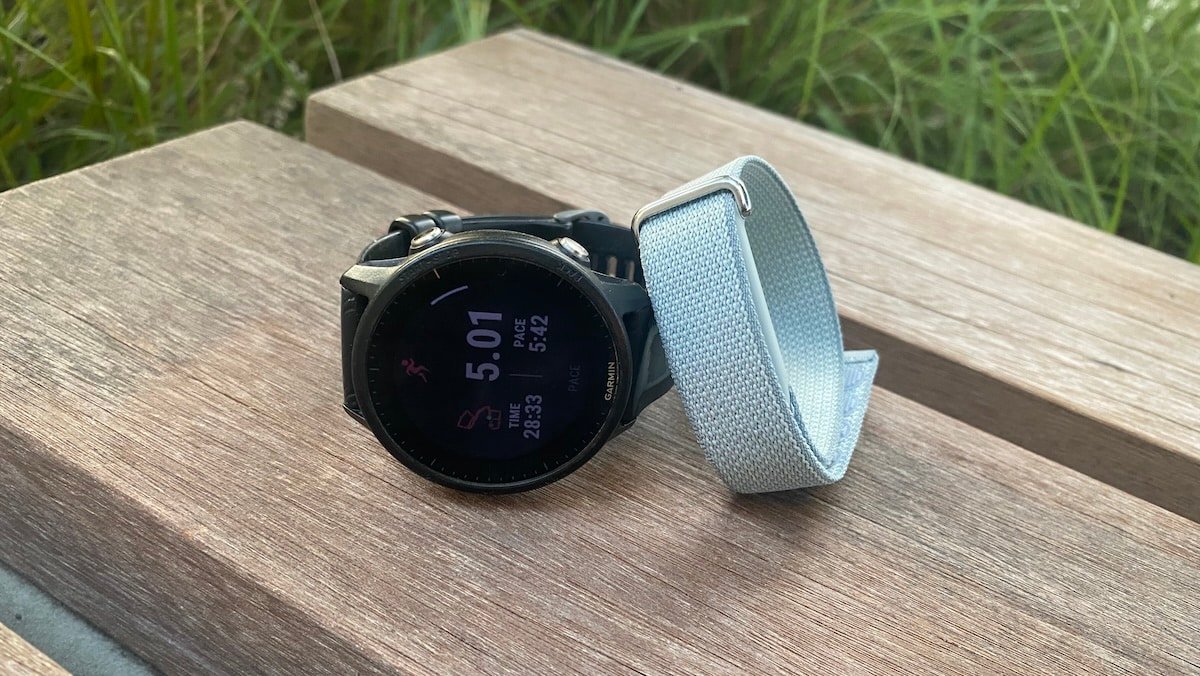
My Garmin Forerunner recorded the run at 5.01 km. Fitbit Air logged 5.16 km, which puts it around 150 metres higher over the run. That is not perfect, but for an automatically detected run from the ankle, I would call it a surprisingly decent result.
The Garmin used GPS. Fitbit Air, on the other hand, had to rely on its own motion data and whatever context it could pull together in the background. The important part is that it did not drift wildly. It recognised the session as a run and landed close enough to be useful for casual tracking.
That makes the result more interesting than a simple wrist-to-wrist test. Ankle wear changes the movement pattern completely. The device has to deal with sharper leg motion, higher impact and a position it probably was not designed around as its main use case.
Google only talks about wearing the tracker on the wrist. In practice, though, it can also be worn on the upper arm or even the ankle. I have worn it like this 24/7 for the past week and the only real difference I have noticed is shorter sleep tracking. My guess is that I move my legs more than my arms during sleep, so the tracker may be reading some of that movement as wake time.
Fitbit Air data for 5K run
The average heart rate needs context
But what about heart rate during the 5K. Well, at first glance, the heart rate comparison looks weaker. The Garmin reported an average heart rate of 144 bpm, while Fitbit Air showed 132 bpm. Taken alone, that looks like a fairly large gap.
But the chart tells a better story. Fitbit Air appears to have started tracking too early and ended too late. Those low heart rate sections at the beginning and end pulled down the average. During the actual running portion, the heart rate trace looked much closer to the Garmin result.
The max heart rate makes the point even clearer. The Garmin recorded 161 bpm, while Fitbit Air reached 160 bpm. That is only 1 bpm apart, which is a strong result for a tracker worn on the ankle during a run.
This was probably the most interesting part of the test for me. Optical heart rate from the ankle sounds like something that should struggle. In this run, it looked surprisingly stable once the effort started properly.
Garmin data for same 5K run
Auto-tracking is the weak link
The main issue was not that Fitbit Air failed to detect the run. It did detect it. The issue was that it wrapped too much time around the actual workout.
The Garmin recorded 28 minutes and 33 seconds for the 5K. Fitbit Air showed 35 minutes and 48 seconds. That extra time changes the whole summary. It makes the average pace look much slower and it drags down the average heart rate.
This is where Google Health needs better editing tools. There is currently no option to trim the run afterwards. I could view the activity, but I could not cut off the early and late sections that should not have counted as part of the workout.
That limitation is annoying because the raw tracking looked better than the final numbers imply. Strip away the extra time and Fitbit Air would probably get much closer on average heart rate. The problem is that the app does not let me clean up the session.
A useful result with a clear caveat
This test does not prove that Fitbit Air is a replacement for a running watch. It also does not prove that ankle-based heart rate will hold up in every workout. Intervals, hills and faster changes in effort could expose weaknesses that a steady 5K does not show.
Still, I came away encouraged. Fitbit Air got the distance close, detected the run automatically and matched the Garmin’s peak heart rate almost exactly. For a screenless tracker worn on the ankle and left to work passively, that is a better outcome than I expected.
The lesson for me is that Fitbit Air’s hardware may be more capable than the app summary suggests. The sensor performance looks promising, but the automatic tracking window needs more control. A simple trim option in Google Health would make a big difference here because it would let me remove the dead time and keep the useful part of the workout.
For now, this makes Fitbit Air look like an interesting passive fitness tracker rather than a precision running tool. It can capture the run and the ankle heart rate result looks genuinely useful. But if Google wants this kind of device to be trusted for workouts, post-run editing needs to catch up with the hardware.
