

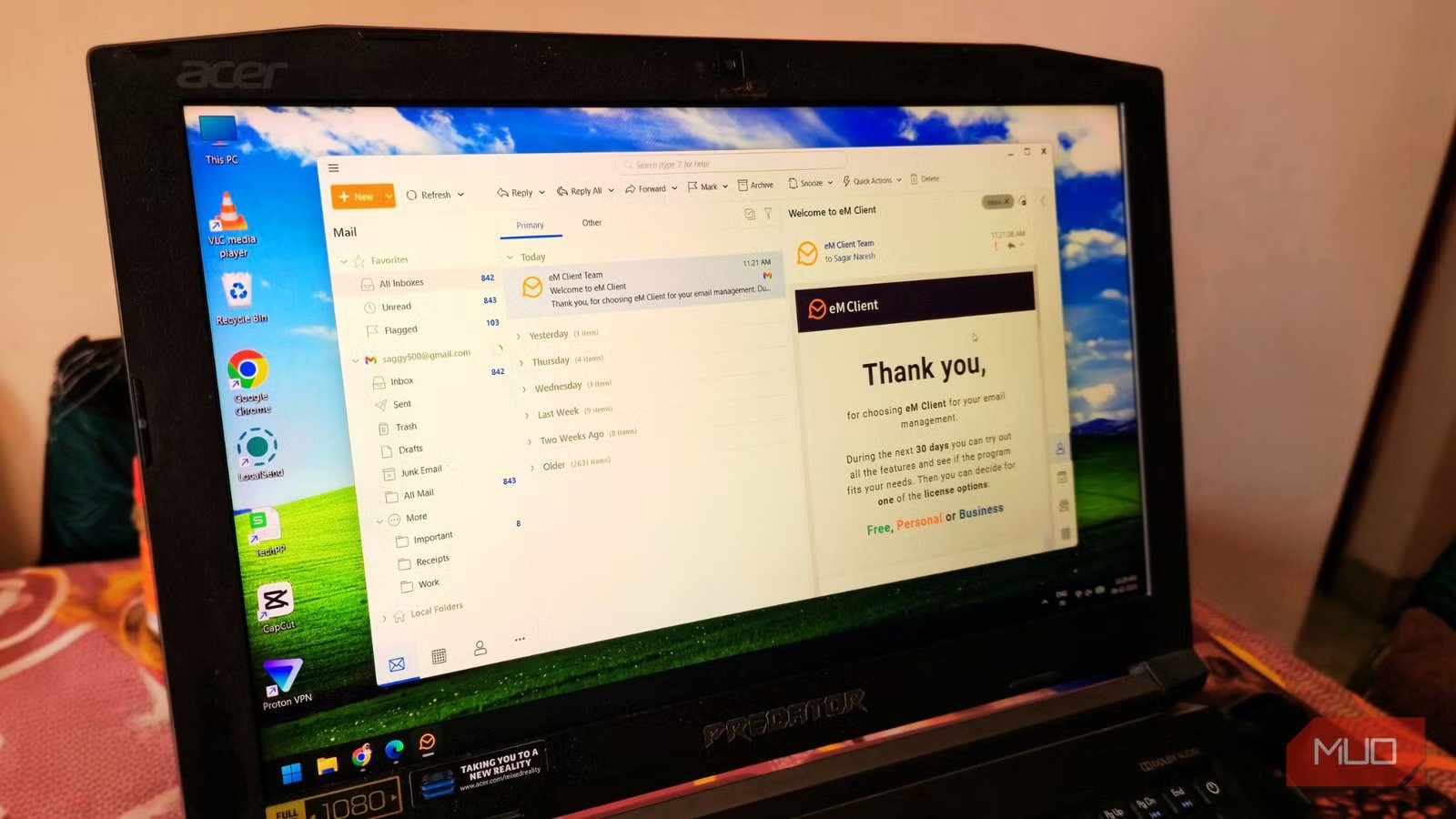
For years, I have stuck with Microsoft Outlook as my go-to email client. However, after being fed up with the clunky UI of Outlook, I decided to switch over to Thunderbird, which many consider one of the best free email clients. Aside from its easy-to-use UI, its support for multiple channels such as IRC, Matrix, and XMPP, nifty features such as Quick filters, and other email management features, won me over.
But Thunderbird was far from perfect, and this dissatisfaction made me research for a better email client among all the options available in the market. Then I discovered eM Client, and honestly, after using it for a while, I can say that this could be the only email client you would ever need.
Related
My endless hunt for the perfect email app is finally over
I finally found an email client I can stick with—and it’s free and open-source.
A design that actually makes sense
Microsoft Outlook should learn a thing or two from eM Client’s design
I am a sucker for good design and love customization. However, I never go on tweaking the UI if there is no fault. The first thing that got my attention was the clean user interface of eM Client. It’s visual silence over Outlook’s busy interface that appears modern and makes you feel that you are using software that belongs in 2026, not 2010.
It comes with a dark theme, or better yet, you can apply custom themes created by eM Client users. You can also build your own theme using the theme editor.
EM Client is versatile, as it is available for different platforms, including Windows, macOS, Android, and iOS. Linux guys may be slightly disappointed. Aside from offering all the usual features, such as calendars, tasks, and contacts, you can also import your existing settings from Outlook, so that you have familiar ground to work on.
The sidebar on the right is something that I’ve grown quite attached to, and now I can’t live without it. When I click on an email, the sidebar automatically populates the entire communication history. Not only does it show the text, but it also shows all the attachments that we’ve ever exchanged.
This negates the need to use the search bar to find a specific conversation or attachment. I don’t have to dig through folders. All I have to do is look to the right, and there is the file from months ago. Trust me, it saves a lot of time.
Aside from communication history and attachments, the eM Client sidebar also provides details about upcoming events, agenda, chats, and invitations.
OS
Windows, macOS, Android, iOS
Plan Options
Free, Paid
eM Client is a powerful email client that combines email, calendar, contacts, tasks, and chat in one clean, easy-to-use app.
Email management at its best
eM Client offers a bunch of built-in tools for increased productivity
Alongside the super-cool sidebar, eM Client also comes with a bunch of tools. Out of the lot, Snooze and Watch for Reply are the ones that I use quite often.
With Snooze, I can tell an email to show up on Monday if it arrives on a Sunday. It doesn’t block space in your inbox; rather disappears from your inbox and appears at the prescribed time.
Now, Watch for Reply is a feature that I use when I send an email. If I email a client and need an answer by a specific day, I tell eM Client to alert me if I haven’t received a reply by then. This eliminates the need to go through the inbox and see if people have replied to me or not.
With AI taking over almost everywhere, eM Client also makes use of it, but in an efficient way. It helps you write a professional email even if you have a few pointers or a rough draft. You can ask AI to convert your text into any form; professional, polite, fun, etc.
Migration from Outlook is also easy. When you install and open eM Client, it straightaway asks you if you would like to import from Outlook. Click Yes, and all your Outlook data is ported over to eM Client.
It even handles Gmail very well and brings everything to a unified inbox, which Outlook often struggles with. Searching is also almost instant, and you no longer have to wait while the client finishes the search for your decade-old invoice.
Good, but not perfect
You have to pay for the goodies
Credit: Sagar Naresh/MUO
To be fair and keeping all the praise aside, eM Client isn’t perfect. It isn’t for those who just have a couple of emails in a week. There is a free version for them, but frankly, using a web browser is far easier.
On top of that, eM Client isn’t free. Yes, there is a free version. But if you are a pro user juggling three or more accounts, you will have to opt for the eM Client Pro license. Because the free version is limited to two email accounts.
The only good thing is that, unlike other email clients that ask for monthly or yearly payments, eM Client is all yours for a one-time payment.
eM Client is best for those who need it
If you are tired of using Outlook, Thunderbird, or any other email client, then you can try eM Client. It is a tool that you didn’t know you needed, but once you start using it, there is no going back. Of course, preferences vary for different people, and you may not like it. In simple words, it is a powerful email client for power users, but with simple and useful features that make things easy.
