

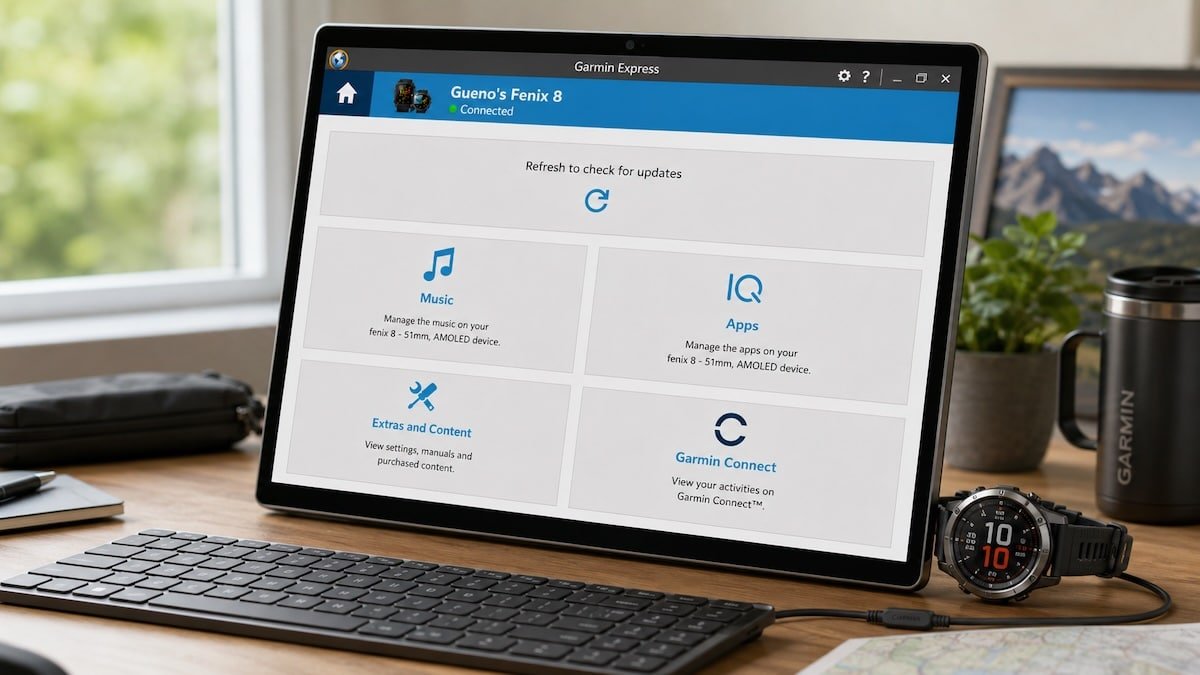
Garmin Express 7.29.0 for Windows appears to have fixed a bug that stopped some newer Garmin watches from properly accessing map and software updates. The issue affected models including the fēnix 8, Forerunner 970, Enduro 3, tactix 8 and D2 Mach 2 Pro, with users seeing the same refresh screen instead of the usual update options.
Garmin Express 7.29.0 fixes the issue
The fix appears to be Garmin Express 7.29.0 for Windows. Users who had been stuck with the problem are now reporting that their watches sync again, map management opens properly and updates can be installed as expected.
The bug was not that Garmin Express failed to detect the watch. That is what made it more annoying. The watch appeared as connected, but the top update panel did not load correctly. Instead of showing software or map options, Garmin Express kept showing a generic prompt to refresh and check for updates.
That effectively blocked the normal desktop route for managing maps. On watches such as the fēnix 8 and tactix 8, that is a fairly big miss because maps are a major part of the pitch. Owners were not dealing with an obscure setting. They were trying to use a core maintenance tool on expensive devices.
The problem seems to have started for many after firmware 21.39. Later firmware versions did not clear it for everyone, and Garmin Express 7.28.1 also failed to solve it for affected users. Garmin Express 7.29.0 now looks like the release that actually fixes the Windows side of the problem.
Keeps asking to refresh…
The bug affected several newer Garmin models
Reports initially centred on the fēnix 8 series, including AMOLED, Sapphire and Pro variants. Other models were later mentioned too, including the Forerunner 970, Enduro 3, tactix 8 and D2 Mach 2 Pro.
A few workarounds did help some people while they waited for a fix. One involved opening Garmin Express first, starting the map update flow, then connecting the watch only when the app asked for it. Others used Map Manager directly on the watch over Wi-Fi.
Some users also tried factory resets and clean setups without restoring settings from another Garmin watch. That worked for a few, but it was never a good solution. Resetting a high-end sports watch just to restore map access is too much hassle, especially for anyone with customised data screens, maps and activity profiles.
Update Garmin Express before trying anything else
Affected users should update Garmin Express for Windows to version 7.29.0 before doing anything drastic. That should be the first step if the app still shows the refresh screen instead of the normal map and software update panel.
Once Garmin Express is updated, reconnect the watch and try map management again. Hopefully, it should finally restore normal map and update access.
