

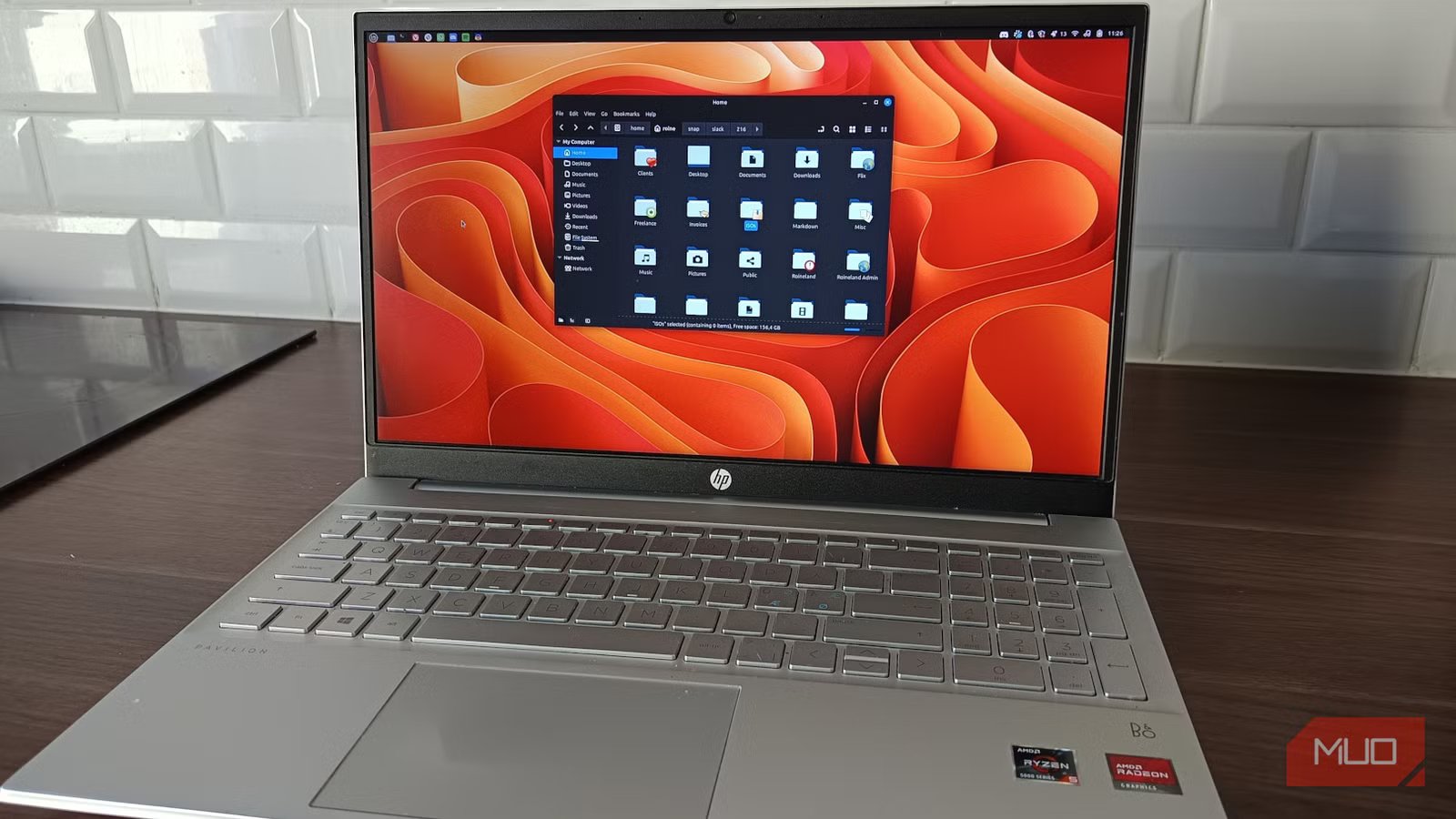
I didn’t expect deleting my own file structure to feel liberating. It felt more like self-sabotage at first. Years of carefully nested folders, lovingly named directories, and a system that looked like it should work: clean, logical, and responsible. The kind of setup that whispers “I have my life together” while quietly betraying you behind your back. And yet, every time I needed a file, I still ended up digging like a confused archaeologist in my own digital ruins.
That was the breaking point. Not a crash or data loss, but that quiet, persistent friction of “I know it’s here somewhere” followed by five minutes of clicking through folders that made perfect sense at the time and absolutely none now. So I did something mildly unhinged. I stopped organizing. Deleted most of my folder structure. Kept things flat. And leaned fully into search. It worked better than it had any right to.
My folder system looked perfect but failed me
Why logical structures break under real usage
Sahil Kapoor personal system screenshot – no attribute needed
On paper, my setup was solid. Projects had their own directories. Documents were neatly sorted. There were subfolders for drafts, finals, assets, archives, backups of backups, and a folder called “misc” that had long since become a digital landfill. The whole thing looked like it belonged in a productivity YouTube thumbnail with soft lo-fi music and a guy whispering about “second brain systems.” In reality, it collapsed under its own ambition.
Because file organization assumes one thing that doesn’t hold up in real life. That you will remember where you put things. Not just roughly. Precisely. Was that document under “Work,” “Clients,” or “Freelance”? Did I put it in “Drafts” or “Final”? Did I rename it halfway through or did I emotionally commit to chaos that day? The more “organized” it became, the more decisions I had to make upfront. And the more ways I could be wrong later. So I stopped pretending I was building a library. I was just hiding my own files from myself with extra steps.
I switched to a search-first mindset instead
Letting the system find things instead of remembering paths
The shift was simple. Stop asking “Where should this go?” and start trusting “I’ll find it later.” Which sounds reckless until you realize Linux has been built for this for years. Modern file managers aren’t dumb. They index, they remember, and they surface results faster than your brain can reconstruct your own folder logic from three weeks ago. I leaned hard into search. Not just occasionally, but constantly. Open file manager, type a keyword, hit enter, done. No scenic tour through six directories named vaguely “misc2.”
I also started using the “recent files” view, like it wasn’t some forgotten feature gathering dust. Because most of the time, the thing you’re looking for is something you touched recently. Shocking, I know. And here’s the weird part. It felt lighter. Not just faster, but mentally quieter. Fewer micro-decisions. Less hesitation when saving something. No more pausing to figure out the “correct” folder like I’m about to be audited by the File Organization Police. Just save it. Move on. Let future-me search like a civilized person.
I kept things flat and stopped overthinking names
Minimal structure, maximum retrieval
Screenshot: Roine Bertelson/MUO
I didn’t go full chaos goblin. I’m not dumping everything into one single directory and calling it a lifestyle choice. There’s still some structure. But it’s aggressively shallow. Instead of five layers deep, I now have a handful of broad categories. Work. Personal. Temporary. That’s about it. If a folder needs explaining, it’s already too complicated. File names started doing the heavy lifting instead. Clear, descriptive, slightly redundant if needed. Because search loves redundancy. Humans forget context, but keywords stick like bad decisions.
So instead of:
final_v2_document_updated_REAL_final_THIS_ONE.docx
It became:
client-name_invoice_march_2026.docx
Not sexy or clever, but extremely effective. And here’s the thing nobody tells you. Clever naming schemes are useless if you can’t remember them. Boring wins, is searchable, and gets results.
Tracker and Recoll as quiet helpers, not obsessions
Screenshot: Roine Bertelson/MUO
Linux has tools for this. Some are built in, some are optional. On GNOME-based systems, Tracker is already doing a lot behind the scenes. It indexes your files so search feels instant, not like you’re waking up a sleeping hard drive from 2007. If you want more control, Recoll can take it further. Full-text search, deeper indexing, more precision. It can dig into documents as if it has a personal vendetta against your bad naming habits.
But here’s where I refused to spiral. I didn’t turn this into a weekend project. No tweaking for hours, no “optimal indexing strategy” rabbit holes, no spreadsheets, and absolutely no performance benchmarks. I have made that mistake before, and it ends with me optimizing something that was never the problem. I let the defaults do their thing, because the goal wasn’t to build the perfect search system. It was to stop wasting time navigating folders like I’m on a guided tour of my own bad habits. And honestly, even the basic setup was more than enough.
Fewer decisions, better flow, and surprisingly more control
The real friction wasn’t technical. It was psychological. Years of muscle memory don’t just disappear because you’ve had an epiphany and deleted a few directories. Every time I saved a file, my brain still wanted to categorize it. Put it somewhere safe. Somewhere logical. Somewhere, future-me would definitely appreciate. Future-me never appreciated anything. Future-me just searched like a tired goblin and hoped for the best. Letting go of that instinct took time. It felt messy at first. Slightly irresponsible. Like I was one bad decision away from complete digital anarchy. But then I noticed something. I was spending less time thinking about files at all. Less friction when saving. Less hesitation when retrieving. Fewer moments of “Wait, where did I put that?” followed by a mild existential crisis. And that’s when it clicked.
The payoff wasn’t dramatic.
The organization wasn’t helping me work. It was giving me something to feel good about while quietly slowing everything down. The payoff wasn’t dramatic. No fireworks, or before-and-after benchmarks with dramatic music. Just this consistent improvement in how everything felt. Open the file manager, type three letters, and the file appears. No digging, no second-guessing, and definitely no “it has to be in here somewhere” while you spiral through increasingly desperate guesses. And maybe that’s the real takeaway. Productivity isn’t always about adding structure. Sometimes it’s about removing the parts that don’t actually help and admitting that your brain is not a filing cabinet. Folders felt like control. What they really gave me was friction dressed up as discipline. Search gave me speed. And for once, I stopped fighting how I actually work and leaned into it. Turns out, that’s where things finally got easier.
