

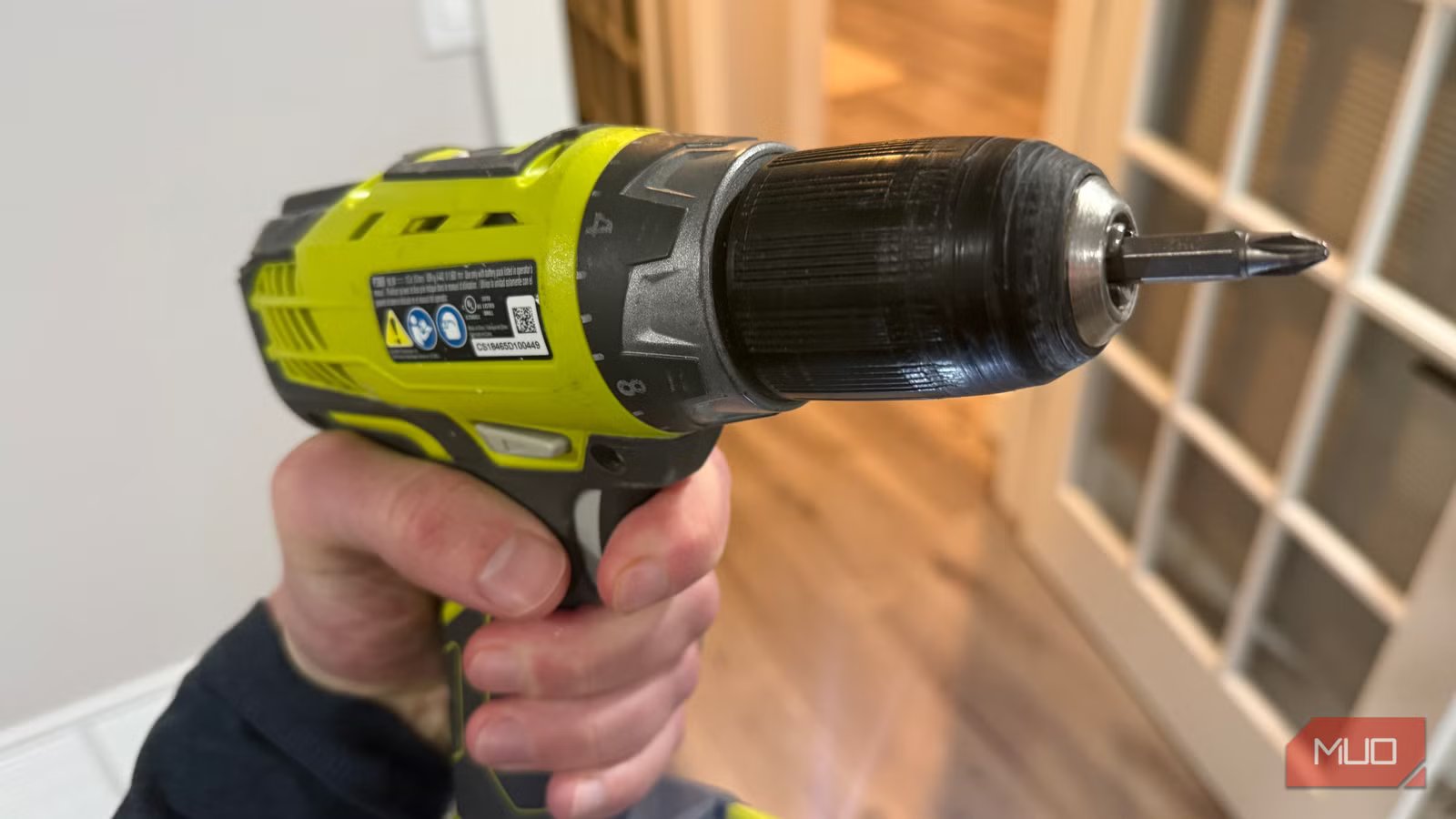
A few months ago, I busted a cabinet door with my cordless drill. The screw was small, the drill was set to max, and by the time I reacted, it had punched straight through the face of the wood. I’d had my Ryobi ONE+ 18V Cordless 1/2 in. Drill/Driver for several years and hadn’t messed around much with the numbered ring around the chuck. Every drill I’d used before had one. I’d always assumed it was for heavy-duty work, cranked it up, and forgot about it. Once I finally figured out what those positions actually do, driving fasteners got a lot less destructive.
What those clutch numbers actually control
It’s not about speed — it’s about torque
The numbered ring has nothing to do with how fast the drill spins. Trigger pressure and the two-speed gearbox handle that. The clutch ring sets a torque threshold — a ceiling on how much rotational force reaches the bit before the mechanism trips.
That clicking sound when you’re driving a screw isn’t a problem. It’s the whole point. Once resistance hits the threshold you’ve dialed in, the clutch disengages: the motor keeps running, the chuck stops turning, and the screw stays exactly where it is. Each position, 1 through 20 (and up to 24 on some drills), raises that ceiling a little higher.
How to read the clutch ring on your drill
Lower numbers aren’t “weaker” — they’re more precise
Think of the 24 positions in three rough zones, and most driving situations fall into one of them pretty clearly.
Positions 1–5 are for small fasteners in soft or thin materials — cabinet hinge screws, short drywall screws, anything going into pine or MDF where an extra half-turn would cause damage. The clutch trips fast at these settings. The screw seats and stops. Positions 6–15 cover general fastener work: wood screws into framing, deck boards, and furniture assembly. Start somewhere in the lower half of that range, drive a test screw into scrap, and bump up a position or two until the result looks right. That’s the whole dialing-in process. It takes under a minute.
The upper end, 16–24, is for longer fasteners, hardwood, or anything that genuinely needs torque to seat — subfloor screws, structural connections, lag bolts. Even up here, you still have more control than running the drill with no cutoff at all.
The drill symbol and when to use it
This is the one setting where the clutch is completely off
Credit: Jonathon Jachura / MUO
Rotate the ring past position 24, and you land on a drill bit icon. That symbol means the clutch is bypassed entirely. Full motor power, no torque cutoff, and no clicking. Boring holes is what that setting exists for. When a bit is spinning through wood or metal, you want continuous power — a clutch tripping mid-hole accomplishes nothing useful. Drill mode handles that correctly.
Driving screws in drill mode is where things go wrong. With no cutoff, there’s no feedback and no stopping point. The screw keeps going until the head strips, the material blows out, or both. That’s where I’d been running mine for the better part of a year without realizing it.
A few situations where the right clutch setting saves your work
Drywall, cabinet hardware, and outdoor decking are where it earns its keep
Drywall leaves almost no margin for error. Punch through the paper facing, and the screw loses its grip entirely — there’s nothing left to hold. Positions 2 or 3 work well here. The clutch trips right as the head goes flush, before there’s any chance of going through. Running one test screw into scrap to confirm the setting first is worth ten seconds every time.
Small cabinet screws are another place where low clutch settings pay off. The wood around hinges is usually close to splitting already, and a screw that goes half a turn too far finishes the job. Setting the clutch to 4 or 5 and letting it make the call has saved me from that more than once.
Deck screws into treated pine land well around 10–12. After a long run of fasteners, the audible click when each one fully seats is genuinely useful feedback. You stop watching every screw head and just listen for the sound.
After a couple of years running the ONE+ platform daily, this drill gets more use than almost anything else in my garage — and how you store and charge those battery packs matters just as much as how you actually use the tool.
The one setting change that makes every driving job cleaner
The Ryobi platform holds up well when you treat it right. With the drill, start low and work up. That’s it. Pick a clutch position below where you think you need it, run a test screw into scrap, and step up until the result is clean. Thirty extra seconds at the start of a project is a reasonable trade for not patching or replacing something later.
With spring projects coming up fast, I’m already thinking about the jobs that involve a lot of fastener work — deck boards, fencing, outdoor furniture. Getting the clutch right before a long session is a habit that costs almost nothing. The feature was always there. I just hadn’t bothered to use it.
