

If you’ve got tons of files that you constantly need to search through, you’re likely paying for software that’s reading and summarizing them under the hood. But considering local LLMs can turn any file into a mind map, what if you give yours access to your files?
That’s exactly what I did, and to my surprise, the results turned out great. No cloud, no API keys, nothing leaving your machine, and before you know, it might just replace apps you would otherwise be paying for.
How local AI indexing actually works
Letting your local LLM access your files isn’t as daunting as it sounds
Giving your local LLM access to your files might sound intimidating, but it’s actually simpler than you think. I used an approach called RAG or Retrieval-Augmented Generation. Instead of dumping an entire document into the models’ context window, which is slow, expensive in tokens, and hits limits quickly, RAG can break your files into smaller chunks and convert them into vector embeddings that are stored in a local database.
When you ask the AI a question, the system retrieves only the most relevant pieces and sends those to the model. Your files never go anywhere; the model reads the parts it needs.
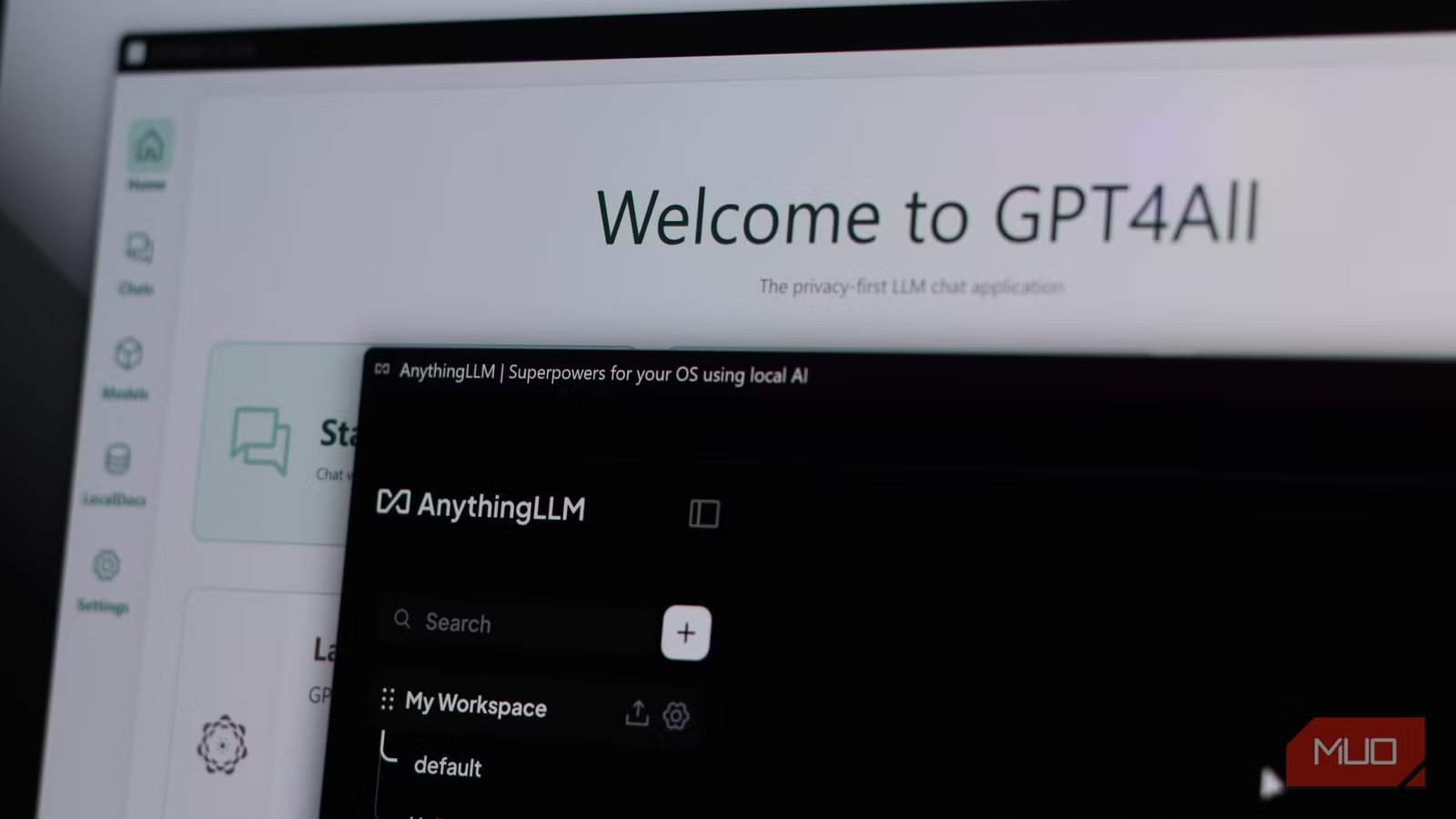
I used a couple of tools to achieve this. GPT4All’s LocalDocs feature lets you point it at a folder, and it automatically starts indexing files. For anything more involved, you can use AnythingLLM, which handles PDFs, Word, TXT, and CSV files and lets you build separate workspaces for different projects.
Both tools run entirely offline, with the only requirement being that your model (and computer) should be capable enough. I ended up using a 3B quantized version of LLaMA 3 through Ollama, which is more than sufficient for the tasks I had in mind, but feel free to try with an 8B or 13B model if you have the hardware headroom. Managing your files is also one of the more interesting ways to use a local LLM with MCP tools.
I finally ditched my PDF chat app (and don’t miss it)
How my local LLM handles messy documents better
Yadullah Abidi / MakeUseOf
For those of you who deal with tons of PDFs on a daily basis, you’d be familiar with AskYourPDF. It’s a simple tool that lets you upload a document, ask questions about it, and get summaries or quotes. It works fine, but every time you use it with a file, it’s sent to their servers, and the free tier is fine, but you’ll need at least the $11.99 per month Premium plan if you plan on doing serious work.
My replacement? Just drop your folder of PDFs into GPT4All’s LocalDocs, wait for the embedding process to finish, and start asking questions. The results aren’t perfect, but it’s excellent at pulling out specific data, summarizing sections, or asking specific questions about document contents.
For more complex queries, you can use AnythingLLM, where you can embed documents once and ask questions across different sessions. Besides, since there was no uploading, waiting for a server, and decision-making about what I’m allowed to send to a third-party server, my workflow sped up a lot.
Notion AI’s Q&A search is now obsolete for me
Asking better questions across all your files
Screenshot by Kanika Gogia
My Notion Plus subscription paid for itself every month, but that’s in the past now. I had already switched from Notion to AFFiNE, and with my local LLMs being able to search my notes, Notion AI’s Q&A feature—the one where you ask a question, and it searches your entire workspace to answer it—is obsolete for me.
You see, local RAG does exactly this, except without a subscription fee. Reor is an open-source, local-first note-taking app that uses Ollama under the hood and automatically links related notes using vector similarity. I just pointed it at my AFFiNE vault of notes, which are stored in Markdown, and before I knew it, I had semantic search, automatic connection of related notes, and a built-in chat interface that lets you ask questions across your entire knowledge base. All of it runs locally, all embeddings are stored on disk, and nothing is ever uploaded anywhere.
File search became much more powerful
Traditional search tools don’t even come close to local LLMs
Yadullah Abidi / MakeUseOfCredit: Yadullah Abidi / MakeUseOf
I use three different search apps on Windows to find files on a machine that can often get noisy during busy weeks. If you’re using something like X1 Search, a power-user desktop search app that indexes local files, mail, attachments, and cloud storage so you can treat your computer like your own private Google, that subscription is about to feel useless.
Once you have a local LLM with a RAG backend pointed at your main work folders, that subscription will stop making sense. You can embed documents, code, notes, and exports into a local vector store, put a chat interface on top, and ask questions in plain language. You can find files based on the content inside them and get both answers and file paths. Sure, you’ll have a much nicer UI with apps like X1 Search or even free alternatives like Fluent Search or the Command Palette, but your local LLM will do much more than the competition.
The cost of using local AI
It’s not as high as you think
Yadullah Abidi / MakeUseOf
Apart from time and patience at setup, you don’t really have to incur any costs. That is, if you have a machine capable of running a decent model. You don’t need top-of-the-line hardware to run AI models either; if you’re on a mid-range system with 16 GB RAM and a GPU with around 6 GB VRAM, a 7B or 13B quantized model through Ollama, such as LLaMA 3, Mistral, or Qwen, can do the job reasonably well. If you know what TOPS means, having a 45 TOPS PC also helps.
What it doesn’t cost is a monthly fee, a data agreement with a company you don’t know, or the anxiety of wondering what happens to your files once you’ve uploaded them to a stranger’s server. Local AI used to require technical expertise and expensive hardware, but that’s in the past. There are tons of apps you can use to enjoy the benefits of local LLMs on your machine, and there are tasks that your local LLM can do just as well as any cloud model.
Stop paying for AI you can run yourself
Turns out my files were smarter than the apps reading them
None of this is about being anti-AI or anti-SaaS. Of course, there are both great AI services and software, both worth the subscription fees they charge. But when a paid tool is just hosting an AI model on the cloud and reading your files, there’s a chance you can replicate that functionality on your local machine.
Related
I hooked Obsidian to a local LLM and it beats NotebookLM at its own game
My notes now talk back and it’s terrifyingly useful.
AI models can easily run on your hardware, your files can stay on your disk, and those subscriptions can be canceled. All it takes is some tinkering to set these services up, and for a lot of workflows, the convenience and privacy benefits are well worth the effort.
