

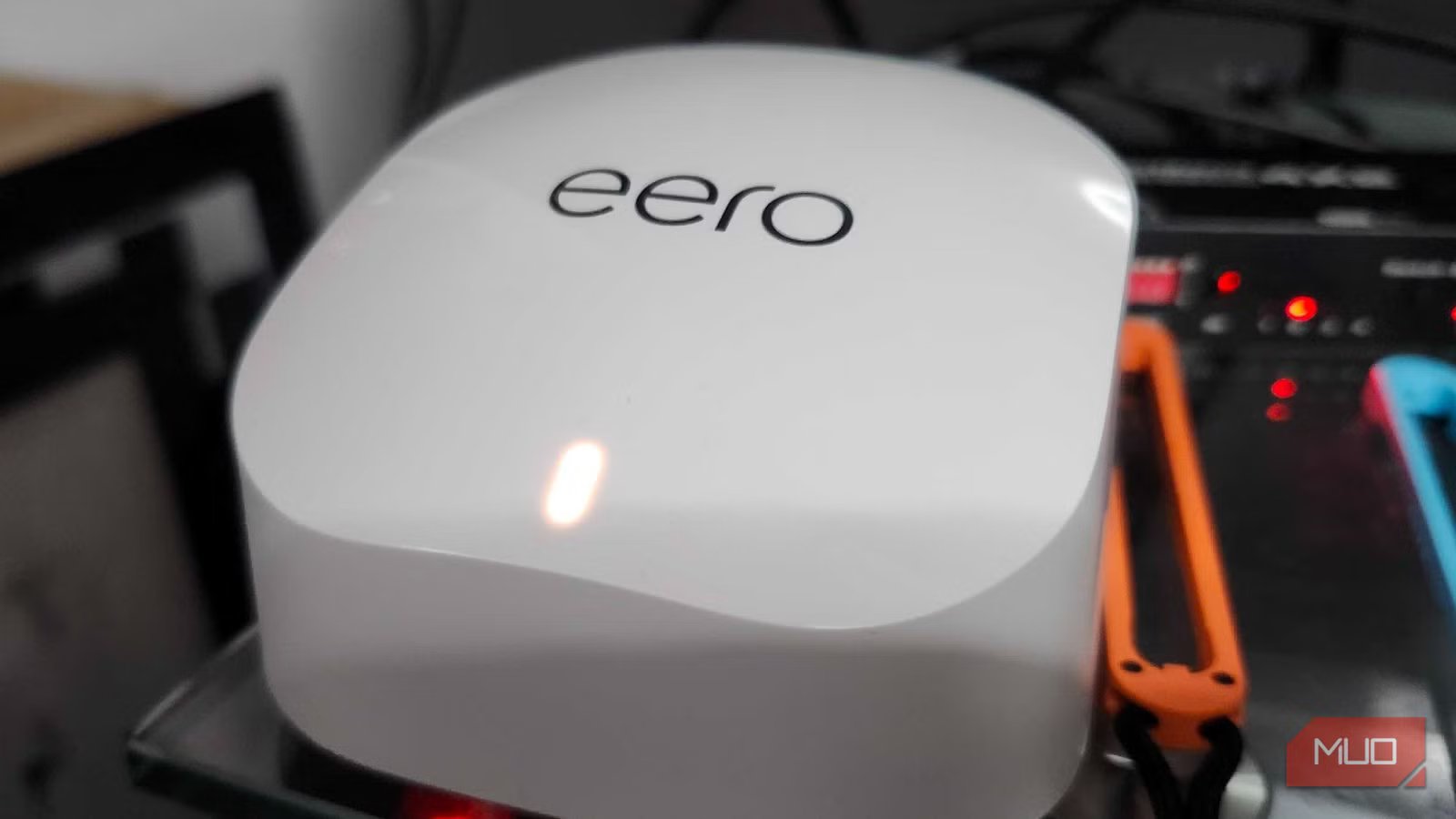
When I bought my first home, one of the first things I did was double-check with Charter Spectrum to ensure my existing internet plan would migrate. I was assured that there would be no issues and that my new location would be just fine and dandy. Well, on move-in day, I found something out — everything wasn’t fine and dandy. The internet lines here were old and degraded, and I would need to wait three months for them to work properly.
Seeing as I work remotely, that wouldn’t be acceptable. I went to my local US Cellular store and signed up for their at-home internet plan, and received an Eero router and a cellular internet modem. I’m on Charter now, but I kept the Eero as a backup router, and who would have thought that it would make my smart-home dreams easier to obtain than ever?
The Eero 6 lineup functions as a Zigbee Hub
I’m glad that I hold onto electronics for far too long
Credit: Shaun Cichacki/MUO
I’ve spent a lot of time writing about ways to make certain types of “dumb” household appliances smart for the sake of accessibility and ease of use, and I didn’t realize that I had something hanging out in my house that would make it tremendously easier to do. After spending an entire weekend installing Linux on a Chromebook to help my wife see and hear when our washer and dryer finished their cycles, thanks to vibration sensors and Home Assistant, I learned that I had the keysitting in a closet in my office.
My Eero 6+ router has a built-in Zigbee Hub, meaning that I could directly connect to the THIRDREALITY vibration sensors that I had purchased. I just needed to use the Alexa app to set up a few routines, monitor vibrations, and I was ready to go. Something that I wish I had thought about before spending all of that time getting Home Assistant up and running.
Brand
Eero
Range
1500 sq.ft
Ethernet Ports
2
Mesh Network Compatible
Yes
My Echo Dot audibly tells us when the laundry is done
And I can get notifications directly through the Alexa app
Credit: Shaun Cichacki/MUO
While I may have a Nest Hub in my home for Google integration, I’ve also got an Echo Dot for Amazon package notifications and a loudspeaker for my Ring doorbell. Now, it also doubles as a neat way to notify us when our laundry is done and ready to be grabbed out of their respective machines. I’m no expert with Home Assistant; everything I know about it was essentially learned in a weekend, but I’ve never been able to get it to notify us like that.
Pairing a customized message with a push notification on the Alexa app works wonders for accessibility purposes. Sure, our washer and dryer do have buzzers, but since they’re in the basement of a house built in the 1940s, the insulation is thick, and the notification noise is basically non-existent. Now, we can hang out in the living room and get a message when the laundry is ready to switch over, and it’s perfect for our situation.
Related
I turned my old tablet into a smart home dashboard, and it’s perfect
I use my 1st-gen iPad Pro as a smart home dashboard
An Ethernet switch was necessary for me
I do love Wi-Fi, but some stuff just needs to be plugged in
Credit: Shaun Cichacki/MUO
After getting rid of my TP-Link router and switching to the Eero, one thing caused major issues. The lack of Ethernet ports. See, I upgraded my computer to house an Nvidia 4060Ti late last year because I got it for an absolute steal. While the graphics card works extremely well, I needed to remove my Wi-Fi/Bluetooth PCIe connector to make it fit properly. Ethernet is essential for my PC, and I prefer to hardwire my gaming consoles for better downloads.
I went to my nearest Best Buy, snagged a 5-port TP-Link Ethernet switch, connected everything, and have been sailing smoothly since switching from my regular router. If I ever switch to another Zigbee-capable router, I do want to make sure it has more than one extra Ethernet port on the back, but I’ve got all my bases covered for now.
Mesh systems are pricey and can cause issues
I tried a Nighthawk in the past, and I couldn’t use some of my favorite devices
Funny enough, I actually tried a different mesh system before I went back to this Eero — the NETGEAR MK73 Nighthawk 3-Pack. To be fair, there wasn’t a single spot in my house that I wasn’t covered, and that part was absolutely excellent. But for the price, I ran into a few issues that made the mesh system not work for me. Primarily, it was trying to get my PlayStation Portal to work consistently with it. For some reason, despite following the tutorials online, I couldn’t keep it consistently connected to my network. It would always close, and since I love playing games on the couch, I had to switch back to a standard router.
Another thing to consider is the price. A single Eero costs roughly $139, and multi-packs jump in price rather tremendously. To be fair, they do offer great coverage, and if you’ve got Zigbee-capable devices throughout your home, it may be a worthwhile investment. But that initial sticker shock may be enough to scare away potential purchasers.
Rather than getting a hub, a router is all I needed
Home Assistant is great, but I love the ease of use here
Home Assistant is an incredibly powerful program, but it’s also incredibly confusing for new users to fully sink their teeth into. That’s why I was shocked to see that the Eero could connect to Zigbee-capable devices in just a few minutes, rendering my entire Home Assistant project null and void. I’ll absolutely keep messing with the program, but I know I’ll make most my smart-home upgrades easier with Alexa.
It’s not perfect by any means — it sometimes repeats itself after closing the washer or dryer door because it catches the vibration from that particular action. But it’s made my life and my wife’s life much easier, and I can’t believe that it was this easy. Especially after going through all of the hassle that I did before to try and make this happen the hard way. At this point, I think every router should be Zigbee-capable, and I’m glad that everything worked out swimmingly in the end.
