

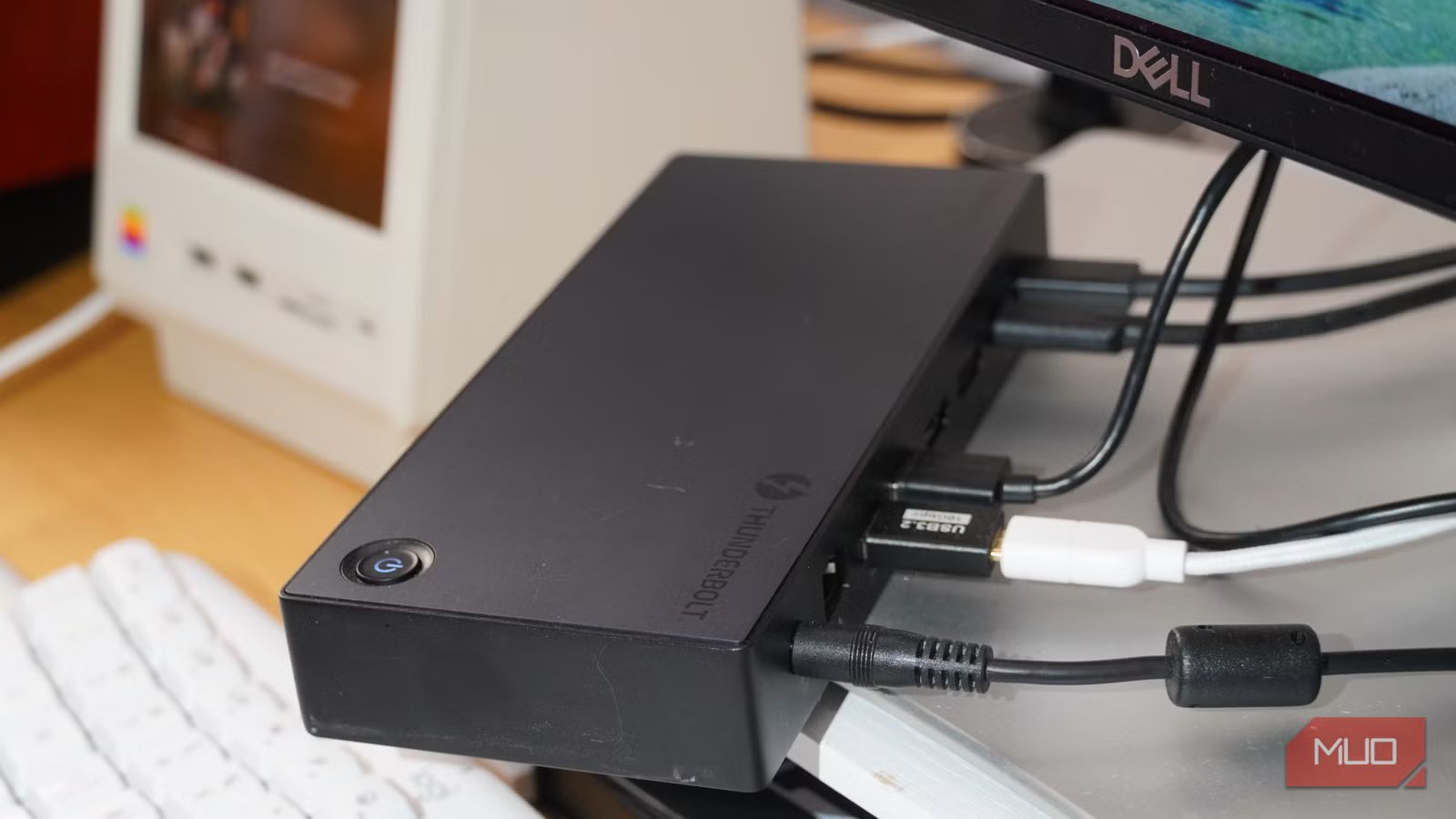
Thunderbolt has revolutionized I/O connections for laptops and other portable computing devices. With a single Thunderbolt cable, you can bridge a laptop to a variety of external accessories, like displays, peripherals, and storage devices. However, Thunderbolt hubs and docks aren’t exclusively used for laptops and tablets.
I’ve used a Thunderbolt 4 docking station as a permanent piece of my desktop workstation for years, and I can’t live without it. Even though I use a Mac Mini M4 and Windows 11 mini PC in my setup — both desktop computers — a Thunderbolt 4 dock ties all my accessories together. It lets me connect things like displays, amplifiers, MIDI keyboards, and optical drives to my PCs that wouldn’t be possible without the docking station.
Related
I used to swear by USB hubs on my laptop, but this wall-powered alternative makes it so much better
As computers get more powerful, so must my USB usage.
I never use Thunderbolt docks with laptops
My desk setup is too complex to run off my MacBook Pro
Credit: Brady Snyder / MakeUseOf
My M5 MacBook Pro is built to be used with a Thunderbolt docking station. In fact, it’s more powerful and has more unified memory than the M4 Mac Mini I use at my desk setup. Although it might make sense to use the M5 MacBook Pro as the centerpiece of my workstation using a Thunderbolt dock, I prefer to have a dedicated Mac Mini that’s always running and ready to go. I don’t have to worry about docking and removing a laptop, setting up charging limits to preserve battery health, or thermal constraints when running a laptop in clamshell mode.
So, if I’m using a desktop computer already, why is there a need for a Thunderbolt dock? It’s all about port selection and power delivery. My M4 Mac Mini offers a Gigabit Ethernet port, an HDMI port, and three Thunderbolt 4 ports on the back. It also has two USB-C ports and a 3.5mm headphone jack on the front, but those Type-C ports are only rated for USB 3 speeds of 10Gbps. That’s simply not enough for my peripheral-heavy desktop workstation.
It would be one thing if all the Mac Mini’s ports were on the back. Five USB-C ports split between Thunderbolt 4 and USB 3 sounds like enough, but it’s impractical if you keep your PC on your desk. Unless I want cables permanently sticking out the front of my Mac Mini, I can’t use three of those ports (2x USB-C and 1x 3.5mm headphone jack). For a clean look, I need every cable running out of the back of the Mac Mini, and that’s just not possible without an external Thunderbolt dock.
No, it’s not just a Mac problem. I switch between macOS and Windows often, and keep a Windows 11 mini PC on my desk stacked above the Mac Mini. It has similar issues to the Mac Mini — there are only two USB-A ports, two Ethernet ports, and HDMI/DisplayPort ports on the back. There are no USB-C ports at all on the back of my mini PC. The fastest USB-C and USB-A ports, as well as the headphone hack, are on the front. That’s not exactly ideal for a clean setup, which is why I turn to a docking station.
Related
I’ll never buy another ultrawide without this feature — and it has nothing to do with the display
I thought I’d fall in love with an ultrawide for the extra screen space, but it was the integrated KVM switch and Thunderbolt dock that won me over.
A dock expands my Mac Mini M4’s port selection
I get Thunderbolt passthrough, USB-A, Ethernet, DisplayPort, and more
A Thunderbolt 4 dock like the Ugreen Revodok Max 313 allows me to connect all my accessories to my desktop PCs. This one is a 13-in-1 docking station I received as a review unit, and frankly, it’s too expensive for the average user. Unfortunately, Thunderbolt docking stations are pricey across the board, but there’s a good reason for that. They come with mandatory features, such as 40Gbps data transfer, 4K video transmission, and fast power delivery for quick charging.
Right now, all my Mac Mini’s three Thunderbolt 4 are accounted for. One connects the computer to my ultrawide Thunderbolt monitor, another goes to my Fiio K11 USB-C desktop amplifier, and the last one connects to the Revodok Max 313. Then, this Thunderbolt docking station connects to my Stream Deck, Wokyis secondary monitor, Logitech MX Brio webcam, Asus optical drive, BenQ light bar, and MIDI keyboard.
Yes, I really use all these accessories at my desk setup daily — and I could never run them all simultaneously from my Mac Mini or Windows mini PC without a Thunderbolt dock. It also adds microSD and full-size SD card readers, which neither of my desktop computers offer. These are critical to my personal and professional workflows. I use SD cards to transfer photos from my mirrorless camera for work, and use microSD cards to move books and games to my eReader and gaming handhelds.
Related
USB hubs have a big limitation that most product listings never mention
Adding a USB hub or dock to your laptop or desktop to connect with more accessories? There’s a bandwidth catch you need to know about.
Without a Thunderbolt dock, I’d run out of ports
Even desktop computers come with physical I/O constraints
Credit: Brady Snyder / MakeUseOf
If you’re a power user like me, a Thunderbolt docking station could be exactly what you need to streamline your desk setup. My workstation isn’t just for casual computing, it’s also a photo editing machine, a high-res audio listening station, and a music creation kit. Those with a multipurpose setup and lots of peripherals might benefit from a Thunderbolt dock to help with cable management and keep everything connected. Thanks to this dock, the front of my Mac Mini and mini PC are completely clean, with no visible cables.
It certainly helps that I can move my entire desk setup from my Mac Mini to my MacBook Pro with a single Thunderbolt cable. It’s yet another benefit of using a docking station at your desk, even if I never use it that way. I get enough value out of a Thunderbolt dock just by using it with my desktop computers.
USB Power Delivery
60W
Power supply included
Yes, external
Max display res.
Single 8K or triple 4K
The Ugreen Revodok Max 313 is a Thunderbolt 4 docking station that gives you 13 total ports in exchange for a single Thunderbolt connection. It’s a great way to expand the ports of a laptop or desktop.
