

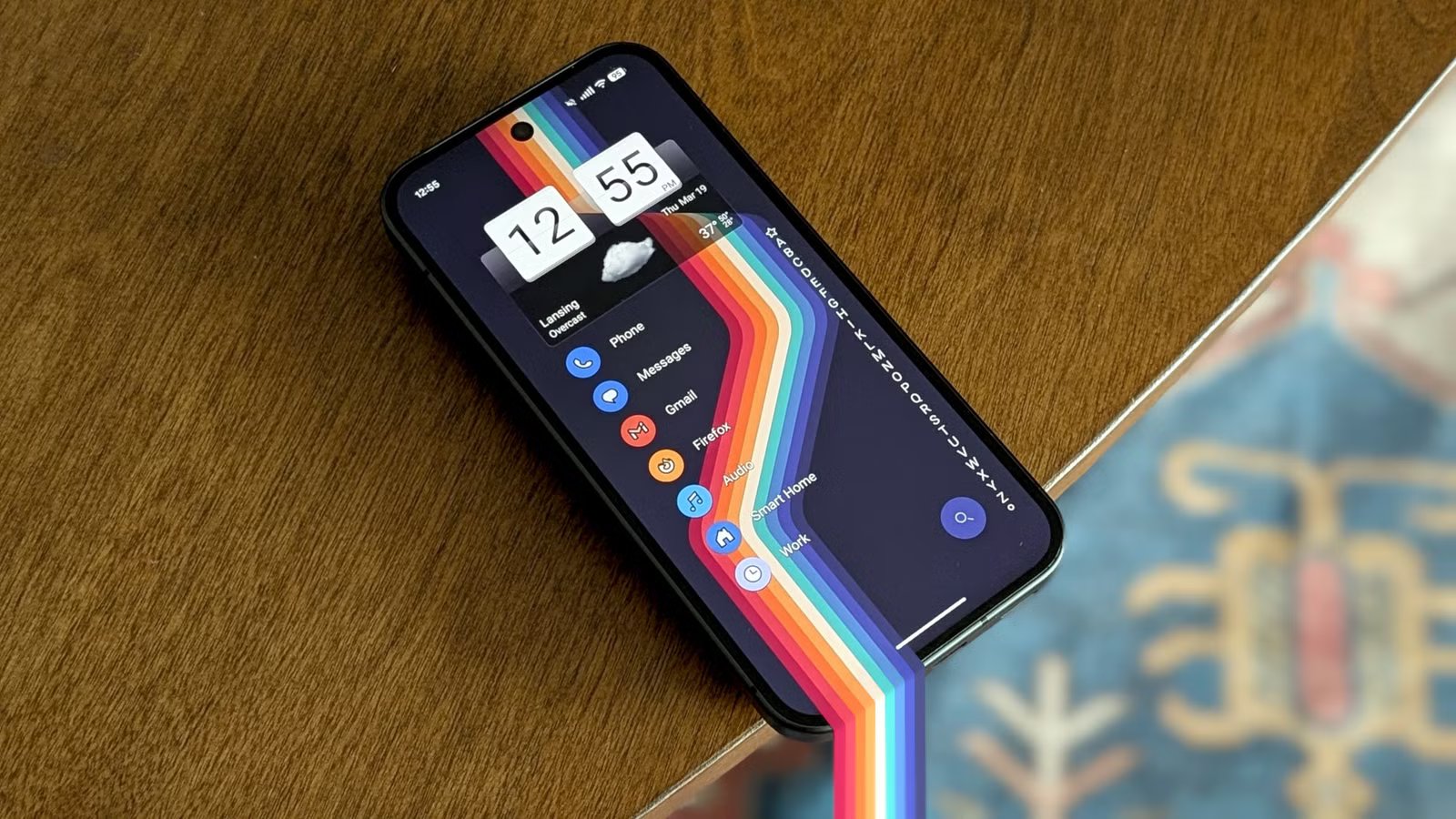
Niagara Launcher is famous for reinventing the Android home screen. I love the concept, but I’ve never been able to fully stick with it. Recently, I decided to install Niagara again, and this time it feels different for a few reasons.
You may already be familiar with Niagara Launcher. If you’re not, here’s the basic premise. Instead of multiple home screen pages with app icons and widgets, you get one page with a vertical list of “Favorites.” The app drawer is an alphabetical, vertical list as well. You get one section at the top for widgets.
Making a commitment to minimalism
Why did I try Niagara yet again?
Like many people, I’m constantly trying to keep my phone usage in check. I recently shared a tip for finding apps more quickly, and that was brought on by a desire to be more intentional when I’m on my phone. In the process of writing that, I remembered Niagara Launcher and decided to give it another try.
Niagara’s “app drawer” is a vertical line-by-line list with a nifty gesture for finding apps quickly. You can simply slide your finger along the left or right edge of the screen, which brings you directly to an alphabetical section of apps. Need to find Discord? Just slide down to “D” and tap the app. Easy.
Niagara decreases your screen time with efficiency rather than roadblocks.
The app drawer pulled me back in, but it’s not the main attraction. I also really like the home screen. You only get one page to work with, and that forces you to think hard about which apps are truly essential. The cool thing is, it doesn’t feel restrictive. I don’t pin some apps that I would normally keep on my main home screen because I know I can easily find them, but that ends up making me use them less anyway (which is good!).
Related
Your Android phone already has a minimal phone built-in
More and more people are looking for a break from screens and endless notifications. The good news is you might already have everything you need to build your own “minimalist phone,” and it’s already right there in your pocket.
Finally becoming a “Pro” user
Unlock the full potential of Niagara Launcher
I was enjoying Niagara so much this time around that I started looking into Niagara Pro. Several of the features sounded genuinely useful. I’ve been in contact with the nice folks at Niagara in the past, so I did a quick inbox search and, sure enough, they had previously offered me a lifetime key. Thank you!
The main Pro feature I was interested in trying was the widget stack and widgets in pop-up menus. By default, Niagara has a minimalist clock with the date at the top of the home screen, but it can be replaced by any widget. That’s how I’ve used Niagara before, but you’re limited to one widget without a Pro membership.
The widget stack allows you to put up to four widgets in a carousel at the top of the home screen. I love this because I can use the widgets I’ve come to rely on—Google Tasks, Google Calendar, and Weather—while keeping the one-screen, minimalist setup.
Widgets in the pop-up menus are awesome too. This is where app shortcuts appear, and you can stuff a widget in the menu as well. Let’s say I want to turn a light off in the Google Home app. Rather than launching the app, I can long-press the icon to reveal the widget and quickly tap the light toggle. It’s also possible to add shortcuts from other apps to the pop-up menu.
Other Pro features include the full suite of themes, support for icon packs, and more options for Niagara’s built-in clock/calendar/weather widget. It costs $14 per year or $45 for a lifetime key.
Niagara Launcher strikes a perfect balance
I’ve realized that Niagara is a minimalist launcher that doesn’t necessarily feel like a minimalist launcher. Yes, the design is clearly minimalist, but the functionality is not. As I said, it’s about efficiency over restrictions. That’s a key difference compared to similar launchers.
A launcher such as “minimalist phone” nails the aesthetic, but it’s too limiting. Any time I need to do something outside of the normal usage, it’s a huge pain. That’s the point, of course, but a launcher is not going to stop me from using my phone.
Niagara puts everything I could ever need and more at my fingertips, but since it’s all so glanceable and easy to access, I end up using my phone less. I highly recommend giving it a real try if you never have before.
Related
Niagara Launcher Is the Best Android Launcher for Big Phones
Phones are big. This includes the iPhone, but Android phones especially are very big. Thankfully, Android allows you to use different home screen launchers. If you have one of these large phones, you should give Niagara Launcher a try.
