

Laptops around 2019 really hit a sweet spot. They were thin enough to carry everywhere, powerful enough to handle real work, and still practical in ways we took for granted. You could plug things in without thinking, upgrade parts when performance dipped, and reasonably expect your laptop to last more than a few years.
Then, like with most things in tech, everything changed, manufacturer priorities shifted, and the rest of us lost out.
In the last few years, laptops have all pushed in one direction: ultra-portable. But to accommodate newer, sleeker, slimline designs, a few handy laptop features went out the window, and they don’t look like they’re coming back any time soon.
Upgradable RAM
This was once completely normal, but now it’s a unique proposition
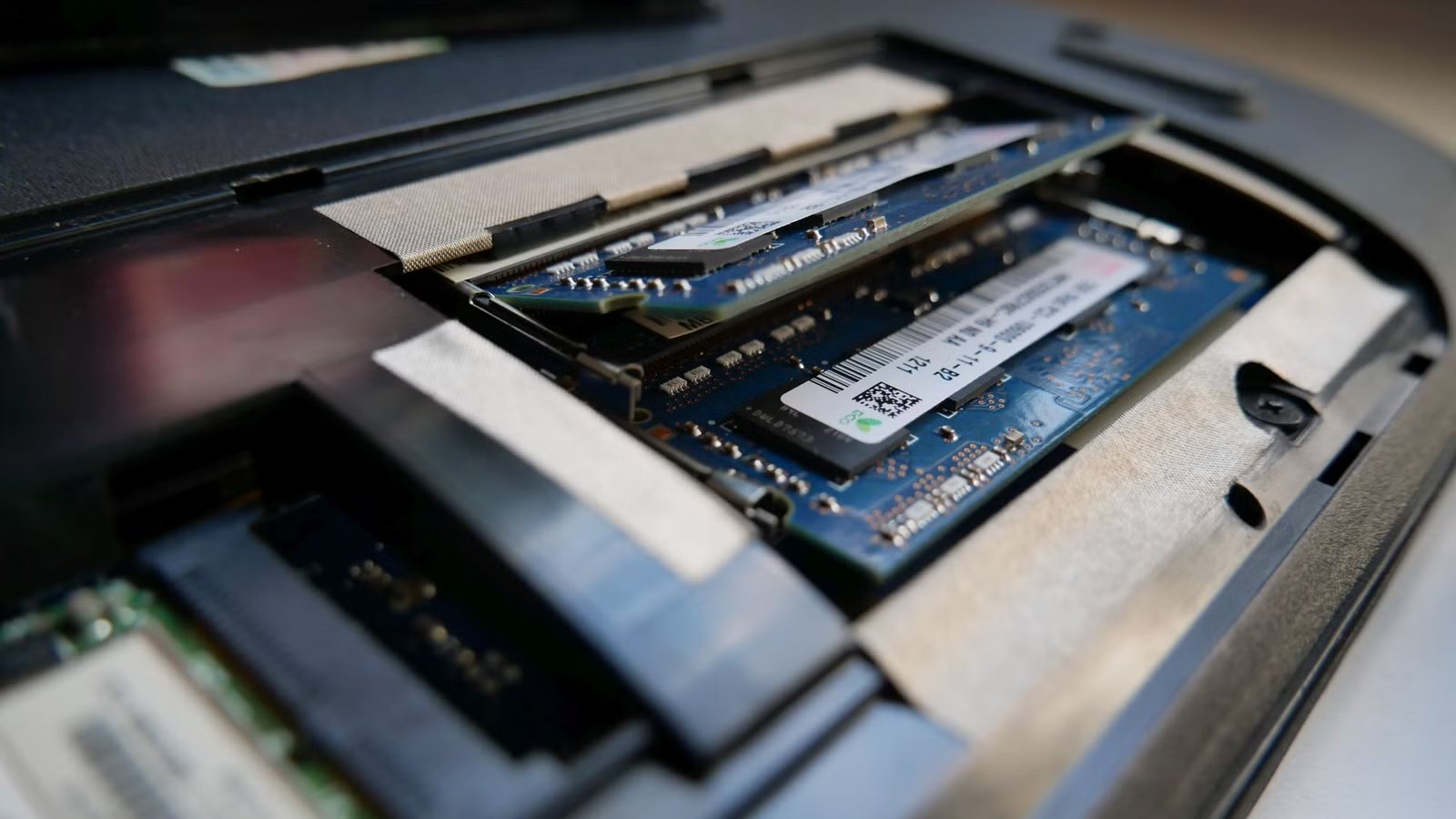
Not long ago, replacing your laptop memory was normal, something almost anyone could achieve with a basic screwdriver set and a little patience. You’d buy a laptop, maybe under-specced, knowing that you could drop another stick of RAM in at a later date when you needed an upgrade (or had more funds available).
It wasn’t even a niche, techy, enthusiast activity, as access to the laptop motherboard and its inner workings was as simple as popping off the underside and figuring out what you needed for the upgrade.
In 2010, Apple launched its first MacBook Air with soldered RAM, enabling a much slimmer profile, along with performance boosts by way of skipping the standard RAM socket. Fast forward a few years, and soldered RAM has become the default for most premium laptops, especially for anything with a slimline design. You’ll now find soldered RAM on MacBooks, Surface laptops, XPS laptops, ultrabooks, and more. The laptop I’m typing on, an ASUS Zenbook S14, has 32GB soldered RAM.
In short, it means that if you buy a laptop with 8GB soldered RAM, you’re stuck with it.
This change has enforced a couple of significant changes in how we buy laptops. If you’ve bought a laptop anytime in the past few years, you’ve probably hit on the moment where the manufacturer drops the dreaded “upgrades” page into the mix, offering a substantial RAM upgrade for your new device, with an accompanying substantial cost.
As it’s the only opportunity to upgrade your RAM, you’re in a bind—there won’t be another chance later. Want 32GB instead of 16GB? That’ll be another 300 bucks, please and thank you.
There are solutions, mind. You could buy an older laptop like the venerable ThinkPad T480, which still allows upgrades, or opt for a modern laptop with upgradable options, like a Framework 13 or 16. Still, it’s far cry from where we were just a few years ago.
User-replaceable storage
Upgrade your RAM, upgrade your storage
I don’t feel as strongly about soldered storage versus soldered memory. It’s still extremely frustrating, but if you can use cloud storage, and most folks do, it’s not as limiting as soldered RAM.
Still, storage used to be another area where laptops supported long-term ownership, repairability, and upgradability. I’ve switched out several 2.5-inch hard drives over the years on older laptops, along with some M.2 drives on Chromebooks and other laptops.
Like RAM, upgrading your hard drive was such a simple process, which is what makes it all the more painful that we can no longer do this. But it was a practical, affordable way to extend a device’s life, and is even more important now that file sizes are larger than ever.
Making it even more difficult is that some manufacturers, like Apple, HP, and Dell, use unique drive connectors, further increasing the difficulty of swapping out your storage. So, even if you could desolder and resolder the storage, which is difficult enough, you can’t use an off-the-shelf drive anyway.
SD card slots
They’re actually already slimline, so where have they gone?
Credit: Zarif Ali / MakeUseOf
There’s something almost comical about how many laptops dropped the SD card slot—only for manufacturers to later admit, through their actions, that removing it was a mistake. As said, the SD card slot hardly took up any space, even accounting for the controller inside the body.
So, why did manufacturers get rid of them when they’re clearly so useful? Well, you know the answer: to make devices slimmer than before. It’s the running theme of why we’ve lost all of these laptop features over the years!
But if you use a camera, drone, GoPro, audio recorder, or handheld console, you know how irritating this loss actually is. I’m a regular attendee at the major tech shows every year (CES, MWC, and IFA), but I don’t have a super smart camera that automatically uploads my images. That means I have to take out my microSD card, find the adapter in my bag, plug it in, and so on.
Whereas in the old days, I’d pop the memory card out, slot it into the laptop, and be good to go. Apple eventuallybroughtg the SD card slot back, but most manufacturers still haven’t followed suit.
Related
Why I Don’t Trust Thin, Light Laptops Anymore
Sometimes, a little bulk is the best option.
Ultra-slim, or ultra-usable?
I’m not arguing that we head back to the chunky laptop designs of 2015. They definitely had benefits, no doubt, but modern laptops bring so much to the table that it’s hard to ignore how good they’ve become.
But the good news is that the tide is shifting. As said, Apple brought back the SD card, and Framework has shown there is real demand for repairable, upgradeable laptops. We’re also seeing more ports returning, too. And, as I’m always keen to acknowledge that the times have changed, you can grab a ridiculously tiny 1TB USB-C drive and probably never run out of storage again.
So, maybe the time isn’t done for these laptop features; we just need to give them more time to return.
