

What you need to know
- Meta Quest v85 is now available to public test channel (PTC) users, including a new malware scanning feature, privacy indicator, voice control for 2D windows, passkey support, and the removal of the Horizon Feed.
- An updated Navigator UI is slowly rolling out to all V85 users over the next few weeks, replacing the old navigation UI entirely.
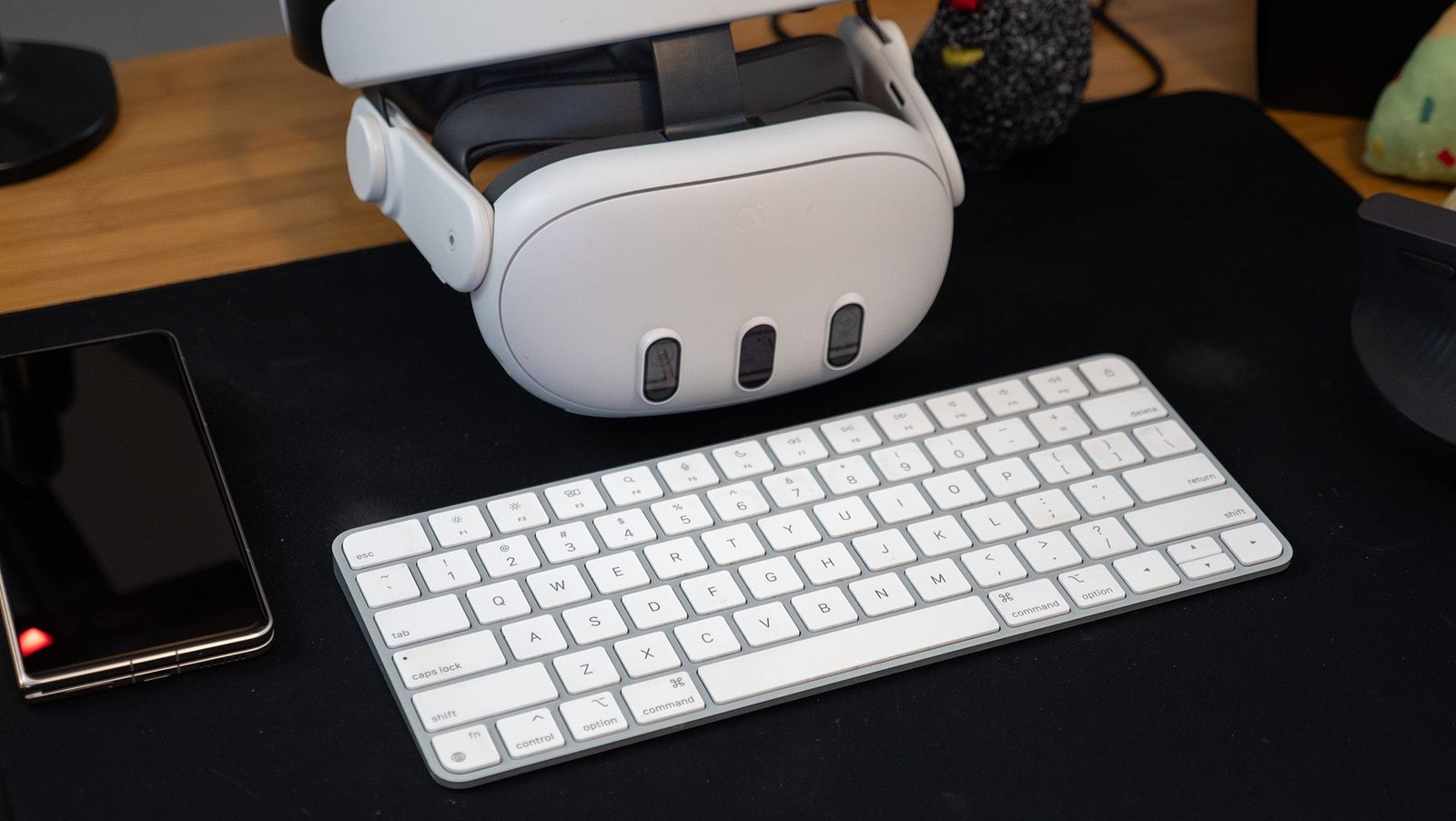
- Meta Quest 3 users (not Quest 3S) can now test out the Surface Keyboard and Touchpad, which adds a virtual keyboard and touchpad to any flat surface.
- Meta Quest 3S users can now customize the action button with short or long-press functions.
Meta updates the Quest’s system software nearly every month, and the next update is packed with new features to get excited about. That new update, v85, is now available to anyone enrolled in the public test channel (PTC).
Among the swath of changes and updates comes the removal of Horizon Feed, a 2D panel that featured Horizon Worlds content, Instagram reels, videos, and more. Meta says it’s removing the panel because it “has not driven strong entitlement conversion,” meaning that more users typically close the window rather than click its contents.
Instead, all home screens will slowly convert to the Navigator UI, a simplified UI (seen below) that makes it quicker to launch into apps with a single click after turning on your headset. Navigator has seen plenty of changes since Meta started testing it early last year, morphing with user feedback to usher in a more simplified experience.
You may like
(Image credit: Meta)
Meta didn’t specify why this feature was Quest 3-exclusive, but it’s likely because that headset features a depth projector, which projects an IR grid that’s invisible to human eyes but can be used by the Quest 3 cameras to measure depth.
But Quest 3S users aren’t totally left out, as that headset features an Action Button on the underside that’s now customizable in update v85. Meta says you can customize the long and short press actions, potentially making it more useful than its current function as a mixed reality toggle button.
Excited to share that Surface Keyboard & Touchpad is now available on Meta Quest 3 via the v85 PTC channel under Experimental Features! #MetaQuest #SpatialComputing #InputInteraction #InteractionDesign #VirtualReality #MixedReality #AugmentedReality #XR #Quest3 pic.twitter.com/iivLRhgrJrJanuary 31, 2026
All Meta Quest users will see updates to privacy and security, including a new automated malware scanning tool that runs after apps are installed, as well as new privacy indicators that follow guidelines Google delivered in Android 12. Passkeys can also now be used in the Meta Quest Browser, eliminating the need to remember passwords. The Meta Quest browser is now also pinned to the virtual wall within Meta Quest Home, giving you instant access to web browsing upon boot.
2D windows can now be controlled via voice commands and head movements, which Meta says has been added as an accessibility feature for users with limited hand mobility. You can also now hide your virtual hands when they’re not in view under movement tracking in system settings. These features may also be key to further de-prioritizing controllers for the rumored upcoming headset that’s said to ship without controllers in the box.
Meta is also rolling out an overhauled Ongoing Activities panel, which the company says delivers an improved design for “easier access to controls for various functions, such as taking videos, making calls, or enjoying media.” Meta teases that this establishes “a foundation for future improvements and the integration of new features in upcoming releases,” so it’s not the last we’ll be seeing of additions to this panel.
Android Central’s Take
Meta has been working on many different UI updates over the years, but Navigator is by far the most elegant approach yet. However, it’s not without its problems, as previous versions have included a confusing “dual-layer” window structure that separates the app drawer from the rest of the floating windows, requiring a single or double press of the Home button to toggle between different layers.
Lots of people who used my headset over the past year found this dual-layer system confusing, and I’m hoping Meta has taken that feedback and made changes to its structure. All of the other changes and features in this update are seriously wonderful, including the removal of Horizon Feed, as it signifies Meta’s understanding that VR users, en masse, don’t like Horizon Worlds and want Meta to stop pushing it in their faces.
As for testing out PTC v85 yourself, my recommendation is that you don’t. I was on PTC for a year and a half, and regretted it every month a new update came out. The experience wasn’t just buggy; it was often completely broken, making it impossible to even use my headset far too often. Just wait for the final v85 update, which is only a few weeks away.
