

What you need to know
- The NBA Playoffs are in full swing, and Threads is slowly rolling out Live Chats for its NBA Community.
- In Live Chats, users can join and chat amongst other NBA fans, posting messages, photos, videos, and more.
- This feature is rolling out to a small number of creators first, but Meta says it’s planning several more features, like co-hosting, for the future.
Getting together to watch the game gets a whole lot easier this week on Threads for basketball lovers.
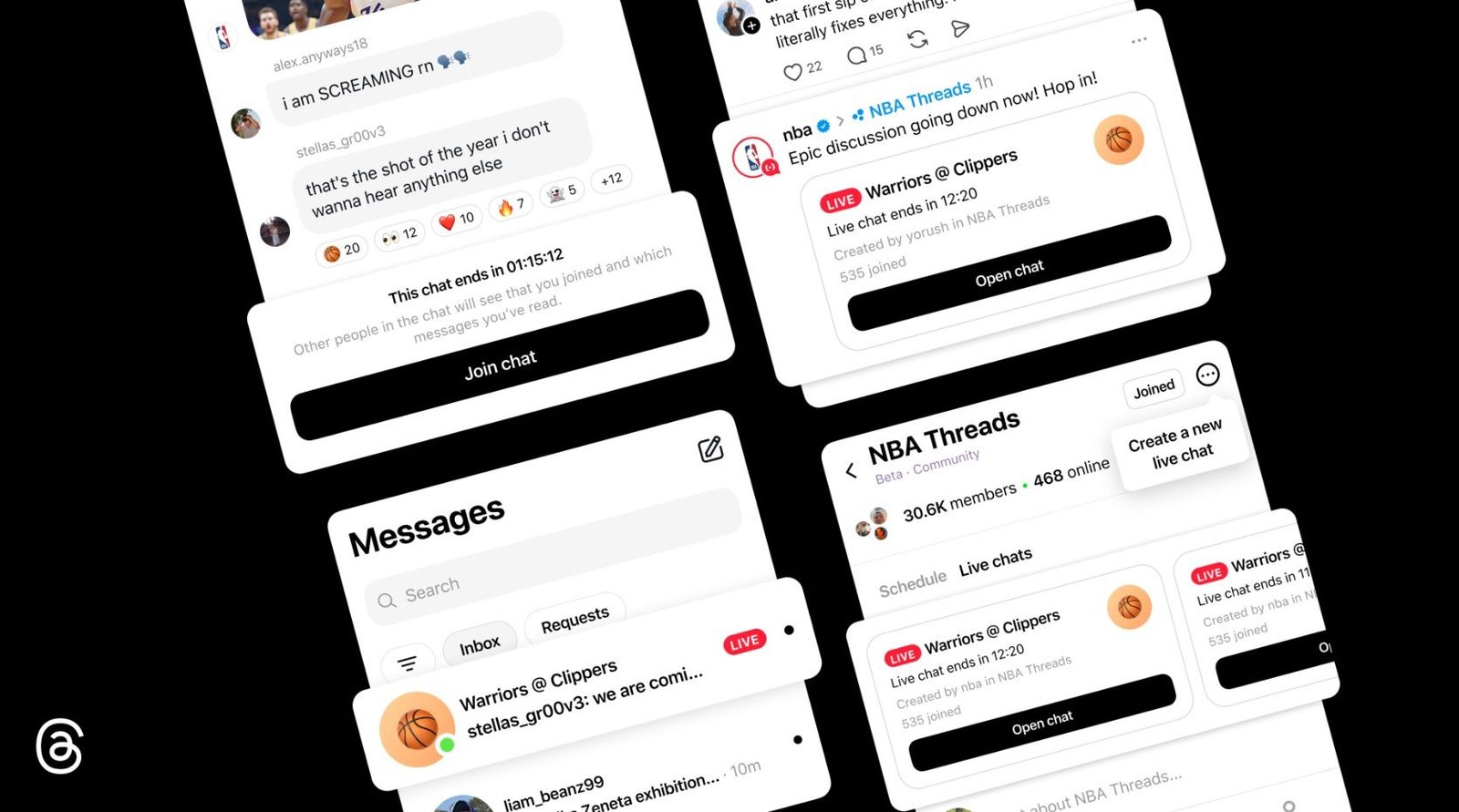
Today (Apr 22), Meta announced that Threads will soon roll out Live Chats, a dynamic version of your standard group chat for “real-time conversations around cultural moments as they’re happening.” Joining Live Chats is a convenient (and bold) red ring around the user’s profile icon, so everyone knows they’re live. To get Live Chats going, Threads says this feature is rolling out first for NBAThreads Community creators throughout the playoffs and the Finals.
Meta adds that Live Chats for the NBA post-season will be present at the top of its Community Feed and in linked shared posts in your normal feed. Once you’ve joined a chat, users can send messages (photos, videos, links) and send emoji reactions. Live Chats are open to the public; however, if it’s “full,” Meta says “you can still watch the conversation, react to messages, and vote in polls.”
Article continues below
You may like
Image 1 of 2
(Image credit: Meta)(Image credit: Meta)
This feature is rolling out to a select group of NBA content creators on Threads to start. These creators can schedule a Live Chat ahead of time, while also having the option to set how long it will remain open. If the NBA is hosting a Live Chat, it might schedule it to start at 7 pm ET and run for about three hours, which is typically the length of a game. Live Chats can be shared on Threads or Instagram Reels for publicity.
Android Central’s Take
I like this idea. You can already do something like this on Threads. Just by posting, you’re involved in this NBA Community, and people can like or reply if they want. I feel that a centralized location, such as a Live Chat, is the better choice. People can still post how they please, but for those who want to feel like they’re in a digital stadium, Live Chats could be that solution.
This is reportedly the beginning of what Threads envisions for Live Chats. Co-hosting, play-by-plays, a lock screen widget, and the “ability to quote and share chat messages on your Threads feed” are all under development. Live Chats for the NBA Community in time for the NBA Playoffs and Finals are rolling out slowly.
As a teaser, Threads highlights community members, such as Malika Andrews, Rachel Nichols, Trysta Krick, David Rushing, and Lexis Mickens, as notable members who will be hosting Live Chats for the NBA.
Hit the court
(Image credit: Nicholas Sutrich / Android Central)
Threads has been relatively quiet as of late, but a major update rolled out in February, giving users control over their feeds. This control offers more, as users find access to “Dear Algo.” This lets you personalize your app’s algorithm for a select number of days (up to three). If there is something you’d rather see less or more of, Dear Algo is there to help you change things up for a while.
Android Central’s Take
This feature pretty much goes hand-in-hand with these Live Chats. Imagine switching up your algorithm to see “more basketball.” Now, you’re seeing NBA Live Chats, videos, game highlights, and the like.
An extensive menu lets users see their active Dear Algo requests, alongside some that have expired. What’s more, your algorithm requests can be shared, so others who might want to see more of what you’re seeing can do that.
