

When new Android phones hit the market, all eyes are on the hardware upgrades. However, you’re buying into an Android software ecosystem every time you pick up a new phone. There are numerous factors to consider, including the software it ships with, the availability of exclusive features, and the promise of future updates. Foldable phones put a greater importance on software, as multitasking features and cover screen functionality can make or break a device. While the Razr 2026 series’ hardware looks underwhelming on paper, I came away from my hands-on session last week in awe of Motorola’s software.
Razr flip phones are functional, but more importantly, they’re fun. Motorola offers unique Pantone colorways sporting materials like wood and Alcantara, helping the Razr 2026 lineup stand out. The software needs to match the same level of flair as the hardware. Luckily, it does, with the Razr 2026 series set to bring fresh camera, personalization, and productivity features to the new lineup of flip phones.
Related
I tried all three Motorola Razr 2026 models, but only one is worth your money
Motorola’s flip phone lineup is still more versatile than just about every other brand. It’s also more expensive, and similar to the Razr 2025 series.
Rotate to zoom
Use Camcorder mode to zoom in and out with your wrist
Credit: Brady Snyder / MakeUseOf
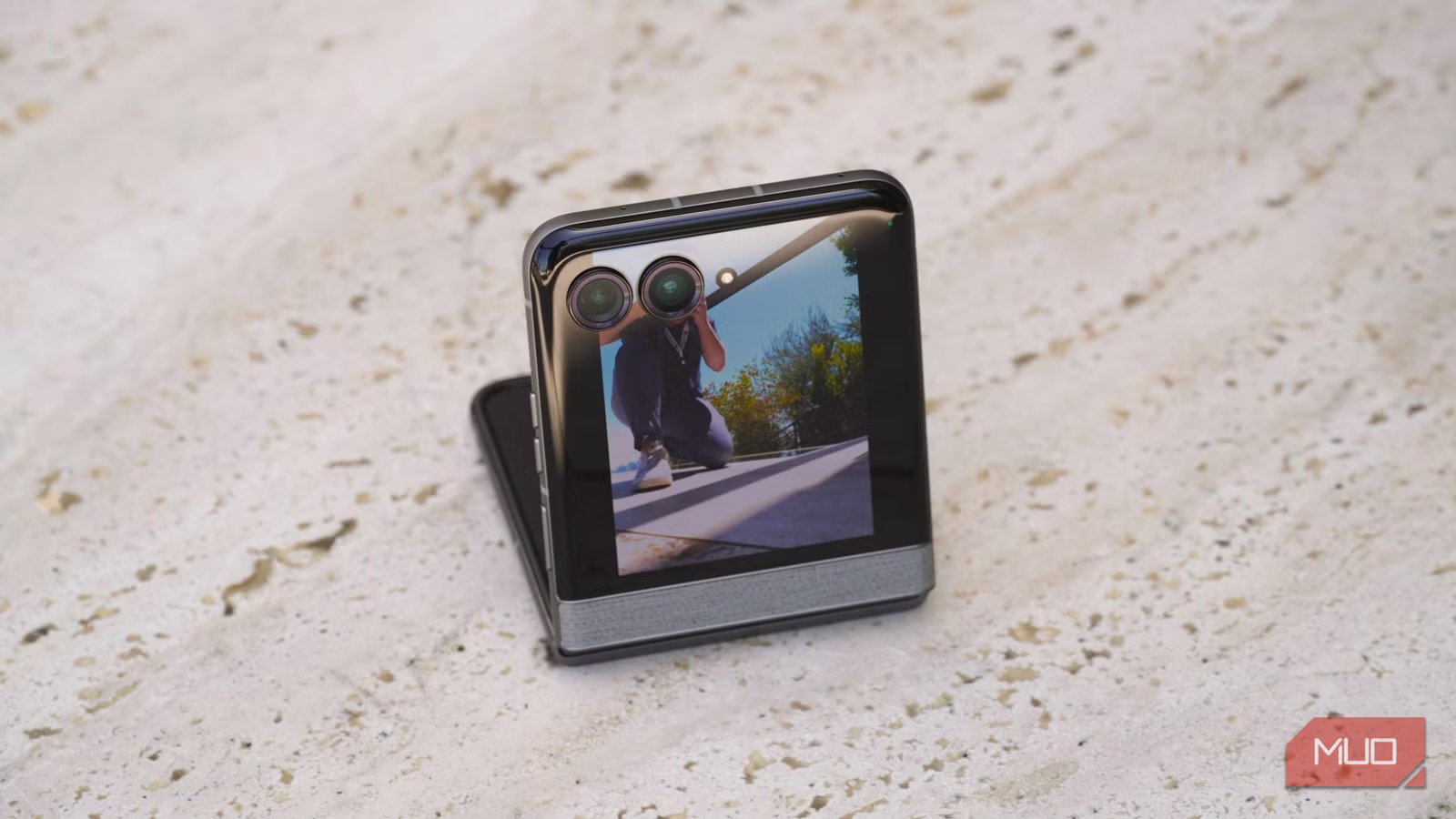
If you own a clamshell foldable phone, there’s a video mode you need to be using. It’s called Camcorder mode, and it essentially turns your phone into a vintage-style camcorder. Simply open the camera app on a Razr or Galaxy flip phone, and switch to the video mode. Then, close the display halfway, and a video recording will start immediately. Hold the phone like a camcorder, with the top half of the screen displaying the viewfinder and the other half doubling as a touchpad for controls. The outer screen can show the viewfinder, too, with External Display Preview.
It’s a clever recording trick, but Motorola is upgrading the experience on the Razr 2026 series. The touchpad was previously used to control zoom lengths while recording. Swipe up to zoom in on your subject, and swipe down to zoom out. Now, there’s a more intuitive way with Rotate to zoom. When recording with Camcorder mode, tilting your wrist will zoom in and out. Using horizon leveling, the video appears stabilized, and the wrist twists are an easier way to adjust the zoom level.
Related
5 Android camera features you can only use on a foldable phone
Foldable phones provide a larger screen and more flexibility, but they also bring serious software upgrades to the camera.
Frame match
Help you photographer take the photo you want
Credit: Brady Snyder / MakeUseOf
Frame match is the camera feature for those who always want their friends and family to jump in as their personal photographers. There’s nothing wrong with that, but there may be something wrong with the results. You probably know the people in your inner circle that can or can’t take great smartphone photos. With Frame match, Motorola takes the guesswork out of the ordeal. It makes capturing a great photo as easy as lining up the viewfinder with a guide photo.
Let’s say you want someone to take a photo of you on the beach, but you need to make sure they get the right angle. With Frame match, you’d ask your photographer to pretend they’re the subject, standing exactly where you’ll be standing on the beach. You’ll capture a guide photo using the Frame match feature, and then switch places with the photographer. They will see a guided overlay of the image you took atop the viewfinder. This allows them to easily line up the live scenery with the angle and positioning of the sample photo you took.
It’s almost like tracing a drawing or using a stencil. The guide is right there, and even inexperienced mobile photographers will take superb shots with Frame match.
Related
Motorola’s Razr Fold offers the one thing Samsung and Google foldables miss, at a lower price
Motorola finally told us the Razr Fold’s release date and price. It undercuts the Galaxy Z Fold 7 while offering a feature Samsung just removed.
Video wallpapers
Liven up your cover screen with a dynamic wallpaper
Motorola phones are expressive, and now, your Razr 2026 cover screen wallpaper will be as flashy as the phone’s colorway. Video wallpapers are supported on the Razr 2026 series cover screens for the first time. Instead of using a static wallpaper, you can use a video that plays when you wake your Razr flip phone. Video wallpapers still work with time, date, weather, and battery status widgets. They add a pop of motion to your Razr 2026 lock screen without removing the glanceable data available on the cover display.
Live updates
One of Android 16’s best features, now on the Razr 2026 series
Credit: Brady Snyder / MakeUseOf
Motorola is also incorporating a few Android 16 features as part of the Razr 2026 software experience for the first time, starting with Live Updates. They are here, and now available on the Razr 2026 lineup’s cover screens. Live Updates are a new type of Android notification designed for time-sensitive, progress-centric information. In other words, these are for tasks you need to actively keep an eye on. Examples include navigation directions, delivery orders, or score updates.
They appear in a pill-shaped bubbles in the Android status bar, or as full-size notifications on the lock screen and notification shade. This type of notification makes perfect sense for flip phones like the Razr 2026 family. The cover screen allows for glanceable updates while the foldables are sitting on a desk or table, for instance. You can check a Live Update for a delivery order without opening up the device, saving time.
It’s not the only Google feature debuting on the Razr 2026 series, and I’ll call out a few others here. Motorola’s Daily Drop is like Samsung’s Now Brief, but it includes Google Photos memories. As of now, there isn’t another third-party software feature that uses Google Photos memories like Daily Drop. Additionally, the Razr 2026 lineup will get Google Photos’ Wardrobe feature first, which helps users style outfits based on photos in their gallery.
Is the Motorola Razr 2026 series for you?
I only briefly used the Razr 2026, Razr Plus 2026, and Razr Ultra 2026 in a hands-on session last week, so I’ll need to spend more time testing the new phones before issuing a final verdict. Of the three phones, the base-model Razr 2026 is the most enticing. It’s the only model to get a processor upgrade, and it’s also cheaper than the rest. However, this version didn’t escape the pricing issues completely — the Razr 2026 is $100 more expensive than the Razr 2025, and you only get half the storage.
I wish Motorola’s software support commitments were more aggressive, because only three years of Android OS upgrades won’t compete with Google or Samsung. These Razr phones deserve software credit where it’s due, though. I can’t wait to use these four new features on the Razr 2026 series, and they make flip phones exciting again.
SoC
MediaTek Dimensity 7450X
RAM
8GB LPDDR5X
Storage
128GB
Battery
4,800mAh
Release date
May 21, 2026
The Motorola Razr 2026 features a compact 3.6-inch outer screen and 6.9-inch primary screen in a clamshell foldable form factor. It’s a budget device powered by the MediaTek Dimensity 7450X and equipped with dual 50MP rear cameras. At $799, it’s an incredibly an affordable way to get your hands on a foldable Android phone.
