

Getting a jump-start on the week is always my plan on Sunday. I try to take some time each week to prepare myself for what’s upcoming. Doing this has helped make the work week feel less overwhelming, as I am ready to take on whatever it throws at me.
Every week is different, and some are harder than others to plan for. I realize there are variables in the week that can affect a lot, such as late meetings and appointments elsewhere. This is why I need to account for all kinds of situations as I’m plotting out what is needed for that week. I know I don’t want to be scrambling as the week goes on, so it makes sense to get a jump on it. As the week is taking place, there are a few things I keep at my desk that help me execute the plan I made on Sunday. These are tools that give me a better edge to tackle the week.
Related
Your Clock App Is a Productivity Hack: Use It More
The tool you need has been with you this whole time.
Brick puts me in the right mindset
I’m no longer scrolling when I should be working
I have a bad habit of scrolling on my phone at times when I shouldn’t. Wasting long stretches on social media became a common practice for me, leaving me scrambling to finish work within the allotted time once I put my phone down. I have definitely become too accustomed to spending lots of time on my phone and needed help breaking the habit of automatically reaching for it any time I have some “down” time.
That’s why Brick has been such a great addition to my home. This takes away my phone’s ability to go on whatever apps I designate. It basically reverts your phone to being a dumb phone. I have it set to block over 30 apps when it is Brick’d, the term the company uses for enabling the setting.
What you do is place the physical Brick device somewhere in your home that’s away from where you normally are, open the app, and tap your phone. It works like a card reader to instantly block the apps that you have designated. This means that if you try to open them, a prompt shows up that doesn’t allow you to open them.
Brick is different from Apple’s Screen Time and Android Digital Wellbeing because you can’t leave the mode on your phone. You have to physically tap the block in order to restore your phone.
I have my Brick in my bedroom, since I spend most of my time at my desk, and it means I’d need to get up, walk to my bedroom, and tap the block to enable my phone. Because of this, I typically have my phone Brick’d for hours a day, making me less inclined to reach for my phone when I should be working.
This has been a huge change for me, as I feel more productive by focusing on the task at hand, knowing I wouldn’t be able to scroll social media if I had my phone out anyway. I will frequently enable Brick from the app, which you can do by holding down the Brick button. But having to get up to turn it off has made this something that makes me more productive throughout the day.
Mindsight has your best self in mind
It helps you daily
Credit: Mindsight
Being stuck at your desk all day is no fun. So finding ways to liven up the day is smart and a must. Not only livening up your day, but making it a more mindful one is something everyone should consider. That’s why the Mindsight Wellness Habit Tracker is great for your desk.
This is meant to improve your focus by helping you track your daily habits and see how well you’re doing each day. It is a Pomodoro timer, meaning it breaks work into timed intervals. There are fixed timers for 5, 15, 25, 45, and 60 minutes.
This encourages good habits by keeping track of your daily streaks and lifetime progress. Once you’ve finished doing some work, it offers you suggestions like stretching, breathing, and meditating to help you stay focused during your breaks.
Anyone with trouble focusing can trust this science-backed timer, which has different sides you can rotate to keep your day moving forward. You don’t need to rely on your phone, and this can keep you locked in to your tasks while giving your mind and body a break when it needs it.
The Elgato Stream Deck Neo helps you handle your work more quickly
It has buttons for work apps
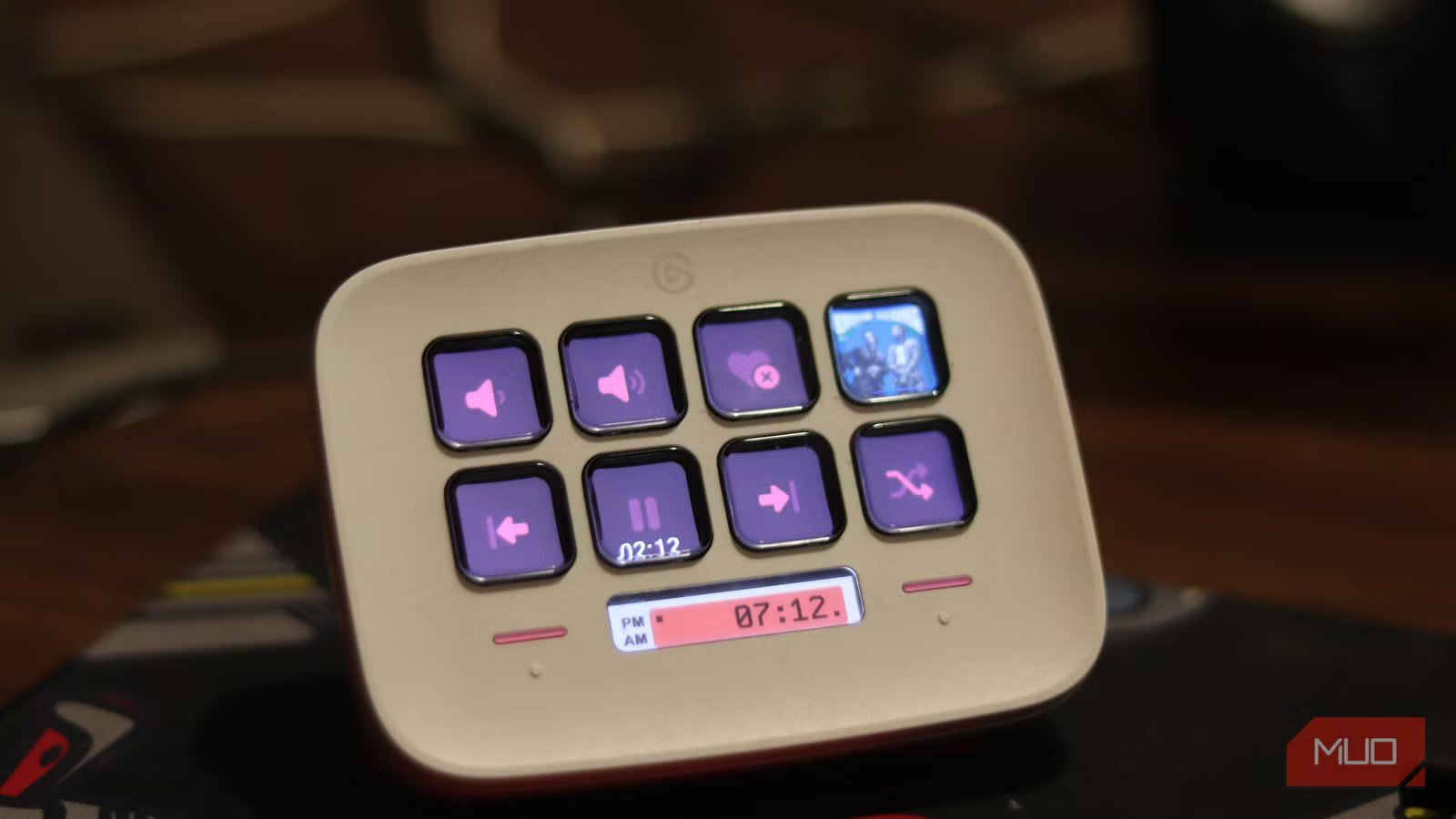
Yadullah Abidi / MakeUseOfCredit: Yadullah Abidi / MakeUseOf
The Elgato Stream Deck Neo is a popular choice for those working on a computer all day. This miniature Stream Deck lets you use its eight buttons for key shortcuts, so you can fly through your applications quickly and easily. It offers compatibility with Microsoft Office, Google Workspace, and more. You’ll be able to answer calls on Zoom, Slack team members, and alter photos with Photoshop.
The buttons are customizable, so you can choose what you want at the onset. But swapping them out is simple, so you’re not stuck with one layout. Elgato offers over 300 applications to choose from, with many functions within those apps.
You can set this up to maximize your workflow throughout the day. It makes swapping apps as well as working through the functions of each app simple. Go from flipping through a presentation on PowerPoint to highlighting different cells in Excel.
The Stream Deck app is where you customize your setup, and you can drag and drop the functions, making it a breeze to set up. What’s nice is you don’t have to use this only for work, as it integrates with Spotify, tons of streaming apps, and any Windows or Mac features.
Brand
Elgato
Connectivity
USB-C
Color
White
Weight
210 g / 0.46 lb
Mount
Folding mount with rubberized base
Dimensions
107 x 26 x 78 mm / 4.2 x 1.0 x 3.1 in
The Elgato Stream Deck Neo is made for beginners and offers app compatibility for over 300 programs.
Adding productivity items to your desk can make your day easier
I struggle to maintain my focus sometimes while working. The temptation of my phone is just too much. But there are ways to alleviate the pull of social media, and gadgets like the ones listed help. You can find ones for mindfulness, work efficiency, and some that can turn your phone dumb, helping you concentrate. Any of these is bound to help your productivity at work.
