

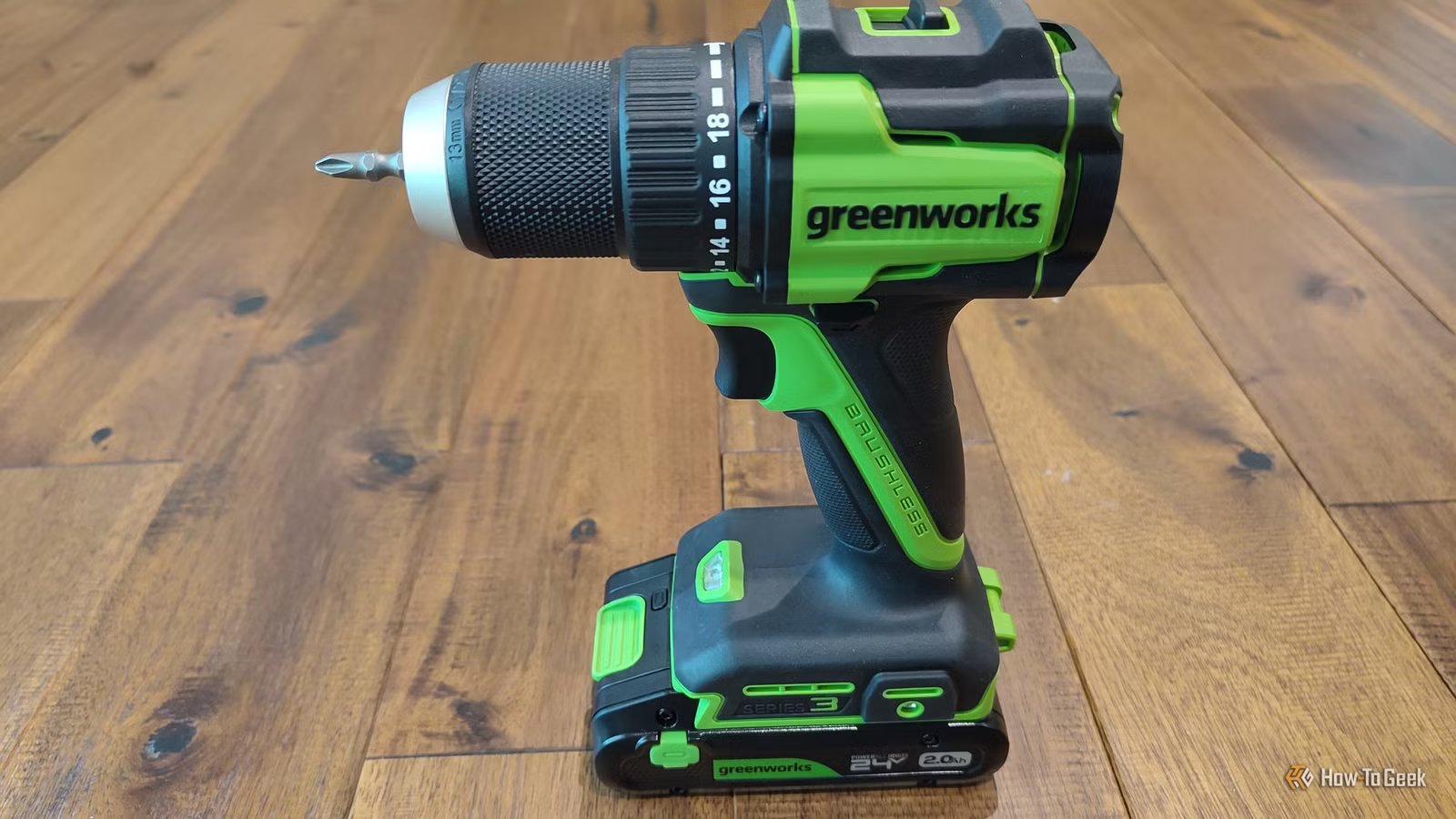
Buying smart home tech is different from other kinds of tech, because you’re likely going to find yourself putting holes in the wall. While you can do this by hand, there’s one tech purchase that makes all the difference.
My smart home is all the better thanks to this Greenworks drill
I can now make smart home upgrades in minutes
As much as I enjoy getting new tech, I don’t like buying new tools. I’ve been using the same hand-me-down power drills for much of the past decade, and they were already old when they were gifted to me. One was underpowered but cordless. The other was more powerful but corded. Neither was an ideal companion for installing tech in all the places throughout my home.
For this year’s birthday, I caved and asked for a new power drill. Since I already own many Greenworks products, I went with that brand. I now have a new power drill and impact driver set that I thought would be a big help for hanging shelves and taking apart furniture. What I didn’t realize was how big a difference it would make in my smart home.
Battery Capacity
2.0Ah
Voltage
24V
This Greenworks kit contains both a 24V drill and impact driver. Two USB-C rechargeable batteries come included, along with a 65W charging adapter and two USB-C cables.
I found this out when I went to install a new smart thermostat, the Aqara W200. I couldn’t figure out the wiring right away, since it differed slightly from my existing thermostat, so I ended up taking it down and putting my Honeywell X8S back on. After troubleshooting the issue online, I came back a week or two later and swapped out the thermostats again. This process was immensely less frustrating because I had a brand-new power drill that made extremely easy work of drilling new holes and swapping out the screws. Side note: I will eventually switch back. I’m reviewing the Aqara, but I prefer the Honeywell I already had.
More smart home products involve using a power drill than you might think
From smart lighting to power outlets and ceiling fans
When I had the bright idea to purchase over 50 TP-Link Tapo smart switches at once, I didn’t realize how much manual labor it would be. I went into this project largely blind, and it ended up being quite the learning experience. For example, I didn’t realize how quickly my arms would get tired from taking out an old light switch, wrestling with the wires, and screwing a new one back in.
While I have installed most of those switches, I still a few throughout the house that I have yet to replace. Thankfully, the rest of the project feels less daunting now that I’m better equipped for the job. Those switches work just fine, by the way. I’ve had great success pairing them with Samsung SmartThings, Home Assistant, and Homey alike.
When you decide to build an all-matter smart home, you eventually start looking at various types of fixtures that are integrated into your home. If you want to switch out your power outlets for smart outlets, that will require working with screws. So does swapping out an outdoor porch light for a fancy wall light. I recently reviewed Govee string lights that don’t have to be screwed in place, but it sure helps if you’re looking to mount them long term.
You can save money on your smart home by doing the work yourself
Work smarter, not harder
Credit: Bertel King / How-To Geek
Replacing all the smart switches in your home is not a quick and easy job. Neither is swapping out a bunch of light fixtures or power outlets. This is the kind of work it makes sense to call an electrician to do, but doing so will substantially increase the cost. If I had called an electrician, there’s a good chance labor would have cost more than I spent on the switches themselves. That box of switches cost me less than a new phone. Factoring in contractors would have substantially changed the math.
Every smart home product I’ve bought has come with easy-to-follow instructions and is designed to be installed DIY. The question is, are you able to make enough time to learn how to do the job yourself and fit it into your schedule? With the right tools, the work can get done faster and what would have taken several days might only take one or two.
In retrospect, this seems obvious. But you know how it goes. It can be hard to justify spending an extra $100 when fussing about with something for a little bit longer, for free, is also an option. It’s easy to wrestle with one thing at a time, but then one thing turns to two, and before I knew it, I had taken hours to do what I could have done in one. Take it from me: do yourself a favor and make sure you have a nice drill before you start purchasing your smart home tech.
Come prepared with the right tools
A power drill isn’t the only game-changer you want to have around. Make sure you have other essentials, such as a leveler and a stud finder. Also, a drill kit won’t come with bits in every size you might need, so be sure you have a good set of bits as well.
