

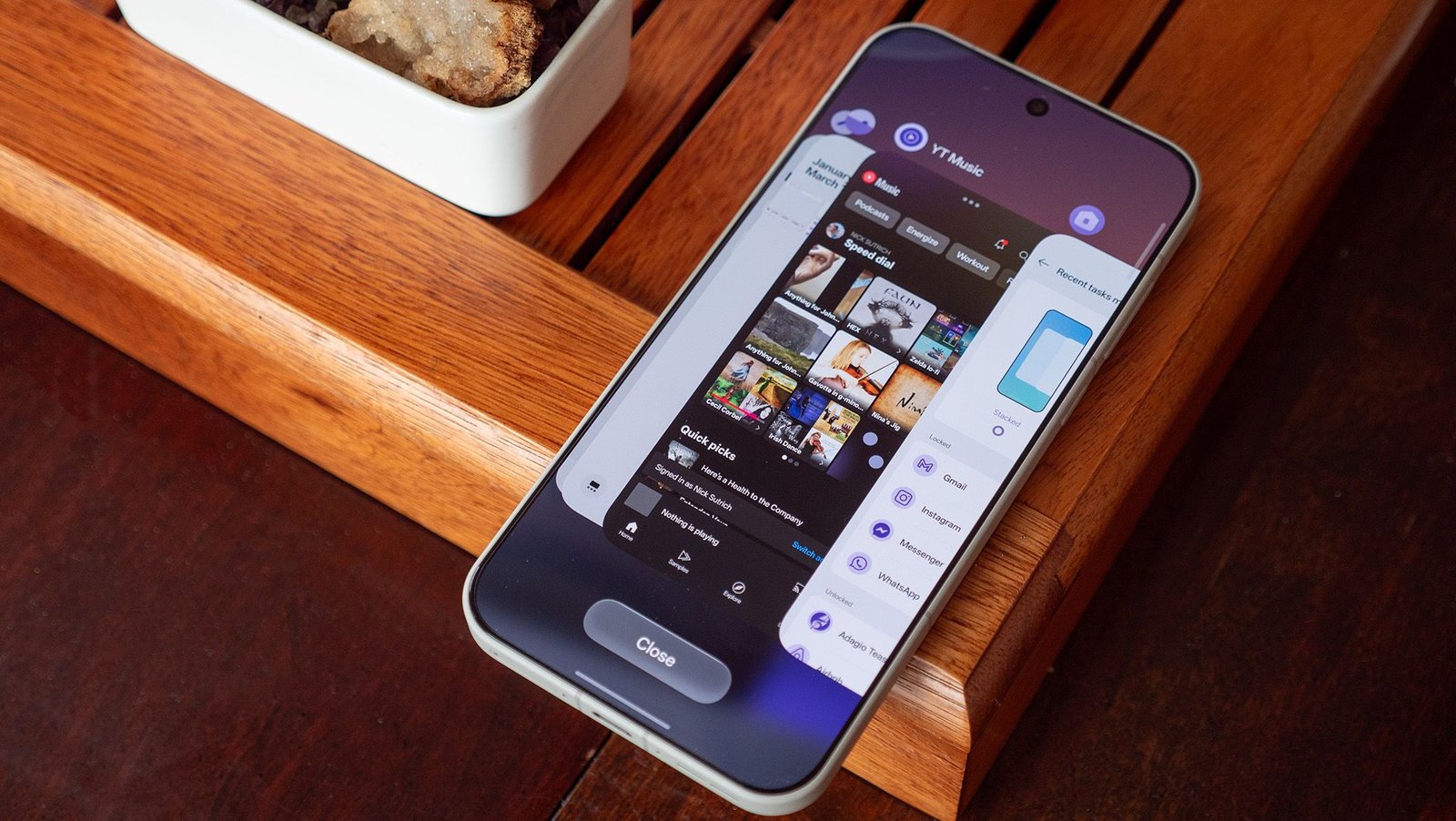
I just got my OnePlus 15 back from a co-worker who was testing the phone, and after setting it up, I was horrified by the new Recents multitasking UI. Not only was it a blatant iOS ripoff, but it was a worse design than what OnePlus has employed for years. I wanted the old look back, but I couldn’t find it anywhere in the settings menu, even after searching for everything I thought it might be called.
Turns out, the option to change it back to the “flat” look is still there, but it’s hidden for some absolutely bizarre reason. Most companies adopted the stacked tile look for Recents last year, a design that’s a massive improvement over the garbage stock Android Recents UI, but one that’s far worse than OnePlus’s design, which I’ve long called the best multitasking UI on any phone.
Get the good task switcher back on any OnePlus phone running OxygenOS 16:
1. Open up the Recents UI by tapping the Recents key on your navigation bar or by swiping up on the home bar without taking your finger off the screen for a second.
Article continues below
You may like
2. Press and hold on the Close button.
3. Select Flat from the options up top.
(Image credit: Nicholas Sutrich / Android Central)
After a bit more digging, I found out that this same settings menu can be found by pinching on the home screen, selecting home screen settings, then selecting Manage Apps at the bottom.
Either way, you get the job done; this setting re-enables the classic, blazing-fast OnePlus multitasking UI. If you ever want to “lock” an app in memory, you can also do it from this screen. That’ll keep apps readily available in memory even if you have a bunch of stuff going on at once.
OnePlus’s classic UI is best
(Image credit: Nicholas Sutrich / Android Central)
For some reason, 2025 was the year that most Android manufacturers decided to adopt a split notification shade and ditch Google’s awful multitasking UI for Apple’s superior design. But, as is almost always the case, a third option would have been better to keep as the default.
Yes, that’s right, the already default classic OnePlus multitasking UI was the best choice, yet OnePlus thought copying Apple would be preferable for anyone switching from an iPhone. If I had to give OnePlus any credit here, it’s that Apple users aren’t known for changing anything on their phones, so maybe choosing a familiar style wasn’t a terrible option.
Thankfully, OnePlus didn’t delete its superior UI; it just hid the UI away for the power users to find. If anything, I suppose we could think of this as a power user scavenger hunt. I just hate that OnePlus gave users the worst of two choices as the default, especially if they never know they can have something better without digging through layers of settings menus.
(Image credit: Nicholas Sutrich / Android Central)
Why is the default UI better, you ask? The answer is down to speed. OnePlus has long heralded its phones as bastions of speed, and part of that was how easily they let you multitask between apps. The row of app icons at the bottom can be tapped and dragged, meaning you could quickly switch between 10 apps with a single swipe and tap.
That’s monumentally better than any other UI design, which at most lets you switch between six apps without swiping or tapping. The new default OnePlus multitasking UI, which is now essentially identical to Samsung, Apple, Honor, and a swath of other companies, only lets you switch between two other apps without having to start swiping.
It’s simply less efficient and can be annoying for power users who find themselves moving between multiple apps all throughout their day. Ironically, the real superior UI would be to meld the two options. Use the stacked cards so we can see what’s next in line, and keep the bottom row of icons for faster switching. While I could dream about what’s next, at least the classic UI is back in action.
The value of the OnePlus 15 is simply unmatched, delivering top-tier specs without that nasty top-tier price everyone else is trying to charge. Get the speed you need for years to come with the OnePlus 15.
