

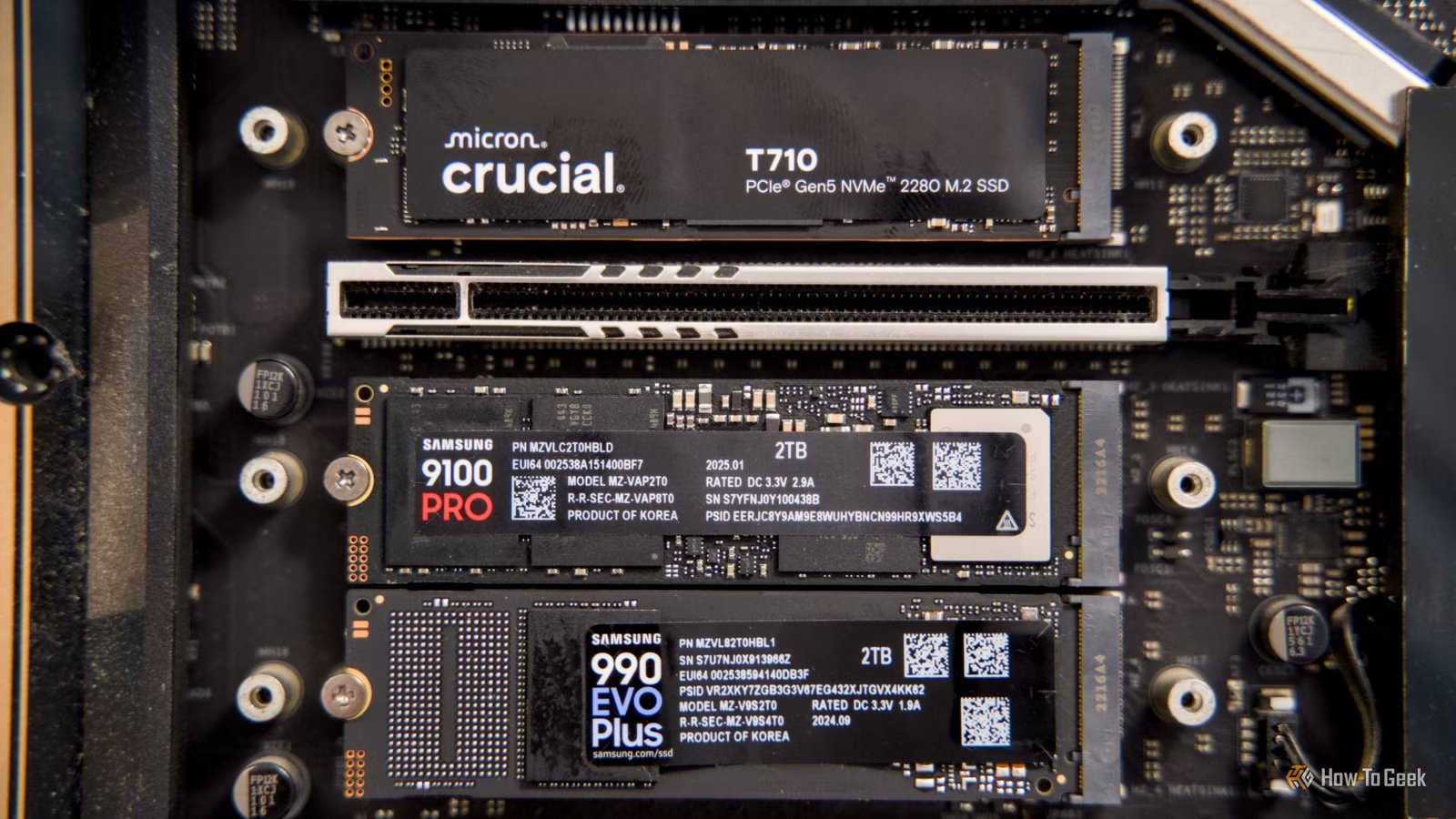
NVMe SSDs are all the rage because they’re small, cost-effective, and blazing fast. Unfortunately, if you’ve built or purchased a PC in recent years, you may have noticed that there aren’t nearly as many M.2 NVMe slots on your motherboards as you might like. That is where PCIe bifurcation comes in.
What are PCIe lanes, and how does PCIe generation matter?
PCIe is a communication standard used by components in your PC to send and receive information from the CPU. Typically, PCIe is described in terms of both lanes and generation.
What are PCIe Lanes?
On any given CPU, there are a set number of PCIe lanes, which are a bit like channels along which you can send data. Normal consumer CPUs have between 24 and 28 PCIe lanes, while professional CPUs, like AMD’s Threadripper or EPYC processors, usually have more than a hundred.
Typically, 16 lanes (written as x16) are reserved for the graphics card, 4 lanes (x4) are allocated for a high-speed NVMe SSD, and the rest are allocated to connecting other things on the motherboard—like SATA ports—to the CPU.
Credit: Ismar Hrnjicevic / How-To Geek
If you plug in something else to one of the x4 or a second 16-lane slot on your motherboard, you’re doing one of two things: Either you’re using lanes allocated to the “chipset” (the motherboard), or you’re forcing the full-speed x16 slot to run as a x8 slot.
If you need every ounce of performance out of that x16 slot, that can be a problem. Luckily, you probably don’t.
What about PCIe generations?
PCIe, like most digital standards, has improved over time. The latest consumer version is PCIe 5.0, which can transmit up to 4GB per second in one direction, which gives each lane a total bandwidth of 4GB/s. When you have 4 lanes, you get a whopping 16GB of bandwidth, and 16 lanes can transmit up to 128GB/s.
Of course, not every component or motherboard supports PCIe 5.0—there are still a ton of PCIe 3.0 and PCIe 4.0 devices around. After all, why use a more expensive version when the older version will do just fine?
PCIe 4.0 has half the maximum speed of PCIe 5.0, which is 2GB/s per lane, and PCIe is one quarter of the speed of PCIe 5.0, which gives you 1GB/s.
Though that sounds slow by comparison, it really isn’t. The overwhelming majority of things you attach to your computer can get by on much less.
Related
Stop buying PCIe 5.0 SSDs for your gaming PC
Doubling what you spend probably won’t double your performance.
What about NVMe M.2 SSDs?
NVMe SSDs rely on PCIe lanes just like a GPU that you plug in, though it uses a different connection called M.2. Typically, each M.2 NVMe SSD tries to use 4 PCIe lanes.
Credit: Patrick Campanale / How-To Geek
However, they don’t strictly need 4, and if you have faster lanes available, it may not matter at all. For example, if you had two PCIe 4.0 drives that normally can use up to 16GB/s between the two of them, you’d need 8 PCIe 4.0 lanes to run them at full speed.
However, if you connect those drives to PCIe 5.0 lanes, you only need 4 lanes available, since PCIe 5.0 lanes can handle double the bandwidth.
On most motherboards, you’ll quickly run out of lanes and M.2 slots for your NVMe drives.
Luckily, there is a workaround that can easily let you connect more drives.
PCIe bifurcation can give you additional M.2 NVMe slots
Because PCIe 5.0 is twice as fast as PCIe 4.0, you can actually run two PCIe 4.0 drives using only 4 PCIe 5.0 lanes. You just need to split them up first, which is called PCIe bifurcation.
If your motherboard supports PCIe bifurcation, splitting your PCIe lanes is as simple as plugging in the correct adapter, usually called a NVMe SSD to PCIe adapter card. Inexpensive models allow you to connect a single extra NVMe drive to the board, and then plug that board into any of the free PCIe slots on your PC.
More expensive models allow you to connect even more NVMe SSDs, but they’re also going to use up more PCIe lanes. Usually, these adapters go in the extra x16 slot on your motherboard. Installing the drive there will usually force both x16 slots to run at x8 speeds, but don’t worry about bottlenecking your GPU. The performance decrease when running most GPUs at x8 is minimal, since PCIe x16 is overkill for most cards.
If your motherboard supports it, and you buy the right adapter, you could easily attach another 4 PCIe 4.0 NVMe SSDs using only 8 PCIe 5.0 lanes. If you can find a card with the right number of ports, you could run 8 PCIe 3.0 NVMe drives, which are still twice as fast as SATA drives.
Not all motherboards support PCIe bifurcation
If your motherboard doesn’t support PCIe bifurcation, you’ll only be able to use one extra M.2 slot on an adapter card, regardless of how many slots are available.
There are adapter cards out there that allow you to use multiple NVMe drives on a motherboard without bifurcation, since the handles the bifurcation instead. However, they’re extraordinarily expensive if you want PCIe 4.0 or 5.0, and you’d almost always be better off buying a new motherboard that does support bifurcation instead.
With storage demands only increasing as games, and other applications, balloon in size, looking ahead at your future storage needs becomes increasingly relevant when building or buying a new PC. I don’t normally recommend trying to “future-proof” much of anything, but PCIe bifurcation is always a feature I look for myself, and I’d recommend you keep it in mind too.
