

Windows and Linux might seem like oil and water at first, and a fusion might seem like an unholy combination. In a way, that still holds true — at least in terms of the philosophy behind the two extremely popular operating systems.
That being said, there have always been attempts (some of which, like Wine, have been incredibly successful) to bridge the gap. We have projects like Wine for Linux, and of course, the Windows Subsystem for Linux (WSL). Both projects attempt to run programs from the other OS in a separate environment, with compatibility layers in place.
Taking the crazier projects into account, developer Hailey has built WSL9x, a project that brings a WSL-like Linux subsystem to Windows 9x.
Related
I replaced Windows Settings, File Explorer, and the Microsoft Store — and everything feels much more efficient
Three apps that fix what Windows still can’t.
Getting it working
Not easy at all
Going by the official Codeberg repo, it is a bit of a hassle. WSL9x is composed of three separate parts:
- A VxD driver that helps initialize WSL9x
- A patched Linux kernel
- A wsl.com file for the client
Getting it working together required a lot of dependencies, including your usual kernel development tools and linux-headers. To start, clone the repo into a local directory.
Before you head to the directory, clone and install i386-linux-musl from the musl-cross-make GitHub repo. After it’s built, you’ll want to export the PATH to the same. This step is mandatory; without this, it won’t compile. You’ll also need Open Watcom V2.
The project might not have made this clear, but you do need a Busybox 1.36.1 binary in the bin folder. Copy the source, build the program, and copy it over to /wsl9x/bin/. Without these binaries, the program wouldn’t work. Fastfetch is also listed as a dependency, but you can always comment it out within the win9x_cpio_list file under /wsl9x/linux/ to get it to compile. Make sure to make any relevant changes to the same file when you tweak these dependencies.
Next, I had to build the patched Linux kernel. I set the WATCOM env var, and ran the second command specified in the repo.
I had no luck cloning the Linux repo. If you happen to run into the same issue, consider downloading it as a .zip file from GitHub and extracting it. Copy over the contents of the folder into the Linux folder, and you should be good to go from here.
You might have to generate a config before you can actually compile. This step takes some time to complete, so remain patient.
Once it’s done, you’ll want to import a Windows 9x (in this case, I used Windows 98) img file, exactly titled hdd.base.img. In other words, grab a Windows 9x ISO and perform a complete installation onto the virtual hard drive. Once done, shut down the VM completely.
Copy it over to the WSL9x directory, and run make with the proper env vars set. Assuming everything was set up correctly, you should see a hdd.img file with WSL9x ready to go in no time.
With the image complete, it was now possible to boot into Windows 9x with something like Bochs. Once logged in, I had to fire up the MS-DOS Prompt under Programs within the Start Menu.
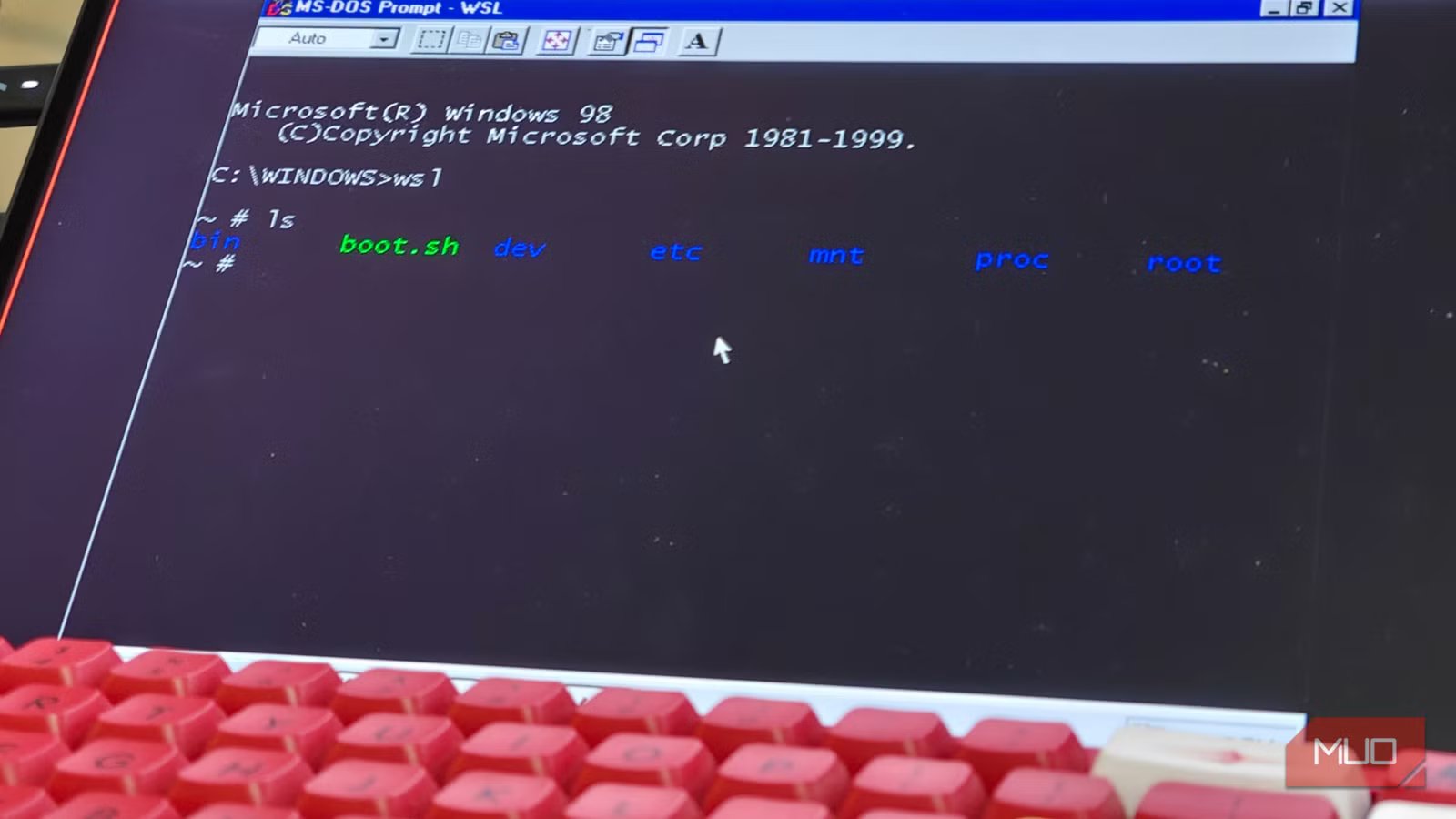
Typing in wsl, I hit the Enter key and voilà! I had a Windows Subsystem for Linux up and running in Windows 98, inside a VM within Linux. You can check the installation by typing in uname -a, which should spit out the Linux kernel version.
You could also use QEMU, but the process is far more involved. QEMU does come with the benefit of having acceleration, which makes the installation more usable.
So, what works?
More like a proof-of-concept
Unsurprisingly, not much works. The fact that it even works at all is a massive feat in itself. So far, the Linux kernel seems to be working just fine within Windows 9x, mostly.
Like modern WSL, WSL9x aims to let Windows 9x and Linux workloads coexist without rebooting. It’s even more impressive when you consider that the entire project was written without the use of AI tools.
I could run a few basic commands like ls, /dev, and more, but there was no package manager installed. In other words, it’s not possible to directly install a Linux package onto WSL9x.
While the official Codeberg repo does show a fastfetch, I never managed to get it working on my install — it is a terribly difficult installation, after all. As it stands right now, the project is in a proof-of-concept status, and Hailey has called it one of their greatest hacks ever, and I feel inclined to agree (even if calling this a hack seems disingenuous).
Future implications
A fun project, but it could be genuinely useful
To be perfectly honest, there aren’t that many uses. To which you might ask, then why? To which I then counter, why not? Part of the joy in making such impossible projects work is in the fun of it, and tinkering can be quite an addictive hobby.
Also, considering that 486 support is planned to be dropped soon from Linux, this project could turn out to be the perfect answer to running certain ancient legacy programs. With WSL9x, you could, in theory, compile modern programs natively and have them work in Windows 9x just fine.
However, given that the project is really new, it might take a while before we see any meaningful results.
Mighty impressive
WSL9x is a bit of a programmer flex. While its practical uses are almost entirely theoretical at this point, it doesn’t change the fact that this is still a very impressive project on its own, especially since it uses a real (and modern!) Linux kernel.
