

# Introduction
JSON is great for APIs, storage, and application logic. But inside large language model (LLM) pipelines, it often carries a lot of token overhead that does not add much value to the model: braces, quotes, commas, and repeated field names on every row. TOON, short for Token-Oriented Object Notation, is a newer format designed specifically to keep the same JSON data model while using fewer tokens and giving models clearer structural cues. The official TOON docs describe it as a compact, lossless representation of JSON for LLM input, especially strong on uniform arrays of objects.
In this article, you will learn what TOON is, when it makes sense to use it, and how to start using it step by step in your own LLM workflow. We will also keep the tradeoffs honest, because TOON is useful in some cases, not all of them.
# Why JSON Wastes Tokens in LLM Pipelines
JSON becomes expensive in prompts because it repeats structure over and over again. LLMs do not care that JSON is a standard. They only see tokens.
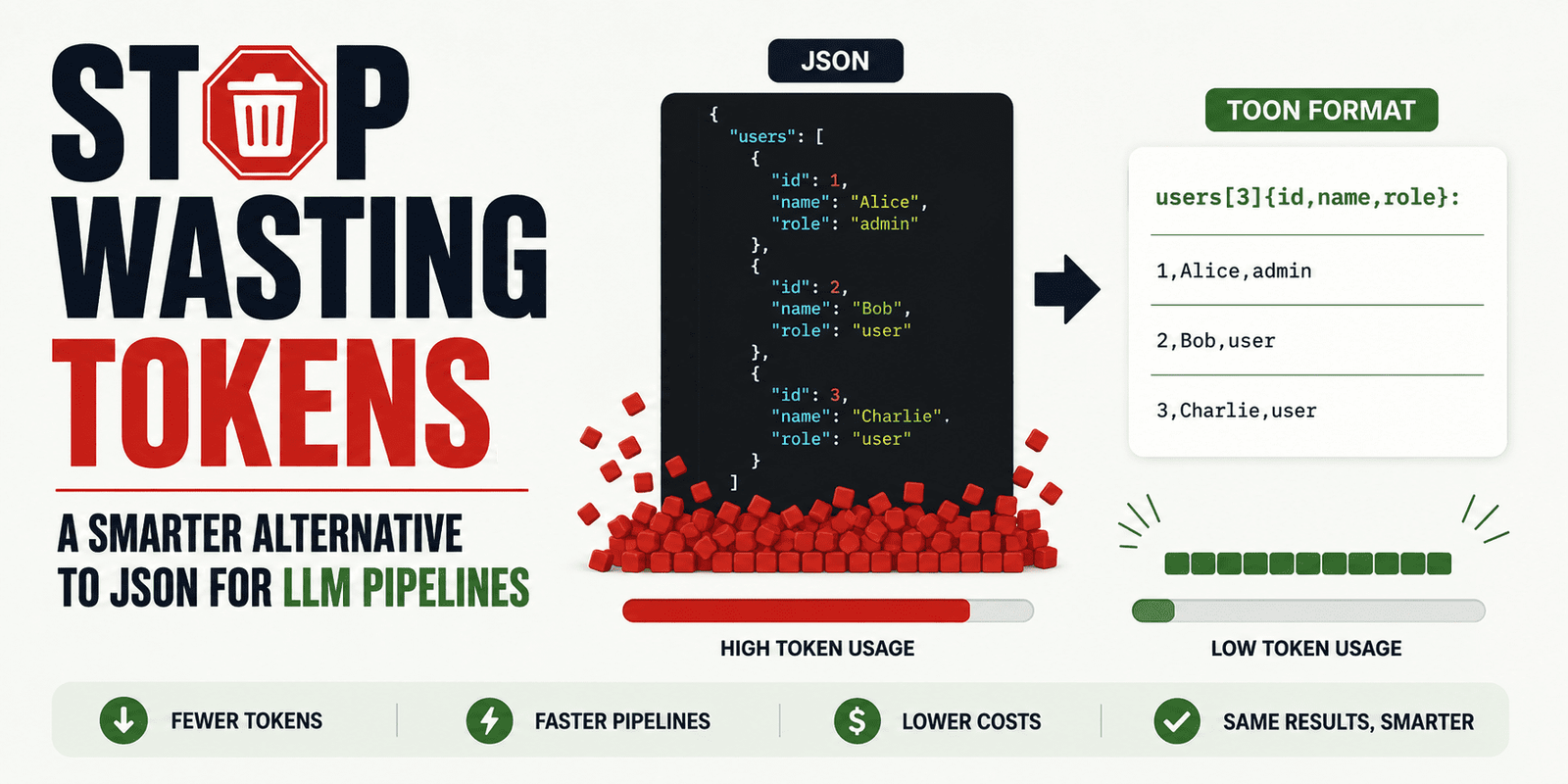
If you send 100 support tickets, product rows, or user records to a model, the same field names appear in every object. TOON reduces that repetition by declaring fields once and then streaming row values in a compact tabular form. Here is a simple example.
JSON:
{
“users”: [
{ “id”: 1, “name”: “Alice”, “role”: “admin” },
{ “id”: 2, “name”: “Bob”, “role”: “user” },
{ “id”: 3, “name”: “Charlie”, “role”: “user” }
]
}
TOON:
users[3]{id,name,role}:
1,Alice,admin
2,Bob,user
3,Charlie,user
Same data, less clutter.
The structure is still clear, but the repeated keys are gone. That is where TOON gets most of its value.
# What TOON Actually Is and When It Is Worth Using
TOON is a serialization format for the JSON data model. That means it can represent objects, arrays, strings, numbers, booleans, and null values — but in a way that is more compact for model input. The TOON project presents it as lossless relative to JSON, which means you can convert JSON to TOON and back without losing information. The important thing to understand is this:
You do not need to replace JSON in your app.
A better approach is to keep JSON in your backend, APIs, and storage, then convert it to TOON only when you are about to send structured data into an LLM.
TOON is most useful when your prompt contains repeated structured records with the same fields. Good examples include retrieved support tickets, catalog rows, analytics records, tool outputs, CRM entries, or memory snapshots for agent systems. However, if your structure is deeply nested, highly irregular, purely flat, or very small, the benefits can shrink or disappear.
# Getting Started with TOON
// Step 1: Installing the TOON Command-Line Interface
The easiest way to try TOON is with the official command-line interface (CLI) from the TOON project. The TOON site links directly to its CLI, and the main repository presents the format as part of a broader SDK and tooling ecosystem.
Install the package:
npm install -g @toon-format/cli
// Step 2: Converting a JSON File into TOON
Let’s create a folder first:
mkdir toon-test
cd toon-test
Now, run the following command to create the JSON file:
Paste this:
[
{ “id”: 1, “name”: “Alice”, “role”: “admin” },
{ “id”: 2, “name”: “Bob”, “role”: “user” },
{ “id”: 3, “name”: “Charlie”, “role”: “user” }
]
Now convert it:
npx @toon-format/cli users.json -o users.toon
You should get a compact result similar to this:
[3]{id,name,role}:
1,Alice,admin
2,Bob,user
3,Charlie,user
This is the core TOON pattern: declare the shape once, then list the values row by row. That aligns with the official design goal of tabular arrays for uniform objects.
// Step 3: Using TOON as Model Input
The best place to use TOON is on the input side of your pipeline. Instead of pasting a large JSON blob into a prompt, pass the TOON version and keep the instruction simple.
For example:
The following data is in TOON format.
users[3]{id,name,role}:
1,Alice,admin
2,Bob,user
3,Charlie,user
Summarize the user roles and point out anything unusual.
This works well because TOON is designed to help the model read repeated structure with less overhead. That is also how the official project frames its benchmarks: as a test of comprehension across different structured input formats.
// Step 4: Keeping JSON for Outputs
This is one of the most important practical decisions. TOON is very useful for input, but JSON is still usually the better choice for output when another system needs to parse the model response. That is because JSON has much stronger tooling support, and modern APIs can enforce structured JSON output with schemas.
In practice, the safest pattern is:
- JSON in your app.
- TOON for large structured prompt context.
- JSON again for machine-parseable model responses.
This gives you efficiency on the input side and reliability on the output side.
// Step 5: Benchmarking in Your Own Pipeline
Do not switch formats based on hype alone.
Run a small benchmark in your own workflow:
- Count input tokens for JSON.
- Count input tokens for TOON.
- Compare latency.
- Compare answer quality.
- Compare total cost.
The official TOON project positions token savings as one of the main benefits, and third-party coverage repeats those claims, but community discussion also shows that results depend heavily on the shape of the data. That is why the best question is not “Is TOON better than JSON?”
The better question is: “Is TOON better for this specific LLM step?”
# Final Thoughts
TOON is not something you need to use everywhere.
It is a targeted optimization for one specific problem: wasting tokens on repeated JSON structure inside LLM prompts. If your pipeline passes lots of repeated structured records into a model, TOON is worth testing. If your payloads are small, irregular, or heavily nested, JSON may still be the better choice.
The smartest way to adopt it is simple: keep JSON where JSON already works well, use TOON where you are packing large structured inputs into prompts, and benchmark the results on your own tasks before committing to it.
Kanwal Mehreen is a machine learning engineer and a technical writer with a profound passion for data science and the intersection of AI with medicine. She co-authored the ebook “Maximizing Productivity with ChatGPT”. As a Google Generation Scholar 2022 for APAC, she champions diversity and academic excellence. She’s also recognized as a Teradata Diversity in Tech Scholar, Mitacs Globalink Research Scholar, and Harvard WeCode Scholar. Kanwal is an ardent advocate for change, having founded FEMCodes to empower women in STEM fields.
