

Why you can trust Android Central
Our expert reviewers spend hours testing and comparing products and services so you can choose the best for you. Find out more about how we test.
To say that the DiskStation DS225+ had a troubled launch would be an understatement. Synology controversially chose to limit the use of HDDs to its own branded drives, and that didn’t go down well with its userbase. The decision made long-time DiskStation users switch to rival brands, and it contributed to UGREEN’s meteoric rise in this category.
There’s no doubt that NAS servers like the DXP4800 Pro and the DXP2800 have better hardware than just about any of their rivals, and Synology’s short-sighted strategy lost the brand a lot of the goodwill it gained over the last 15 years. Thankfully though, the brand reversed its HDD decision, and with the DSM 7.3 software update, you can use any Seagate, WD, or Toshiba HDD with the DS225+ and not run into any issues.
With that out of the way, let’s talk about the NAS itself. The DiskStation DS225+ is a minor refresh of the best-selling DiskStation DS224+, and at the outset, it doesn’t really have many changes. It has the same design, features the same Intel Celeron J4125 platform, has the same 2GB soldered memory, and you still don’t get M.2 slots.
Latest Videos From
The DiskStation DS225+ comes with a key upgrade …
(Image credit: Harish Jonnalagadda / Android Central)
The key difference with the DS225+ — and all DiskStation 2025 models — is the introduction of 2.5 Gigabit Ethernet connectivity. While its predecessor was limited to Gigabit, the DS225+ gets a 2.5GbE port, giving it much better headroom when it comes to data transfers. The DiskStation DS225+ is available for $339 on Amazon, and it costs the same at Best Buy, B&H as well as Newegg. To put that into context, the DS225+ retails for $40 more than the $299 launch price of its predecessor. UGREEN’s 2-bay DXP2800 now costs $369, or $30 more than the DS225+.
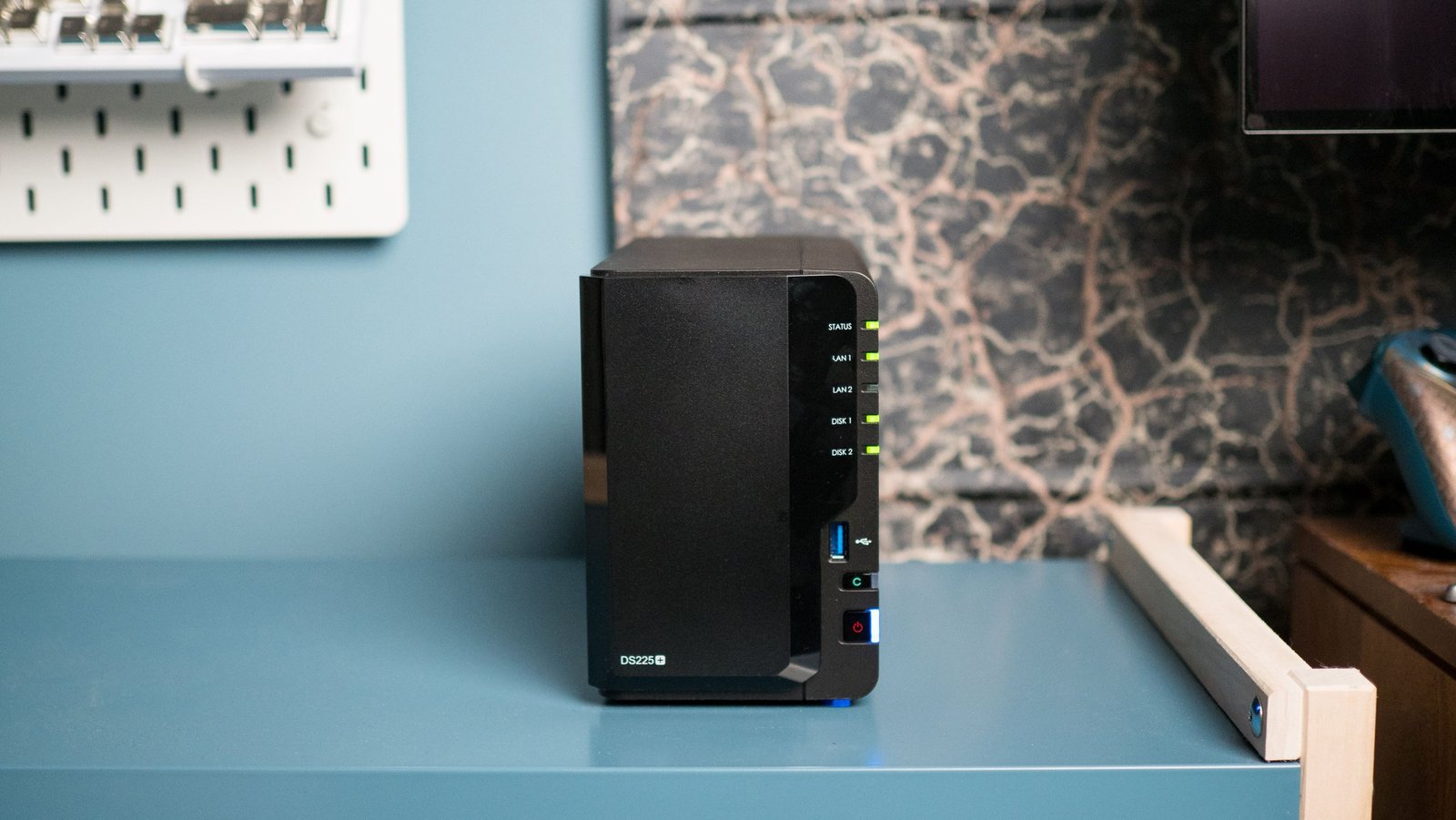
Besides the name change at the front, the design of the DiskStation DS225+ is identical to its predecessor — which was in turn indistinguishable to the DS220+. Synology isn’t really in the habit of changing its design language, but to the brand’s credit, this is a proven design with good airflow and easy installation. I had no trouble slotting in two 8TB HAT3300 drives into the NAS, and the shroud at the front attaches without any issues.
Image 1 of 4
(Image credit: Harish Jonnalagadda / Android Central)(Image credit: Harish Jonnalagadda / Android Central)(Image credit: Harish Jonnalagadda / Android Central)(Image credit: Harish Jonnalagadda / Android Central)
You get LED status lights on the right, and there’s a USB-A connector at the front if you need to transfer data from an external drive. The power button is located at the bottom, and the rear has the rest of the ports. The 2.5GbE port is new this time, but other than that, you get a standard Gigabit Ethernet port, another USB-A port, and a barrel connector for the power. It would’ve been good to see USB-C on the NAS, but other than that, there isn’t a lot wrong with the design or selection of ports on the DS225+.
Coming to the internals, the DS225+ is powered by the Intel Celeron J4125 platform. If that sounds familiar, it’s because it has been around for close to a decade now, and it’s not quite as capable as newer N series models, or what AMD is doing in this category. That said, it’s still decent in everyday use, and I didn’t see any problems while using the DS225+.
… but there are a few features missing
(Image credit: Harish Jonnalagadda / Android Central)
Even though the hardware is the same, you miss out on a key feature: hardware transcoding in Plex and Jellyfin. The J4125 has an integrated GPU, but Synology didn’t enable Quick Sync transcoding, so while the hardware is able to transcode, you can’t actually use it on the DS225+. This is annoying to say the least, but thankfully, there’s an unofficial workaround to enable the drivers needed for hardware-assisted transcoding.
Image 1 of 3
(Image credit: Harish Jonnalagadda / Android Central)(Image credit: Harish Jonnalagadda / Android Central)(Image credit: Harish Jonnalagadda / Android Central)
Another bugbear is the limited RAM; most NAS models now come with 8GB of memory pre-installed — like the DXP2800 — but the DS225+ still gets 2GB of soldered memory. This isn’t anywhere close to being enough, particularly when you consider that around 30% of the memory is utilized by the system cache. There is a SO-DIMM slot where you can add 4GB of additional RAM, and I suggest doing so if you’re eyeing this NAS. However, it would have been much better to just get 8GB of RAM as standard, instead of again having to pay to increase memory.
The software is the main reason to buy the DiskStation DS225+
(Image credit: Harish Jonnalagadda / Android Central)
Are there any positives, you ask? The switch to 2.5GbE networking gives the DS225+ a sizeable boost over its predecessor, and it makes a noticeable difference — it does a better job utilizing the full bandwidth of the mechanical HDDs. There’s no link aggregation — so you can’t bridge both Ethernet ports — but 2.5GbE by itself is a decent enough addition in this area.
The biggest reason to consider the DS225+ is the software. Even though the hardware choices are annoying, the DSM software is the most refined you’ll get on any NAS server today. You get an extensive suite of features to manage data, back up photos from phones, and consolidate your media library. You can also use Docker, but the limited memory makes this annoying; you’ll have to install a memory module to run containers on the DS225+. I used a 4GB module to bring the total memory to 6GB, and I set up Pi-hole, Tailscale, Home Assistant, and other utilities without any problems.
(Image credit: Harish Jonnalagadda / Android Central)
If you’ve used a DiskStation NAS in the past and are looking to upgrade, the DS225+ is a good choice. You get the same great software features, and 2.5GbE networking makes a difference. It doesn’t cost too much more than its predecessor, and the fundamentals are reliable. I like using Synology NAS servers solely due to the software, and the brand continues to be dominant in this area. Even though there are limitations around pre-installed memory and missing drivers for hardware transcodes, the DS225+ does enough to warrant a recommendation as a home NAS server, and it’s a solid 2-bay option in 2026. If you want a 4-bay model instead, the DiskStation DS925+ continues to be a reliable workhorse.
Synology DiskStation DS225+
The DiskStation DS225+ has the same design as its predecessor, but the addition of 2.5GbE connectivity gives this NAS an advantage. While the hardware may not be on par with rivals, you still get the best software features in this category.
