

Gadget Weekly
(Image credit: Android Central)
Join Namerah Saud Fatmi as she explores the cool, quirky, and sometimes downright odd world of smartphone accessories, gadgets, and other nerdy toys every week.
E Ink displays and artwork together in one product sounds like a match made in heaven. All the reasons why E Ink tablets are excellent for reading also apply to why art looks stunning on e-paper screens. After all, frozen particles of e-ink are perfect for showcasing art that’s meant to be printed on paper with real ink.
The SwitchBot AI Art Frame isn’t the first of its kind, but it is one of the more mainstream e-paper frames, as the brand has built quite a name for itself. Brands like IONNYK tried to popularize the concept a few years back, but it wasn’t until PocketBook unveiled a colored variant at CES 2025 that the idea started to catch on.
You may like
Since SwitchBot already has an ecosystem of smart home devices and several Matter-enabled hubs, the addition of an e-paper frame felt like a natural extension. I imagined I’d be able to incorporate the frame into automations created through the SwitchBot hub, and I was half right, but the AI Art Frame turned out to be a bit simpler.
SwitchBot is by far the cheapest option for E Ink digital frames
Image 1 of 2
(Image credit: Namerah Saud Fatmi / Android Central)(Image credit: Namerah Saud Fatmi / Android Central)
Much like Aura, PocketBook InkPoster, and other competitors, SwitchBot offers the AI Art Frame in several sizes. Here’s a quick comparison of sizes and prices of color E Ink frames to give you an idea of the industry standard. All the frames mentioned below use the same E Ink Spectra 6 color display and charge via USB-C.
Swipe to scroll horizontally
As you can see, the SwitchBot AI Art Frame is the cheapest in the market, regardless of what size you prefer.
All these colorful E Ink frames can store images locally, support Wi-Fi and Bluetooth connectivity, support both portrait and landscape orientations, and be managed via Android or iOS apps. SwitchBot is limited to 10 images stored on board, while InkPoster is limited to six. Aura claims to have “unlimited photos,” but those are cloud uploads, which are unlimited for all frames anyway. There’s no info available on local storage.
Two things set SwitchBot’s offering apart from the rest: AI and scheduling.
The good and the bad…
(Image credit: Namerah Saud Fatmi / Android Central)
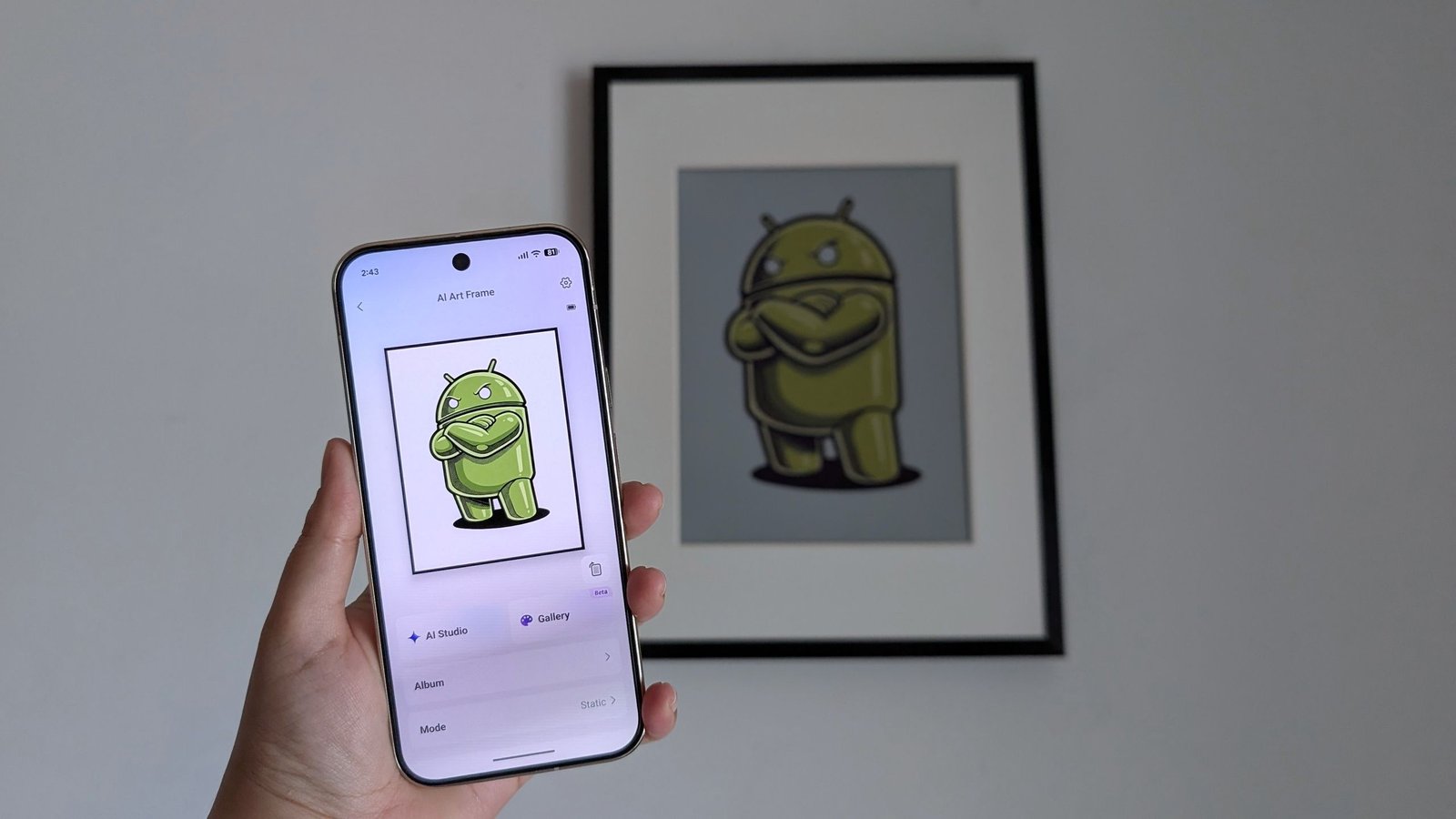
Besides the usual suspects, the SwitchBot AI Art Frame offers granular scheduling and generative AI art.
You can choose a specific image and the time of the day when you want that photo to swap over. Since this is done through the SwitchBot app, I’m hoping to see SwitchBot expand this further by incorporating smart home automations with the brand’s other products in the future.
It should be possible via over-the-air updates, as the hardware is already there. I don’t know if this will come to pass, and I’m a little disappointed that SwitchBot didn’t do more with smart home integration.
The AI Studio generates images either from text prompts alone or by reimagining an uploaded image based on your text prompt. The AI feature isn’t free, though. You need to subscribe to the $3.99 per month plan, and that limits you to 400 monthly gen AI creations.
(Image credit: Namerah Saud Fatmi / Android Central)
I honestly don’t see what’s stopping anyone from generating an image for free from any other gen AI platform. The subscription service feels like a shameless cash grab, but that isn’t even my main issue with this.
I don’t think anyone should equate AI and art in any way, shape, or form. AI literally steals human artists’ work by plagiarizing it. Countless digital artists, designers, and professionals in the creative space have pushed back against generative AI. To then capitalize on this pretty unethical.
This would’ve been so much more refreshing if SwitchBot had partnered with actual artists from around the world, or maybe even with art platforms like DeviantArt. I would happily pay a monthly subscription to access the painstaking work of an artist if it meant supporting them, as would many others.
E Ink adds battery gains as opposed to regular LCDs
Image 1 of 4
(Image credit: Namerah Saud Fatmi / Android Central)(Image credit: Namerah Saud Fatmi / Android Central)(Image credit: Namerah Saud Fatmi / Android Central)(Image credit: Namerah Saud Fatmi / Android Central)
SwitchBot guarantees up to two years of battery life per charge. Coming from a very humble 2,000mAh cell, that’s an insane number. I haven’t charged the 13.3″ frame since I topped it off to 100% three weeks ago, and the percentage still shows 99%. To put things in perspective, the Aura Ink 13″ only promises up to three months, whereas the Paper 7 lasts up to six months.
Changing the image too frequently may cause the battery to drain faster, however. SwitchBot has not clarified whether all three sizes use a 2,000mAh battery or not. If they do, the larger frames will probably need to be charged more often.
Final thoughts
(Image credit: Namerah Saud Fatmi / Android Central)
I applaud the concept of E Ink frames, and SwitchBot undoubtedly offers a relatively more affordable entry to the space. However, I cannot bring myself to recommend the AI art feature to anyone.
If you’re considering an e-paper frame for your home, the SwitchBot AI Art Frame is an excellent choice. However, I implore you to pay for the art that you showcase. If you can’t afford that, display your own photos, or use works available for public use under a Creative Commons license.
A picture that lasts longer
The SwitchBot AI Art Frame is the most affordable option in the industry. The ability to schedule photos is handy, and the gallery mode lets you put on a slideshow of 10 images if you don’t want to schedule something specifically. With a battery life as long as this frame offers, and a display as beatiful as the E Ink Spectra 6, putting up photos or art you love in your home couldn’t be easier.
