

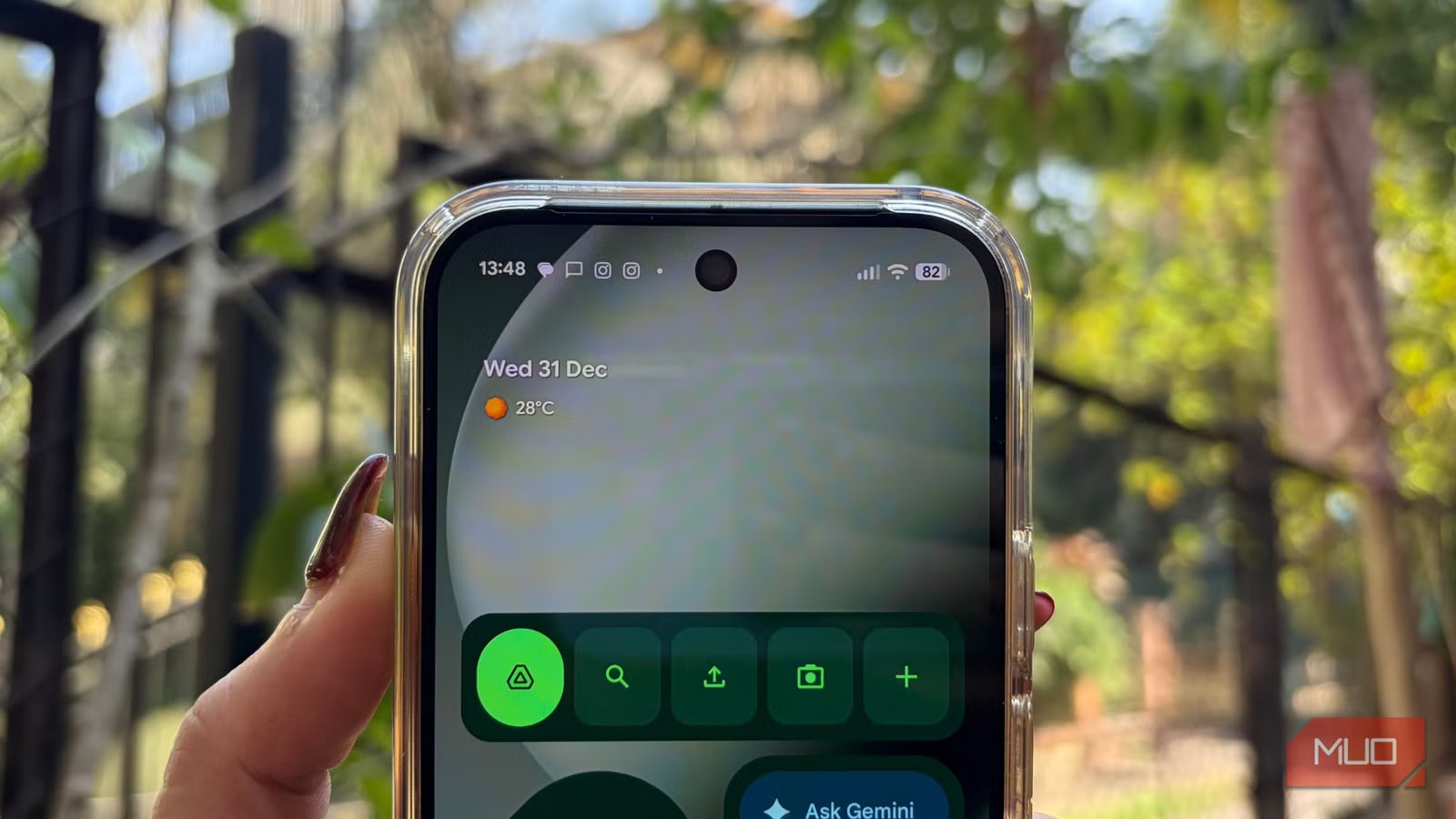
We all have features we swear by and others we immediately turn off. It really comes down to personal preference and how each of us use our phones. Over time, you start forming habits around these choices. In my case, there’s one setting I never skip when setting up a new phone, and there’s one feature on Android I disable without fail the moment I start using it. That combination has become part of my routine, and it’s exactly what I want to talk about here.
What is this feature, and how does it work?
When your phone stays one step ahead
Credit: Shimul Sood / MakeUseOf
It’s At a Glance, a feature that Google introduced on Pixel phones nearly a decade ago. You’ll find it as a widget that lives on both the home and lock screens, designed to surface important information without you having to dig through apps.
It brings together a wide range of timely updates in one place. This includes updates like weather and air quality, as well as alerts, such as severe weather warnings and earthquake notifications. It also shows day-to-day information like upcoming calendar events, work profile reminders, food and household orders, parcel deliveries, commute updates, and when it’s time to leave for an important meeting or appointment. Beyond that, it can surface details related to lift-sharing, travel plans, bedtime routine, fitness updates, safety check-ins, timers and stopwatches, connected devices, cross-device timers, doorbell alerts, and even quick toggles like the torch. All of this is customizable, and you can choose which information appears and which stays hidden. In short, it’s a snapshot of your day that keeps essential details front and center on your phone’s screen.
But it does not work the way it claims to be
A widget with commitment issues
Credit: Shimul Sood / MakeUseOf
In reality, this feature does not work as intended. For starters, the widget takes up a noticeable amount of space on the home screen, often pushing other apps out of view. On smaller screens, especially, this makes the layout feel cramped and uneven.
What’s more frustrating is the inconsistency. Even after enabling every toggle and customization option, the widget behaves unpredictably. Sometimes it shows the right information, and most of the time it simply does not. As I’m writing this, it is still not functioning the way it should, which naturally raises the question: what’s the point of enabling all these options if they rarely work?
There are also bugs that make the experience worse. I have noticed the widget showing incorrect units on occasion, something that tends to happen more frequently after a software update. In other cases, it overlaps with app icons on the home screen, making the layout look messy and unfinished. I am quite particular about how my home screen looks, and issues like these are hard to ignore.
Credit: Shimul Sood / MakeUseOf
To be fair, I gave the widget plenty of chances. When the problems first started, I assumed it was a temporary glitch. I restarted my phone multiple times and even waited for a few updates, hoping things would improve. Unfortunately, they didn’t.
The most disappointing example is travel information. I am traveling in two days. I have completed my web check-in, added all my details, and double-checked that the travel toggle is enabled. Despite all of this, this widget still refuses to show my travel details. Ironically, it seems to fail most at the very moments it should be helpful.
Fortunately, this feature can now be removed
Goodbye, At a Glance, you won’t be missed
Until now, Google hasn’t given users the option to turn off the At a Glance feature. So, for users like me who found it more annoying than helpful and occasionally buggy, there was no choice but to live with it permanently sitting on the home screen. Thankfully, that has finally changed. Google now allows you to disable At a Glance, and the process is pretty simple. To turn it off, follow these steps:
- Open your Google Pixel and long-press on the At a Glance widget on the home screen.
- Tap settings from the drop-down menu.
- Toggle off Use At a Glance.
That’s it. The feature is now disabled for good and removed from both your home screen and lock screen.
Related
Your Android Phone’s Default Settings Are a Privacy Nightmare—Here’s What to Change Right Now
Your Android’s out-of-the-box settings aren’t doing you any favors when it comes to privacy.
Maybe one day…
I am always eager to explore and learn about useful features, and I actively use these Google Pixel features that save me time every day. That said, not every feature deserves unconditional praise. Some are fairly criticized, and in certain cases, rightly so.
It’s completely understandable for features to have rough edges initially, and I am more than willing to give a fair chance. However, even after multiple software updates, this feature remained constantly buggy throughout my usage. The persistent inconsistency is the sole reason I disable it every time I set up a new device. I turned it off on the Google Pixel 9 and did the same on the Google Pixel 10 Pro. Still, I am not writing it off entirely. If Google ever gets it right and makes the widget reliable, I’ll gladly give it another shot. Until that day arrives, I’m sticking to alternatives that don’t get in the way. Speaking of which, here are 10 other widgets you might want to try out on your Android phone.
